
1. Introduction
The Fajuod Waterless Essential Oil Diffuser (Model GAS-501F) provides a pure, water-free aromatherapy experience for spaces up to 3000 sq.ft. Utilizing cold air diffusion technology, it disperses essential oils without heat or water, ensuring a clean and consistent fragrance. This diffuser offers both app and manual control for personalized scent management and is designed for quiet operation.
- Waterless Diffusion: Enjoy pure essential oil diffusion without adding water, mist, or residue.
- Large Coverage: Effectively scents areas up to 3000 sq.ft.
- Dual Control: Manage settings via Bluetooth app or the built-in button panel.
- Quiet Operation: Designed for minimal noise, suitable for various environments.
- Flexible Installation: Can be used as a desktop unit or wall-mounted.
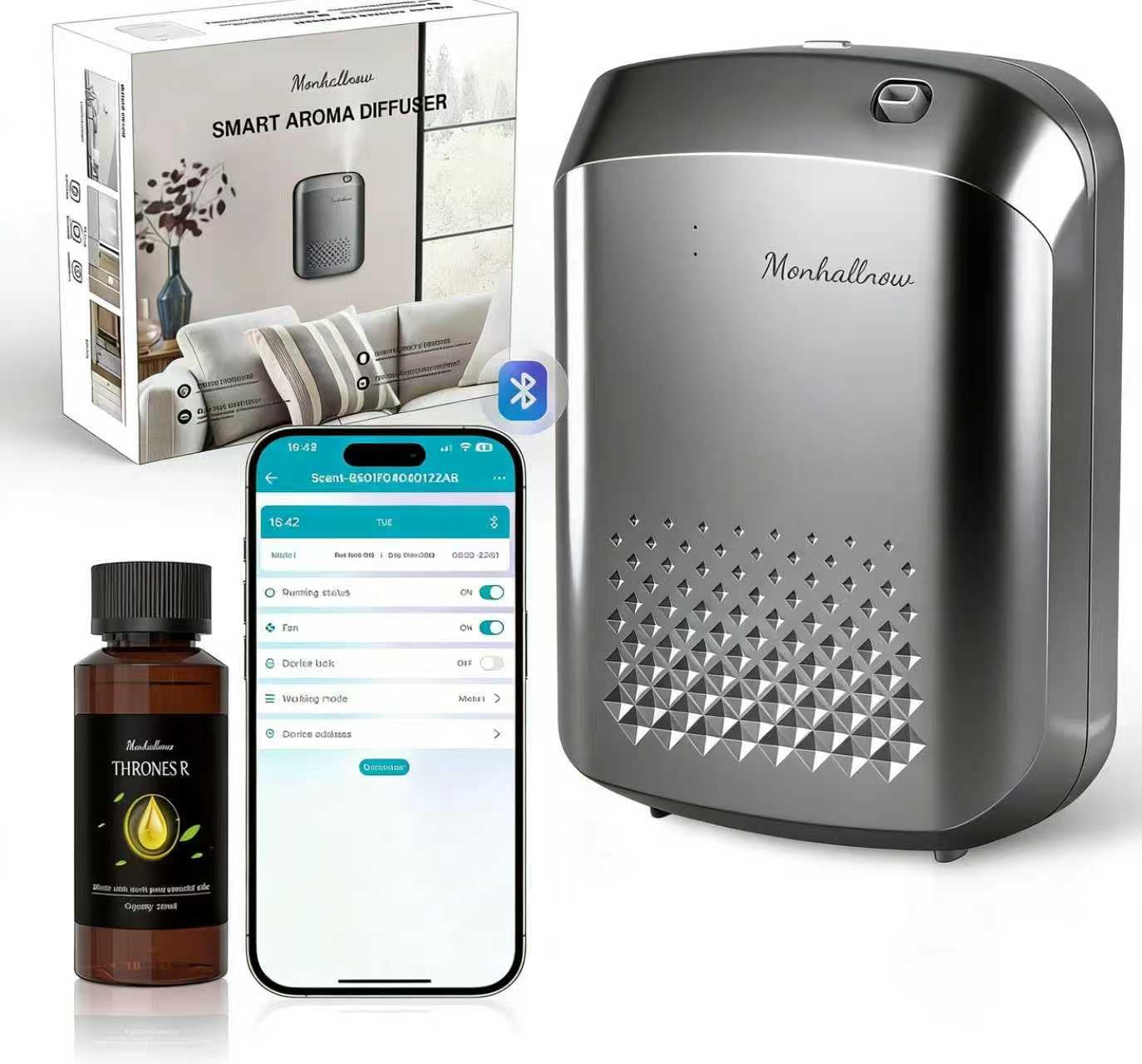
Image 1.1: The Fajuod Waterless Essential Oil Diffuser in a home environment.
Video 1.1: An overview of the Fajuod Waterless Diffuser, demonstrating its features and waterless operation.
2. Package Contents
Please verify that all items are included in your package:
- Aroma diffuser (1 unit)
- Essential oil bottle (1 unit, 120ml essential oil included)
- Power adapter (1 unit)
- User Manual (1 unit)
- Wall-mount adhesive backing (1 unit)

Image 2.1: Included components of the Fajuod Waterless Essential Oil Diffuser, with dimensions.
3. Setup and Installation
3.1 Filling the Essential Oil Bottle
- Press and hold the top button to open the device cover.
- Pull out the atomizer head and essential oil bottle as a single unit.
- Twist the essential oil bottle out in the direction of the arrow to remove it.
- Fill the bottle with your desired essential oil. Do not overfill.
- Replace the atomizer head into the device and close the cover securely.

Image 3.1: Step-by-step guide for filling the essential oil bottle.
3.2 Placement and Mounting
The diffuser can be placed on a flat surface or mounted on a wall. Ensure it is placed in a central location for optimal scent distribution.
- Desktop Use: Place the diffuser on a stable, flat surface.
- Wall Mounting: Use the provided adhesive backing to secure the diffuser to a clean, dry wall surface. Ensure the power cable can reach an outlet without strain.

Image 3.2: Diffuser shown in desktop and wall-mounted positions.
Video 3.1: A demonstration of unboxing, filling, and placing the diffuser.
4. Operation
4.1 App Control (Recommended)
The Fajuod diffuser can be controlled via a dedicated smartphone application, offering advanced scheduling and intensity adjustments.
- Download the App: Scan the QR code provided in the manual or visit http://iot.cn.grassearoma.cn/download_for_scent_lab.html to download the "Scent Lab" app (available for iOS and Android).
- Pairing: Launch the app and ensure Bluetooth is enabled on your phone. The app will search for available devices. Select your diffuser (e.g., "Scent-B501F040122AB") to connect.
- Settings: Once connected, you can:
- Set operating time periods (e.g., Monday-Friday, 09:00-17:00).
- Adjust fragrance intensity (e.g., On 60s / Pause 200s).
- Plan your fragrance schedule in advance for different days or times.
- Power on/off the device.

Image 4.1: Bluetooth pairing and app control interface.
Video 4.1: A user demonstrating the app control features of the diffuser.
4.2 Manual Control
The diffuser also features a built-in button panel for basic manual operation. Refer to the display for current settings and use the buttons to cycle through modes or adjust basic parameters. For detailed scheduling and advanced settings, app control is recommended.
5. Maintenance
Regular maintenance ensures optimal performance and longevity of your diffuser.
- Cleaning the Exterior: Wipe the exterior with a soft, dry cloth. Do not use abrasive cleaners or solvents.
- Cleaning the Atomizer: If the scent output decreases or appears inconsistent, the atomizer may need cleaning. Remove the essential oil bottle and atomizer unit. Gently wipe any visible residue. For a deeper clean, you may run a small amount of rubbing alcohol through the atomizer (without essential oil) for a short period, then rinse with clean water. Ensure it is completely dry before reassembling.
- Oil Replacement: Replace essential oil when the bottle is empty. Avoid mixing different oils directly in the bottle without cleaning first.
6. Troubleshooting
If you encounter issues with your Fajuod Waterless Essential Oil Diffuser, please refer to the following common solutions:
| Problem | Possible Cause | Solution |
|---|---|---|
| No scent output or weak scent. | Essential oil bottle is empty or low. Atomizer is clogged. Diffuser is placed in too large an area or in a drafty location. | Refill the essential oil bottle. Clean the atomizer as per maintenance instructions. Relocate the diffuser to a more suitable area or increase intensity via the app. |
| Device not turning on. | Power adapter not connected or faulty. Device is off. | Ensure the power adapter is securely connected to the diffuser and a working power outlet. Press the power button on the device or via the app. |
| Cannot connect to the app via Bluetooth. | Bluetooth is off on phone. Diffuser is out of range. App is not updated. | Ensure Bluetooth is enabled on your smartphone. Move closer to the diffuser. Update the "Scent Lab" app to the latest version. Restart both the diffuser and your phone. |
| Unusual noise during operation. | Atomizer or fan obstruction. Device not on a stable surface. | Check for any obstructions in the atomizer or fan area. Ensure the diffuser is placed on a flat, stable surface. |
If the problem persists after attempting these solutions, please contact customer support.
7. Specifications
| Feature | Detail |
|---|---|
| Brand | Fajuod |
| Model Name | GAS-501F |
| Color | Silver |
| Material | Plastic |
| Coverage Area | Up to 3000 square feet |
| Capacity | 400 ml |
| Item Dimensions (L x W x H) | 9.8"L x 4.4"W x 10.3"H |
| Item Weight | 2.9 pounds |
| Control Method | App Control, Manual Button Panel |
| Mounting Type | Wall Mount, Desktop |
8. Warranty and Support
Manufacturer Warranty: The Fajuod Waterless Essential Oil Diffuser comes with a 1-year free replacement warranty from the manufacturer, GUANGDONG GRASSE ENVIRONMENTAL TECHNOLOGY CO.,LTD.
For technical support, warranty claims, or any questions regarding your product, please refer to the contact information provided in the original packaging or on the official Fajuod website.