
HEAPETS P365
Contents
HEAPETS P365 Pet Air Purifier
User Manual
1. Introduction
Thank you for choosing the HEAPETS P365 Pet Air Purifier. This device is designed to improve indoor air quality by effectively removing pet hair, dander, odors, dust, smoke, and other airborne pollutants. Featuring H13 HEPA filtration, a washable pre-filter, and smart app control, the P365 provides a cleaner and healthier environment for you and your pets.
2. Important Safety Instructions
- Read all instructions before operating the appliance.
- Do not operate any appliance with a damaged cord or plug.
- Keep the cord away from heated surfaces.
- Do not use the air purifier outdoors or on wet surfaces.
- Always unplug the air purifier before moving, cleaning, or replacing filters.
- Do not block air openings.
- Use only HEAPETS authorized replacement filters.
- This appliance is not intended for use by persons (including children) with reduced physical, sensory or mental capabilities, or lack of experience and knowledge, unless they have been given supervision or instruction concerning use of the appliance by a person responsible for their safety.
3. Product Overview
The HEAPETS P365 features a multi-stage filtration system designed to capture various airborne particles and odors. Its compact design allows for flexible placement, and the large air intake is specifically engineered to prevent pet hair from clogging the system.
Filtration System:
- Electrostatic Pre-filter: Captures large particles like pet hair and dust. This filter is washable and reusable.
- H13 HEPA Filter: Traps fine particles such as pet dander, pollen, and other allergens down to 0.3 micrometers.
- Activated Carbon Filter: Absorbs various odors, including pet odors, cooking smells, and smoke.

Image: Illustration of the P365's advanced H13 HEPA filtration system, showing the pre-filter, activated carbon filter, and HEPA filter layers.

Image: The P365 air purifier with its large air inlet designed to capture floating pet hair, preventing clogs and secondary pollution.
4. Setup
- Unpack: Carefully remove the air purifier from its packaging.
- Filter Installation:
- Open the front cover of the air purifier.
- Remove any plastic packaging from the filters.
- Insert the filters into the designated slots, ensuring they are seated correctly.
- Close the front cover securely.
- Placement: Place the air purifier on a flat, stable surface. Ensure there is adequate space around the unit for proper airflow. For optimal performance in pet areas, place it near litter boxes or pet beds.
- Power Connection: Plug the power cable into the air purifier and then into a standard electrical outlet.
- App Connection (Optional):
- Download the HEAPETS app from your smartphone's app store.
- Register or log in to your account.
- Press and hold the Wi-Fi button on the air purifier for 3 seconds until the indicator light flashes.
- Follow the in-app instructions to connect your air purifier to your 2.4GHz Wi-Fi network.
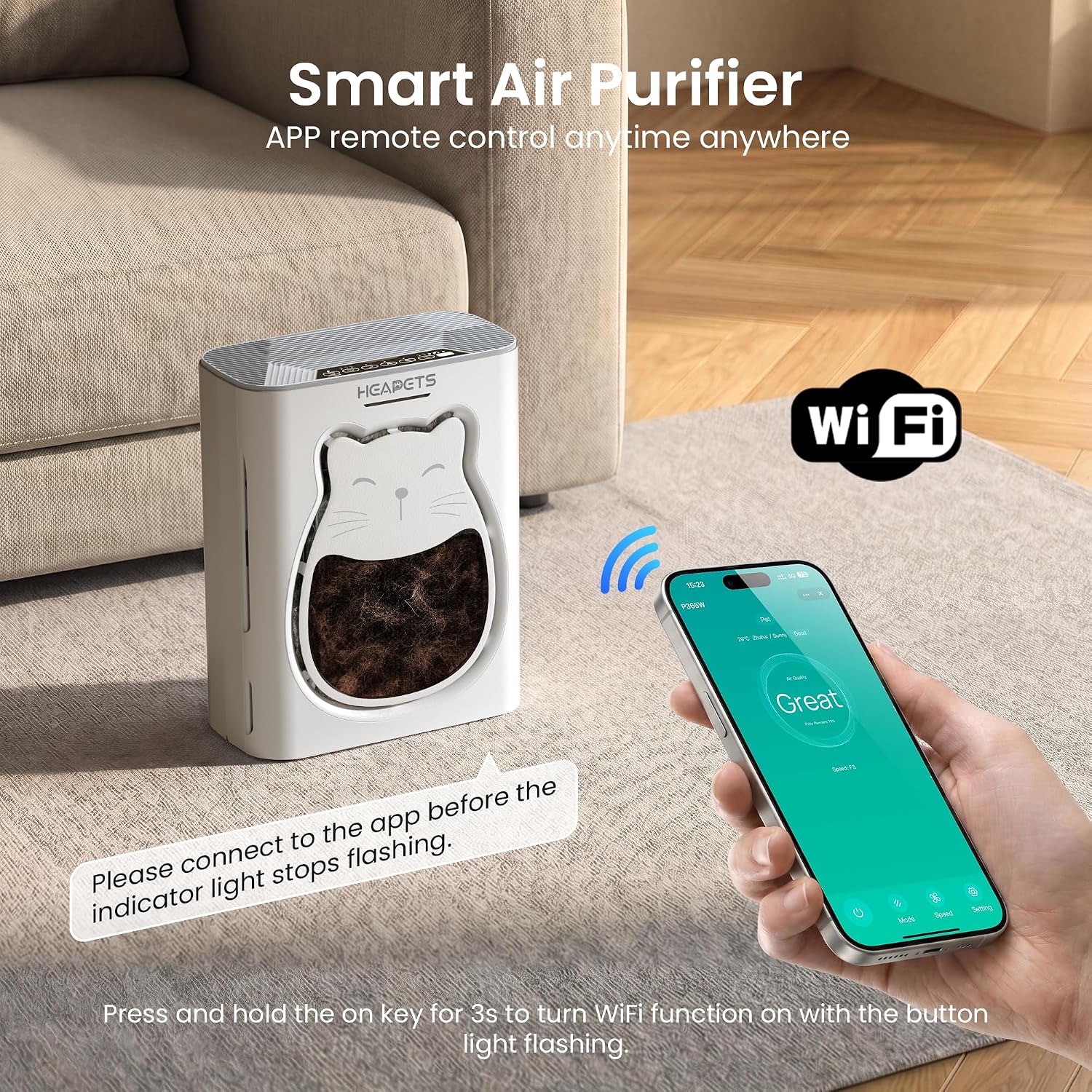
Image: The HEAPETS P365 air purifier being controlled via a smartphone app, demonstrating remote functionality and air quality monitoring.
5. Operating Instructions
The HEAPETS P365 can be operated via the control panel on the unit or through the HEAPETS smartphone app.
Control Panel Functions:
- Power Button: Turns the unit on or off.
- Mode Button: Cycles through different operating modes (e.g., Auto, Sleep, Pet).
- Fan Speed Button: Adjusts the fan speed manually.
- Timer Button: Sets an operating timer.
- Pet/Reset Button: Activates Pet Mode or resets the filter indicator.
Operating Modes:
- Auto Mode: The purifier automatically adjusts fan speed based on detected air quality.
- Sleep Mode: Operates at the lowest fan speed (25dB) and dims display lights for quiet operation, ideal for bedrooms.
- Pet Mode: Optimized for pet households, providing enhanced filtration for pet dander and odors.
App Control:
The HEAPETS app allows for remote control and monitoring of your air purifier. Features include:
- Real-time air quality monitoring.
- Remote adjustment of modes and fan speeds.
- Setting timers and schedules.
- Filter replacement reminders.
- Activating Pet Lock to prevent accidental changes by children or pets.

Image: The P365 air purifier operating quietly in sleep mode, with dimmed lights, suitable for a bedroom environment.
6. Maintenance
Regular maintenance ensures optimal performance and extends the life of your air purifier.
Pre-filter Cleaning:
The electrostatic pre-filter is washable and reusable. Clean it regularly to maintain efficiency and extend the life of the main HEPA filter.
- Unplug the air purifier.
- Remove the front cover and detach the pre-filter.
- Use a vacuum cleaner to remove loose hair and dust from the pre-filter.
- Rinse the pre-filter under running water until clean.
- Allow the pre-filter to air dry completely before re-installing.

Image: Steps for cleaning the reusable pre-filter, including vacuuming and rinsing under water.
Main Filter Replacement:
The composite H13 HEPA and activated carbon filter should be replaced every 3-6 months, depending on usage and air quality. The filter indicator light will flash red when replacement is needed.
- Unplug the air purifier.
- Remove the front cover.
- Detach the old composite filter.
- Install a new HEAPETS composite filter (Model: B0GXVB18TT).
- Close the front cover.
- Press and hold the 'Pet/Reset' button for 3 seconds to reset the filter indicator.
For authentic filters, search for: B0GXVB18TT (Composite Filter) or B0GXV6P3GX (Pre-filter).

Image: Visual guide for checking the filter indicator, replacing the filter, and resetting the filter alert.
7. Troubleshooting
| Problem | Possible Cause | Solution |
|---|---|---|
| Unit does not turn on. | Not plugged in; power outlet malfunction; unit damaged. | Ensure power cord is securely plugged in. Test outlet with another device. If still not working, contact customer support. |
| Poor air purification performance. | Filters are dirty or clogged; unit placed in an obstructed area; room size too large. | Clean or replace filters. Ensure unit is placed in an open area. Verify the unit's coverage area matches your room size. |
| Unusual noise during operation. | Foreign object inside; filters not installed correctly; unit on an uneven surface. | Unplug and check for foreign objects. Re-install filters correctly. Place unit on a flat, stable surface. |
| Filter indicator light remains red after replacement. | Filter reset not performed. | Press and hold the 'Pet/Reset' button for 3 seconds to reset the filter life counter. |
| App connection issues. | Incorrect Wi-Fi password; not connected to 2.4GHz network; app outdated. | Ensure correct Wi-Fi password. Connect to a 2.4GHz Wi-Fi network. Update the HEAPETS app. Re-attempt pairing process. |
8. Specifications
- Model Number: P365
- Product Dimensions: 6.1 x 11.81 x 14.64 inches
- Item Weight: 6.72 pounds (3.2 kg)
- Power Source: AC
- Control Method: App, Manual Buttons
- Filter Type: H13 HEPA, Activated Carbon, Electrostatic Pre-filter
- Floor Area Coverage: Up to 2200 sq ft/h (based on CADR)
- Noise Level: 25 dB (Sleep Mode)
- Particle Retention Size: 0.3 micrometers
- Contaminant Filtration Capability: Dust, odors, pet dander, pet hair, smoke, pollen, allergens.
- Special Features: Portable, Washable Pre-filter, Smart App Control, Air Quality Monitor, Auto Mode, Sleep Mode, Pet Mode, Timer, Pet Lock.
- Certifications: ETL, EPA, FCC, CE, CARB, CA65 compliant.

Image: Display of various certifications for the HEAPETS P365 air purifier, including CARB, CA65, ETL, EPA, FCC, and CE.
9. Warranty and Support
Your HEAPETS P365 Air Purifier comes with a 12-month warranty from the date of purchase. This warranty covers manufacturing defects and workmanship under normal use.
For any questions, technical assistance, or warranty claims, please contact HEAPETS customer support:
- Customer Support: Available 24/7
- Technical Assistance: Lifetime support provided
- Please refer to your purchase documentation for specific contact details or visit the official HEAPETS website.
Documents and downloads
Ask a question about this manual
Ask about setup, troubleshooting, compatibility, parts, safety, or missing instructions. Manuals+ will review the question and use this page’s manual context to help answer it.