
Introduction
Thank you for choosing the Ulfario LF-X2DF Walking Pad Treadmill. This manual provides essential information for the safe and efficient use, setup, operation, and maintenance of your new fitness equipment. Please read this manual thoroughly before initial use and retain it for future reference.
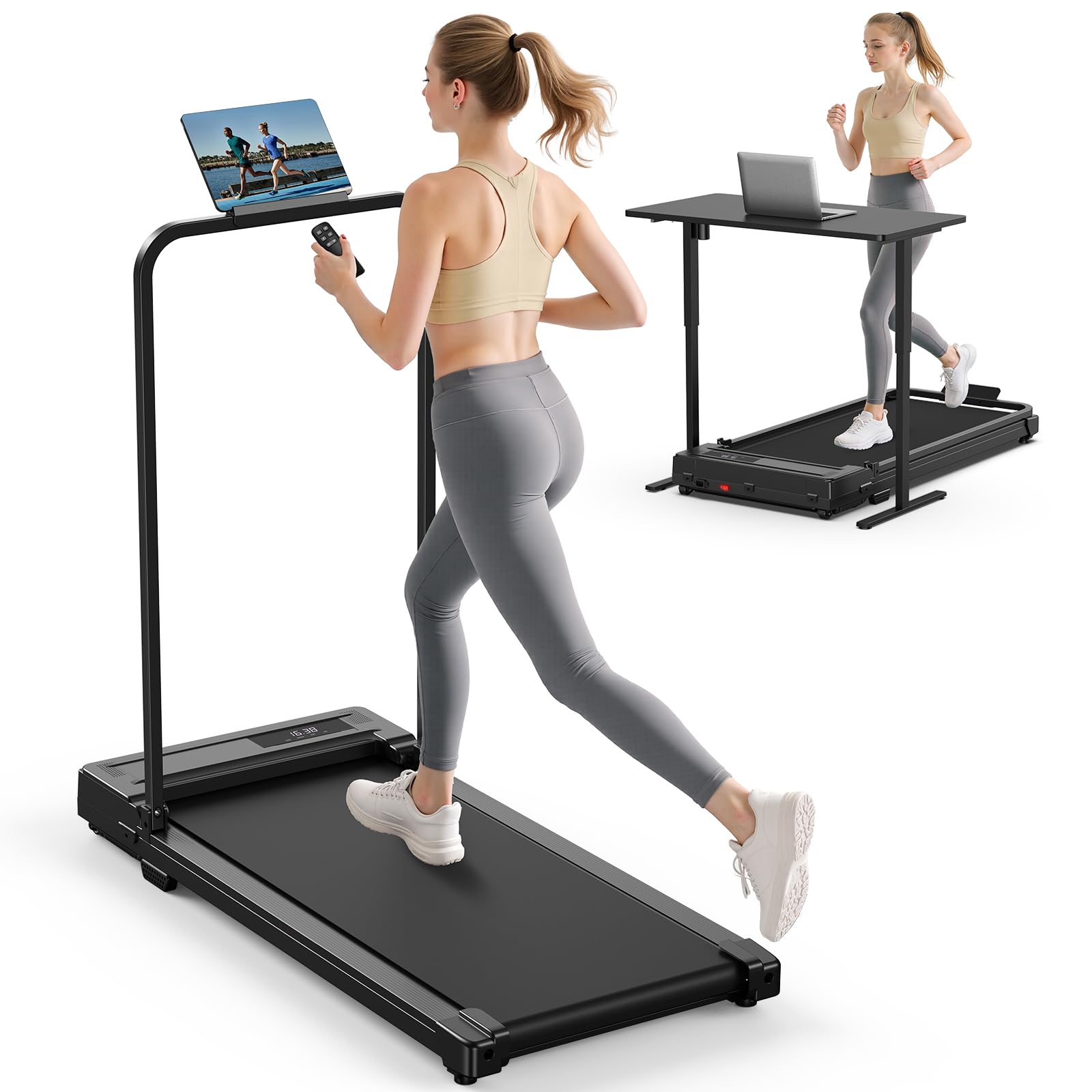
Image: The Ulfario LF-X2DF Walking Pad Treadmill in its compact form.
Important Safety Instructions
To reduce the risk of serious injury, read all instructions before using the treadmill. The manufacturer is not responsible for personal injury or property damage sustained by or through the use of this product. Follow these basic precautions:
- Always place the treadmill on a flat, stable surface.
- Keep children and pets away from the treadmill during operation.
- Do not operate the treadmill if it has a damaged cord or plug, or if it is not working properly.
- Wear appropriate athletic footwear and clothing.
- Do not use the treadmill outdoors or in damp areas.
- Consult a physician before starting any exercise program.
- The maximum user weight capacity for this treadmill is 264 lbs (120 kg).
Package Contents
Carefully unpack the box and ensure all items are present and undamaged. If any parts are missing or damaged, contact customer support.
- Ulfario LF-X2DF Walking Pad Treadmill
- Remote Control (x1)
- Smartphone Holder (x1)
- Hex Tool (x1)
- Self-tapping Screws (x2)
- T-shaped Allen Wrench (x1)
- Hex Socket Head Cap Screws (x2)
- Lubricants (x1 bottle)
- User Manual (x1)

Image: Visual representation of all components included in the package.
Setup
1. Unfolding the Treadmill
- Place the treadmill on a flat, level surface.
- Gently lift the handlebar until it locks into the upright position.
- Secure the handlebar by tightening the fixed bolts using the provided Hex Tool.
2. Attaching the Smartphone Holder
- Locate the designated slot on the handlebar.
- Slide the smartphone holder into the slot until it is securely in place.

Image: The treadmill shown in its folded and unfolded states, highlighting its space-saving design and built-in wheels for easy movement.
Image: A close-up of the smartphone holder attached to the treadmill's handlebar.
Operating Instructions
1. Powering On/Off
- Plug the power cord into a grounded electrical outlet.
- Press the power button on the treadmill or the remote control to turn it on. The LED display will illuminate.
- To turn off, press the power button again or hold the stop button on the remote.
2. Using the Remote Control
The remote control allows for convenient adjustment of speed and modes during your workout.
- Start/Stop Button: Press to start or stop the treadmill belt.
- Speed +/- Buttons: Adjust the speed incrementally.
- Preset Speed Buttons (1, 2, 4): Quickly set the treadmill to 1 MPH, 2 MPH, or 4 MPH.
- Mode Button (M): Cycle through display modes (Time, Speed, Distance, Calories).
3. Speed Modes
The treadmill offers three distinct speed ranges:
- Walking Mode: Approximately 0.6–1.2 MPH (1-2 KM/H)
- Jogging Mode: Approximately 1.9–2.5 MPH (3-4 KM/H)
- Running Mode: Approximately 3.1–4 MPH (5-6 KM/H)

Image: Illustration of the three exercise modes: Walking, Jogging, and Running, with their respective speed ranges.
4. LED Display and Pause Function
The integrated LED display shows real-time workout data:
- Time: Duration of your workout.
- Speed: Current speed of the treadmill belt.
- Distance: Total distance covered.
- Calories: Estimated calories burned.
The treadmill features a pause function. Pressing the pause button on the remote control will temporarily stop the belt while retaining your workout data for up to 10 minutes. This allows for short breaks without losing your progress.

Image: A user operating the treadmill, with a clear view of the LED display showing time, speed, distance, and calories.
Maintenance
Regular maintenance ensures the longevity and optimal performance of your treadmill.
1. Cleaning
- Wipe down the treadmill surface with a damp cloth after each use to remove sweat and dust.
- Avoid using abrasive cleaners or solvents that could damage the finish.
2. Lubrication
The running belt requires periodic lubrication to reduce friction and extend its lifespan. Use the provided lubricant or a silicone-based treadmill lubricant.
- Turn off and unplug the treadmill.
- Lift the edge of the running belt on one side.
- Apply a small amount of lubricant in a Z-pattern directly onto the deck beneath the belt.
- Repeat on the other side.
- Plug in the treadmill and run it at a low speed (e.g., 1 MPH) for 2-3 minutes to distribute the lubricant evenly.
3. Belt Adjustment
If the running belt becomes off-center or slips, it may need adjustment. Refer to the detailed instructions in the physical user manual for precise steps on how to center and tension the belt using the included Allen wrench.
Troubleshooting
If you encounter issues with your treadmill, refer to the following common problems and solutions:
| Problem | Possible Cause | Solution |
|---|---|---|
| Treadmill does not power on. | Power cord not plugged in; power switch off; circuit breaker tripped. | Ensure power cord is securely plugged in. Check the power switch on the treadmill. Reset the circuit breaker if necessary. |
| Running belt slips or hesitates. | Belt too loose; insufficient lubrication. | Adjust belt tension (refer to Maintenance section). Apply lubricant under the belt. |
| Unusual noise during operation. | Loose components; motor issue; belt friction. | Check for and tighten any loose screws. Ensure proper lubrication. If noise persists, contact customer support. |
| Remote control not responding. | Battery depleted; remote not paired. | Replace remote control battery. Refer to the physical user manual for remote pairing instructions if needed. |
For issues not listed here or if solutions do not resolve the problem, please contact Ulfario customer support.
Specifications
| Feature | Detail |
|---|---|
| Brand | Ulfario |
| Model Number | LF-X2DF |
| Color | Black |
| Product Dimensions (Unfolded) | 40.94"D x 18.5"W x 4.13"H (approx. 104 x 47 x 10.5 cm) |
| Folded Size | 104 x 47 x 10.5 cm |
| Item Weight | 40 pounds |
| Material | Acrylonitrile Butadiene Styrene (ABS) |
| Maximum Speed | 4 MPH (6 kilometers per hour) |
| Minimum Speed | 0.38 MPH |
| Motor Power | 440 Watts (2 HP peak) |
| Running Belt Dimensions | 90 cm (Length) x 38 cm (Width) |
| Maximum Weight Recommendation | 264 lbs (120 kg) |
| Metrics Measured | Calories Burned, Distance, Speed, Time |
| Power Source | Corded Electric |
| Special Feature | Portable, Foldable, Handle Bar, Remote Control |

Image: An internal view highlighting the powerful and stable motor components of the treadmill.

Image: A cross-section view of the 5-layer non-slip running belt, illustrating its multi-layer cushioning and shock-absorbing design for joint protection.
Warranty Information
The Ulfario LF-X2DF Walking Pad Treadmill comes with a 1-year limited warranty from the date of purchase. This warranty covers manufacturing defects in materials and workmanship under normal use. It does not cover damage caused by misuse, accidents, unauthorized modifications, or failure to follow the instructions in this manual.
Please retain your proof of purchase for warranty claims.
Customer Support
If you have any questions, require assistance, or need to make a warranty claim, please contact Ulfario customer support through the retailer where you purchased the product or refer to the contact information provided in the physical user manual included with your treadmill.