
Introduction
This manual provides essential information for the safe operation, maintenance, and troubleshooting of your isinwheel GT4 Electric Scooter. Please read this manual thoroughly before your first ride to ensure proper usage and to maximize your riding experience.
The isinwheel GT4 Electric Scooter features a powerful 1200W motor, capable of reaching speeds up to 32 MPH and a range of up to 50 miles. It is equipped with 12-inch off-road tires, dual suspension, and dual disc brakes for a robust and safe riding experience.
Safety Information
Your safety is paramount. Always adhere to the following guidelines:
- Always wear a helmet and appropriate safety gear (knee pads, elbow pads, gloves) when riding.
- Ensure all bolts and fasteners are tightened before each ride.
- Do not ride in wet conditions, heavy rain, or through puddles deeper than 1 inch.
- Observe all local traffic laws and regulations.
- Maintain a safe distance from other vehicles and pedestrians.
- Avoid riding on slippery surfaces, steep inclines, or uneven terrain at high speeds.
- Do not perform stunts or sudden maneuvers.
- The scooter is designed for riders aged 14 and above.
- Maximum load capacity is 330 lbs (150 kg). Do not exceed this limit.
- Familiarize yourself with the braking system and practice emergency stops in a safe area.
What's in the Box
Upon unpacking, please verify that all components are present:
- isinwheel GT4 Electric Scooter
- Charging Adapter
- User Manual (this document)
- Tool Kit (for assembly)
Setup Guide
1. Unfolding the Scooter
- Place the scooter on a flat surface.
- Locate the folding mechanism near the base of the steering column.
- Release the locking latch and carefully lift the steering column until it clicks into place.
- Secure the safety lock to prevent accidental folding.
2. Handlebar Assembly
- Attach the handlebars to the steering column. Ensure they are aligned correctly.
- Tighten the screws using the provided tool kit. Verify that the handlebars are secure and do not wobble.
3. Initial Charge
Before your first ride, fully charge the scooter's battery. The charging time is approximately 9-10 hours.
- Locate the charging port, usually covered by a rubber flap.
- Connect the charging adapter to the scooter, then plug it into a standard wall outlet.
- The indicator light on the charger will change (e.g., red to green) when charging is complete.
- Do not overcharge the battery.
Operating Instructions
1. Power On/Off
Press and hold the power button on the display for a few seconds to turn the scooter on or off.
2. Riding Basics
- Place one foot firmly on the deck and push off with the other foot to gain initial momentum.
- Once moving, gently press the throttle lever to accelerate.
- To brake, release the throttle and gently squeeze the brake levers. The scooter is equipped with front and rear hydraulic oil disc brakes with EABS assistance.
- Lean slightly in the direction you wish to turn.
3. Display and Controls
The center color screen dashboard provides real-time information such as speed, battery level, and riding mode. Use the control buttons near the display to:
- Switch between 4 versatile speed modes.
- Activate/deactivate lights.
- Engage cruise control (if available).

Figure 1: Scooter display and smartphone app integration. The display shows real-time stats, while the app allows for smart lock, speed modes, and navigation.
4. isinwheel Club App
Download the isinwheel Club App for additional features, including smart lock, cruise control, and zero start settings. The app connects to your scooter via Bluetooth.
Maintenance
1. Battery Care
- Charge the battery regularly, even if the scooter is not in use, to maintain battery health.
- Avoid completely draining the battery.
- Store the scooter in a cool, dry place away from direct sunlight and extreme temperatures.
- Use only the original charging adapter.
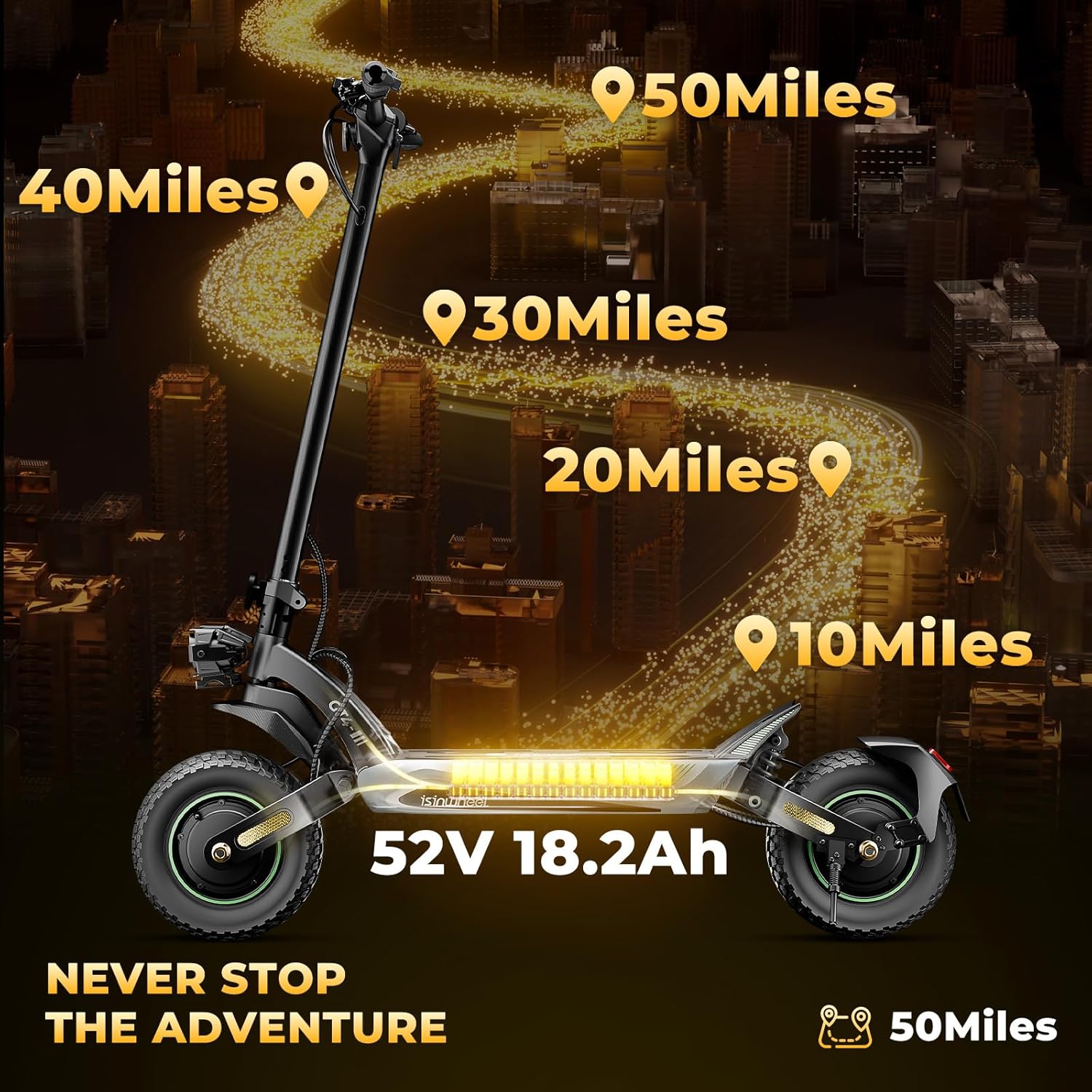
Figure 2: Illustration of the scooter's 52V 18.2Ah battery providing up to 50 miles of range.

Figure 3: Detailed view of the 1040Wh battery capacity and Intelligent BMS for safety protection, ensuring over 50 miles max range.
2. Tire Care
- Regularly check tire pressure and inflate to the recommended PSI (refer to tire sidewall or specifications).
- Inspect tires for wear, punctures, or damage before each ride.

Figure 4: Close-up of the 12-inch pneumatic vacuum off-road tires, designed for various terrains including asphalt, gravel, trails, grass, and mud.
3. Cleaning and Storage
- Wipe the scooter with a damp cloth. Do not use high-pressure water or harsh chemicals.
- Store the scooter indoors in a dry environment.
4. Brake System
- Periodically check the brake levers for proper tension and responsiveness.
- Ensure brake pads are not excessively worn. Consult a professional for brake adjustments or replacements.

Figure 5: Illustration highlighting the dual hydraulic disc brakes, part of the triple safety system for effective stopping power.
Troubleshooting
| Problem | Possible Cause | Solution |
|---|---|---|
| Scooter does not power on | Low battery; loose connections; power button malfunction | Charge the battery; check all cable connections; contact support if issue persists |
| Reduced range or speed | Under-inflated tires; low battery charge; riding uphill frequently; heavy load | Inflate tires to correct pressure; fully charge battery; adjust riding style; reduce load |
| Brakes feel weak | Worn brake pads; loose brake cable; air in hydraulic system | Inspect brake pads and replace if worn; adjust brake cable tension; consult a professional for hydraulic system issues |
| Unusual noises during ride | Loose components; debris in wheels; motor issue | Check all fasteners; inspect wheels for foreign objects; contact support for motor concerns |
Specifications
| Feature | Detail |
|---|---|
| Brand | isinwheel |
| Model Name | GT4 |
| Motor Power | 1200W (single motor) / 2400W (GT4 Dual variant) |
| Max Speed | 32 MPH (single motor) / 45 MPH (GT4 Dual variant) |
| Battery Capacity | 48V 18Ah-20Ah (Safety Certified) |
| Max Range | Up to 50 Miles |
| Charging Time | 9-10 hours |
| Tires | 12 x 2.75-Inch Pneumatic Vacuum Off-Road Tires |
| Brakes | Front & Rear Hydraulic Oil Disc Brakes + EABS |
| Suspension | Front and Rear Swingarm Suspension |
| Max Load | 330 lbs (150 kg) |
| Age Rating | 14+ |
| Unfolded Dimensions | 53.1 x 25.2 x 53.1 inches |
| Folded Dimensions | 53.1 x 25.2 x 22.8 inches |
| Net Weight | 64 lbs (29 kg) |
| Special Features | Center Color Screen Dashboard, isinwheel Club APP, Smart Lock, Cruise Control, Zero Start, Dual LED Headlight, Handlebar Turn Signals, Fender Taillight, Deck Ambient Light |

Figure 6: Visual representation of the 1200W brushless motor, highlighting its power and speed capabilities.

Figure 7: The dual-arm suspension system with spring shock absorbers, designed for a smooth and stable ride over varied terrain.
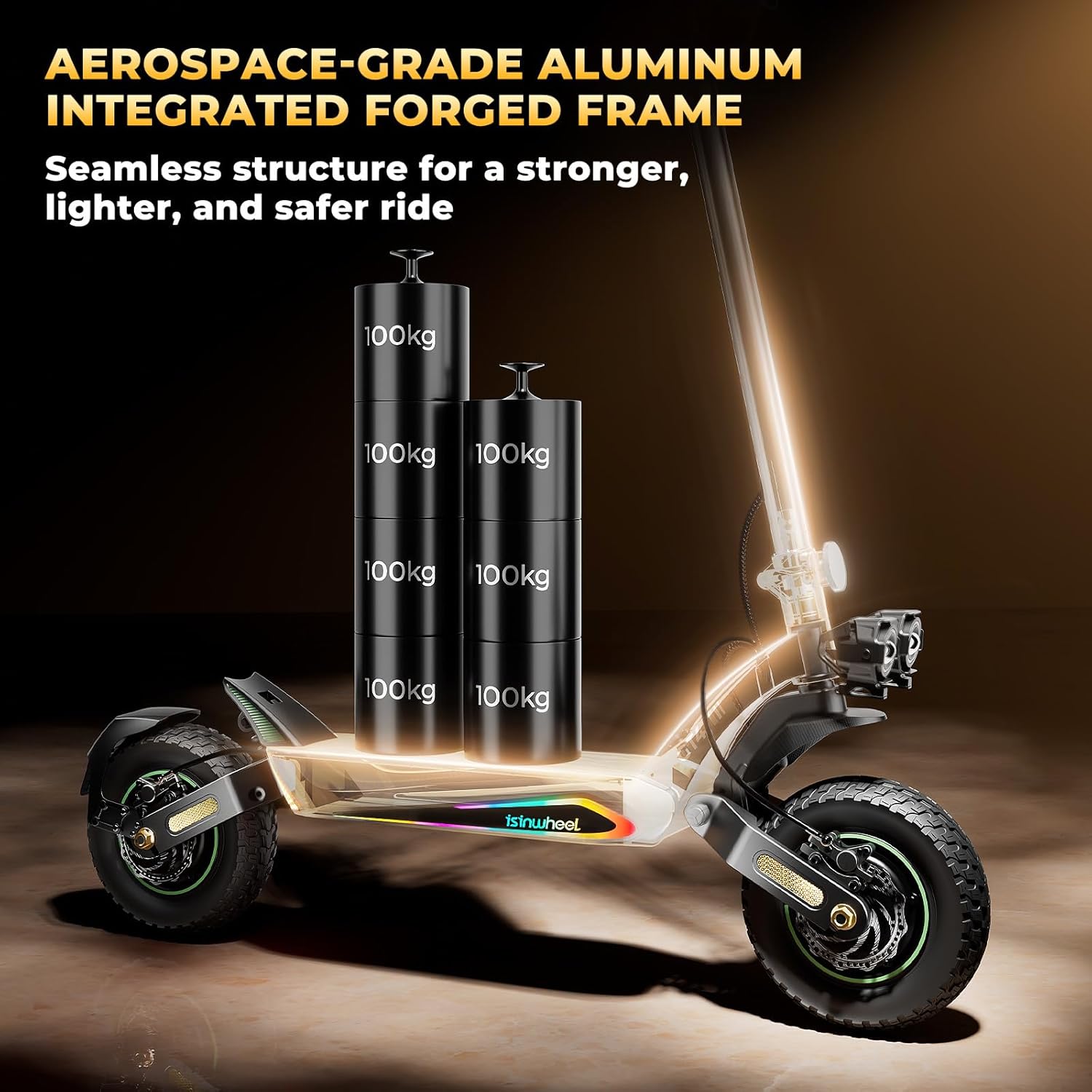
Figure 8: Depiction of the aerospace-grade aluminum integrated forged frame, emphasizing its seamless structure for strength, lightness, and safety.

Figure 9: The scooter's lighting system, including dual LED headlights, handlebar turn signals, fender taillight, and deck ambient light for visibility and style.
Warranty Information
The isinwheel GT4 Electric Scooter comes with a 1-YEAR limited warranty from the date of purchase. This warranty covers manufacturing defects in materials and workmanship under normal use. It does not cover damage caused by misuse, accidents, unauthorized modifications, or normal wear and tear.
For detailed warranty terms and conditions, please refer to the warranty card included with your product or visit the official isinwheel website.
Customer Support
If you have any questions, require technical assistance, or need to report a warranty claim, please contact isinwheel customer support:
- Online Support: Visit the official isinwheel website for FAQs and support resources.
- Email: Refer to your product packaging or the official website for the support email address.
- Amazon Store: You can also visit the isinwheel Store on Amazon for product information and seller contact options.