
1. Introduction
This manual provides essential information for the safe assembly, operation, and maintenance of your NARRAK N6 Electric Tricycle. Please read this manual thoroughly before using the tricycle to ensure proper function and to prevent injury or damage.
2. Safety Guidelines
Always prioritize safety when operating your electric tricycle. Failure to follow these guidelines may result in serious injury or property damage.
- Always wear a helmet and appropriate safety gear.
- Familiarize yourself with local traffic laws and regulations for electric tricycles.
- Perform a pre-ride inspection before each use, checking brakes, tires, and battery.
- Do not operate the tricycle under the influence of alcohol or drugs.
- Maintain a safe speed and distance from other vehicles and pedestrians.
- Avoid sharp turns at high speeds, especially with cargo, to prevent tipping.
- Ensure the battery is securely locked in place before riding.
- Do not modify the tricycle's electrical system or components.
3. Setup and Assembly
Your NARRAK N6 Electric Tricycle arrives approximately 95% pre-assembled. The following steps outline the final assembly and initial setup procedures. All necessary tools are included in the package.
3.1 Unpacking and Initial Inspection
Carefully remove all components from the packaging. Inspect for any visible damage during transit. Report any damage to customer support immediately.
3.2 Handlebar Installation
Attach the handlebars to the stem, ensuring they are centered and tightened securely. Adjust the angle for comfortable riding posture.
3.3 Seat and Backrest Adjustment
Insert the seat post into the frame and adjust the seat height to allow your feet to comfortably reach the ground when stopped. The extra-wide adjustable seat features high-resilience memory foam and an integrated backrest for comfort. The seat folds 90 degrees for easy battery access.

Image: Recommended rider height (4'8" to 5'8") and maximum weight (298 lbs) for the NARRAK N6 Electric Tricycle.
3.4 Basket Attachment
Attach the front and rear detachable cargo baskets using the provided hardware. Ensure they are firmly secured.
3.5 Battery Installation and Initial Charge
Insert the 48V 13Ah removable battery into its compartment and lock it securely with the key. Fully charge the battery before the first ride. Charging typically takes 4-5 hours.
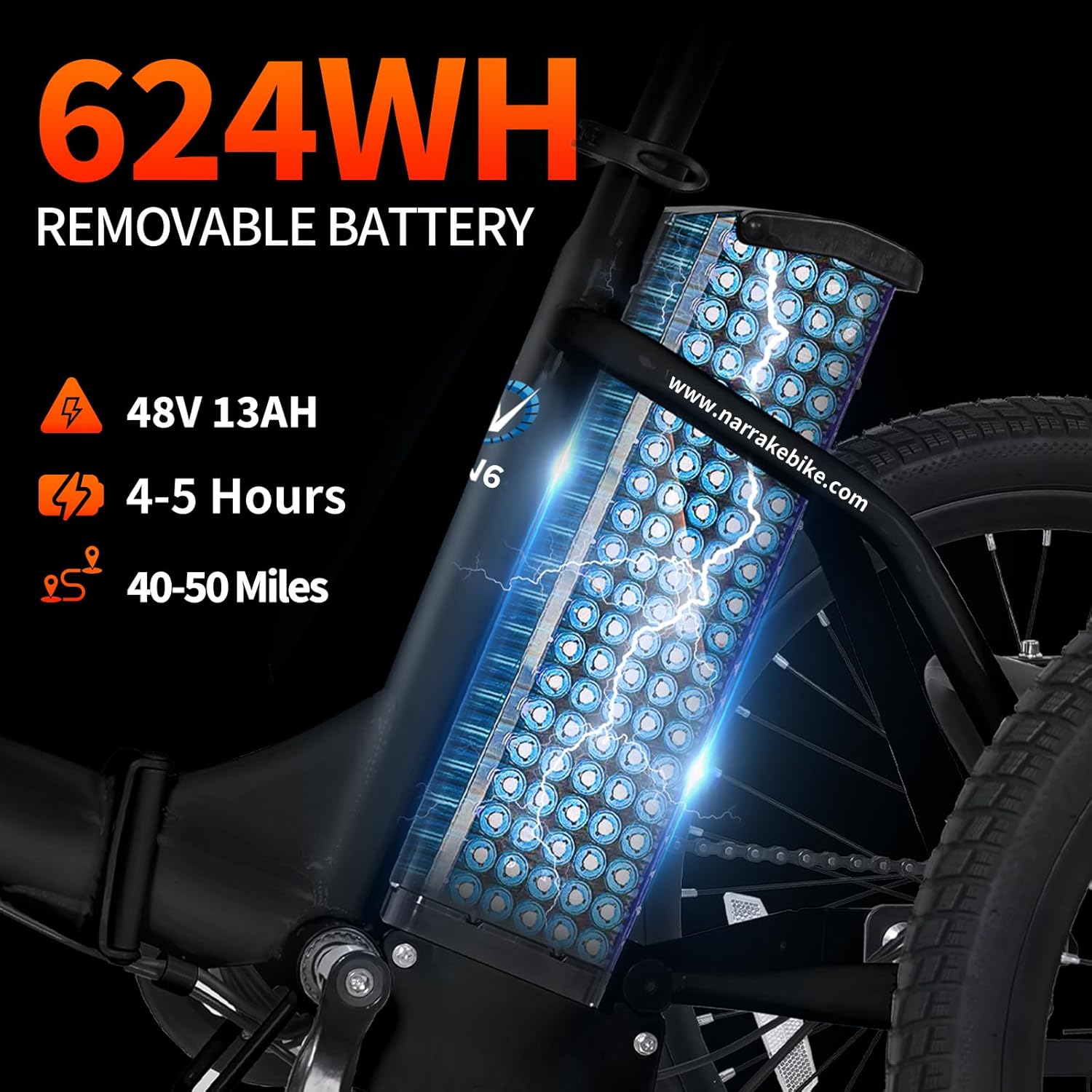
Image: The 48V 13Ah (624WH) removable battery, indicating 4-5 hours charging time and 40-50 miles range.
3.6 Pre-Ride Checks
Before your first ride, and periodically thereafter, check the following:
- Tires: Ensure tires are inflated to the recommended pressure. The 18" x 3.0 fat tires are designed for various terrains.
- Brakes: Test both front and rear brakes for proper function.
- Lights: Verify the headlight and taillight are working.
- Connections: Confirm all cables and fasteners are tight.
3.7 Assembly Video Guide
For a visual guide on assembly, please refer to the official NARRAK assembly video. This video demonstrates the setup process for the N6 model.
Video: Official NARRAK assembly guide for the N6 Electric Tricycle. This video demonstrates the steps for completing the tricycle setup.
4. Operating Instructions
Understand the various features and controls of your NARRAK N6 Electric Tricycle for an optimal riding experience.
4.1 Powering On/Off
To power on the tricycle, ensure the battery is installed and locked, then press and hold the power button on the LCD display. To power off, press and hold the same button.
4.2 LCD Display Functions
The large screen LCD display provides real-time information about your ride:
- Battery Indicator: Shows current battery charge level.
- Speed: Displays current riding speed.
- Pedal Assist Level (PAS): Indicates the current level of electric assistance (0-5).
- Mileage (ODO/TRIP): Shows total odometer or trip distance.

Image: The tricycle's LCD display, illustrating battery indicator, speed, pedal assist level, and mileage readouts.
4.3 Riding Modes
The N6 offers three riding modes:
- E-trike Mode: Utilizes the throttle for full electric power without pedaling.
- Assisted Tricycle (PAS) Mode: Provides electric assistance as you pedal. Adjust the assist level using the LCD button.
- Normal Tricycle Mode: Operates as a traditional tricycle, relying solely on human pedaling power.
4.4 Shimano 7-Speed Gearing
The Shimano 7-speed gear shifter allows you to adapt to different terrains and optimize pedaling effort. Shift gears smoothly while pedaling to maintain an efficient cadence.
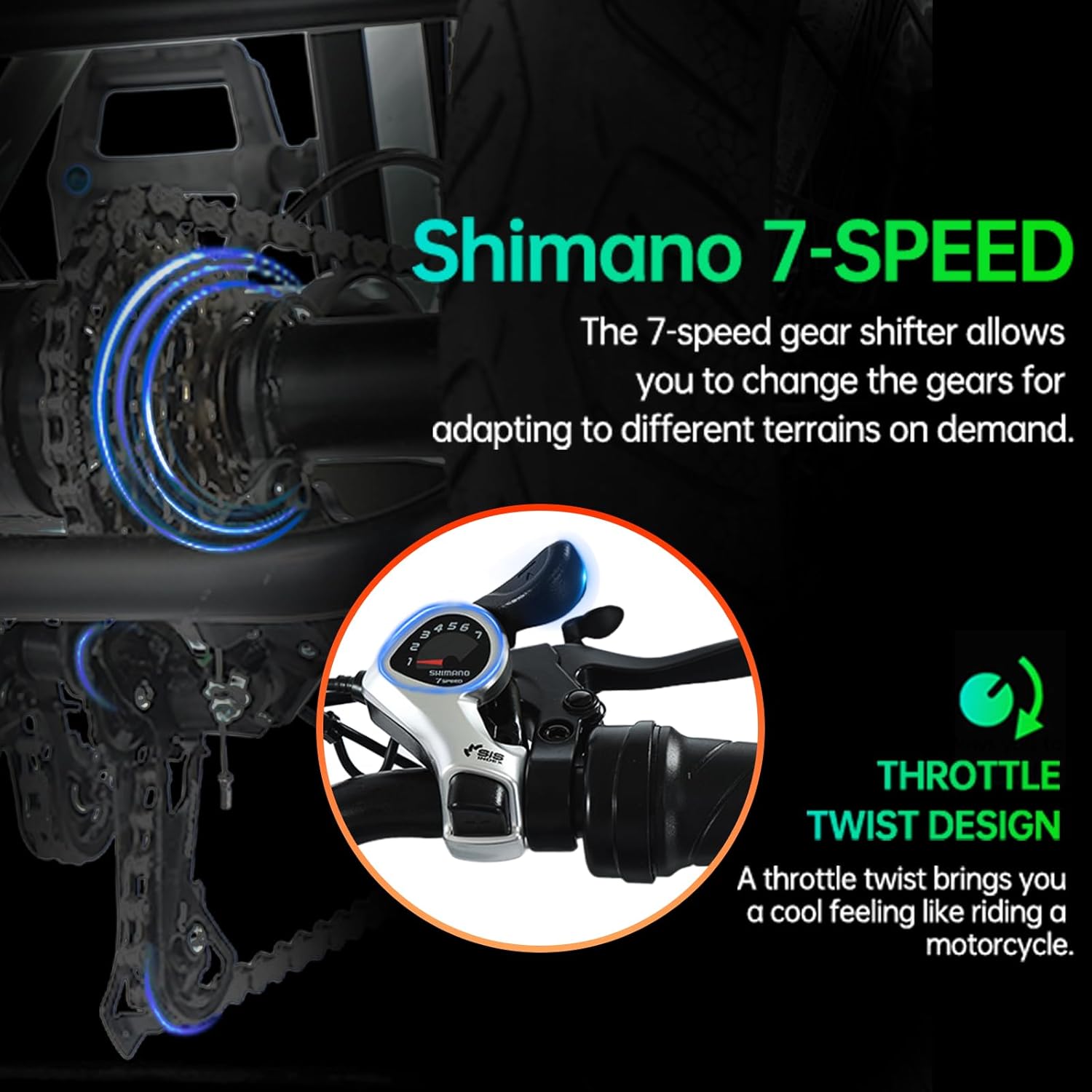
Image: Close-up of the Shimano 7-speed gear shifter and the throttle twist mechanism on the handlebar.
4.5 Throttle Operation
The throttle twist design provides instant electric power. Twist the throttle gently to engage the motor and control your speed. Release the throttle to disengage power.
4.6 Braking System
The tricycle is equipped with dual disc brakes for reliable stopping power. Use both brake levers simultaneously for balanced and effective braking. A parking brake feature is also included for securing the tricycle when stopped.

Image: Front wheel of the tricycle, highlighting the dual disc brake system and front suspension for improved ride comfort.
4.7 Differential System for Stability
The built-in differential system ensures smooth and stable handling, especially during turns. It allows the wheels to rotate at different speeds, reducing the risk of tipping and improving cornering stability.

Image: A rider on the tricycle, with an inset diagram explaining how the differential system works to ensure stable turning.
4.8 Riding Overview
For a comprehensive overview of the NARRAK N6 Electric Tricycle's features and riding capabilities across various terrains, please watch the following video.
Video: Overview of the Narrak 3 Wheel All Terrain Electric Bike, showcasing its features and performance.
5. Maintenance
Regular maintenance is crucial for the longevity and safe operation of your NARRAK N6 Electric Tricycle.
5.1 General Cleaning
Clean the tricycle regularly with a damp cloth and mild soap. Avoid using high-pressure washers directly on electrical components.
5.2 Battery Care
- Charge the battery fully after each use, even if only partially discharged.
- Store the battery in a cool, dry place if not using the tricycle for an extended period.
- Avoid completely draining the battery to prolong its lifespan.
- The UL2849 certified battery includes advanced protection against over-temperature and over-charging.
5.3 Tire Maintenance
Check tire pressure weekly and inflate to the recommended PSI (usually indicated on the tire sidewall). Inspect tires for wear, punctures, or damage.
5.4 Brake System Check
Regularly inspect brake pads for wear and ensure brake levers provide firm and responsive stopping power. Adjust brake cables as needed or consult a professional for maintenance.
5.5 Chain Lubrication
Keep the chain clean and lubricated to ensure smooth gear changes and prevent rust.
6. Troubleshooting
This section addresses common issues you might encounter with your NARRAK N6 Electric Tricycle.
| Problem | Possible Cause | Solution |
|---|---|---|
| Tricycle does not power on. | Battery not charged, battery not properly installed, power button not pressed correctly. | Ensure battery is fully charged and securely locked. Press and hold the power button firmly. |
| Motor not providing assistance. | Low battery, PAS level set to 0, throttle not engaged, brake levers engaged. | Check battery level. Increase PAS level. Ensure throttle is twisted. Release brake levers. |
| Brakes feel weak or spongy. | Worn brake pads, loose brake cables, air in hydraulic system (if applicable). | Inspect brake pads and replace if worn. Adjust brake cable tension. If issue persists, consult professional service. |
| Unusual noises during operation. | Loose components, dry chain, tire rubbing. | Inspect all fasteners. Lubricate chain. Check for tire clearance. |
If you encounter issues not listed here or if solutions do not resolve the problem, please contact NARRAK customer support.
7. Specifications
Key technical specifications for the NARRAK N6 Electric Tricycle.
| Feature | Detail |
|---|---|
| Model | N6 |
| Brand | NARRAK |
| Bike Type | Electric Tricycle |
| Motor | 500W Rear Hub Motor (Peak 1100W) |
| Battery | 48V 13Ah (624WH) Removable, UL2849 Certified |
| Max Speed | 20 MPH |
| Range per Charge | 40+ miles (50 miles in PAS mode) |
| Charging Time | 4-5 hours |
| Gearing | Shimano 7-speed |
| Tires | 18" x 3.0 Fat Tires |
| Brakes | Dual Disc Brakes |
| Frame Material | Iron |
| Recommended Rider Height | 4'8" to 5'8" |
| Max Rider Weight | 298 lbs |
| Item Weight | 92 pounds |
| Included Components | Tool Kit |
8. Warranty & Support
8.1 Product Warranty
The NARRAK N6 Electric Tricycle comes with a 1 Year Limited Manufacturer Warranty. This warranty covers defects in materials and workmanship under normal use. Please retain your proof of purchase for warranty claims.
EU Spare Part Availability Duration: 2 years.
8.2 Customer Support
For any inquiries, technical assistance, or support needs, please contact NARRAK's professional service team. Our U.S.-based team is available to provide prompt and efficient assistance.
- Phone: 626-328-6000
- Operating Hours: Monday-Sunday, 10:00 AM - 8:00 PM PST
You can also visit the official NARRAK store for more information and resources: NARRAK Store