
1. Important Safety Information
Before operating your URLIFE E20 Electric Bike, please read this manual thoroughly. Failure to follow instructions and safety guidelines may result in serious injury or property damage. Always wear a helmet and comply with local traffic laws and regulations.
- Always wear an approved bicycle helmet when riding.
- Perform a pre-ride inspection before each use, checking brakes, tires, battery, and all fasteners.
- Understand and obey all local traffic laws and regulations for electric bicycles.
- Do not ride under the influence of alcohol or drugs.
- Be aware of your surroundings and ride defensively.
- Avoid riding in adverse weather conditions such as heavy rain, snow, or ice.
- Ensure the battery is securely locked in place before riding.
2. Product Overview
The URLIFE E20 Electric Bike is designed for adult riders, featuring a 20-inch fat tire design suitable for various terrains. It is equipped with a powerful motor, a long-range battery, and a 7-speed gear system for versatile riding. Key components include:
- Motor: 1000W/1500W Peak Brushless Motor for strong acceleration and hill climbing.
- Battery: 48V 13AH/15.6AH Lithium Battery, offering up to 80 miles range.
- Tires: 20" x 3.0" Fat Tires for stability and shock absorption on diverse landscapes.
- Display: IP54 Waterproof LCD Display for real-time ride metrics.
- Suspension: Front Fork Suspension for a comfortable ride.
- Gearing: 7-Speed Shimano Gear System for adaptable pedaling.
- Frame: Durable High Carbon Steel frame with an integrated rear cargo rack.
- Safety: Bright front and rear LED lights.

Image: Illustration of the 1000W peak motor and disc brake system, highlighting its power and efficiency.

Image: Close-up of the 48V 13AH lithium battery integrated into the bike frame, showing its waterproof design and quick charging capability.

Image: The 20" x 3.0" fat tire with anti-puncture features, demonstrating its suitability for various terrains like city roads, soil, sand, and snow.

Image: Close-up of the front fork suspension system, designed to absorb shocks for a smoother ride.
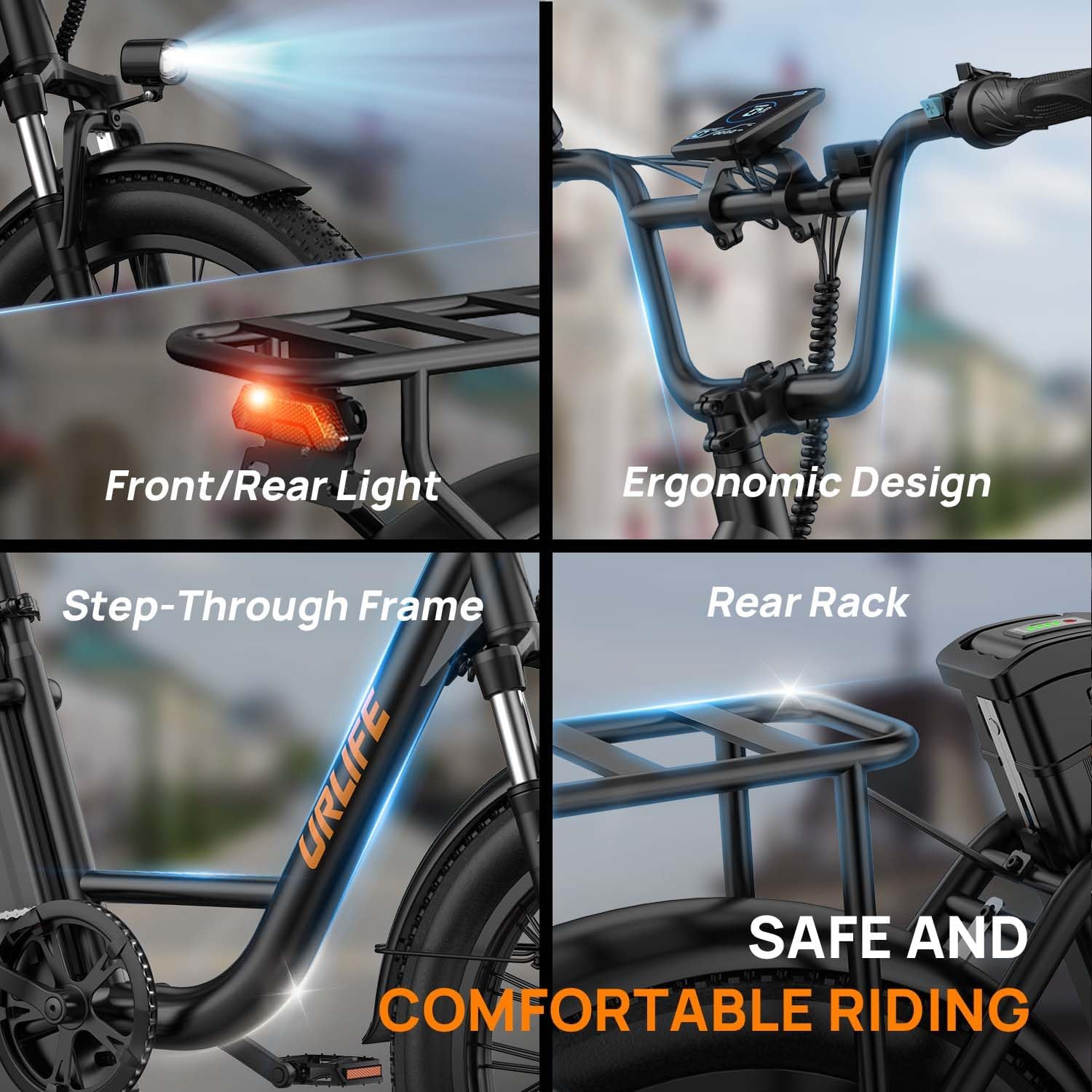
Image: A collage showcasing key features including bright front and rear lights, ergonomic handlebar design, step-through frame, and a rear cargo rack.
3. Setup and Assembly
Your URLIFE E20 Electric Bike comes 90% pre-assembled. Follow these steps to complete the assembly.
3.1 Unboxing and Initial Inspection
- Carefully remove all components from the packaging.
- Check for any visible damage during shipping. Contact customer support immediately if damage is found.
- Verify all parts are present against the packing list.
3.2 Handlebar Installation
Attach the handlebar to the stem. Ensure all cables are routed correctly and not pinched. Tighten the bolts securely to prevent rotation during use.
Video: URLIFE E20 Electric Bike Installation Guide. This video demonstrates the process of installing the handlebars and other components.
3.3 Front Wheel Installation
Align the front wheel with the fork. Ensure the disc brake rotor is correctly seated within the caliper. Secure the wheel using the quick-release skewer or axle nuts. Double-check that the wheel spins freely without rubbing.
Video: E20 PRO E-Bike Installation Guide. This video provides detailed instructions for installing the front wheel and adjusting the disc brake.
3.4 Pedal Installation
Identify the left (L) and right (R) pedals. The left pedal tightens counter-clockwise, and the right pedal tightens clockwise. Apply a small amount of grease to the threads before installation. Tighten firmly with a wrench.
3.5 Seat Adjustment
Insert the seat post into the frame. Adjust the seat height so your feet can comfortably touch the ground when stopped. Secure the quick-release lever or seat post clamp firmly.

Image: Diagram showing the dimensions of the URLIFE E20 Electric Bike and suggested rider height range (5'4" - 6'5").
3.6 Tail Light Installation
Attach the tail light to the designated mounting point on the rear rack. Ensure it is securely fastened and visible from behind.
3.7 Battery Charging
Before your first ride, fully charge the battery. Connect the charger to the battery charging port and then to a power outlet. The indicator light on the charger will change when fully charged (typically 3-5 hours). Ensure the battery is locked into the frame using the provided key.
4. Operating Instructions
Familiarize yourself with the controls and functions of your URLIFE E20 Electric Bike before riding.
4.1 Powering On/Off
- Ensure the battery is locked in place and turned on (if it has a separate power switch).
- Press and hold the power button on the LCD display to turn the bike on.
- Repeat the process to turn the bike off.
4.2 LCD Display Functions
The IP54 waterproof LCD display provides essential riding information:
- Speed Mode: Current riding speed.
- PAS Level: Pedal Assist System level (0-5, where 0 is no assist).
- Battery Indicator: Shows remaining battery charge.
- Numerical Display: Trip distance, odometer, etc.

Image: The colorful LCD HD display on the handlebar, showing speed, battery indicator, PAS level, and numerical display.
4.3 Riding Modes
The URLIFE E20 offers three riding modes:
- Pure Electric Mode: Use the throttle for motor-only propulsion without pedaling.
- Pedal-Assist Mode (PAS): The motor provides assistance as you pedal. Adjust the PAS level on the display to control the amount of assistance.
- Sport Mode (Pedal Only): Ride the bike like a traditional bicycle with no motor assistance.

Image: Visual representation of the three riding modes: Pure Electric, Pedal-Assist, and Sport Mode.
4.4 Gear Shifting
The 7-speed gear system allows you to adjust pedaling effort. Shift gears smoothly by pedaling lightly while operating the shifter. Avoid shifting under heavy load.

Image: Close-up of the 7-speed gearing system, showing the shifter and rear derailleur.
4.5 Braking
The bike is equipped with disc brakes. Apply both front and rear brakes simultaneously for effective stopping. Practice braking in a safe area to understand their response.
5. Maintenance
Regular maintenance ensures the longevity and safe operation of your URLIFE E20 Electric Bike.
5.1 Battery Care
- Charge the battery fully after each ride, especially if it has been heavily discharged.
- Do not leave the battery fully discharged for extended periods.
- Store the battery in a cool, dry place, ideally between 50-70% charge, if not used for a long time.
- Use only the original charger provided with the bike.
5.2 Tire Pressure
Check tire pressure before each ride. The recommended pressure for 20" x 3.0" fat tires is typically between 15-30 PSI, but always refer to the tire sidewall for specific recommendations.
5.3 Brake Inspection and Adjustment
- Regularly inspect brake pads for wear and replace them when necessary.
- Ensure brake levers engage smoothly and stop the bike effectively. Adjust cable tension if levers feel too loose or too tight.
- Check that disc brake rotors are clean and free from oil or grease.
5.4 General Cleaning
Clean your bike regularly with a damp cloth and mild soap. Avoid using high-pressure washers directly on electrical components or bearings.
5.5 Chain Lubrication
Keep the chain clean and lubricated to ensure smooth gear changes and prevent wear. Apply bicycle-specific chain lubricant periodically.
6. Troubleshooting
This section addresses common issues you might encounter with your URLIFE E20 Electric Bike.
| Problem | Possible Cause | Solution |
|---|---|---|
| Bike does not power on. | Battery not charged, battery not properly seated/locked, power button not pressed correctly. | Charge battery, ensure battery is fully inserted and locked, press and hold power button firmly. |
| Motor not assisting. | PAS level set to 0, battery low, motor connection issue. | Increase PAS level, charge battery, check motor cable connections. |
| Brakes rubbing or ineffective. | Disc rotor bent, caliper misalignment, worn brake pads, loose cable. | Adjust brake caliper, replace worn pads, tighten brake cable. If rotor is bent, seek professional service. |
| Gears not shifting smoothly. | Derailleur misalignment, dirty/unlubricated chain, bent hanger. | Clean and lubricate chain, adjust derailleur. For bent hanger, professional service is recommended. |
If you encounter issues not listed here or cannot resolve a problem, please contact URLIFE customer support.
7. Specifications
| Feature | Detail |
|---|---|
| Bike Type | Electric Bike |
| Motor | 1000W/1500W Peak Brushless Motor |
| Battery | 48V 13AH/15.6AH Lithium Battery |
| Max Range | Up to 80 miles (Pedal-Assist Mode) |
| Max Speed | 28 MPH |
| Wheel Size | 20 inches |
| Tire Size | 20" x 3.0" Fat Tires |
| Gears | 7-Speed |
| Frame Material | High Carbon Steel |
| Suspension | Front Fork Suspension |
| Brake Type | Disc Brakes |
| Display | IP54 Waterproof LCD Display |
| Max Load Capacity | 265 lbs |
| Bicycle Weight | 59.5 lbs |
| Suggested Rider Height | 5'4" - 6'5" |
8. Warranty and Support
URLIFE provides a 1-year warranty for the E20 Electric Bike, covering manufacturing defects. For any questions, technical support, or warranty claims, please contact our customer service team.
- Email: service@urlifebike.com
- Response Time: Quick reply within 24 hours.
- Support: Lifetime customer & technical support.

Image: Graphic detailing URLIFE's 7x24 hours customer service, including 24-hour reply, 12-month warranty, and lifetime support, with the contact email.


