
1. Introduction
Thank you for choosing the EUHOMY CFJ-30X 31QT 12 Volt Portable Refrigerator. This electric cooler is designed for versatile use, offering reliable cooling and freezing capabilities for various environments, including home, car, RV, and camping. Please read this manual thoroughly before operation to ensure proper use, maintenance, and safety.
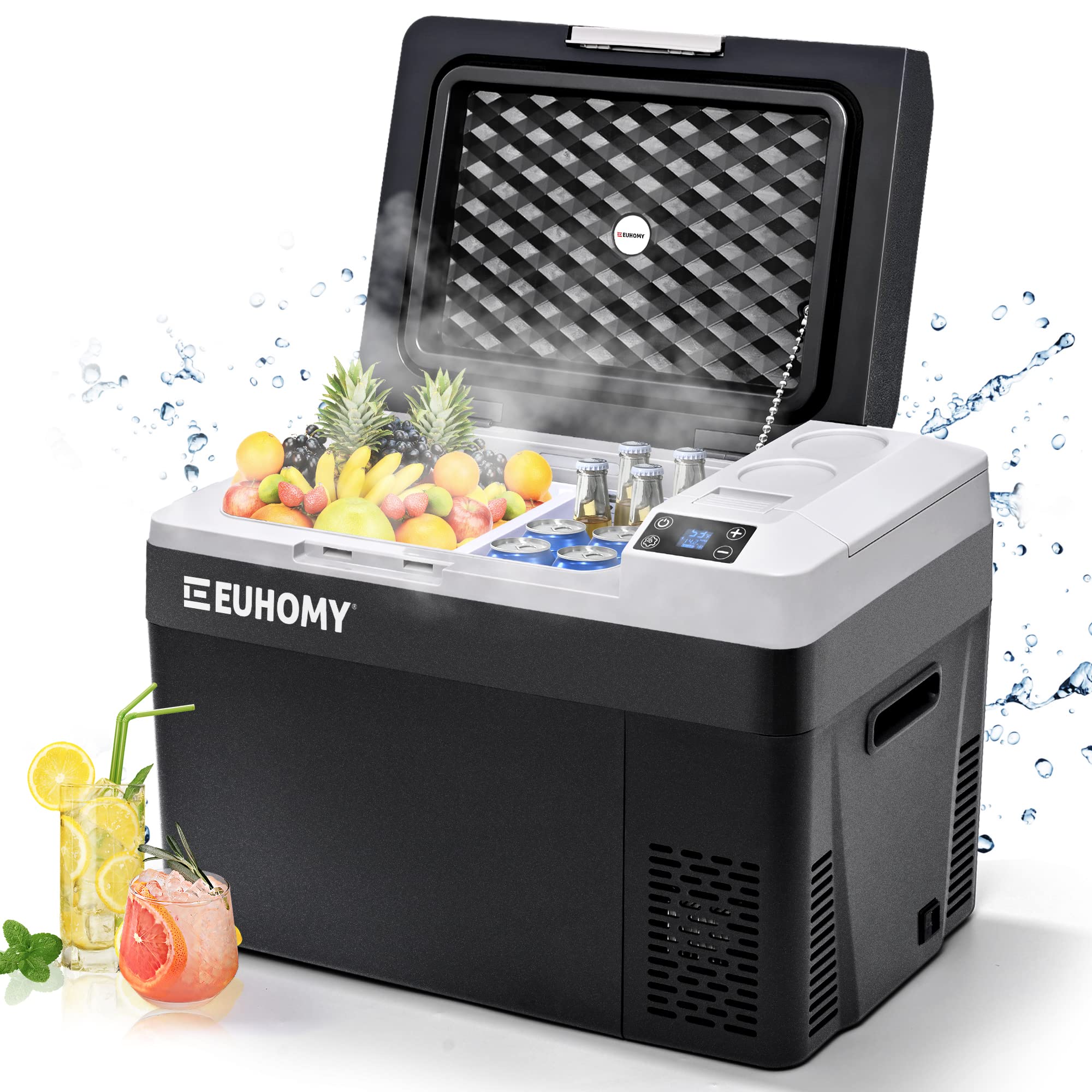
Image 1.1: The EUHOMY CFJ-30X 31QT Portable Refrigerator, a versatile electric cooler.
2. Safety Instructions
To reduce the risk of fire, electric shock, or injury when using your portable refrigerator, follow these basic precautions:
- Read all instructions before using the appliance.
- Do not operate the refrigerator if the power cord is damaged. Contact customer support for assistance.
- Ensure the voltage indicated on the appliance matches your power supply.
- Avoid placing the refrigerator in direct sunlight or near heat sources.
- Do not immerse the appliance in water or other liquids.
- Keep ventilation openings clear of obstructions.
- Unplug the refrigerator before cleaning or performing any maintenance.
- This appliance is not intended for use by persons (including children) with reduced physical, sensory or mental capabilities, or lack of experience and knowledge, unless they have been given supervision or instruction concerning use of the appliance by a person responsible for their safety.
- Do not use electrical appliances inside the food storage compartments of the appliance, unless they are of the type recommended by the manufacturer.
3. Package Contents
Verify that all items are included in your package:
- EUHOMY CFJ-30X Portable Refrigerator
- AC Adaptor (100-240V)
- DC Power Cord (12/24V)
- User Manual
- Towel and Bulkhead (Removable Divider)

Image 3.1: Visual representation of the included components: AC adaptor, DC power cord, and removable bulkhead. Note: Rechargeable battery is available for separate purchase.
4. Product Overview
The EUHOMY CFJ-30X is a compact and efficient portable refrigerator/freezer. It features a robust compressor for rapid cooling, a user-friendly control panel, and multiple power options.
4.1 Key Features
- Capacity: 31 Quarts (approximately 30 Liters)
- Temperature Range: -4℉ to 68℉ (-20℃ to 20℃)
- Power Input: 12/24V DC, 100-240V AC
- Cooling Method: Compressor
- Special Features: Anti-Shake design, Energy Efficient, Frost Free, Portable, Touch Control, App Control (Bluetooth), USB charging port, Built-in LED light, Recessed handles.
4.2 Components

Image 4.1: Internal view of the refrigerator, highlighting the main storage area and the independent compartment.
- Main Compartment: For general storage of food and beverages.
- Recessed Independent Space: A smaller compartment, ideal for storing small essentials or an optional battery. Dimensions: 5.71 x 3.8 x 3.2 inches.

Image 4.2: Detailed view of the recessed independent space, suitable for small items or the optional battery.
- Control Panel: Intuitive interface for temperature adjustment and mode selection.
- Recessed Handles: For easy portability.
- Power Inlets: Separate ports for AC and DC power cords.
- USB Port: For charging mobile devices.
- Removable Divider: Allows for flexible organization of the internal space.
5. Setup
5.1 Initial Placement
- Unpack the refrigerator and place it on a flat, stable surface.
- Allow the unit to stand upright for at least 6 hours (preferably 24 hours) before plugging it in. This allows the compressor fluids to settle.
- Ensure adequate ventilation around the unit, leaving at least 4 inches of space on all sides.
5.2 Power Connection
The refrigerator can be powered by AC (home) or DC (car) power sources.
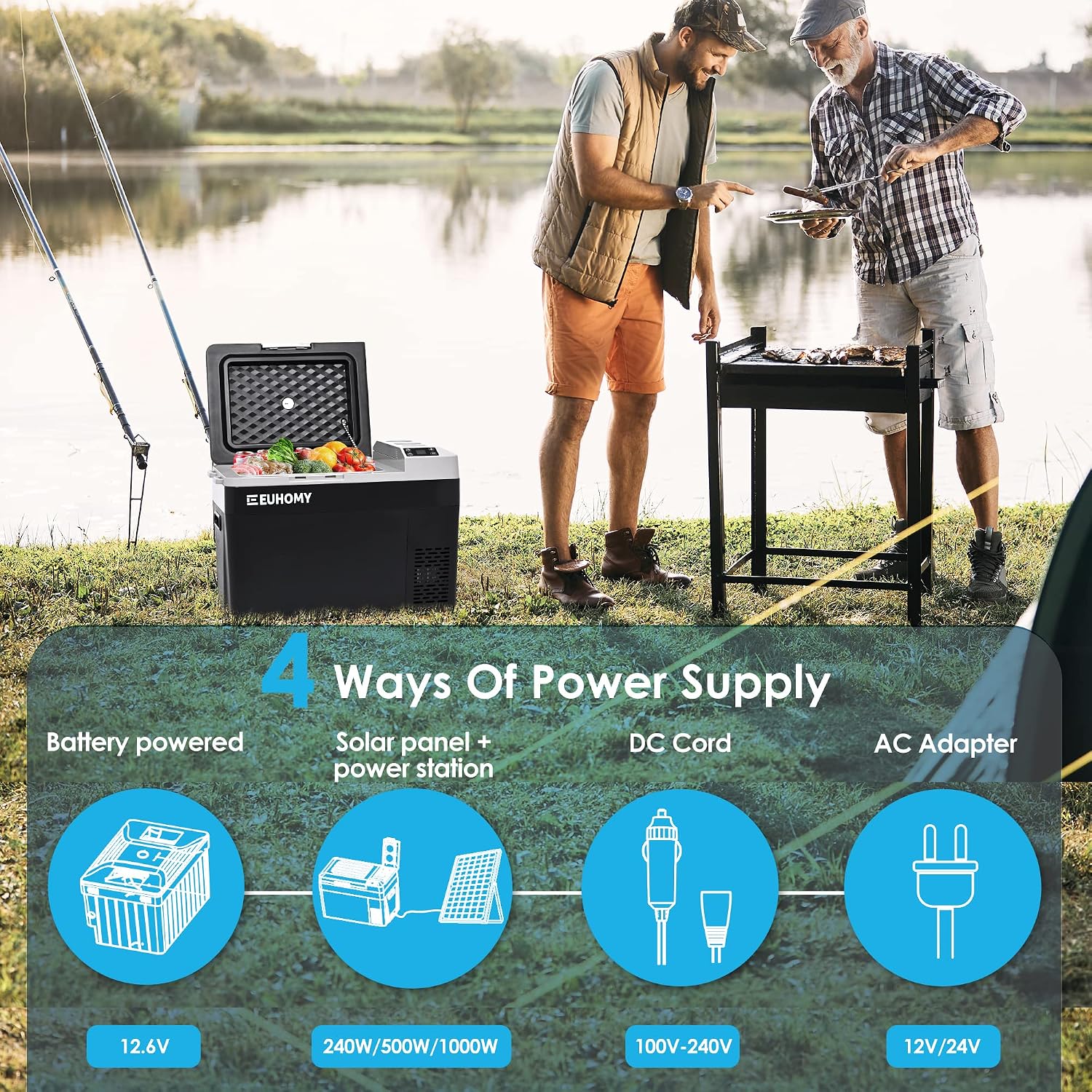
Image 5.1: Power supply options for the portable refrigerator, including AC, DC, and optional battery/solar.
5.2.1 AC Power (Home Use)
- Connect the AC adaptor to the AC power inlet on the refrigerator.
- Plug the AC adaptor into a standard 100-240V wall outlet.
5.2.2 DC Power (Car/Vehicle Use)
- Connect the DC power cord to the DC power inlet on the refrigerator.
- Plug the other end of the DC power cord into your vehicle's 12V or 24V cigarette lighter socket.
5.3 Optional Battery Installation
If you have purchased the optional rechargeable battery, it can be installed in the recessed independent space.
- Open the lid of the recessed independent space.
- Insert the battery into the compartment, ensuring it is securely seated.
- Close the lid. The battery will charge when the unit is connected to an external power source.
5.4 App Connection (Bluetooth)
The refrigerator supports Bluetooth connectivity for remote control via a smartphone app.
- Download the EUHOMY app from your smartphone's app store.
- Ensure Bluetooth is enabled on your smartphone.
- Open the EUHOMY app and follow the on-screen instructions to pair with your refrigerator.
- Once paired, you can monitor and adjust settings remotely.
6. Operation
6.1 Power On/Off
- Press the Power button on the control panel to turn the unit ON or OFF.
6.2 Temperature Settings

Image 6.1: The control panel, showing buttons for power, settings, and temperature adjustment.

Image 6.2: Precise temperature control allows setting the internal temperature between -7℉ and 50℉.
- Use the + and - buttons on the control panel to adjust the desired temperature.
- The display will show the current internal temperature and the set temperature.
- Temperature can be set between -4℉ and 68℉ (-20℃ to 20℃).
6.3 ECO and MAX Modes
The refrigerator offers two operating modes:
- ECO Mode (45W): Provides normal cooling speed with reduced power consumption, suitable for maintaining temperatures.
- MAX Mode (60W): Offers maximum cooling power for rapid temperature reduction, ideal for quickly chilling items or reaching freezing temperatures.
- Press the Settings button (gear icon) to toggle between ECO and MAX modes.
6.4 Battery Protection System
The unit features a three-level battery protection system to prevent excessive discharge of your vehicle's battery.

Image 6.3: The 3-level battery protection system, detailing voltage cut-off points for H, M, and L settings.
- H (High): Highest protection, suitable for starting batteries. Disconnects at higher voltage to ensure vehicle starts.
- M (Medium): Moderate protection, suitable for most applications.
- L (Low): Lowest protection, allows for deeper discharge, suitable for auxiliary batteries.
- To adjust the battery protection level, press and hold the Settings button until the battery icon flashes, then use the + or - buttons to select H, M, or L.
6.5 USB Charging Port
A USB port is integrated into the control panel area, allowing you to charge small electronic devices like smartphones while the refrigerator is powered on.

Image 6.4: The USB port for charging devices, along with details on low noise and interior LED light.
7. Care and Maintenance
7.1 Cleaning
- Always unplug the refrigerator before cleaning.
- Wipe the interior and exterior surfaces with a damp cloth and mild detergent.
- Do not use abrasive cleaners or harsh chemicals, as they can damage the surfaces.
- Ensure the unit is completely dry before plugging it back in.
- Regularly clean the ventilation grilles to ensure proper airflow and efficiency.
7.2 Storage
- If storing the refrigerator for an extended period, ensure it is clean and dry.
- Leave the lid slightly ajar to prevent odors and mold growth.
- Store in a dry, well-ventilated area, away from direct sunlight and extreme temperatures.
8. Troubleshooting
If you encounter issues with your refrigerator, refer to the following table for common problems and solutions.
| Problem | Possible Cause | Solution |
|---|---|---|
| Refrigerator does not turn on | No power supply; Damaged power cord; Blown fuse in vehicle. | Check power connection; Try a different outlet/vehicle socket; Inspect power cord for damage; Check vehicle fuse. |
| Not cooling sufficiently | Temperature setting too high; Poor ventilation; Overloaded with warm items; Door not sealed properly. | Lower temperature setting; Ensure clear ventilation; Allow space for air circulation; Check door gasket for proper seal. |
| Display error code | Internal sensor fault; Compressor issue. | Refer to specific error code in a more detailed manual (if available) or contact customer support. |
| Excessive noise | Unit not level; Fan obstruction; Compressor vibration. | Ensure unit is on a flat surface; Check for debris near fan; Normal compressor operation may produce some noise. |
| Vehicle battery drains | Battery protection level set too low. | Adjust battery protection level to 'H' (High) or 'M' (Medium). |
If the problem persists after trying these solutions, please contact EUHOMY customer support.
9. Specifications
| Feature | Detail |
|---|---|
| Model Name | CFJ-30X |
| Capacity | 31 Quarts (approx. 30 Liters) |
| Product Dimensions (D x W x H) | 12.68" x 23.18" x 16.28" |
| Item Weight | 26.6 pounds |
| Temperature Range | -4℉ to 68℉ (-20℃ to 20℃) |
| Voltage | 12V / 24V DC, 100-240V AC |
| Cooling Method | Compressor |
| Defrost System | Frost Free |
| Annual Energy Consumption | 150 kWh |
| Special Features | Anti-Shake, Energy Efficient, Portable, Touch Control, App Control |
10. Warranty and Support
10.1 Warranty Information
This EUHOMY portable refrigerator comes with a 1-year manufacturer's warranty from the date of purchase. This warranty covers defects in materials and workmanship under normal use.
The warranty does not cover:
- Damage caused by improper installation or use.
- Damage caused by accidents, abuse, or neglect.
- Damage from unauthorized repairs or modifications.
- Normal wear and tear.
10.2 Technical Support
EUHOMY offers 2-year technical support for this product. If you have any questions, require assistance with setup, operation, or troubleshooting, or need to make a warranty claim, please contact EUHOMY customer service.
For support, please visit the official EUHOMY website or refer to the contact information provided in your product packaging.


