
1. Introduction
Thank you for choosing the MERACH CV40 Curved Vibration Plate Exercise Machine. This manual provides essential information for the safe and effective use of your new equipment. Please read it thoroughly before operation and retain it for future reference.
Key Features:
- 13mm Large Amplitude Design: Delivers deep muscle activation through powerful vibrations.
- 200W Powerful Motor: Ensures enhanced performance.
- Intelligent Automatic Speed Change: Features smart sensors that activate the plate when stepped on and pause after 30 seconds of inactivity. Adapts vibration speed based on movement patterns.
- Bluetooth Connectivity & Built-in Speakers: Allows music playback during workouts.
- Textured Silicone Pedals: Provides secure footing and comfort.
- Diversified Training: Offers 1 preset mode and 10 manual speed modes.
- Resistance Bands: Included for full-body workouts.
- Remote Control with LED Display: Simplifies intensity adjustments.
- High Weight Capacity: Supports up to 440 lbs.
- Stable Construction: Non-slip foot pads and shock-absorbing design ensure stability.
Package Contents:
- Vibration Plate
- Remote Control (batteries included)
- Resistance Band
- Power Cord
- User Manual

Figure 1: Package Contents - Vibration Plate, Remote Control, Resistance Band, Power Cord, and User Manual.
2. Safety Information
Please observe the following safety precautions to prevent injury or damage to the device:
- Consult a physician before starting any new exercise program, especially if you have pre-existing medical conditions.
- Do not use the machine if you are pregnant, have a pacemaker, or suffer from severe heart conditions, epilepsy, or acute thrombosis.
- Ensure the machine is placed on a flat, stable, and non-slip surface.
- Keep children and pets away from the machine during operation.
- The maximum user weight capacity is 440 lbs (200 kg). Do not exceed this limit.
- Always maintain balance while on the platform. If you feel dizzy or unwell, stop immediately.
- Do not insert any objects into the machine's openings.
- Unplug the power cord when not in use or before cleaning.
- Do not use the machine in wet or damp environments.
3. Setup
3.1 Unpacking
- Carefully remove all components from the packaging.
- Check that all items listed in the "Package Contents" section are present and undamaged.
- Retain packaging for storage or in case of return.
3.2 Placement
- Place the vibration plate on a firm, level surface.
- Ensure there is sufficient space around the machine for safe operation and movement.
- The non-slip suction cups on the base will help secure the unit during use.

Figure 2: Non-slip Suction Cup Base for enhanced stability.
3.3 Power Connection
- Insert the power cord into the power inlet on the side of the vibration plate.
- Plug the other end of the power cord into a standard electrical outlet.
- Ensure the power switch on the machine is in the OFF position before plugging in.
3.4 Attaching Resistance Bands
If desired, attach the resistance bands to the designated anchor points on the sides of the vibration plate. Ensure they are securely fastened before use.
4. Operating Instructions
4.1 Powering On/Off
- Flip the main power switch on the side of the unit to the ON position.
- The LED display will illuminate.
- To turn off, flip the main power switch to the OFF position.
4.2 Remote Control Usage
The included remote control allows you to adjust settings conveniently during your workout.
- Power Button: Turns the vibration on/off.
- Mode Button: Switches between automatic and manual modes.
- Speed +/- Buttons: Adjusts the vibration intensity in manual mode.
- Time +/- Buttons: Adjusts workout duration (if applicable).
4.3 Intelligent Automatic Mode
The MERACH CV40 features a built-in gravity sensor for smart automatic operation:
- The plate automatically activates when you step on it.
- It automatically pauses if you step off the device for 30 seconds.
- In automatic mode, the machine intelligently adjusts vibration speed based on your movement patterns.
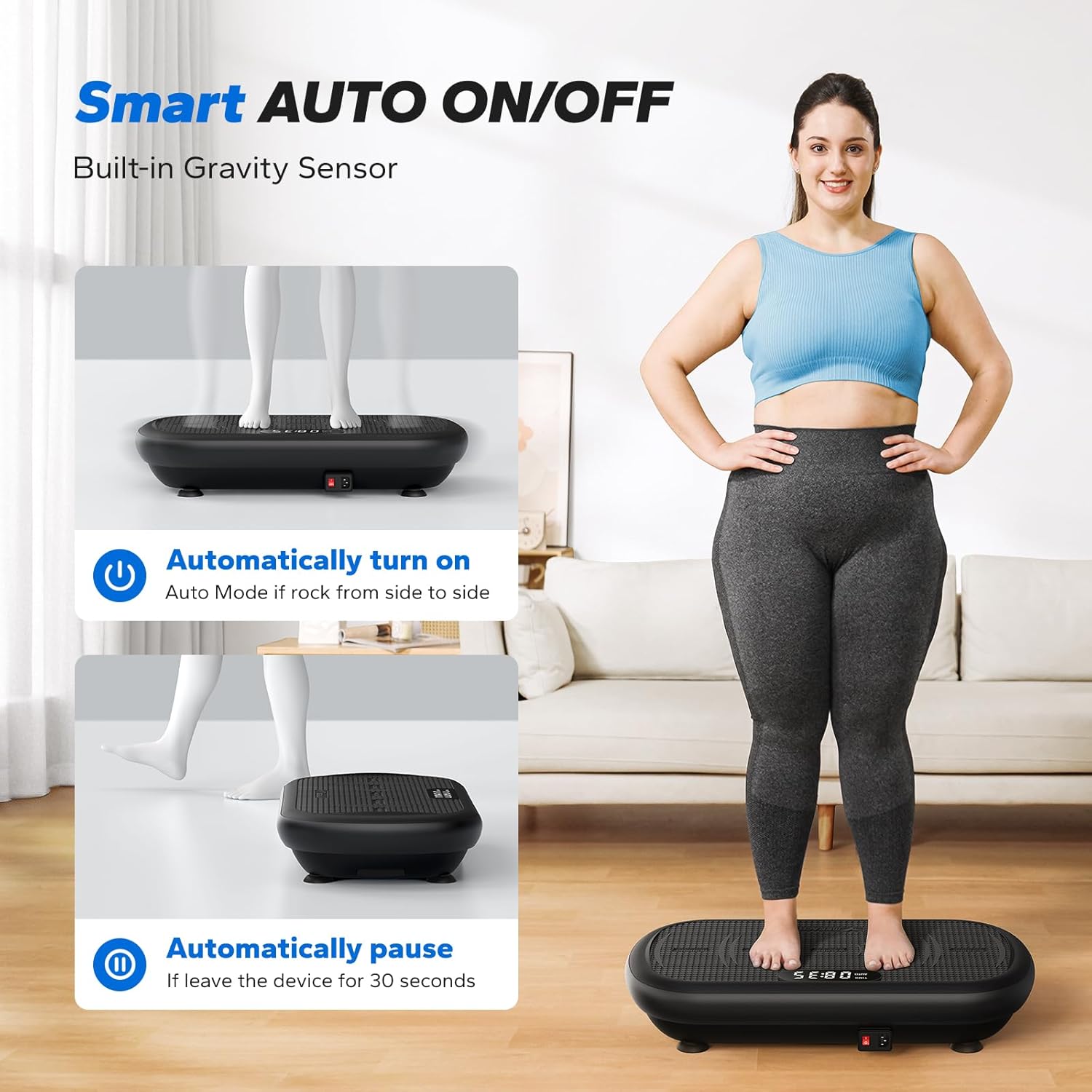
Figure 3: Smart AUTO ON/OFF functionality with gravity sensor.
4.4 Manual Mode and Intensity Adjustment
In manual mode, you can select from 10 speed levels. The intensity of vibration also varies based on your foot placement:
- Running (Strong): Place feet wider apart for maximum intensity.
- Jogging (Comfortable): Place feet shoulder-width apart for moderate intensity.
- Walking (Relax): Place feet closer together for lower intensity.
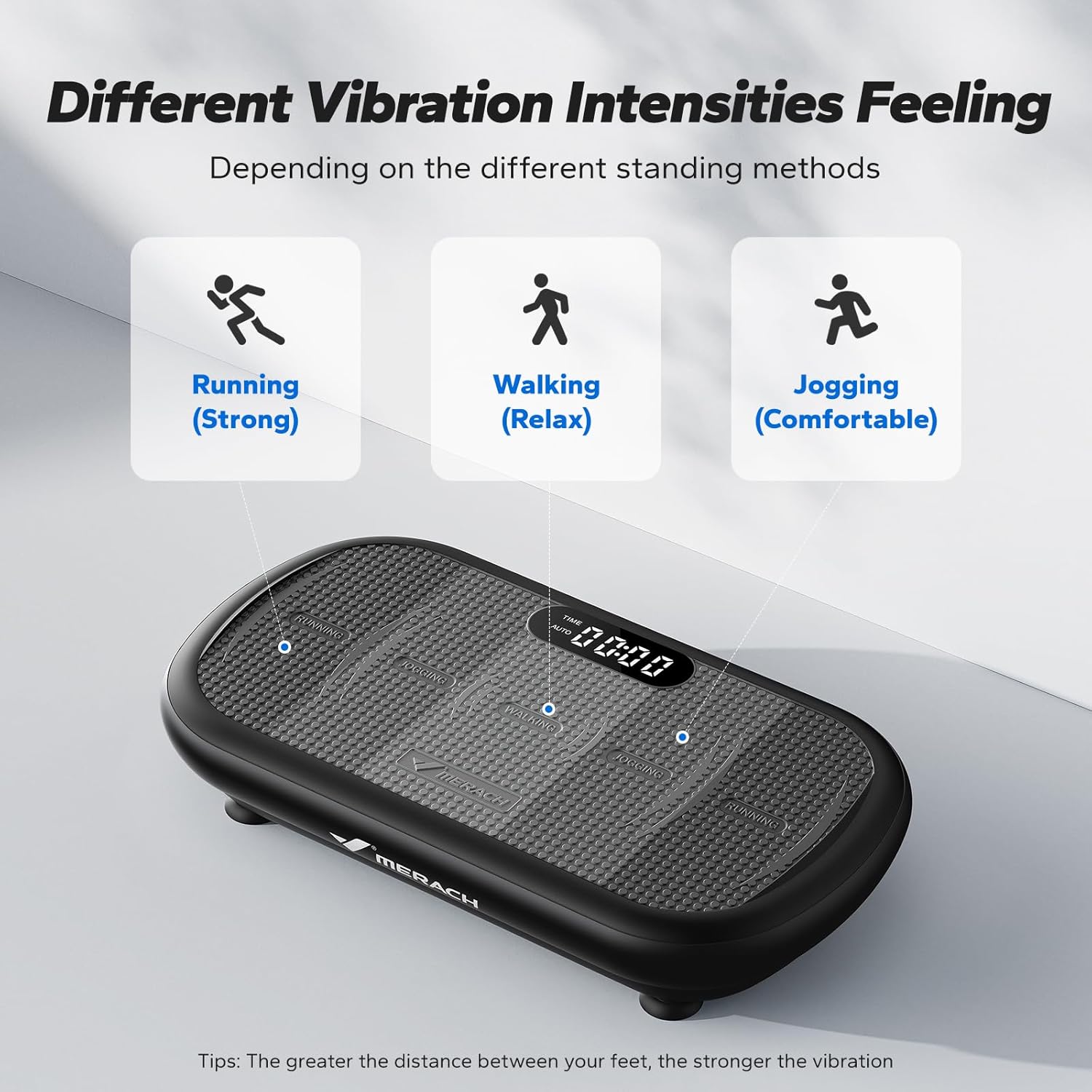
Figure 4: Different foot positions for varying vibration intensities.
4.5 Bluetooth Connectivity for Music
Enhance your workout experience by connecting your device via Bluetooth to play music through the built-in speakers.
- Ensure the vibration plate is powered on.
- Activate Bluetooth on your smartphone or other device.
- Search for "MR-2440" or a similar device name in your device's Bluetooth settings.
- Pair your device. Once connected, you can play music through the vibration plate's speakers.
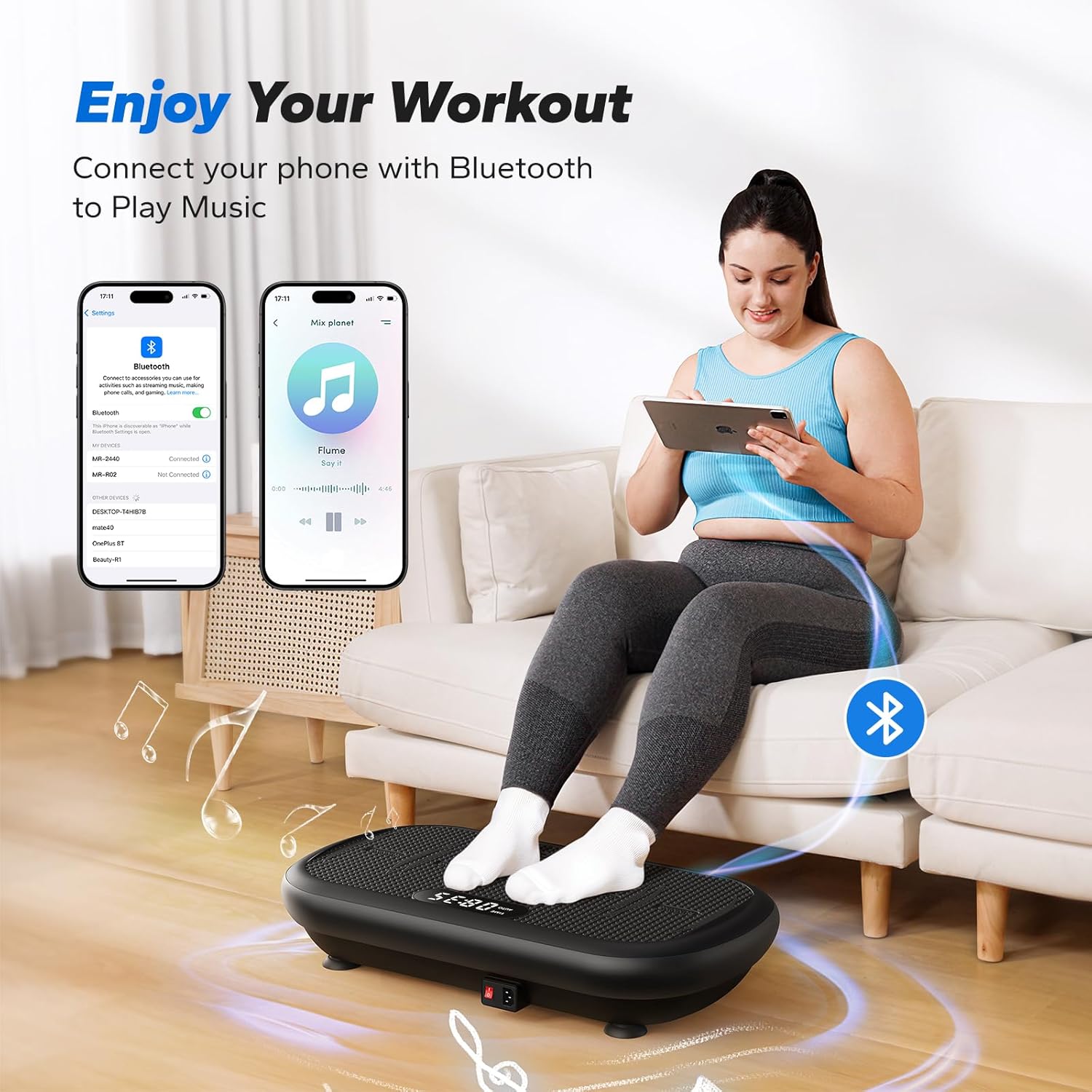
Figure 5: Enjoying music during your workout via Bluetooth.
4.6 Guided Workouts (Merach App)
For additional guidance and workout routines, you can utilize the Merach app. The app offers step-by-step guidance, routines for various fitness levels, and 10-minute daily routines. Casting is supported for a larger view.
- Download the Merach app from the App Store or Google Play.
- Follow the in-app instructions to access guided workouts.
- Note: Bluetooth connection is not required for workout videos within the app.

Figure 6: Guided workouts available through the Merach app.
5. Maintenance
5.1 Cleaning
- Always unplug the machine before cleaning.
- Wipe the surface of the vibration plate with a soft, damp cloth.
- Do not use abrasive cleaners or solvents, as they may damage the finish.
- Ensure no liquid enters the internal components.
5.2 Storage
- Store the vibration plate in a cool, dry place away from direct sunlight and moisture.
- Avoid placing heavy objects on top of the machine.
- If storing for an extended period, consider covering the unit to protect it from dust.
6. Troubleshooting
If you encounter any issues with your MERACH CV40, please refer to the following common problems and solutions:
| Problem | Possible Cause | Solution |
|---|---|---|
| Machine does not power on. | Power cord not properly connected; Main power switch is off; No power from outlet. | Check power cord connection; Ensure main power switch is ON; Test outlet with another device. |
| No vibration. | Machine is in standby mode; Remote control batteries are low; Incorrect mode selected. | Step on the platform to activate (Auto Mode); Replace remote control batteries; Switch to manual mode or ensure auto mode is active. |
| Remote control not responding. | Batteries are low or incorrectly inserted; Obstruction between remote and receiver. | Replace batteries, ensuring correct polarity; Remove any obstructions and point remote directly at the machine. |
| Unusual noise during operation. | Machine not on a level surface; Loose components. | Ensure the machine is on a flat, stable surface; Contact customer support if noise persists. |
If the problem persists after trying these solutions, please contact MERACH customer support.
7. Specifications
| Specification | Value |
|---|---|
| Brand | MERACH |
| Model Number | MR-2440 |
| Item Weight | 10.5 kg (23.15 lbs) |
| Weight Capacity | 440 lbs |
| Product Dimensions (D x W x H) | 28.4" x 15" x 6.3" |
| Color | Black |
| Material | Acrylonitrile Butadiene Styrene (ABS) |
| Controls Type | Remote |
| Operation Mode | Automatic |
| Wattage | 200 watts |
| Number of Programs | 10 (speed modes) |
| Amplitude | 13mm |

Figure 7: Dimensions and Weight Capacity of the MERACH CV40.
8. Warranty and Support
8.1 Warranty Information
Every MERACH CV40 unit undergoes strict quality testing. The product comes with a warranty against manufacturing defects. Please refer to your purchase documentation for specific warranty duration and terms.
8.2 Customer Support
If your vibration plate arrives damaged, has manufacturing defects, or if you have any questions or concerns about its operation, please contact MERACH customer support. We offer both email and telephone support to assist you promptly.
Your satisfaction is our top priority. Please reach out to us for any assistance needed.


