
1. Product Overview
The Herfair IR Receiver is designed to extend the range of your infrared remote control, allowing you to operate devices such as cable boxes, DVRs, and other AV equipment that are hidden from direct line-of-sight. It features a 3.5mm plug for connection to your device's 'IR IN' port and supports a wide frequency band of 38-56kHz.
What's in the Box
- 1 x Herfair IR Receiver Infrared Extender Cable
2. Setup Instructions
Follow these steps to properly install your Herfair IR Receiver:
- Identify the 'IR IN' Port: Locate the 3.5mm 'IR IN' port on the back of your cable box, DVR, or AV receiver. This port is essential for the IR receiver to function. Note: This product will not work if your device does not have an active 3.5mm 'IR IN' input port. Do not plug into a serial port.
- Connect the IR Receiver: Insert the 3.5mm plug of the Herfair IR Receiver into the 'IR IN' port of your device.
- Position the Receiver Head: Place the IR receiver head in a location where it has a clear line of sight to your remote control. The receiver head comes with mounting tape for secure placement. Ensure the surface of the receiver head is oriented towards where you will be pointing your remote control.

Figure 2.1: Installation Guide - Connecting the IR Receiver to the IR Input port and positioning the receiver head.

Figure 2.2: Close-up of the 3.5mm connector plugged into a set-top box's 'IR IN' port.
3. Operating Instructions
Once installed, the Herfair IR Receiver operates automatically without additional configuration or power. Simply point your remote control towards the receiver head to control your hidden device.
- Control Distance: The IR receiver supports a control distance of up to 25 feet (approximately 7.6 meters).
- Control Angle: The receiver supports left/right 45-degree angles, providing flexibility in remote control aiming.
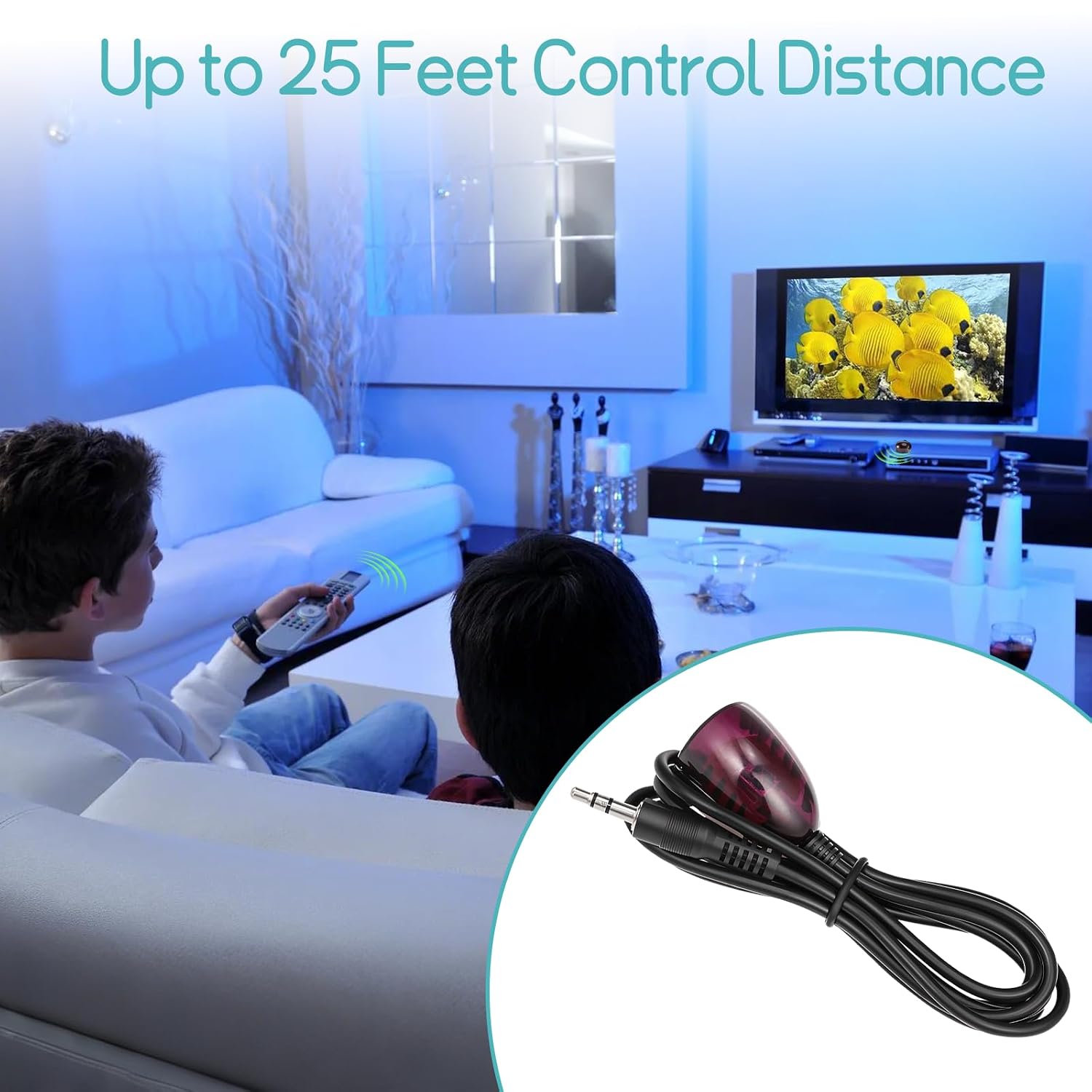
Figure 3.1: Demonstrating the 25-foot control distance of the IR Receiver.

Figure 3.2: Illustration of the 45-degree control angle supported by the IR Receiver.
4. Compatibility
The Herfair IR Receiver is compatible with most 38-56kHz wideband cable boxes and DVRs that feature an active 3.5mm 'IR IN' port.
Compatible Devices (Examples):
- Comcast X1 & RNG150 (Cisco)
- Verizon HD DVR QIP (all QIP 7xxx series)
- Arris VMS & IPC1100
- Pace TDC787X HD, PACE TDC575D
- ChannelMaster DVR
- LG LST-4600A
- Thomson DCI1011
- SR150bnm
- Other 38-56kHz Set Top Boxes, VCRs, DVD/Blu-ray Players, Home Theaters, AVRs, and AV equipment with an 'IR IN' port.
Incompatible Devices:
- Denon devices
- Sony devices

Figure 4.1: The Herfair IR Receiver is universal for 38 to 56 kHz wideband infrared cable/set-top box/DVR.
5. Troubleshooting
If your Herfair IR Receiver is not working as expected, consider the following:
- Verify 'IR IN' Port: Double-check that your cable box/DVR has an active 3.5mm input port specifically labeled 'IR IN'. The product will not function without this.
- Check Compatibility: Ensure your device operates within the 38-56kHz frequency range and is not one of the explicitly incompatible brands (Denon, Sony).
- Receiver Head Placement: Confirm the IR receiver head has a clear, unobstructed line of sight to your remote control. Adjust its position if necessary.
- Remote Control Functionality: Test your remote control directly with the device (if possible) to ensure the remote itself is working correctly.
If you have verified these points and the product still does not work, please contact Herfair support with your device brand and model for assistance.
6. Specifications
| Brand | Herfair |
| Model Name | HFR-FangXing IR |
| Connectivity Technology | Infrared |
| Compatible Devices | 38-56 kHz Set Top Box, VCR, DVD/Blu-ray Player, Home Theater, AVR, cable box, AV equipment |
| Maximum Range | 25 Feet (7.6 meters) |
| Control Angle | +/- 45 Degrees |
| Cable Length | 59 Inches (1.5 meters) |
| Plug Type | 3.5mm |
7. Maintenance
The Herfair IR Receiver is designed for maintenance-free operation. Keep the receiver head clean and free from dust to ensure optimal performance. No external power or batteries are required.

Figure 7.1: Close-up of the IR Receiver head and 3.5mm plug.
8. Warranty and Support
The Herfair IR Receiver comes with an 18-month warranty provided by Herfair.
For warranty claims, technical support, or any questions regarding product compatibility, please contact Herfair directly through their official support channels. Ensure you have your device brand and model information ready for efficient assistance.