
1. Introduction
Thank you for choosing the Vidapool 16,000 BTU Pool Heat Pump, Model VTX016. This heat pump is designed to efficiently heat your above-ground or in-ground pool, extending your swimming season and enhancing your pool experience. Featuring smart WiFi control, you can manage your pool's temperature with ease. Please read this manual thoroughly before installation and operation to ensure safe and optimal performance of your unit.

Image: The Vidapool 16,000 BTU Pool Heat Pump (Model VTX016) positioned next to an above-ground pool, illustrating its compact design and integration with pool systems. This model is rated for pools up to 5,000 gallons and features a 5.5 COP for energy efficiency.
2. Safety Information
WARNING: Failure to follow these safety instructions could result in fire, electric shock, or other injury or damage.
- Always disconnect power before performing any service or maintenance.
- Ensure the unit is installed by a qualified electrician in accordance with all local and national electrical codes.
- Do not operate the unit if the power cord or plug is damaged.
- Keep children and pets away from the unit during operation.
- Ensure proper ventilation around the heat pump. Do not block air inlets or outlets.
- This appliance must be grounded.
- Do not use extension cords.
- Maintain proper water flow through the unit as specified in the installation section.
3. Package Contents
Verify that all components are present and undamaged upon unpacking.
- Vidapool 16,000 BTU Pool Heat Pump (Model VTX016)
- 1.5" Adapter Converter
- 1.25" & 1.5" Hose Adapter Converter
- User Manual
- 115V GFCI Plug (integrated with power cord)
4. Setup and Installation
4.1 Placement
Position the heat pump on a solid, level surface, such as a concrete slab, near your pool. Ensure adequate clearance around the unit for proper airflow (at least 20 inches from walls or other obstructions). Avoid placing the unit in enclosed spaces. The unit is designed for outdoor use.
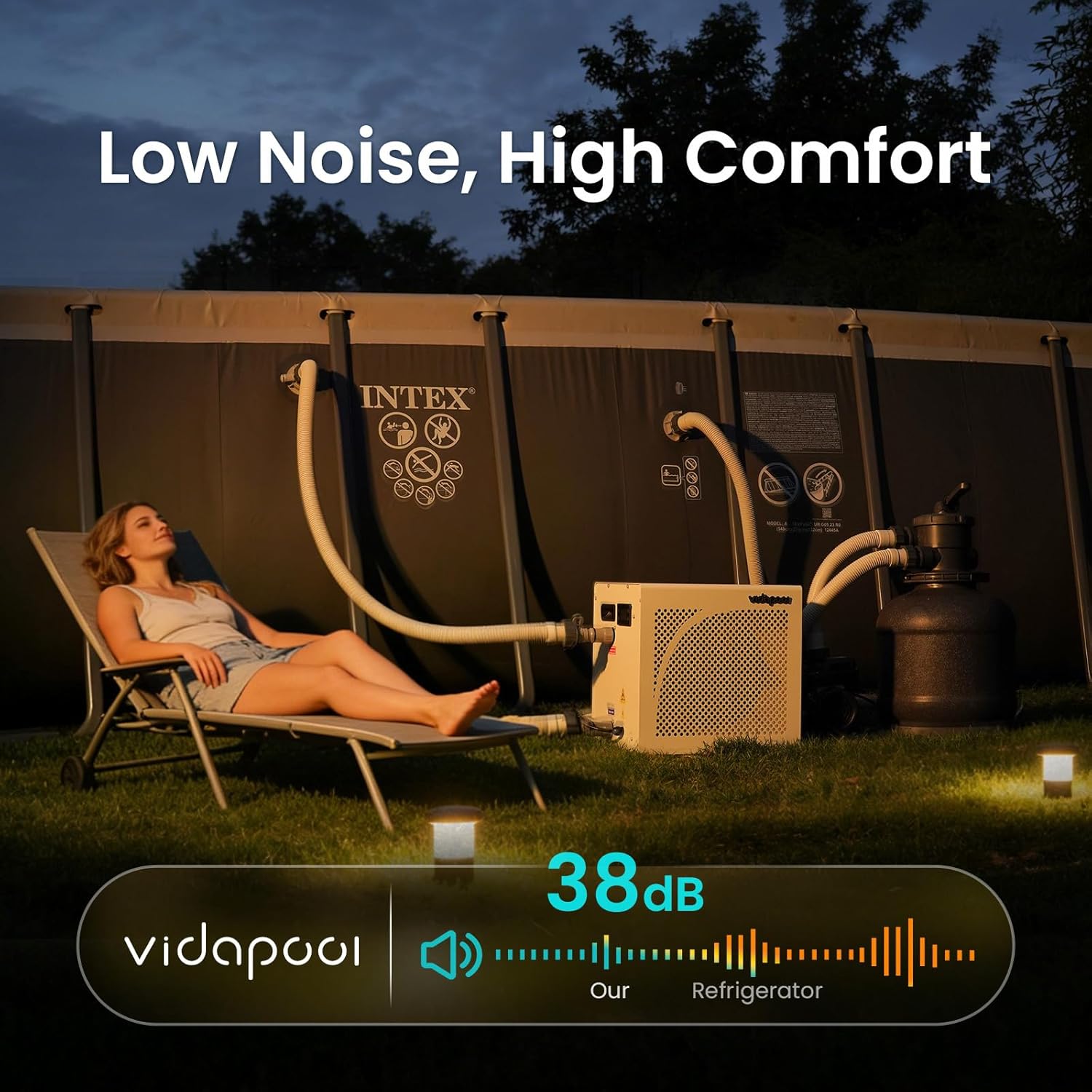
Image: The Vidapool heat pump shown with its compact dimensions (approximately 16.35 in x 16.9 in x 19.02 in), illustrating its suitability for installation in tight spaces near a pool.
4.2 Electrical Connection
The Vidapool heat pump operates on 110V AC power and comes with an integrated GFCI plug for safety. Connect the heat pump directly to a dedicated, grounded 110V outlet. Do not use extension cords or adapters.

Image: A person connecting the heat pump to the pool's filtration system using the provided 1.5" and 1.25" hose adapters. The image also highlights the 115V GFCI plug for safe electrical connection.
4.3 Plumbing Connection
Connect the heat pump to your pool's filtration system. Water should flow from the pool pump, through the filter, then into the heat pump, and finally back to the pool. Use the included 1.5" and 1.25" hose adapters to ensure a secure, leak-free connection.
- Ensure your pool pump is off before connecting hoses.
- Attach the inlet hose from your filter to the heat pump's inlet port.
- Attach the outlet hose from the heat pump's outlet port back to your pool.
- Tighten all connections to prevent leaks.

Image: Diagram illustrating the optimal water flow through the heat pump, indicating an ideal range of 740-1,500 GPH for best heating performance.
Important: The ideal pump flow rate for optimal heating performance is between 740 and 1,500 Gallons Per Hour (GPH). Ensure your pool pump provides flow within this range.
5. Operating Instructions
5.1 Initial Start-up
- Ensure all plumbing connections are secure and the unit is properly plugged into a grounded outlet.
- Turn on your pool pump to establish water flow through the heat pump.
- Press the power button on the heat pump's control panel. The unit will initiate a self-check.
- Set your desired water temperature using the control panel.
5.2 Smart WiFi Control
The Vidapool heat pump features smart WiFi control, allowing you to manage settings remotely via a smartphone application.
- Download the Vidapool app from the App Store (iOS) or Google Play Store (Android).
- Follow the in-app instructions to pair your heat pump with your smartphone.
- Through the app, you can:
- Adjust target temperature.
- Select heating or cooling mode (if applicable).
- Set custom schedules.
- Monitor current water temperature and unit status.

Image: A user relaxing by the pool while controlling the Vidapool heat pump via a smartphone application, demonstrating the convenience of smart app control for custom scheduling, data query, and mode selection.
5.3 Heating Performance
The 16,000 BTU heat pump is designed to efficiently heat pools up to 5,000 gallons. Heating times will vary based on ambient air temperature, initial water temperature, and pool size. Using a pool cover can significantly reduce heat loss and improve heating efficiency.

Image: A person covering a pool with a pool cover, illustrating the recommendation to use a cover for optimal performance, leading to over 50% energy and time savings.
6. Maintenance
6.1 Regular Cleaning
- Keep the area around the heat pump clear of debris, leaves, and other obstructions to ensure proper airflow.
- Periodically clean the exterior of the unit with a soft, damp cloth. Do not use harsh chemicals or abrasive cleaners.
- Inspect the air intake and exhaust grilles for blockages and clean as necessary.
6.2 Winterization (for cold climates)
If you live in an area where temperatures drop below freezing, proper winterization is crucial to prevent damage to your heat pump.
- Disconnect the power supply to the heat pump.
- Drain all water from the heat pump's plumbing lines. This may involve disconnecting hoses and allowing water to flow out.
- Store the unit in a dry, protected area if possible, or cover it with a weather-resistant cover if it must remain outdoors.
7. Troubleshooting
Before contacting support, please review the following common issues and solutions.
| Problem | Possible Cause | Solution |
|---|---|---|
| Heat pump not turning on. | No power; GFCI tripped; Pool pump not running. | Check power connection; Reset GFCI; Ensure pool pump is operating and providing water flow. |
| Poor heating performance. | Low ambient temperature; Insufficient water flow; Pool cover not used; Dirty coils. | Ensure ambient temperature is within operating range; Verify water flow (740-1500 GPH); Use a pool cover; Clean air intake/exhaust. |
| Unit displays an error code. | Internal fault; Sensor issue; Water flow problem. | Refer to the specific error code in the app or on the unit's display for details. Often, restarting the unit or checking water flow can resolve temporary errors. If persistent, contact support. |
| Unusual noise during operation. | Debris in fan; Loose components; Compressor issue. | Disconnect power and inspect fan for obstructions; Ensure unit is on a stable surface. If noise persists, contact support. |

Image: The Vidapool heat pump operating with low noise, measured at 38dB, comparable to a refrigerator, indicating its quiet operation.
8. Specifications
| Feature | Detail |
|---|---|
| Brand | Vidapool |
| Model Number | VTX016 |
| Heating Capacity | 16,000 BTU |
| Recommended Pool Size | Up to 5,000 Gallons |
| Power Source | AC |
| Voltage | 110 volts |
| Material | Metal |
| Product Style | Above Ground (also suitable for inground) |
| Included Components | Pool Heat Pump, Adapters |
| Optimal Pump Flow | 740-1,500 GPH |
9. Warranty Information
Your Vidapool heat pump is covered by a manufacturer's warranty against defects in materials and workmanship. Specific warranty terms and duration may vary. Please retain your proof of purchase for warranty claims. Additionally, extended protection plans may be available for purchase.
- Standard Return Policy: 30-day easy returns.
- Optional Protection Plans: 4-Year Protection Plan available.
10. Support
For technical assistance, troubleshooting beyond this manual, or warranty inquiries, please contact Vidapool customer support. Refer to the contact information provided with your purchase or visit the official Vidapool website.
Online Resources: For the latest FAQs, software updates, and additional support materials, please visit www.vidapool.com/support (example link).