
1. Introduction
Thank you for choosing the HATTEKER HT-6101 Professional Hair Trimmer. This manual provides essential information for the safe and effective use, maintenance, and troubleshooting of your new trimmer. Please read these instructions carefully before first use and keep them for future reference.
2. Safety Instructions
- Do not immerse the trimmer in water or use it near water.
- Keep the appliance dry.
- Do not use the trimmer if the blades are damaged or broken, as this may cause injury.
- Keep out of reach of children.
- Only use the provided USB Type-C cable for charging.
- Do not disassemble the trimmer. For repairs, contact authorized service personnel.
- Ensure the trimmer is switched off before cleaning or maintenance.
- Avoid extreme temperatures and direct sunlight during storage.
3. Package Contents
Verify that all items are present in the package:
- HATTEKER HT-6101 Hair Trimmer
- 3 Guide Combs (1mm, 2mm, 3mm)
- USB Type-C Charging Cable
- Cleaning Brush
- Lubricating Oil
- User Manual
4. Product Overview
The HATTEKER HT-6101 features a high-speed motor and a precision T-blade for efficient trimming.

Image: Front view of the HATTEKER HT-6101 Professional Hair Trimmer.
Key Components:
- Precision T-Blade: Stainless steel, zero-gap design for close trimming.
- Power Button: To turn the trimmer on and off.
- LED Display: Shows remaining battery level.
- USB Type-C Port: For charging the internal battery.

Image: Close-up view of the T-Cutter Head, highlighting its sharp and durable design.
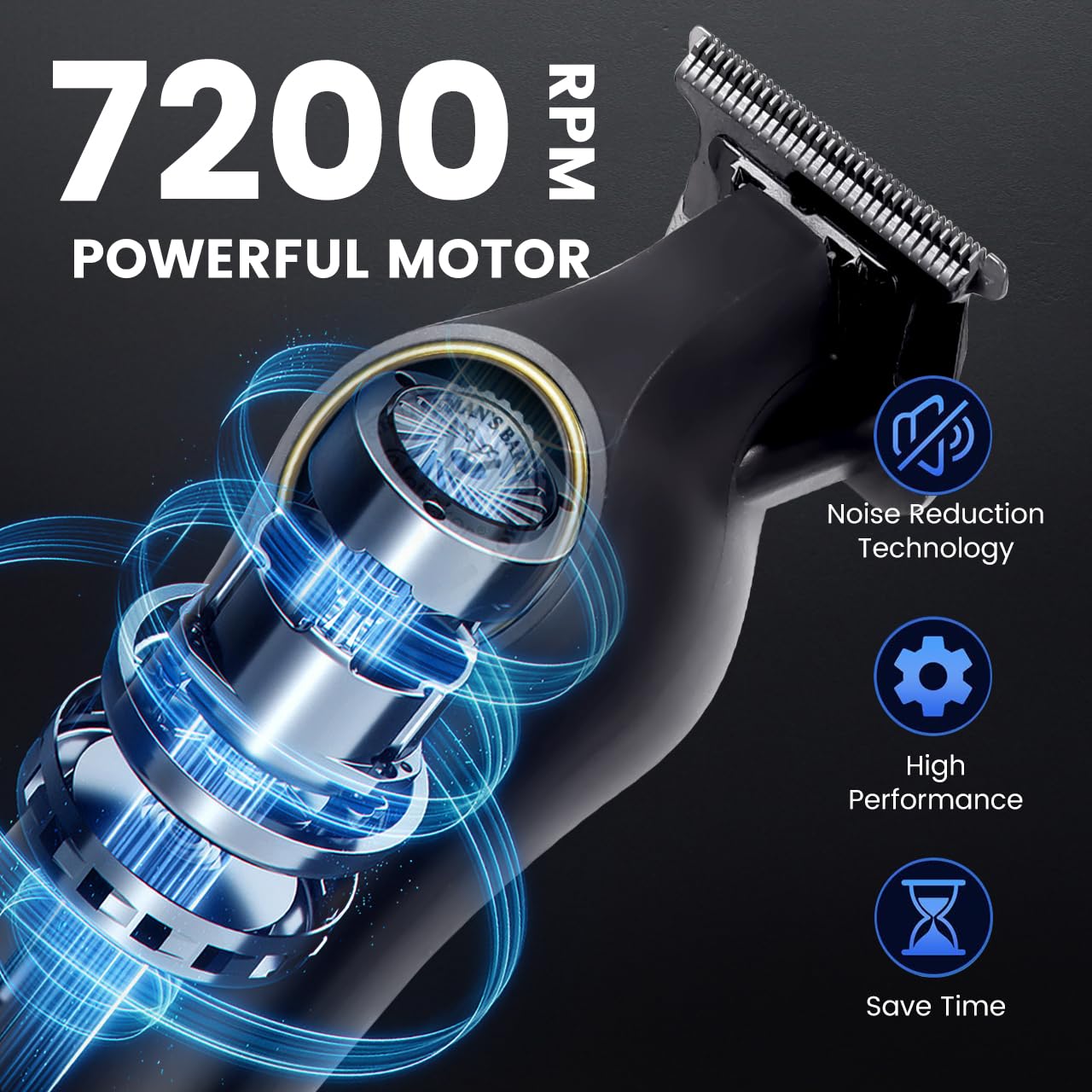
Image: Internal diagram illustrating the 7200 RPM motor with noise reduction technology.
5. Charging the Trimmer
Before first use, fully charge the trimmer. The built-in 1200mAh lithium battery provides up to 180 minutes of cordless operation after approximately 2 hours of charging.
- Ensure the trimmer is switched off.
- Insert the USB Type-C charging cable into the trimmer's charging port.
- Connect the other end of the USB cable to a compatible USB power source (e.g., power adapter, computer, power bank).
- The LED display will indicate the charging status. A full charge is typically reached in about 2 hours.
- Disconnect the charger once fully charged.

Image: Illustration showing the trimmer connected via USB Type-C for charging, compatible with various devices.
6. Setup and Operating the Trimmer
Attaching Guide Combs:
To achieve desired hair lengths, attach one of the three guide combs (1mm, 2mm, 3mm) to the trimmer blade.
- Select the desired guide comb.
- Align the comb with the trimmer blade and push it firmly until it clicks into place.
- To remove, gently pull the comb away from the blade.
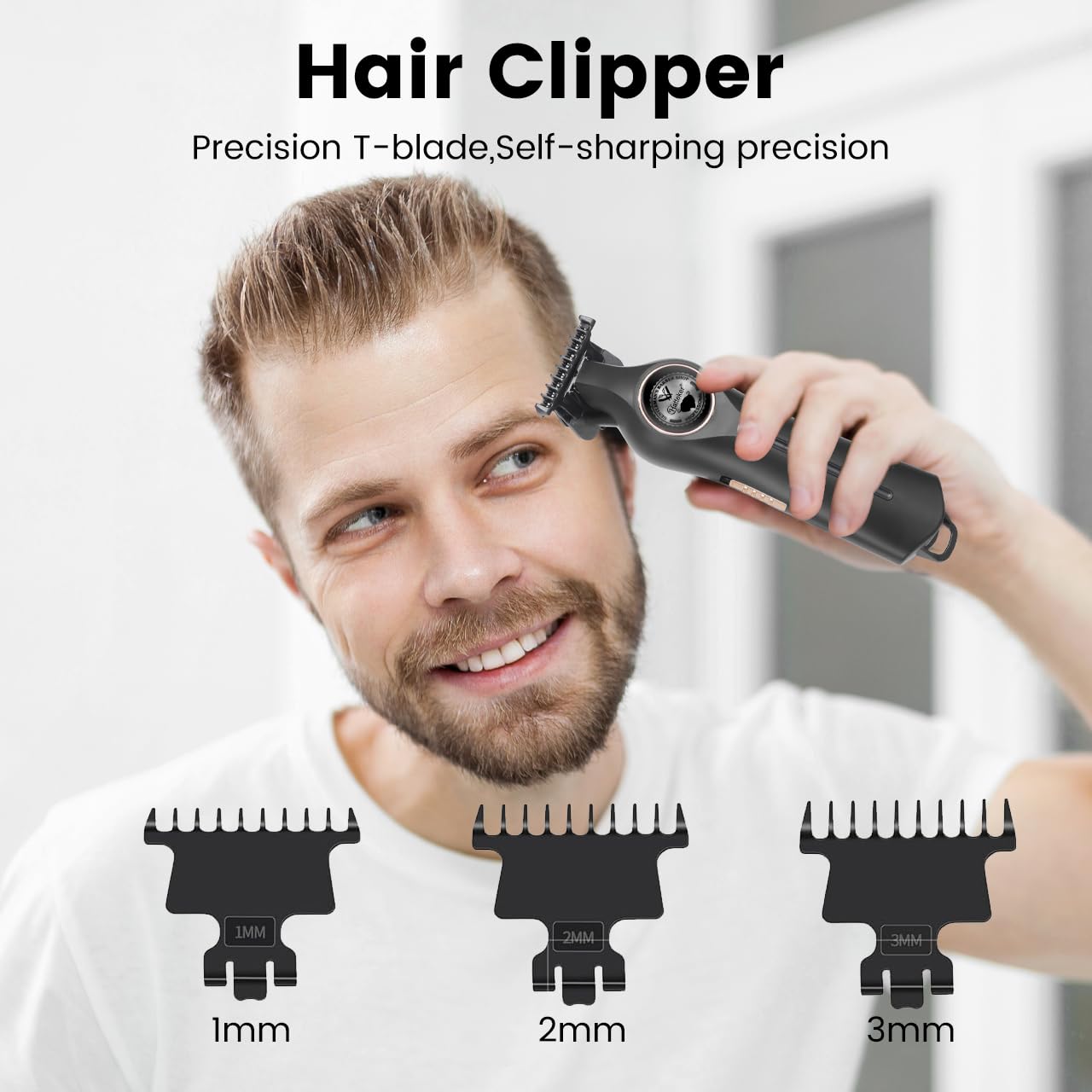
Image: The hair clipper shown with the three included guide combs (1mm, 2mm, 3mm).
Basic Operation:
- Ensure the trimmer is charged.
- Press the power button to turn the trimmer on.
- Hold the trimmer at a comfortable angle and move it against the direction of hair growth for effective trimming.
- Use smooth, even strokes.
- Press the power button again to turn the trimmer off after use.

Image: A man receiving a haircut using the HATTEKER HT-6101 trimmer.

Image: Visual examples of the trimmer being used for haircuts, beard trimming, and detailed styling.

Image: The trimmer demonstrating its ability to trim hair cleanly at the roots (0.1mm).
7. Cleaning and Maintenance
Regular cleaning and maintenance ensure optimal performance and extend the life of your trimmer.
- After Each Use: Turn off the trimmer. Use the cleaning brush to remove loose hairs from the blade and trimmer body.
- Oiling the Blades: Periodically apply a small drop of the lubricating oil (included) to the blades. Turn the trimmer on for a few seconds to distribute the oil evenly. This helps maintain blade sharpness and smooth operation.
- Storage: Store the trimmer in a dry place, away from direct sunlight and extreme temperatures.
8. Troubleshooting
| Problem | Possible Cause | Solution |
|---|---|---|
| Trimmer does not turn on. | Battery is depleted. | Charge the trimmer for at least 2 hours. |
| Trimmer runs slowly or pulls hair. | Blades are dirty or not oiled. | Clean the blades and apply lubricating oil. |
| Trimmer not charging. | Faulty cable or power source. | Try a different USB Type-C cable or power adapter. Ensure connections are secure. |
9. Specifications
- Model: HT-6101
- Motor Speed: 7200 RPM
- Blade Material: Stainless Steel
- Battery Type: 1200mAh Lithium Ion
- Charging Time: Approximately 2 hours
- Runtime: Up to 180 minutes
- Charging Interface: USB Type-C
- Product Dimensions: 19 x 9 x 5.5 cm
- Item Weight: 310 g
- Power Source: Battery Powered
- Body Material: Acrylonitrile Butadiene Styrene
- Country of Origin: China
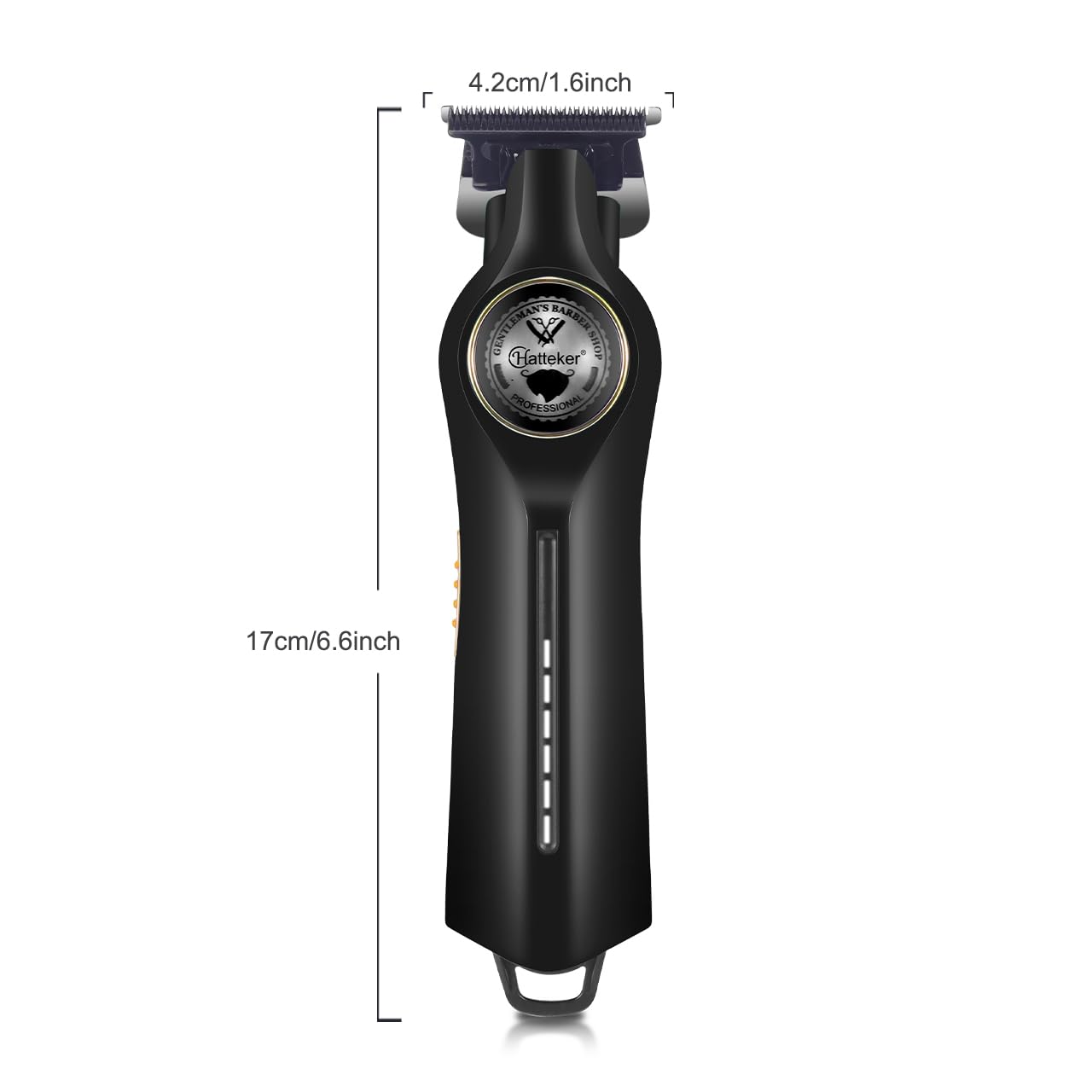
Image: Diagram showing the dimensions of the HATTEKER HT-6101 trimmer (17cm/6.6inch length, 4.2cm/1.6inch width).
10. Warranty and Support
This product comes with a 1-year quality warranty against defects in materials and workmanship from the date of original purchase (invoice required). This warranty is valid only if purchased from the seller "SAAS CONSUMER GOODS" and does not cover intentional or unintentional damage by the user.
For warranty claims or support, please contact us at WARRANTY@wmarkindia.in. Provide a clear description of the problem, associated pictures, and a copy of your original invoice. Upon verification, the company will, at its discretion, repair or exchange the product. Customers are responsible for the cost of transporting the product to the service center, while the company will cover the return shipping cost if a valid claim is approved.


