
1. Introduction
This manual provides instructions for the proper setup, operation, and maintenance of your BCZWLWCND Air Conditioner Remote Control. Please read this manual thoroughly before using the remote control to ensure optimal performance and longevity. This remote is designed to be compatible with various air conditioner models, including YR-M10, YR-M02, YR-M05, YR-M07, YR-M09, and YL-M10.
2. Product Overview
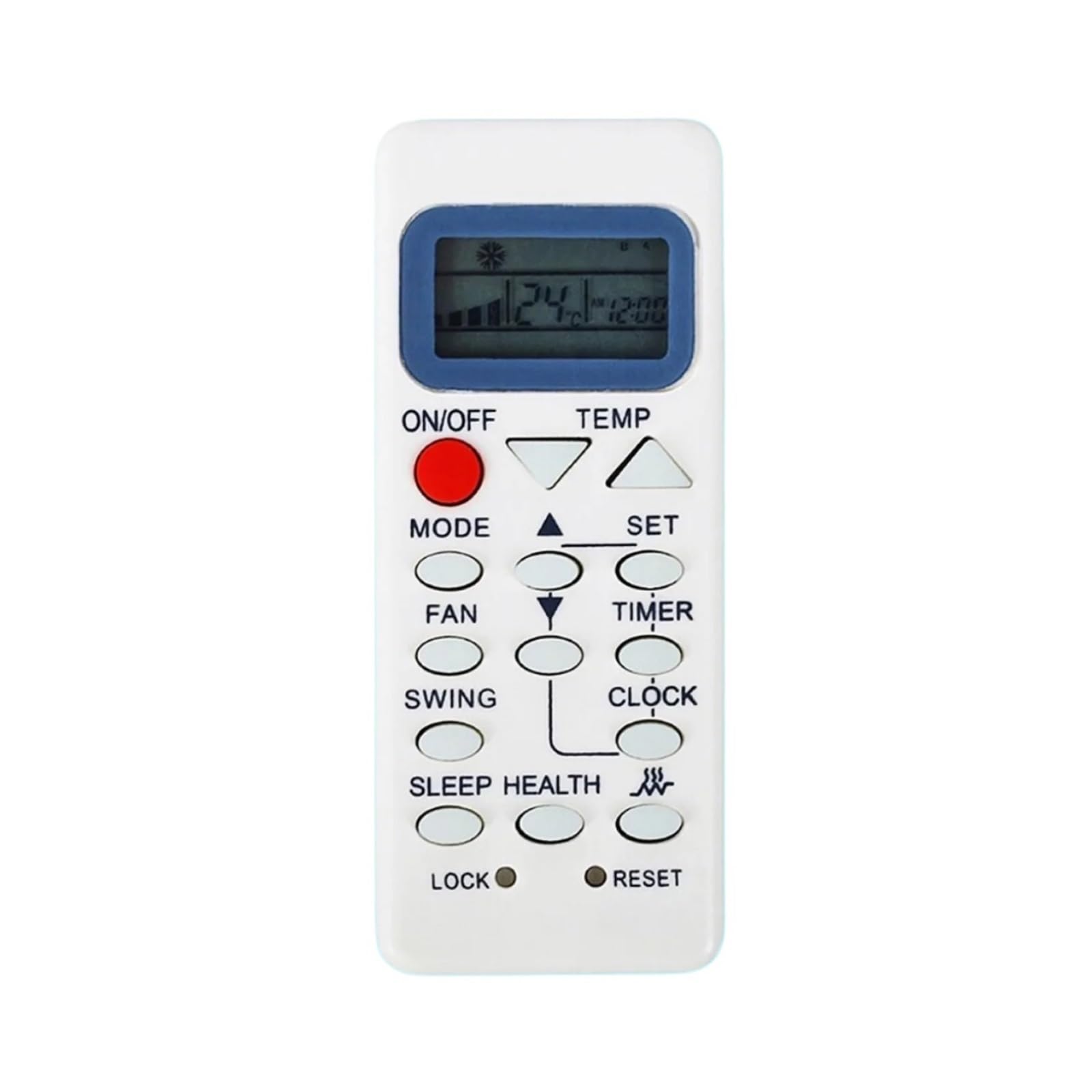
The BCZWLWCND remote control is a replacement unit designed for specific air conditioner models. It features a simple, ergonomic design for comfortable handling and ease of use. The primary function is to control your air conditioner's settings, including power, mode, temperature, and fan speed.
This image displays the back of the BCZWLWCND air conditioner remote control. The design is simple and ergonomic, featuring a removable cover for the battery compartment located at the bottom half of the remote. The top half shows a smooth, slightly recessed area, possibly for grip or internal components. The overall color is white.
3. Setup
3.1 Battery Installation
- Locate the battery compartment cover on the back of the remote control.
- Slide the cover downwards or press the latch (if present) to open the compartment.
- Insert two new AAA batteries (not included), ensuring the positive (+) and negative (-) terminals match the diagrams inside the compartment.
- Slide the battery compartment cover back into place until it clicks securely.
Note: Always replace both batteries at the same time with new ones. Do not mix old and new batteries or different types of batteries.
4. Operating Instructions
Point the remote control directly at the air conditioner's receiver when operating.
4.1 Basic Functions
- Power On/Off: Press the ON/OFF button to turn the air conditioner on or off.
- Mode Selection: Press the MODE button repeatedly to cycle through available modes: Auto, Cool, Dry, Fan, Heat (if applicable).
- Temperature Adjustment: Use the TEMP UP (▲) and TEMP DOWN (▼) buttons to increase or decrease the desired temperature.
- Fan Speed: Press the FAN button to adjust the fan speed (e.g., Low, Medium, High, Auto).
- Swing Function: If your air conditioner supports it, press the SWING button to activate or adjust the louver swing.
Refer to your air conditioner's original manual for specific functions and their corresponding remote control buttons if this remote has additional features.
5. Maintenance
5.1 Cleaning the Remote Control
To clean the remote control, wipe it gently with a soft, dry cloth. Do not use liquid cleaners, sprays, or chemical solvents, as these may damage the remote's surface or internal components.
5.2 Battery Replacement
Replace the batteries when the remote control's range decreases significantly or if the air conditioner does not respond to commands. Follow the battery installation steps outlined in Section 3.1.
6. Troubleshooting
- Remote not working:
- Check if the batteries are inserted correctly with the correct polarity.
- Replace old batteries with new ones.
- Ensure there are no obstructions between the remote control and the air conditioner's receiver.
- Limited range:
- Replace the batteries.
- Ensure you are within the effective operating range (typically 8-10 meters) and pointing directly at the unit.
- Air conditioner not responding to specific functions:
- Verify that your air conditioner model supports the specific function you are trying to use.
- Some advanced functions may require specific programming or may not be supported by a universal replacement remote.
7. Specifications
| Brand | BCZWLWCND |
| Compatible Models | YR-M10, YR-M02, YR-M05, YR-M07, YR-M09, YL-M10 |
| Color | One Color (White) |
| Number of Items | 1 |
8. Warranty and Support
For warranty information or technical support, please refer to the retailer or platform where the product was purchased. Keep your purchase receipt as proof of purchase.


