
1. Introduction
The NutriChef Slushie Machine Model CA-NCSLUSHM1BK is designed to create a variety of frozen beverages, including slushies, milkshakes, frappes, and frozen juices, without the need for added ice. It features RapidChill Technology, 7 preset programs, and 10 adjustable texture settings for customized results. This manual provides essential information for safe and efficient operation.
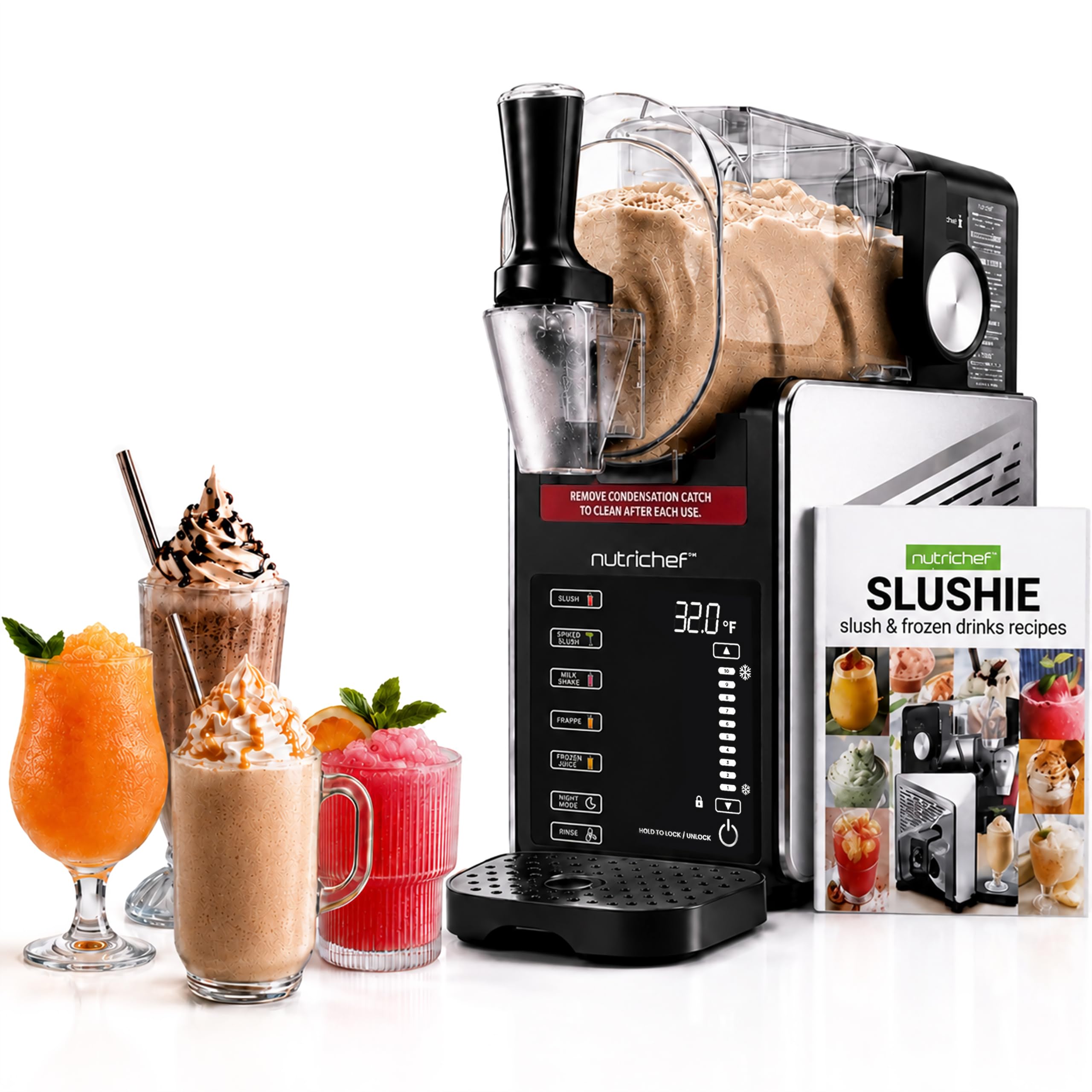
Image 1.1: The NutriChef Slushie Machine in operation, demonstrating the pouring of liquid into the container.
2. Important Safety Instructions
To reduce the risk of fire, electric shock, or injury, always follow these basic safety precautions:
- Read all instructions before operating the appliance.
- Do not immerse the appliance base, cord, or plug in water or other liquids.
- Close supervision is necessary when any appliance is used by or near children.
- Unplug from outlet when not in use, before assembling or disassembling parts, and before cleaning.
- Avoid contact with moving parts.
- Do not operate any appliance with a damaged cord or plug, or after the appliance malfunctions or has been dropped or damaged in any manner.
- The appliance is equipped with overheat protection. If the motor overheats, the unit will automatically shut off. Allow it to cool before resuming operation.
- Ensure the container is properly locked into place before operation to engage the container-lock safety system.
- For optimal freezing, ensure your drink mixture has sufficient sugar content. Low-sugar liquids may not achieve the desired slush consistency.
3. Product Components
Familiarize yourself with the main parts of your NutriChef Slushie Machine:
- Main Base Unit: Houses the motor and control panel.
- Transparent Container: Where ingredients are mixed and frozen.
- Lid: Covers the container during operation.
- Mixing Paddle: Rotates to create the slush consistency.
- Dispenser Handle: Used to release the frozen beverage.
- Drip Tray: Collects any spills from the dispenser.

Image 3.1: Overview of the NutriChef Slushie Machine, highlighting the container and pouring mechanism.
4. Setup
Follow these steps before first use and whenever you need to set up the machine:
- Unpack: Carefully remove all components from the packaging. Retain packaging for future storage or transport.
- Initial Cleaning: Wash the transparent container, lid, mixing paddle, and drip tray with warm, soapy water. Rinse thoroughly and dry completely. Wipe the main base unit with a damp cloth.
- Assembly: Place the mixing paddle inside the transparent container. Secure the container onto the main base unit, ensuring it clicks into place. Place the lid on top of the container. Position the drip tray under the dispenser.
- Placement: Place the assembled machine on a stable, flat, and dry surface, away from heat sources and direct sunlight. Ensure adequate ventilation around the unit.
- Power Connection: Plug the power cord into a grounded electrical outlet.
5. Operating Instructions
The NutriChef Slushie Machine offers intuitive one-touch operation for various frozen beverages.
5.1 Preparation and Filling
- Ensure the machine is properly assembled and plugged in.
- Pour your desired liquid into the transparent container. Do not exceed the maximum fill line indicated on the container.
- For best results, ensure the liquid has sufficient sugar content (e.g., fruit juice, soda, sweetened coffee). Liquids with very low sugar content may not freeze to a proper slush consistency.
5.2 Selecting a Program
The machine features a touch panel with a color display. Press the Power button to turn on the unit. Select one of the 7 preset programs:
- Slush: For classic fruit slushies.
- Spiked: Optimized for alcoholic frozen cocktails.
- Milkshake: Creates thick and creamy milkshakes.
- Frappe: Ideal for coffee-based frozen drinks.
- Frozen Juice: For refreshing frozen fruit juices.
- Night Mode: Maintains the beverage at a chilled temperature (37.4–39.2°F) for extended periods without continuous freezing.
- Rinse: For quick and easy cleaning (see Section 6).

Image 5.1: The control panel displaying the 7 one-touch preset programs.
5.3 Adjusting Texture
After selecting a program, you can adjust the texture using the 10 custom slush levels. These settings allow you to achieve a consistency from drinkable smooth to spoon-thick frozen. Use the up/down arrows on the control panel to select your desired texture level.
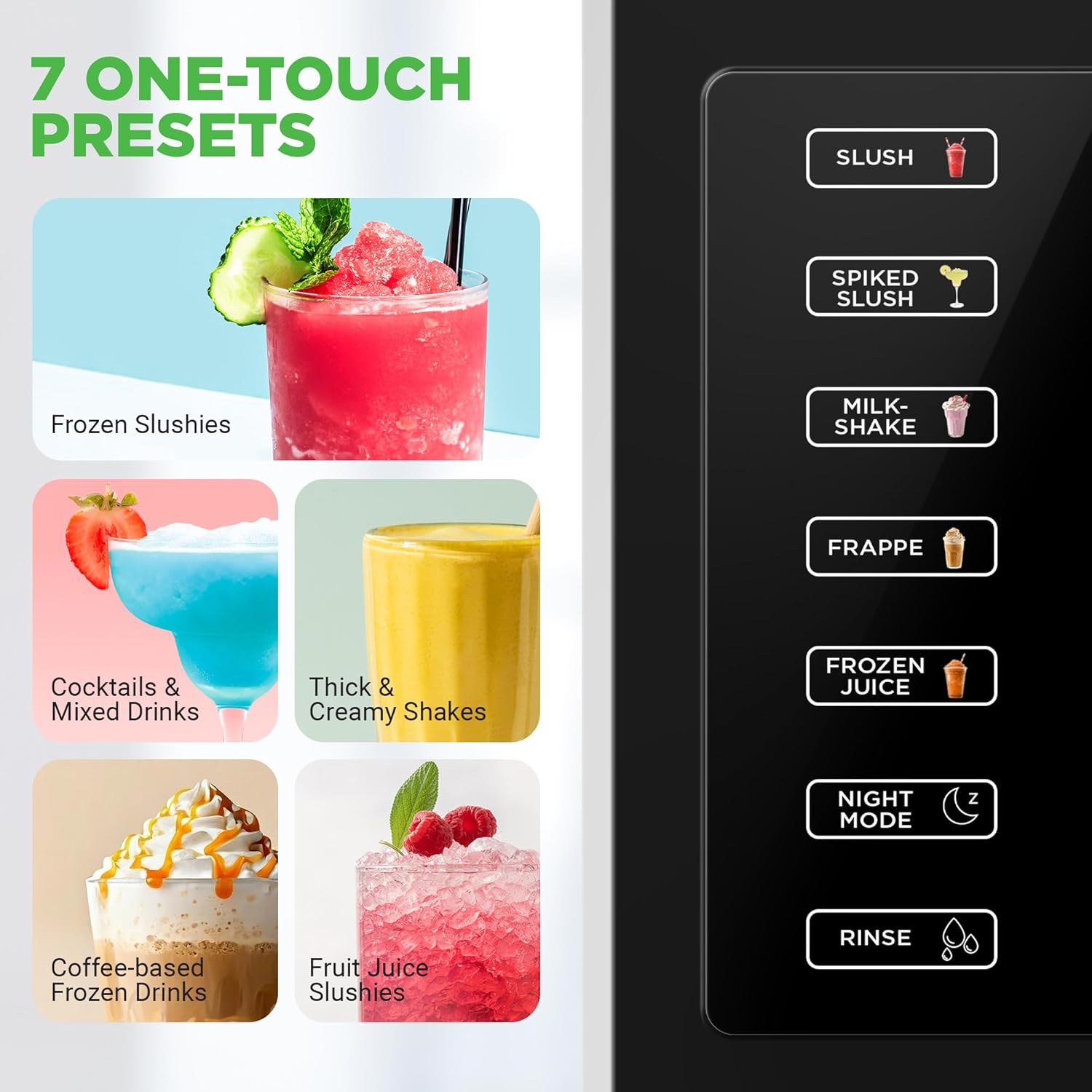
Image 5.2: The control panel with texture level indicators and visual examples of various slush consistencies.
5.4 Dispensing
Once the desired consistency is reached (indicated by the digital display), place a cup under the dispenser and pull the dispenser handle forward to release the frozen beverage.
6. Cleaning and Maintenance
Regular cleaning ensures optimal performance and longevity of your NutriChef Slushie Machine.
6.1 Rinse Mode
- After dispensing all beverages, pour approximately 2-3 cups of warm water into the transparent container.
- Select the Rinse program on the control panel. The machine will agitate the water to help dislodge any residue.
- After the rinse cycle, dispense the water into a sink.
6.2 Deep Cleaning
- Unplug the machine from the power outlet.
- Disassemble the transparent container, lid, mixing paddle, and drip tray.
- Wash these removable parts with warm, soapy water. They are also dishwasher-safe for convenience.
- Wipe the exterior of the main base unit with a soft, damp cloth. Do not use abrasive cleaners or immerse the base unit in water.
- Ensure all parts are completely dry before reassembling or storing the machine.

Image 6.1: The rinse function on the control panel and dishwasher-safe removable parts for easy cleaning.
7. Troubleshooting
If you encounter issues with your NutriChef Slushie Machine, refer to the following common problems and solutions:
- Machine not turning on: Ensure the power cord is securely plugged into a working electrical outlet. Check if the container is properly locked into the base unit.
- Liquid not freezing to slush consistency:
- Verify that the liquid has sufficient sugar content. Low-sugar liquids may not freeze effectively. Consider adding more sugar or a sugary syrup.
- Ensure the ambient room temperature is not excessively high, which can affect freezing performance.
- Check the selected texture setting; adjust to a higher level for thicker slush.
- Machine jams or stops during operation:
- This can occur if the mixture becomes too thick too quickly. Turn off the machine, unplug it, and carefully remove the container. Stir the mixture to break up any large ice formations, then reassemble and restart.
- Ensure the mixing paddle is correctly installed and free from obstructions.
- Leaking from the dispenser: Ensure the dispenser handle is fully closed after dispensing. Check for any debris or residue around the dispenser seal that might prevent a tight closure.
- Overheat protection activated: If the machine stops unexpectedly and the display indicates an overheat error, unplug the unit and allow it to cool down for at least 30 minutes before attempting to restart. Ensure proper ventilation around the machine.
If the problem persists after attempting these solutions, please contact customer support.
8. Specifications
| Brand | NutriChef |
| Model Number | CA-NCSLUSHM1BK |
| Color | Black |
| Material | ABS |
| Product Dimensions | 18.01 x 42.8 x 42.49 cm |
| Item Weight | 11 kg |
| Capacity | 64 oz (Liquid) |

Image 8.1: Dimensions and capacity details of the NutriChef Slushie Machine.
9. Warranty and Support
This NutriChef product is covered by a manufacturer's warranty. Please refer to the warranty card included with your purchase for specific terms and conditions. For technical support, replacement parts, or any inquiries not covered in this manual, please contact NutriChef customer service through their official website or the retailer where the product was purchased.