
Introduction
This manual provides essential information for the safe and efficient operation, maintenance, and troubleshooting of your HopCycle N3 Electric Scooter. Please read this manual thoroughly before using the scooter to ensure proper handling and to maximize its lifespan.
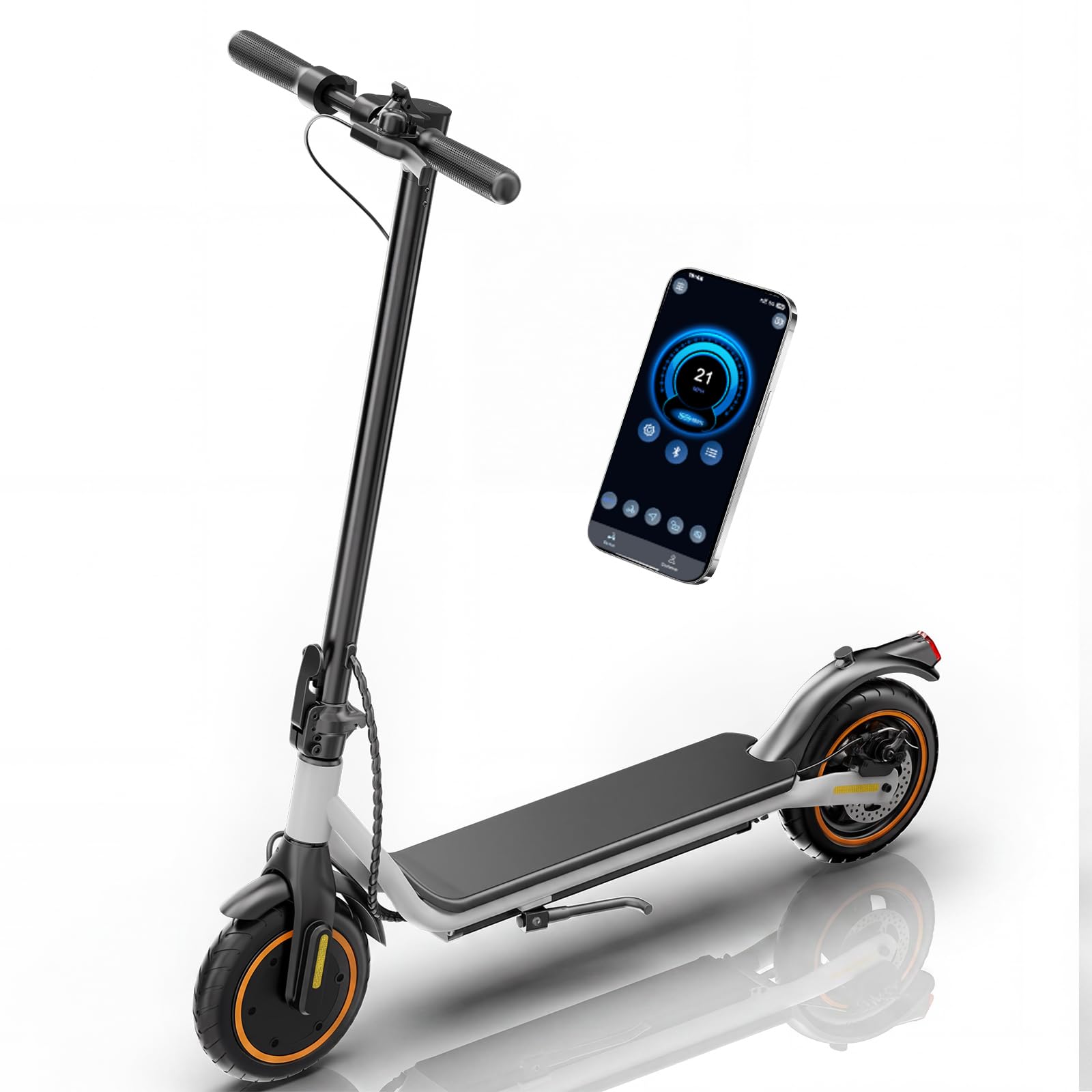
Image: The HopCycle N3 Electric Scooter, showcasing its sleek design.
Safety Guidelines
Always prioritize safety when operating your electric scooter. Adhere to local laws and regulations regarding electric scooter usage. Wearing a helmet and appropriate protective gear is strongly recommended.
- Perform a pre-ride inspection: Check tire pressure, brake function, and battery level.
- Do not ride in adverse weather conditions, such as heavy rain or snow.
- Avoid riding on slippery surfaces, loose gravel, or uneven terrain.
- Maintain a safe distance from other vehicles and pedestrians.
- Do not carry passengers or heavy loads that exceed the weight limit.
- Ensure all components are securely fastened before each ride.
Setup
Unfolding the Scooter
Your HopCycle N3 Electric Scooter comes pre-assembled and folded for transport. To unfold:
- Place the scooter on a flat surface.
- Release the folding mechanism latch, typically located near the base of the handlebar stem.
- Carefully lift the handlebar stem until it locks into the upright position. Ensure the locking mechanism is fully engaged.
- Adjust the handlebars if necessary and tighten any quick-release clamps.

Image: The HopCycle N3 Electric Scooter shown in both its folded and unfolded states, highlighting its compact design for storage and transport.
Initial Charging
Before your first ride, fully charge the scooter's battery. Connect the charger to the charging port on the scooter and then to a power outlet. The charging indicator will show the charging status. A full charge typically takes approximately 4 hours.

Image: Visual representation of the scooter's long-range battery (36V 7.8Ah) and fast charging capability (4 hours).
Voltix APP Connection
The HopCycle N3 Electric Scooter is compatible with the Voltix APP, allowing you to monitor ride data and manage settings. Download the Voltix APP from your smartphone's app store. Follow the in-app instructions to pair your scooter via Bluetooth.

Image: A smartphone screen displaying the Voltix APP interface, showing options for customized speed limits, cycling records, Bluetooth connection, lock/unlock, riding modes, cruise control, and headlight control.
Operating Instructions
Powering On/Off
To power on the scooter, press and hold the power button on the LED display for 2 seconds. To power off, press and hold the power button again for 2 seconds.
Riding Modes and Speed
The scooter features three riding modes, selectable via the power button (short press to cycle through modes when powered on):
- ECO Mode: Up to 6 MPH (Energy-saving mode for extended range).
- D Mode: Up to 12 MPH (Standard mode for balanced performance).
- S Mode: Up to 18 MPH (Sport mode for maximum speed).
The maximum speed supported by the 500W motor is 21 MPH, depending on rider weight, terrain, and battery level.

Image: The LED Smart Display on the scooter's handlebar, indicating current speed (km/h and mph), riding mode (ECO, D, S), cruise control status, headlight status, motor overheating warnings, Bluetooth connection, battery level, and the power button.

Image: Illustration of the scooter's 500W peak motor, highlighting its 21-mile long range and 21 MPH maximum speed.
Braking System
The HopCycle N3 is equipped with a dual braking system for controlled stopping:
- Electronic Brake: Activated by the brake lever on the handlebar.
- Rear Drum Brake: Provides additional stopping power.
Always apply brakes smoothly to avoid sudden stops or loss of control.

Image: Close-up view of the scooter's double braking system, illustrating both the electronic brake on the handlebar and the rear drum brake on the wheel.
Tires
The scooter features 8.5-inch pneumatic (air-filled) tires designed for shock absorption, puncture resistance, and wear resistance, providing a stable and comfortable ride.

Image: Detailed view of the scooter's 8-inch air-filled tires, highlighting features like puncture resistance, shock absorption, wear resistance, and anti-slip properties.
Maintenance
General Care
- Regularly clean the scooter with a damp cloth. Avoid using high-pressure water or harsh chemicals.
- Store the scooter in a dry, cool place away from direct sunlight and extreme temperatures.
- Check all screws and fasteners periodically and tighten if necessary.
Battery Care
- Charge the battery fully before long periods of storage.
- If storing for an extended time, charge the battery to 50-70% every 30-60 days to maintain battery health.
- Do not overcharge or completely drain the battery.
Tire Maintenance
Maintain proper tire pressure for optimal performance and to prevent punctures. Refer to the tire sidewall for recommended pressure. Inspect tires regularly for wear and damage.
Throttle Replacement Guide
For detailed instructions on replacing the throttle, please refer to the official video guide below. This procedure should only be performed by individuals with appropriate mechanical aptitude or by a qualified service technician.
Video: Official guide from HopCycle demonstrating the process of replacing the electric scooter throttle.
Troubleshooting
This section addresses common issues you might encounter with your HopCycle N3 Electric Scooter.
| Problem | Possible Cause | Solution |
|---|---|---|
| Scooter does not power on. | Low battery; loose connections; power button malfunction. | Charge the battery; check all cable connections; contact support if issue persists. |
| Reduced range or speed. | Low tire pressure; heavy load; riding uphill; cold weather; battery degradation. | Inflate tires to recommended pressure; reduce load; ride on flatter terrain; ensure battery is fully charged. |
| Brakes not responding effectively. | Brake cable adjustment needed; worn brake pads. | Adjust brake cable tension; inspect and replace brake pads if worn. |
| Error code on display. | Specific system malfunction. | Refer to the Voltix APP for specific error code meanings or contact customer support. |
Specifications
| Feature | Detail |
|---|---|
| Model Name | N3 |
| Motor Power | 500W |
| Max Speed | Up to 21 MPH (18 MPH in S Mode) |
| Max Range | 15-21 Miles |
| Battery | 36V 7.8Ah |
| Charging Time | Approx. 4 hours |
| Tire Size | 8.5 Inches |
| Tire Type | Pneumatic (Air-Filled) |
| Brake System | Electronic Braking, Rear Drum Braking |
| Weight Limit | 264 Pounds |
| Item Weight | 28 Pounds |
| Unfolded Dimensions (L x W x H) | 42.7" x 17.3" x 45.3" |
| Folded Dimensions (L x W x H) | 42.7" x 17.3" x 19.3" |
| Special Features | APP Control, Cruise Control, Digital Display, Dual Braking System, Lockable |
| Safety Certification | ANSI/CAN/UL 2272 by TÜV Rheinland |
Warranty Information
The HopCycle N3 Electric Scooter comes with a 180-day limited warranty from the date of purchase. This warranty covers manufacturing defects under normal use. It does not cover damage caused by misuse, accidents, unauthorized modifications, or normal wear and tear. Please retain your proof of purchase for warranty claims.
Customer Support
For technical assistance, warranty claims, or any questions regarding your HopCycle N3 Electric Scooter, please contact HopCycle customer support. Refer to the product packaging or the official HopCycle website for contact details.
You can also visit the HopCycle Store on Amazon for more information and product updates.


