
1. Introduction and Safety Information
Thank you for choosing a Candy washing machine. This manual provides essential information for the correct and safe installation, use, and maintenance of your appliance. Please read it carefully before using the washing machine and keep it for future reference.
1.1 General Safety Warnings
- Ensure the appliance is properly earthed.
- Do not touch the appliance with wet hands or feet.
- Keep children and pets away from the appliance during operation.
- Do not allow children to play with the appliance.
- Unplug the appliance before cleaning or performing any maintenance.
- Do not use extension cords or multiple adapters.
- If the power cord is damaged, it must be replaced by the manufacturer, its service agent, or similarly qualified persons to avoid a hazard.
- Do not open the detergent drawer during the wash cycle.
- Ensure all transport bolts are removed before installation.
2. Product Overview
The Candy EYTC1 272D3-S is a top-loading washing machine designed for efficient and convenient laundry care. It features a user-friendly control panel and a robust design.
2.1 Main Components
- Control Panel: Located at the top, it includes the program selector dial, display, and function buttons.
- Detergent Drawer: For adding detergent and fabric softener.
- Drum: Where laundry is placed for washing.
- Lid: Top-opening lid for loading and unloading laundry.
- Filter: Located at the bottom front, for collecting lint and small objects.
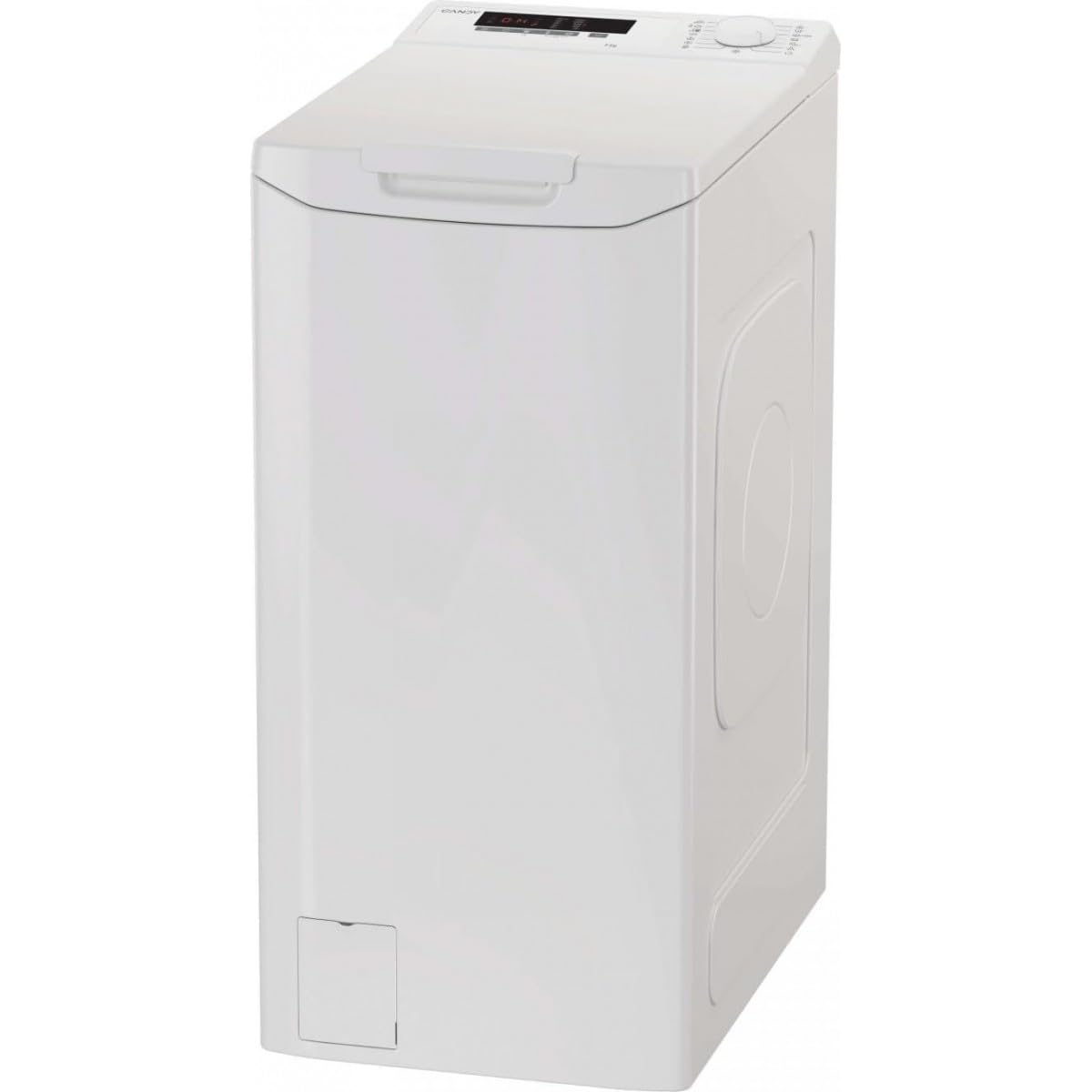
Figure 1: Front view of the Candy EYTC1 272D3-S washing machine. This image shows the top-loading design with the control panel visible at the top and the main lid covering the drum.

Figure 2: Angled view of the Candy EYTC1 272D3-S washing machine, highlighting its compact, top-loading form factor and the side panel design.
3. Installation and Setup
3.1 Unpacking
- Remove all packaging materials, including the polystyrene base.
- Remove the transport bolts located at the rear of the machine. Keep these bolts for future transport.
- Cover the holes left by the transport bolts with the plastic caps provided.
3.2 Positioning
- Place the washing machine on a firm, flat floor.
- Adjust the adjustable feet to ensure the machine is perfectly level. Use a spirit level to verify.
- Leave adequate space around the machine for ventilation and access.
3.3 Water Connection
- Connect the water inlet hose to a cold water tap with a 3/4" thread. Ensure the connection is tight to prevent leaks.
- Position the drain hose into a standpipe or over the edge of a sink, ensuring it is securely fixed to prevent displacement during draining. The drain hose should be between 60 cm and 100 cm from the floor.
3.4 Electrical Connection
- Plug the power cord into a grounded electrical outlet.
- Ensure the voltage and frequency match the specifications on the appliance rating plate.
3.5 First Use
Before the first wash with laundry, run a short cycle without clothes and detergent to clean the drum and internal components.
4. Operating Instructions
4.1 Control Panel Overview
The control panel consists of a program selector dial, a digital display, and various function buttons (e.g., Start/Pause, Temperature, Spin Speed, Delay Start).
4.2 Loading Laundry
- Open the washing machine lid.
- Load laundry into the drum, ensuring not to overload. Leave enough space for clothes to tumble freely.
- Close the lid securely.
4.3 Adding Detergent and Additives
- Pull out the detergent drawer.
- Add the recommended amount of detergent to the main wash compartment.
- Add fabric softener to the designated compartment (if desired).
- Push the detergent drawer back in until it clicks.
4.4 Selecting a Wash Program
- Turn the program selector dial to choose the desired wash program (e.g., Cotton, Synthetics, Delicates, Eco).
- The display will show the default temperature and spin speed for the selected program.
4.5 Adjusting Options
- Press the Temperature button to change the wash temperature.
- Press the Spin Speed button to adjust the spin speed.
- Other options like Delay Start or Pre-wash can be selected using their respective buttons.
4.6 Starting a Wash Cycle
Press the Start/Pause button to begin the wash cycle. The machine will fill with water and start the program.
4.7 End of Cycle
Once the cycle is complete, the machine will signal with an audible alert or a message on the display. The lid will unlock, allowing you to remove the laundry.
5. Maintenance
Regular maintenance ensures the longevity and optimal performance of your washing machine.
5.1 Cleaning the Detergent Drawer
- Pull out the detergent drawer completely.
- Rinse it under running water to remove any detergent residue.
- Clean the housing of the drawer with a brush.
- Reinsert the drawer.
5.2 Cleaning the Filter
- Place a shallow container under the filter cover to collect any residual water.
- Carefully open the filter cover.
- Unscrew the filter by turning it counter-clockwise.
- Remove any lint, debris, or foreign objects.
- Rinse the filter under running water.
- Screw the filter back in clockwise and close the cover.
5.3 Cleaning the Drum and Exterior
- Wipe the exterior of the machine with a soft, damp cloth. Do not use abrasive cleaners.
- Run a maintenance wash cycle (e.g., a hot wash with no laundry and a descaling agent) periodically to clean the drum.
6. Troubleshooting
Before contacting customer service, please refer to the following table for common issues and their solutions.
| Problem | Possible Cause | Solution |
|---|---|---|
| Machine does not start | Power cord not plugged in; Lid not closed properly; Program not selected; Start/Pause button not pressed. | Check power connection; Ensure lid is fully closed; Select a program; Press Start/Pause. |
| No water filling | Water tap closed; Water inlet hose kinked; Water supply cut off. | Open water tap; Straighten hose; Check household water supply. |
| Water not draining | Drain hose kinked or blocked; Filter blocked. | Straighten or clear drain hose; Clean the filter (see Section 5.2). |
| Excessive vibration | Transport bolts not removed; Machine not level; Uneven load. | Remove transport bolts; Adjust leveling feet; Redistribute laundry in the drum. |
| Detergent residue in drawer | Insufficient water pressure; Detergent drawer blocked. | Check water pressure; Clean detergent drawer (see Section 5.1). |
7. Specifications
- Model: EYTC1 272D3-S
- Brand: CANDY
- Capacity: 7 kg
- Maximum Spin Speed: 1200 RPM
- Energy Class: C
- Power Supply: 220-240V~ 50Hz
- Dimensions (H x W x D): Please refer to the product label or official Candy website for exact dimensions.
8. Warranty and Support
Your Candy washing machine is covered by a manufacturer's warranty. Please refer to the warranty card provided with your appliance for specific terms and conditions.
For technical assistance, spare parts, or to schedule a service appointment, please contact Candy customer support. Contact details can typically be found on the warranty card or the official Candy website.
When contacting support, please have your appliance's model number (EYTC1 272D3-S) and serial number ready. The serial number is usually located on a label inside the door or at the back of the appliance.


