
Introduction
Thank you for choosing the GNMN V7 AI Translation Wireless Earbuds. This manual provides essential information for setting up, operating, and maintaining your earbuds to ensure optimal performance and longevity. Please read this manual thoroughly before use.
Setup
What's in the Box
- Wireless Bluetooth Headphones
- Wireless Charging Case
- USB-C Charging Cable
- Eartips (multiple sizes)
- User Manual
Charging the Earbuds and Case
Before first use, fully charge the earbuds and charging case. Connect the provided USB-C cable to the charging case and a power source. The dual LED display on the case will show the battery levels. A full charge provides up to 8 hours of playback for the earbuds and up to 96 hours with the charging case.

Image: Earbuds in charging case with LED display indicating battery status.

Image: Visual representation of battery life: 96 hours with charging case, 8 hours per single charge.
Bluetooth Pairing
- Ensure the earbuds are charged and inside the charging case.
- Open the charging case. The earbuds will automatically enter pairing mode.
- On your device (smartphone, tablet, etc.), enable Bluetooth.
- Search for "GNMN V7" in the list of available Bluetooth devices and select it to connect.
- Once connected, you will hear a confirmation tone.
Video: Demonstrates the flexibility of the ear hooks and the one-step auto-pairing process for the GNMN V7 Wireless Bluetooth Earbuds.
AI Translation App Setup
To utilize the AI translation features, download the dedicated app:
- Scan the QR code in the manual or search for the app on Google Play Store (Android) or Apple App Store (iOS).
- Install and open the app.
- Ensure Bluetooth is enabled on your phone and connect the earbuds within the app.
- Go to the 'Mine' page in the app, select 'Bind Device', and enter the authorization code to link your earbuds.
- A quick guide for functions is available within the app to start your translation journey.

Image: Step-by-step instructions for setting up the AI translation app, including download, pairing, and device binding.
Operating Instructions
Wearing the Earbuds
The GNMN V7 earbuds feature adjustable ear hooks and come with multi-size ear caps to ensure a secure and comfortable fit, especially during physical activities. Adjust the ear hook to conform to the contours of your ear.
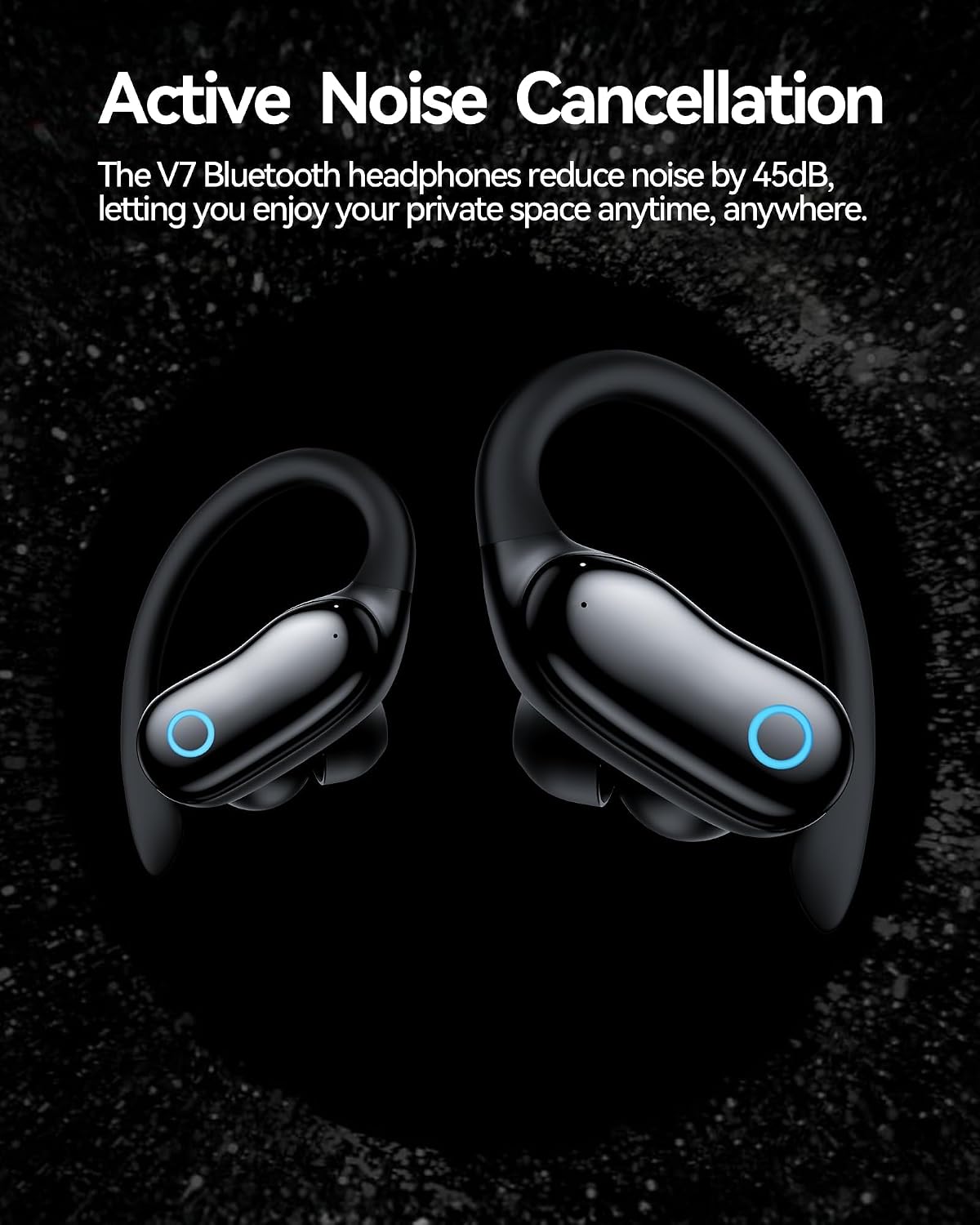
Image: Earbud with ear hook worn by a user, demonstrating a secure fit.

Image: Features for comfortable and secure fit, including adjustable ear hooks and multi-size ear caps.
Touch Controls
The earbuds feature smart touch controls for easy management of music and calls:
| Function | Action (R or L Earbud) |
|---|---|
| Play/Pause Music | Press Twice |
| Next Song | Press Three Times (Right) |
| Previous Song | Press Three Times (Left) |
| Volume + | Long Press (Right) |
| Volume - | Long Press (Left) |
| Answer/End Call | Press Twice |
| Reject Call | Long Press 2s |
| Activate Siri/Voice Assistant | Press Thrice |

Image: Visual guide to touch controls for music and calls.
Active Noise Cancellation (ANC) & Transparent Mode
The V7 earbuds feature Active Noise Cancellation (ANC) to reduce ambient noise by up to 45dB, allowing for an immersive audio experience. Switch to Transparent Mode to hear your surroundings without removing the earbuds, useful for conversations or situational awareness.

Image: Active Noise Cancellation graph demonstrating noise reduction.
AI Translation Features
Leverage the AI chip for real-time translation across 164 languages. This feature is accessible through the dedicated app.
- Real-Time Translation: During face-to-face conversations, use your phone's translation feature. The earbuds will provide real-time audio translations.
- Voice and Video Call Translation: The earbuds can translate during voice and video calls, breaking down language barriers in communication.
- Voice Notes: The app supports real-time voice recording, automatic language recognition, and conversion to text output.

Image: Real-time translation interface on a smartphone, with earbuds.

Image: Voice and video call translation in action.

Image: Voice notes feature with real-time recording and text conversion.
Maintenance
Cleaning
Regularly clean your earbuds and charging case to maintain hygiene and performance. Use a soft, dry, lint-free cloth. For stubborn dirt, slightly dampen the cloth with water. Avoid using harsh chemicals or abrasive materials.
Water Resistance (IPX7)
The earbuds are IPX7 waterproof, meaning they can withstand immersion in water up to 1 meter for 30 minutes. This makes them suitable for workouts and protection against sweat and rain. However, they are not designed for swimming or prolonged submersion.

Image: Earbuds demonstrating IPX7 water resistance.
Storage
When not in use, store the earbuds in their charging case to protect them from dust, damage, and to keep them charged.
Troubleshooting
If you encounter issues with your GNMN V7 earbuds, try the following solutions:
- No Sound/Poor Sound Quality:
- Ensure earbuds are properly seated in your ears and ear tips are the correct size.
- Check the volume level on both your device and the earbuds.
- Ensure earbuds are connected via Bluetooth.
- Clean any debris from the earbud speakers.
- Earbuds Not Pairing:
- Make sure Bluetooth is enabled on your device.
- Place earbuds back in the charging case, close the lid, then open it again to re-enter pairing mode.
- Forget/remove "GNMN V7" from your device's Bluetooth list and try pairing again.
- Ensure earbuds and device are within close proximity.
- Charging Issues:
- Check that the USB-C cable is securely connected to both the case and the power source.
- Ensure the charging contacts on the earbuds and inside the case are clean and free of debris.
- Try a different charging cable or power adapter.
- AI Translation Not Working:
- Ensure the dedicated translation app is installed and updated.
- Verify that the earbuds are correctly bound within the app.
- Check your internet connection, as translation features may require online access.
Specifications
| Feature | Detail |
|---|---|
| Brand | GNMN |
| Model Name | GNMN V7 |
| Ear Placement | In Ear |
| Noise Control | Active Noise Cancellation (up to 45dB), Sound Isolation |
| Bluetooth Version | 5.3 |
| Battery Life (Earbuds) | Up to 8 hours |
| Battery Life (with Charging Case) | Up to 96 hours |
| Water Resistance Level | IPX7 Waterproof |
| Control Type | Touch Control |
| Audio Driver Type | Dynamic Driver (16mm) |
| Compatible Devices | Cellphones, Desktops, Laptops, Gaming Consoles, Tablets, Telephones |
| Special Features | AI Real-Time Translation (164 languages), Dual LED Power Display, Adjustable & Flexible Ear Hooks, Built-in Microphone |
Warranty Information
The GNMN V7 AI Translation Wireless Earbuds come with a 5-Year Manufacturer Warranty. Please retain your proof of purchase for warranty claims. For detailed terms and conditions, refer to the warranty card included in your product packaging or contact GNMN customer support.
Customer Support
For further assistance, technical support, or warranty inquiries, please visit the official GNMN website or contact their customer service department. Contact information can typically be found on the product packaging or the manufacturer's website.


