
Introduction
This manual provides detailed instructions for the assembly, operation, and maintenance of your Marsail Dual Motor Standing Desk Frame. Please read this manual thoroughly before installation and use to ensure proper function and safety.
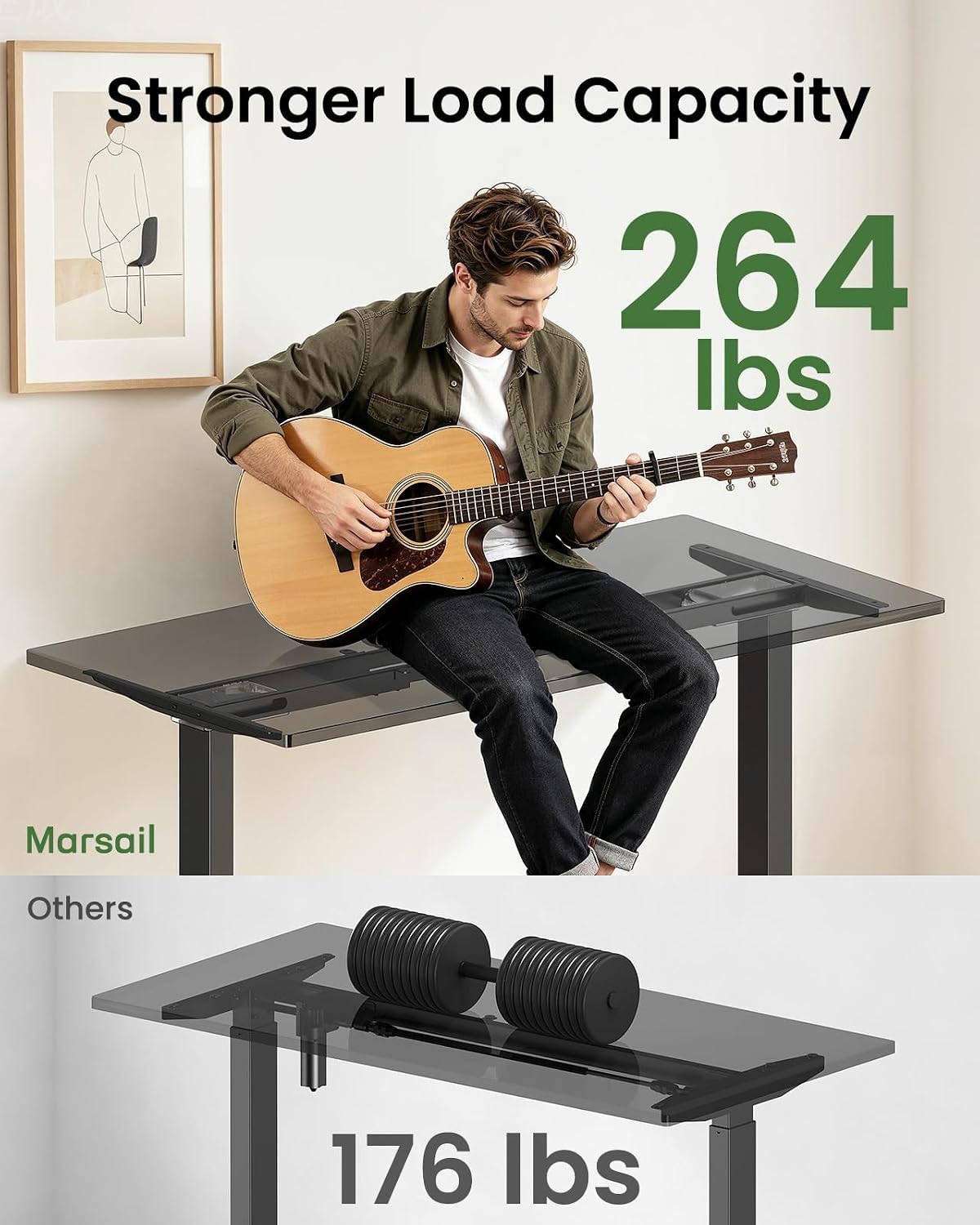
The Marsail Dual Motor Standing Desk Frame is designed for use with desktops ranging from 44 to 90 inches in length and 24 to 31.5 inches in width. It features a dual-motor system for smooth height adjustment and a robust design capable of supporting up to 264 lbs.
Safety Information
- Ensure all components are securely fastened before use.
- Keep children and pets away from the desk during operation.
- Do not overload the desk beyond its maximum weight capacity of 264 lbs.
- Avoid placing objects that could be damaged by movement under the desk.
- Disconnect power before cleaning or maintenance.
Setup and Assembly
The Marsail Dual Motor Standing Desk Frame requires assembly. Follow the step-by-step instructions provided in the included assembly guide. A drill with a hex-bit attachment may expedite the process. It is recommended to have two people for assembly due to the weight of the components.
Assembly Steps Overview:
- Step 1: Attach Legs to Feet - Securely connect the desk legs to their respective feet.
- Step 2: Install Crossbar - Position and install the retractable crossbar between the two leg assemblies.
- Step 3: Align Positioning Holes - Ensure all positioning holes are correctly aligned for the desktop attachment.
- Step 4: Mount Desktop - Carefully place and secure your chosen desktop onto the assembled frame.


Operating Instructions
The Marsail Dual Motor Standing Desk Frame features an intuitive control panel for height adjustments and memory presets.
Control Panel Functions:
- Up/Down Keys: Manually adjust the desk height.
- LED Display: Shows the current desk height in inches.
- Memory Presets (1, 2, 3, 4): Save and recall your preferred sitting and standing heights.
Setting Memory Presets:
- Adjust the desk to your desired height using the Up/Down keys.
- Press and hold one of the memory preset buttons (1, 2, 3, or 4) until the LED display flashes or beeps, indicating the height has been saved.
- To recall a saved height, simply press the corresponding memory preset button.

Video: Demonstrates the smooth and quiet operation of the Marsail dual motor standing desk frame, highlighting its adjustable height and memory settings. This video is provided by the seller.
Maintenance
To ensure the longevity and optimal performance of your Marsail Dual Motor Standing Desk Frame, follow these simple maintenance guidelines:
- Cleaning: Wipe the frame with a damp cloth to remove dust and dirt. Follow with a dry cloth to prevent water spots. Avoid abrasive cleaners or solvents.
- Inspection: Periodically check all screws and bolts to ensure they are tight. Retighten if necessary.
- Cable Management: Utilize the integrated cable management tray and clips to keep wires organized and prevent them from interfering with the desk's movement.

Troubleshooting
If you encounter any issues with your Marsail Dual Motor Standing Desk Frame, please refer to the following common solutions. If the problem persists, contact customer support.
- Desk Not Moving:
- Check if the power cord is securely plugged into both the desk and the wall outlet.
- Ensure all cables connecting the control panel and motors are properly seated.
- Uneven Movement:
- Verify that the desk is not overloaded beyond its weight capacity.
- Check that the adjustable leveling feet are properly adjusted to ensure stability on uneven floors.
- Error Codes on Display:
- Refer to the specific error code in the full user manual (if available) or contact customer support for assistance.
Specifications
| Feature | Detail |
|---|---|
| Brand | Marsail |
| Model Number | EGESD55B-US |
| Color | Black |
| Material | Alloy Steel, Stainless Steel |
| Adjustable Height Range | 28" to 47" |
| Lift Speed | 1 inch/sec |
| Weight Capacity | 264 lbs |
| Compatible Desktop Length | 44" to 90" |
| Compatible Desktop Width | 24" to 31.5" |
| Motor Type | Dual Motor |
| Control Panel | 4 Memory Presets, LED Display, Up/Down Keys |
| Included Components | Cable Management Tray, Headphone Hook |
| Product Care | Wipe with Damp Cloth, Wipe with Dry Cloth |
| GTIN | 840478880045 |

Warranty Information
The Marsail Dual Motor Standing Desk Frame comes with a 5-year warranty. This warranty covers manufacturing defects and ensures reliable performance under normal use. Please retain your proof of purchase for warranty claims.
Customer Support
For any questions, concerns, or assistance with your Marsail Dual Motor Standing Desk Frame, please contact Marsail customer support. Our team is ready to help ensure your satisfaction.
Please refer to the product packaging or the official Marsail website for the most current contact information.