
1. Product Overview
The Soudorv S50 Military Smartwatch is designed for durability and extensive functionality, featuring a robust build, long battery life, and comprehensive health and fitness tracking capabilities. This manual provides essential information for setting up, operating, and maintaining your device.

Image: Soudorv S50 Military Smartwatch highlighting its key features including Bluetooth calling, 1000mAh battery, HD touch screen, IP68 waterproof rating, Da Fit App compatibility, and voice assistant.
2. What's Included
Upon unboxing your Soudorv S50 Smartwatch, please verify that all components are present:
- Soudorv S50 Smartwatch (1 unit)
- Magnetic Charger (1 unit)
- User Manual (1 unit)

Image: The Soudorv S50 Smartwatch, its magnetic charging cable, and the user manual as packaged.
3. Setup Guide
3.1 Charging the Smartwatch
Before initial use, fully charge your Soudorv S50 Smartwatch. Connect the magnetic charger to the charging points on the back of the watch and plug the USB end into a power source. A full charge typically takes approximately 2 hours.

Image: The Soudorv S50 Smartwatch with a visual representation of its 1000mAh battery and charging indicators.
3.2 App Installation and Pairing
- Download the 'Da Fit' App: Search for 'Da Fit' in your smartphone's app store (compatible with iOS 9.0+ and Android 9.0+).
- Enable Bluetooth: Ensure Bluetooth is enabled on your smartphone.
- Open the App: Launch the 'Da Fit' app and follow the on-screen instructions to create an account or log in.
- Add Device: Within the app, navigate to the 'Add Device' section. The app will search for available devices. Select 'Soudorv S50' from the list.
- Confirm Pairing: A pairing request will appear on your smartwatch and smartphone. Confirm the pairing on both devices.
Once paired, the smartwatch will synchronize data with the app, and you can customize settings and view detailed information.
4. Operating Instructions
4.1 Basic Navigation
- Touch Screen: The 1.53-inch HD touch screen allows for intuitive navigation. Swipe left/right, up/down, and tap to select options.
- Side Buttons: Use the physical buttons on the side of the watch for quick access to functions or to return to the home screen.
4.2 Bluetooth Calls and Notifications
With Bluetooth 5.3 technology, you can manage calls and receive notifications directly on your wrist.
- Making/Answering Calls: Use the built-in microphone and HD speaker to make, answer, or reject calls. You can also sync your contacts to the watch.
- Notifications: Receive real-time alerts for messages from apps like Facebook, WhatsApp, Instagram, and Twitter. Note: Message replies are not supported directly from the watch.

Image: A man rock climbing, wearing the Soudorv S50 Smartwatch, with graphics showing its dual-mode Bluetooth call functionality and notification support for various social media apps.
4.3 Health Monitoring
The Soudorv S50 provides continuous health tracking:
- Heart Rate: Monitors heart rate trends throughout the day.
- Blood Oxygen: Tracks blood oxygen levels.
- Stress Levels: Measures daily stress.
- Sleep Tracking: Analyzes sleep patterns, including deep sleep, light sleep, and awake time.
- Menstrual Cycle: Features a logging function for menstrual cycle prediction.
Disclaimer: This device is intended for general wellness and fitness purposes only and is not a medical device.

Image: The Soudorv S50 Smartwatch interface showing 24/7 health monitoring data, including heart rate, blood oxygen, stress, and detailed sleep analysis (deep, light, awake).
4.4 Sports Modes
The smartwatch supports over 110 sports modes to accurately track your activities, including running, cycling, hiking, yoga, and skiing. It records steps, distance, and calories burned.

Image: The Soudorv S50 Smartwatch showing its 110+ sports modes, with examples like cycling, running, and climbing, along with step and calorie tracking.
4.5 Built-in LED Flashlight
The S50 features a bright LED flashlight with a lighting distance of up to 5 meters, useful for night activities, emergencies, or navigating dark areas.

Image: The Soudorv S50 Smartwatch screen and its integrated LED flashlight, shown being used for outdoor night activities, emergency lighting, and finding objects in the dark.
4.6 Customizable Watch Faces and Other Functions
- Watch Faces: Choose from over 100 customizable watch faces via the 'Da Fit' app or upload your own photos.
- Additional Features: Access practical functions such as timer, stopwatch, weather forecast, music control, and remote camera shutter.

Image: The Soudorv S50 Smartwatch displaying multiple customizable watch faces and highlighting its military-grade durability, including impact resistance, IP68 waterproofing, and dustproof features.
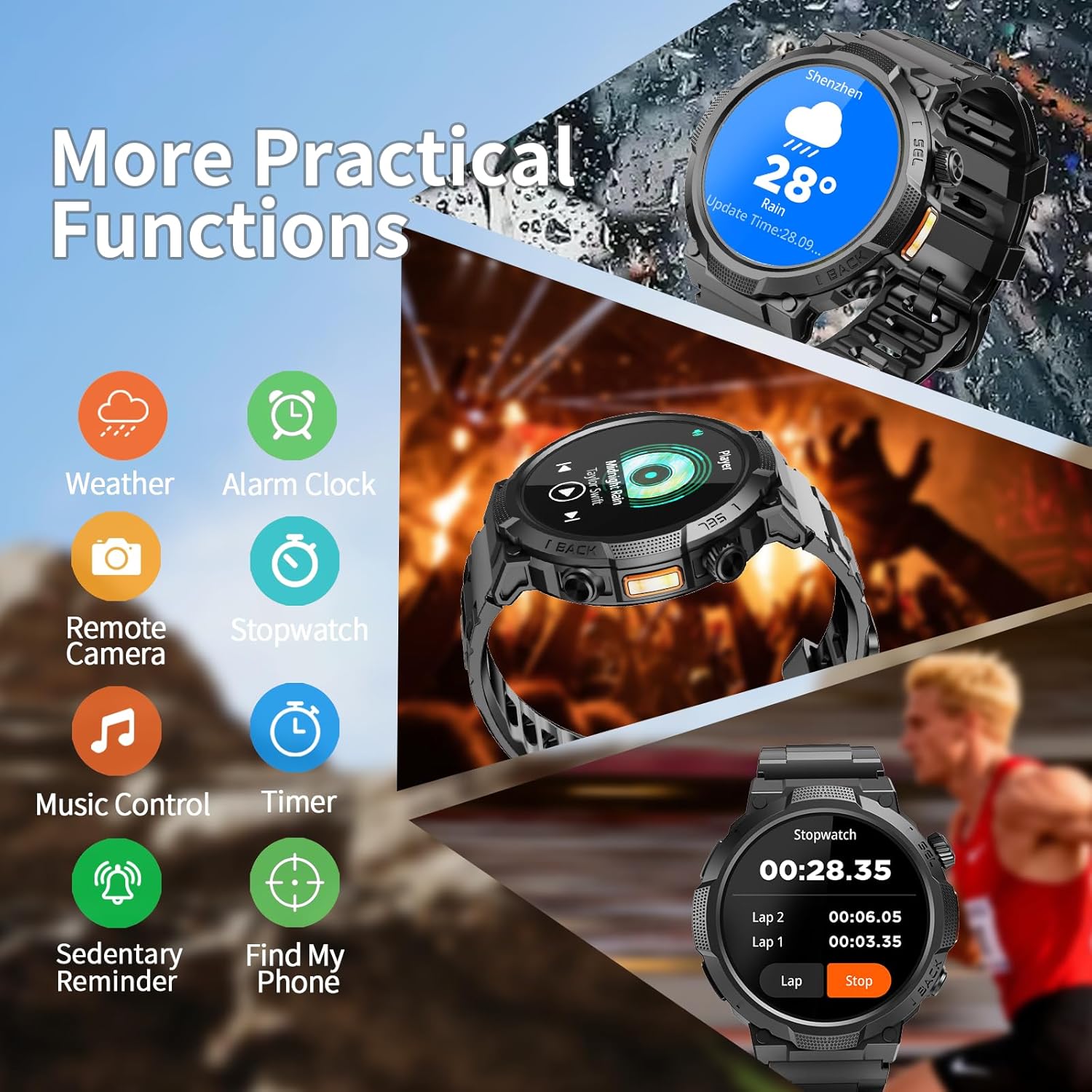
Image: The Soudorv S50 Smartwatch interface showing a selection of practical functions such as weather, alarm clock, remote camera, stopwatch, music control, timer, sedentary reminder, and 'Find My Phone'.
5. Maintenance
- Cleaning: Wipe the watch and band regularly with a soft, dry cloth. For stubborn dirt, use a slightly damp cloth and mild soap, then dry thoroughly. Avoid harsh chemicals.
- Charging: Ensure the charging contacts on the watch and charger are clean and dry before charging to prevent corrosion.
- Water Resistance: The watch is IP68 waterproof, suitable for daily use like hand washing and rain. Avoid prolonged submersion in hot water or exposure to high-pressure water.
- Storage: Store the smartwatch in a cool, dry place away from direct sunlight and extreme temperatures when not in use for extended periods.
6. Troubleshooting
- Watch Not Turning On: Ensure the watch is fully charged. Connect it to the magnetic charger for at least 30 minutes.
- Cannot Pair with Phone:
- Ensure Bluetooth is enabled on your phone and the watch is discoverable.
- Make sure the 'Da Fit' app is installed and running.
- Restart both your phone and the smartwatch.
- Check if the watch is already paired with another device. Disconnect if necessary.
- Inaccurate Health Data: Ensure the watch is worn snugly on your wrist, not too tight or too loose. Keep the sensor clean.
- Notifications Not Appearing:
- Verify notification permissions are granted to the 'Da Fit' app in your phone's settings.
- Ensure the app is running in the background.
- Check if 'Do Not Disturb' mode is active on either the watch or phone.
- Short Battery Life:
- Reduce screen brightness.
- Disable unnecessary features like continuous heart rate monitoring if not needed.
- Ensure the watch is fully charged (2 hours for a full charge).
7. Specifications
| Feature | Detail |
|---|---|
| Model Name | S50 |
| Operating System | Wear OS 1.0 |
| Screen Size | 1.53 inches |
| Display Type | LCD |
| Connectivity Technology | Bluetooth 5.3 |
| Battery Capacity | 1000 mAh |
| Battery Life (Typical Use) | Up to 18 days |
| Battery Life (Standby) | Up to 50 days |
| Charging Time | Approx. 2 hours |
| Water Resistance | IP68 (Waterproof up to 1.5 meters) |
| Case Material | ABS+PC, Titanium alloy, Glass |
| Band Material | Liquid Silicone Rubber |
| Supported Applications | Bluetooth Call, Alarm, Camera, Contacts, Email, Find My Phone, Fitness Tracker, GPS (No built-in GPS), Messages, Multisport Tracker, Music Player, Reminders, Social Media, Time Display, Voice Assistant, Weather |
| Metrics Measured | Calories Burned, Distance, Menstrual Cycle, Sleep Duration, Step Count |
| Compatible Devices | iOS 9.0 and Android 9.0 and above |
8. Warranty and Support
8.1 Warranty Information
The Soudorv S50 Smartwatch comes with a 1-month return policy for quality problems and a 2-year limited warranty from the date of purchase. Please retain your proof of purchase for warranty claims.
8.2 Customer Support
For any questions, technical assistance, or warranty claims, please contact Soudorv customer support through the official website or your retailer. Provide your model number (S50) and a detailed description of the issue for prompt service.