
Introduction
This manual provides instructions for the installation, operation, maintenance, and troubleshooting of your Sakerplus Full View 4-Channel Dashcam System. This device is designed to record video footage from the front, rear, and sides of your vehicle simultaneously, offering comprehensive coverage for driving and parking situations.
What's in the Box
- Full View Car Dashcam
- 64GB SD Card
Setup
1. Mounting the Dashcam
The Sakerplus dashcam is designed for rearview mirror mounting. Ensure the mounting location provides a clear view of the road and does not obstruct the driver's vision.
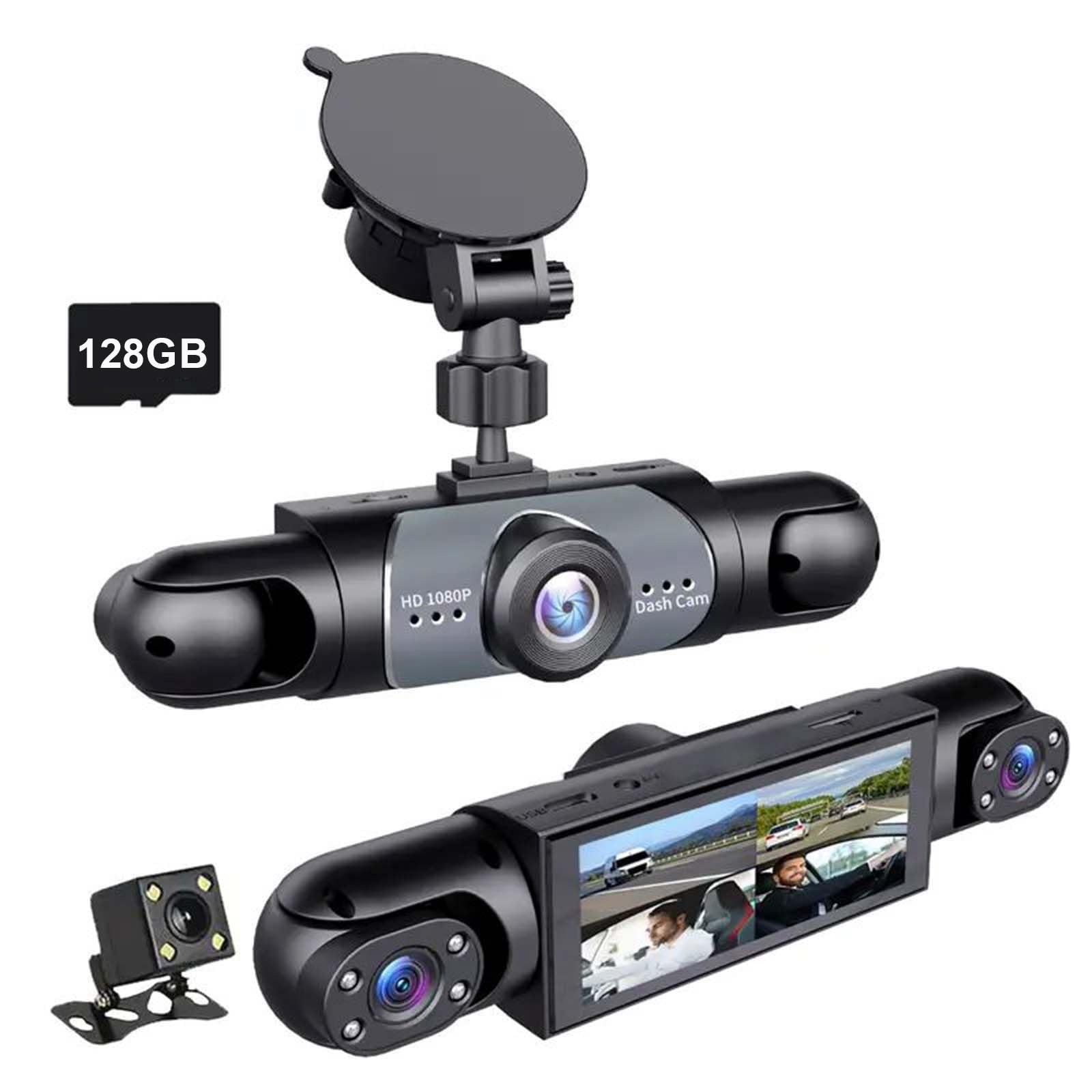
Image: The Sakerplus Full View Dashcam with its included suction cup mount, ready for installation on a windshield.
- Clean the windshield area where the dashcam will be mounted.
- Attach the suction cup mount to the dashcam.
- Press the suction cup firmly against the windshield and engage the locking mechanism to secure it.
- Adjust the dashcam's angle to ensure all four cameras (front, rear, left, right) have an unobstructed view.
2. Inserting the SD Card
A 64GB SD card is included with your dashcam. This card must be inserted before operation.
- Locate the SD card slot on the dashcam.
- Insert the 64GB SD card with the contacts facing the correct direction until it clicks into place.
- It is recommended to format the SD card through the dashcam's settings menu before first use.
3. Power Connection
Connect the dashcam to your vehicle's power source using the provided power cable. Route the cable neatly to avoid interference with driving controls.
- Plug one end of the power cable into the dashcam's power input port.
- Plug the other end into your vehicle's 12V power outlet (cigarette lighter socket).
- The dashcam will typically power on automatically when the vehicle starts and power off when the vehicle is turned off.
Operating Instructions
1. Recording Modes
The Sakerplus dashcam records in Full HD 1080P resolution across all four channels simultaneously, providing a 360-degree view around your vehicle.

Image: A visual representation of the dashcam's four cameras providing 360-degree coverage around a vehicle.
- Continuous Recording: Once powered on, the dashcam automatically begins recording.
- Loop Recording: When the SD card is full, the dashcam will automatically overwrite the oldest unlocked files to continue recording.
2. G-Sensor (Automatic Incident Detection)
The integrated G-sensor detects sudden impacts or rapid acceleration/deceleration. When triggered, it automatically locks the current video segment to prevent it from being overwritten by loop recording.

Image: An illustration highlighting the G-sensor for automatic incident detection and continuous loop recording features of the dashcam.
- The G-sensor sensitivity can typically be adjusted in the dashcam's settings menu.
- Higher sensitivity may result in more locked files, potentially filling the SD card faster.
3. Parking Monitoring
The parking monitoring feature allows the dashcam to record events even when the vehicle is parked and turned off. This typically relies on the G-sensor to detect impacts or motion detection to record activity around the vehicle.

Image: The dashcam mounted in a vehicle, illustrating its smart parking monitor capability for surveillance while parked.
- Ensure the dashcam is connected to a constant power source or has sufficient internal battery charge for parking monitoring to function.
- Refer to the dashcam's settings for options to enable or configure parking monitoring.
4. Night Vision
The dashcam is equipped with night vision capabilities to enhance recording clarity in low-light and nighttime conditions.

Image: The dashcam capturing footage during nighttime, demonstrating its super night vision feature for clear recording in low light.
- Night vision activates automatically in low-light environments.
- While night vision improves visibility, extreme darkness may still limit detail.
Maintenance
1. Cleaning the Dashcam
- Use a soft, dry cloth to clean the dashcam body and lens.
- Do not use abrasive cleaners or solvents, as they may damage the device.
- Ensure lenses are free of dust and smudges for optimal video quality.
2. SD Card Care
- Regularly format the SD card (e.g., once a month) through the dashcam's settings to maintain performance and prevent data corruption.
- Replace the SD card if you notice frequent errors or degraded performance.
- Always power off the dashcam before removing the SD card to prevent data loss.
Troubleshooting
| Issue | Possible Cause | Solution |
|---|---|---|
| Dashcam does not power on. | No power supply; faulty cable; vehicle's 12V outlet not working. | Check power cable connection. Test 12V outlet with another device. Try a different power cable if available. |
| Recording stops or freezes. | SD card full; SD card error; incompatible SD card; faulty SD card. | Format the SD card. Replace with a high-speed (Class 10 or U3) SD card. Try a new SD card. |
| Video quality is poor. | Dirty lens; protective film on lens; low light conditions; incorrect settings. | Clean the camera lenses. Remove any protective film. Ensure night vision is active in low light. Check resolution settings. |
| G-sensor triggers too often/not enough. | G-sensor sensitivity setting is too high/low. | Adjust the G-sensor sensitivity in the dashcam's settings menu. |
| Parking monitor not working. | Not enabled; no constant power; G-sensor/motion detection not configured. | Ensure parking monitor is enabled in settings. Verify constant power supply. Check G-sensor/motion detection settings. |
Specifications

Image: The Sakerplus Dashcam with its physical dimensions (length, width, height) indicated in millimeters and inches.
| Feature | Detail |
|---|---|
| Brand | SakerPlus |
| Model Number | EC99171X |
| Video Capture Resolution | 1080p (FHD per channel) |
| Field Of View | 360 Degrees (4-channel coverage) |
| Special Features | 360 Degree View, G-Sensor, Night Vision, Loop Recording, Parking Monitoring |
| Connectivity Technology | USB |
| Mounting Type | Rearview Mirror Mount |
| Included Components | Full View Car Dashcam, 64GB SD Card |
| Product Dimensions (D x W x H) | 4.7"D x 8"W x 7.2"H (approx. 11.9cm D x 20.3cm W x 18.3cm H) |
| Compatible Devices | Car, Truck, Taxi, Fleet Car |
| UPC | 714047080948 |
Warranty Information
The Sakerplus Full View 4-Channel Dashcam System comes with a 1-year limited warranty from the date of purchase. This warranty covers manufacturing defects and malfunctions under normal use. It does not cover damage caused by misuse, accidents, unauthorized modifications, or natural disasters.
Please retain your proof of purchase for warranty claims.
Support
For technical assistance, troubleshooting not covered in this manual, or warranty inquiries, please contact Sakerplus customer support through the retailer's platform or the official Sakerplus website.
When contacting support, please have your product model number (EC99171X) and proof of purchase ready.