
Important Safety Instructions
Please read all instructions carefully before using your Aspiron Steam Mop. Failure to follow these instructions may result in electric shock, fire, or serious injury.
- Always ensure the appliance is unplugged before filling or emptying the water tank, or performing maintenance.
- Do not leave the steam mop unattended while powered on.
- Keep the appliance away from children and pets.
- Use only distilled or demineralized water in the tank to prevent mineral buildup.
- Do not direct steam at people, animals, or electrical appliances.
- Avoid using the steam mop on unsealed hardwood floors or surfaces that are sensitive to heat and moisture.
- Ensure all attachments are securely fastened before use.
- Do not immerse the steam mop in water or other liquids.
- If the power cord is damaged, it must be replaced by the manufacturer or a qualified service agent to avoid hazards.
Product Overview
The Aspiron Steam Mop CA053 is a versatile 10-in-1 cleaning system designed for various surfaces. It functions as both a steam mop for floors and a handheld steamer for detailed cleaning.

Image: The Aspiron Steam Mop CA053 main unit, showcasing its sleek design and primary components.
Key Features:
- Powerful Steam & Rotating Scrub Cleaning: Combines high-temperature steam with self-rotating mop pads (150 scrubs/minute) for effective stain removal.
- 10-in-1 Versatility: Converts into a handheld steamer with multiple accessories for various cleaning tasks.
- 500ML Removable Water Tank: Easy to refill, provides up to 40 minutes of continuous cleaning.
- 2 Steam Modes + Spray Function: Adjustable steam levels and an integrated spray function for tough spots.
- LED Headlight & 5M Long Cord: Illuminates dust and debris, offering an extended cleaning range.

Image: The Aspiron Steam Mop in use, illustrating its extra-long 16-foot power cord for extended reach across rooms.
Package Contents
Verify that all items are present in the package:

Image: All included accessories for the Aspiron Steam Mop CA053, including various brushes, nozzles, and microfiber pads.
- Main Steam Mop Unit
- Handle Assembly
- 2 Microfiber Floor Pads
- Angled Nozzle
- Scrub Brushes (various types)
- Grout Brush
- Heavy-Duty Scraper
- Fabric Steaming Bonnet
- Window Scraper Board
- Water Tank
- User Manual
Setup
1. Assembly
- Insert the handle assembly into the main steam mop unit until it clicks into place.
- Attach the desired microfiber floor pads to the bottom of the mop head. Ensure they are securely fastened.

Image: A hand demonstrating how to quickly detach and swap the microfiber mop pads on the steam mop head.
2. Filling the Water Tank
- Ensure the steam mop is unplugged.
- Remove the 500ML water tank from the main unit.
- Unscrew the cap and fill the tank with distilled or demineralized water. Do not overfill.
- Securely replace the cap and reinsert the water tank into the main unit until it clicks.
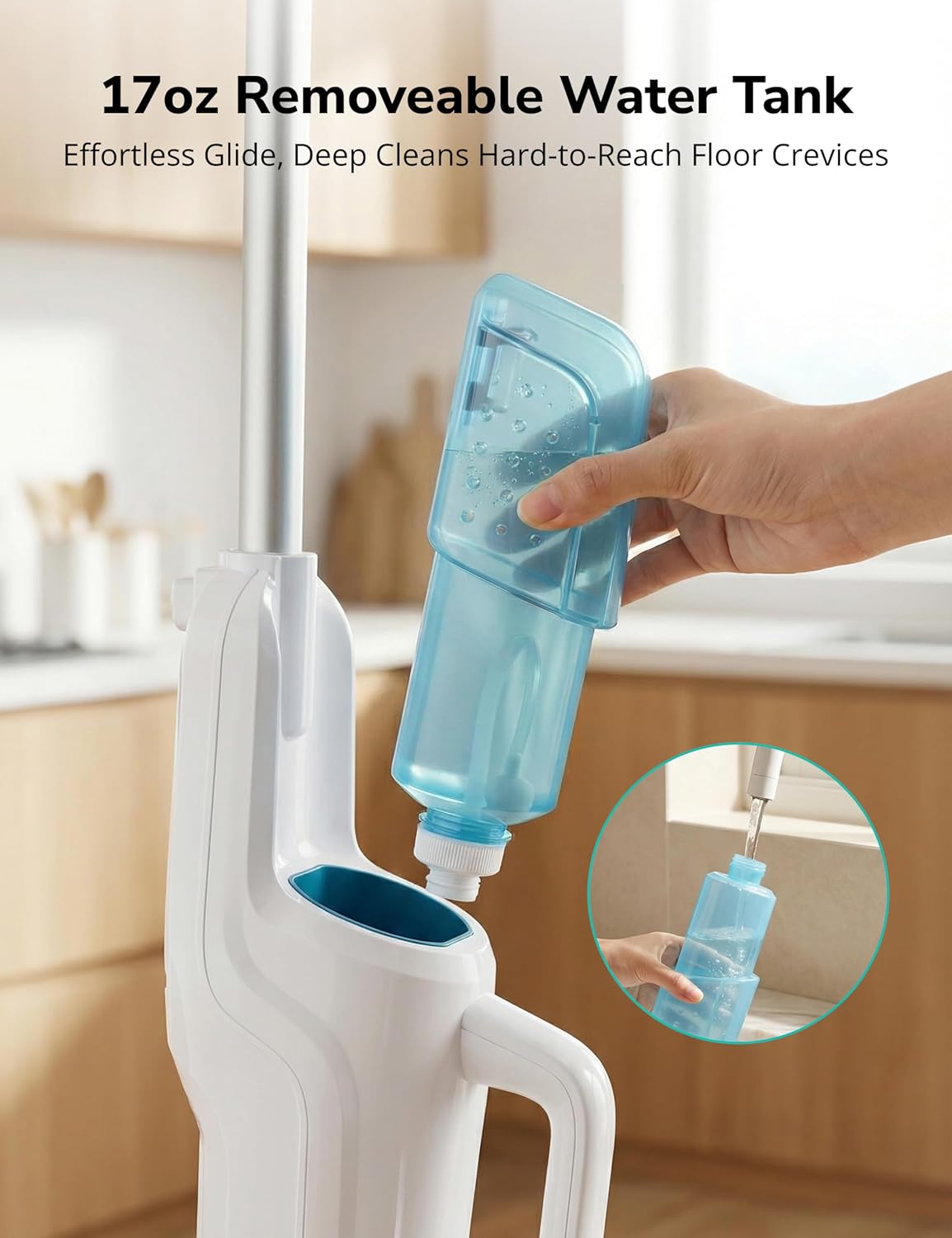
Image: A hand removing and filling the 17oz (500ML) removable water tank of the Aspiron Steam Mop.
Operating Instructions
1. Powering On and Heating
- Plug the power cord into a grounded electrical outlet.
- The steam mop will begin heating. It reaches operating temperature in approximately 15 seconds.
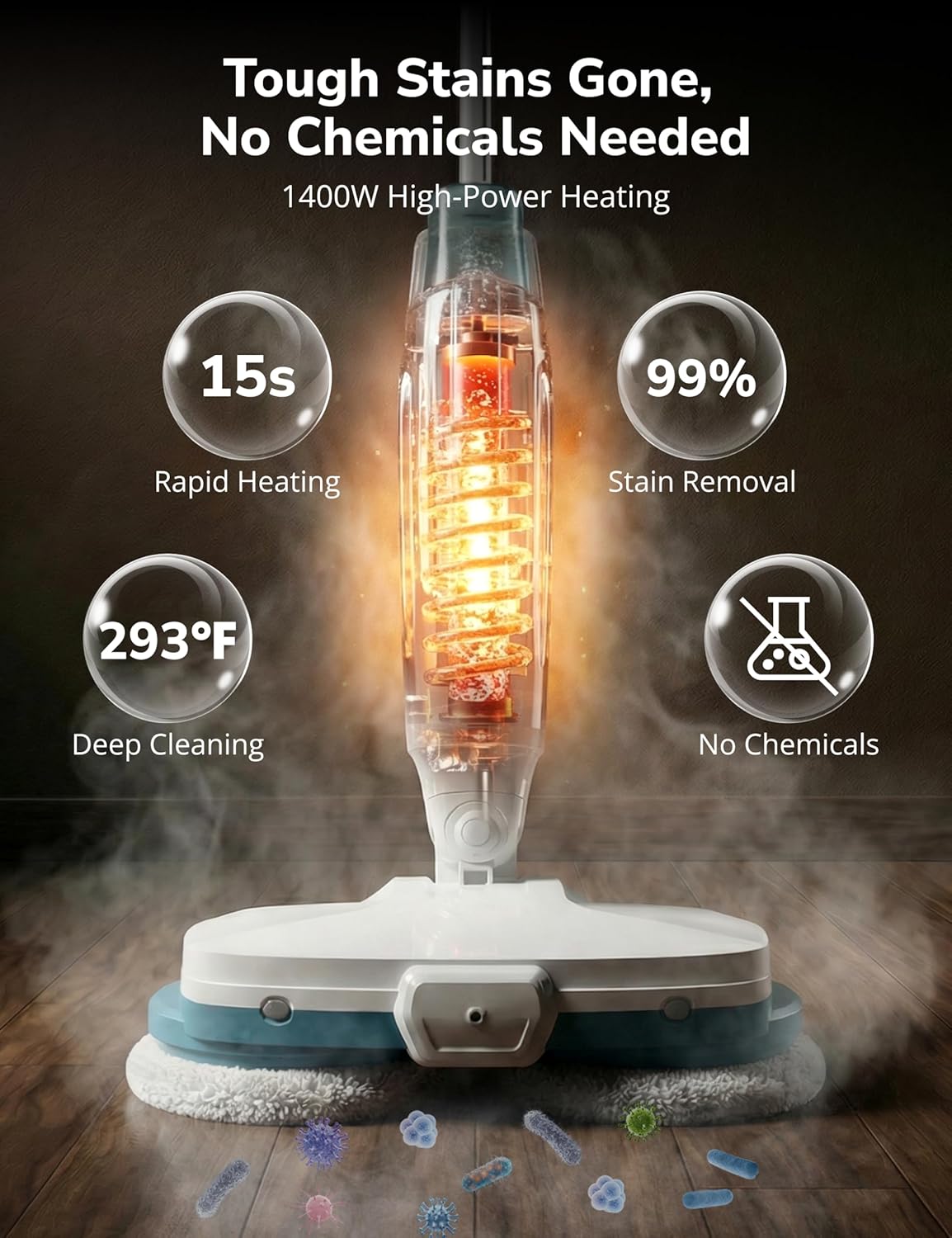
Image: Close-up of the Aspiron Steam Mop's internal heating element, illustrating its rapid 15-second heat-up time and deep cleaning capabilities.
2. Using as a Steam Mop
- Once heated, select your desired steam mode (light or strong) using the controls on the handle.
- For extra moisture on stubborn spots, press the spray function button.
- Move the mop across the floor surface. The self-rotating scrub pads will assist in cleaning.
- The integrated LED headlight will illuminate dust and debris, ensuring thorough cleaning.

Image: Close-up of the Aspiron Steam Mop handle, showing the steam adjustment buttons for easy control.

Image: Visual guide demonstrating the different steam modes (gentle, powerful) and the spray function of the Aspiron Steam Mop.

Image: A person using the Aspiron Steam Mop on a hardwood floor, highlighting the auto-spin mop pads for effortless cleaning.

Image: The Aspiron Steam Mop's LED light illuminating dust and debris on a floor, demonstrating its ability to expose hidden dirt.
Video: Official Aspiron video demonstrating the assembly and usage of the steam mop, including how to attach accessories and operate the steam functions.
3. Using as a Handheld Steamer
- Detach the main mop unit from the handle to convert it into a handheld steamer.
- Select the appropriate accessory for your cleaning task (e.g., angled nozzle for tight spaces, scrub brushes for tough grime, grout brush for tile lines, heavy-duty scraper for baked-on messes, fabric steaming bonnet for upholstery).
- Attach the chosen accessory securely to the handheld unit.
- Direct the steam towards the area to be cleaned.

Image: The Aspiron Steam Mop converted into a handheld steamer, displaying various attachments like the angled nozzle, scrub brushes, grout brush, heavy-duty scraper, and fabric steaming bonnet.
4. Suitable Surfaces
The Aspiron Steam Mop is suitable for cleaning various sealed hard surfaces, including:
- Hardwood Floors (sealed)
- Tile Floors
- Carpet (with appropriate attachment)
- Ceramic
- Laminate

Image: The Aspiron Steam Mop demonstrating its use on carpet, hardwood floors, and ceramic tile, indicating its multi-surface cleaning capability.
Maintenance
1. Cleaning Microfiber Pads
- After each use, remove the microfiber pads from the mop head.
- The pads are machine washable. Wash them with mild detergent and air dry. Do not use bleach or fabric softeners.
2. Emptying and Cleaning the Water Tank
- Ensure the unit is unplugged and cooled down.
- Remove the water tank and empty any remaining water.
- Rinse the tank with clean water.
- Periodically, clean the water tank to prevent mineral buildup, especially if not using distilled water.
3. General Care
- Wipe the exterior of the steam mop with a damp cloth.
- Store the steam mop in a cool, dry place.
- Do not wrap the power cord tightly around the unit; store it loosely to prevent damage.
Troubleshooting
If you encounter issues with your Aspiron Steam Mop, refer to the following common problems and solutions:
| Problem | Possible Cause | Solution |
|---|---|---|
| No steam produced. | Water tank empty; unit not plugged in; unit not heated. | Refill water tank; ensure power cord is securely plugged in; wait 15 seconds for heating. |
| Steam output is weak. | Mineral buildup; incorrect steam mode selected. | Descale the unit (refer to advanced maintenance); select a stronger steam mode. |
| Mop pads not rotating. | Obstruction; unit malfunction. | Check for debris obstructing the pads; contact customer support if problem persists. |
| Water leaking from unit. | Water tank not properly sealed; tank overfilled. | Ensure water tank cap is tight and tank is correctly inserted; do not overfill. |
If the problem persists after attempting these solutions, please contact Aspiron customer support.
Specifications
| Feature | Detail |
|---|---|
| Brand | Aspiron |
| Model Name | CA053 |
| Wattage | 1500 watts |
| Heat Time | 15 seconds |
| Water Tank Capacity | 500ML (17oz) |
| Continuous Steam Time | Up to 40 minutes |
| Cord Length | 5 meters (approx. 16 feet) |
| Special Features | Portable, 2 Steam Modes, Spray Function, LED Headlight, Self-Rotating Scrub Pads |
| Included Components | Main unit, handle, 2 microfiber pads, various handheld steamer accessories |
Warranty and Support
Warranty Information
The Aspiron Steam Mop CA053 comes with a standard 12-month warranty. An additional 18-month extended warranty is available upon product registration, totaling 30 months of coverage. This free service agreement covers manufacturing defects and malfunctions under normal use.
Customer Support
For any questions, technical assistance, or warranty claims, please contact Aspiron customer support:
- Email: support@aspiron.co
- Support is available 24 hours a day.
- Free returns are available within 30 days of purchase.
- VIP service includes free replacement for eligible issues.

Image: Information on activating privilege service, including warranty duration, 24-hour support, 30-day free return, and VIP free replacement service, with contact email.


