
Introduction
The AIPER Scuba V3 Ultra is an advanced robotic pool cleaner designed for comprehensive pool maintenance. It features AI Dual-Camera technology and Cognitive AI Navium Mode for efficient cleaning across various pool surfaces. This manual provides essential information for the proper setup, operation, and maintenance of your Scuba V3 Ultra.
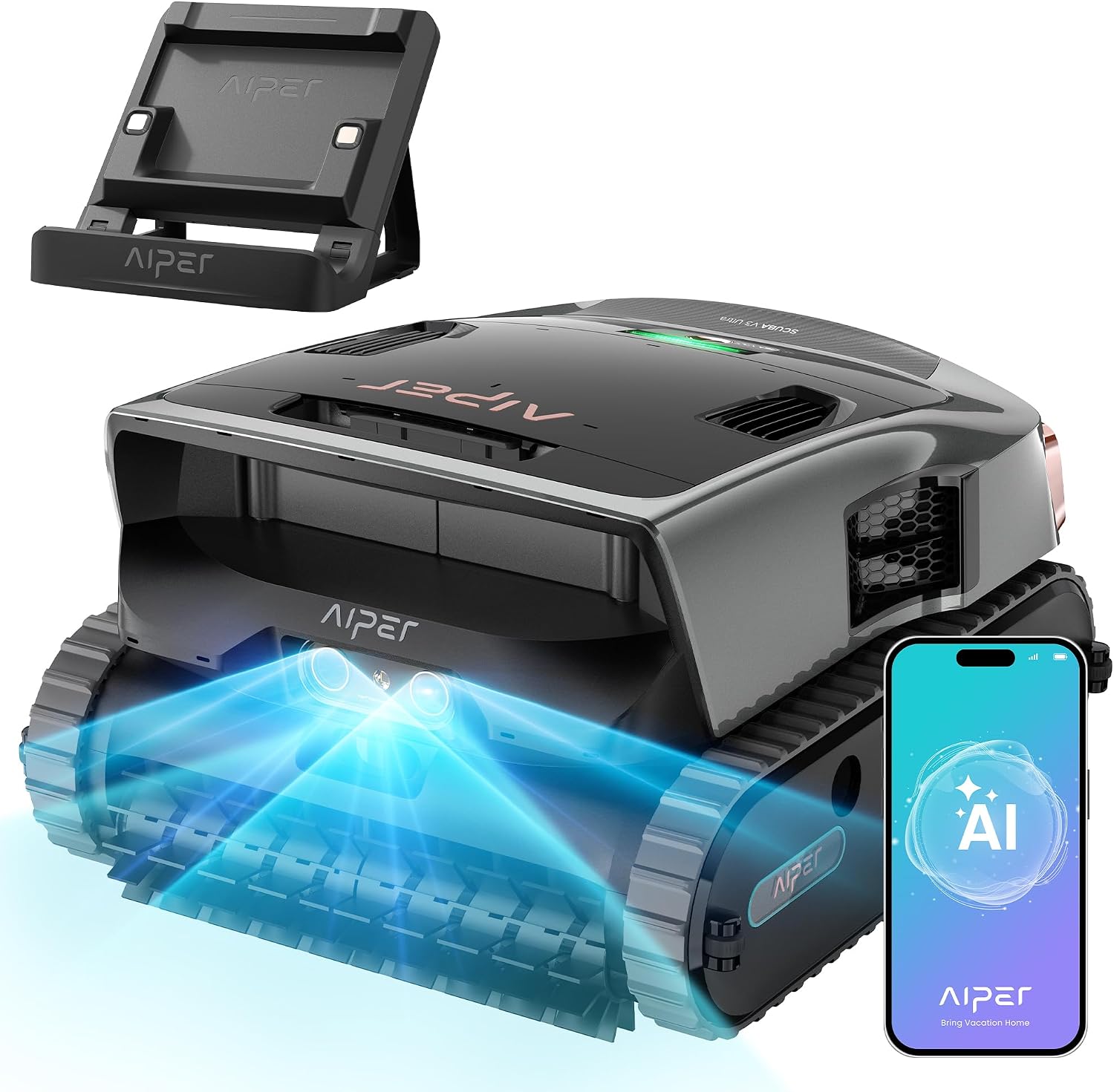
The AIPER Scuba V3 Ultra robotic pool cleaner, ready for operation.
1. Setup
- Unboxing: Carefully remove the Scuba V3 Ultra from its packaging. Ensure all components are present: the cleaner unit, charging adapter, and user manual.
- Initial Charge: Before first use, fully charge the cleaner. Connect the charging adapter to the unit and a power outlet. The indicator light will show charging status. A full charge typically takes several hours.
- App Connection (Optional): Download the AIPER app from your device's app store. Follow the in-app instructions to pair your Scuba V3 Ultra via Bluetooth. The app allows for advanced control, scheduling, and firmware updates.
- Placement in Pool: Gently lower the cleaner into the pool. Ensure it is fully submerged and air bubbles have escaped before starting operation.

The Scuba V3 Ultra utilizing AI Patrol Cleaning to detect and target debris.
2. Operating Instructions
2.1 Cleaning Modes
- AI Patrol Cleaning: Utilizes dual cameras and ultrasonic sensors to detect over 20 types of debris, optimizing cleaning paths in real-time for faster cleaning.
- Cognitive AI Navium Mode: Activates autonomous cleaning based on pool conditions, weather, and cleaning history. This mode can be set via the app for effortless weekly maintenance.
- All-in-One Coverage: Cleans floors, walls, waterline, surface, and shallow areas (down to 7.9 inches / 20 cm).
- Adaptive Cleaning Paths: Automatically selects intelligent cleaning paths for various pool areas to maximize coverage.
2.2 Starting and Stopping
- Manual Start: Press the power button on the unit to begin a cleaning cycle.
- App Control: Use the AIPER app to select specific cleaning modes, schedule cleanings, or initiate/stop a cycle remotely.
- Automatic Retrieval: After completing a cleaning cycle or when the battery is low, the JellyFloat Buoyancy Lift Engine will automatically bring the cleaner to the surface for easy retrieval. It will remain at the waterline until lifted.

The Scuba V3 Ultra demonstrating its ability to clean the pool surface, waterline, walls, and floor.

The Cognitive AI Navium Mode allows for scheduled, adaptive cleaning based on environmental factors.
3. Maintenance
3.1 Filter Cleaning
The Scuba V3 Ultra features MicroMesh Multi-Layer Filtration, capturing both large debris (180µm) and fine particles (3µm). Regular cleaning of the filter basket is crucial for optimal performance.
- Accessing the Filter: Open the top cover of the cleaner unit to access the filter basket.
- Emptying Debris: Remove the filter basket and empty any collected leaves, sand, or other debris.
- Rinsing: Rinse the filter basket thoroughly with a garden hose to remove fine particles. Ensure all mesh layers are clean.
- Reinstallation: Once clean, reinsert the filter basket into the cleaner and close the top cover securely.
Note: The micro fine mesh filter cover is recommended for replacement after approximately 30 uses. Check with AIPER support for availability of replacement filters.

Diagram illustrating the MicroMesh Multi-Layer Filtration system, showing capture of various debris sizes.
3.2 General Cleaning and Storage
- After each use, rinse the exterior of the cleaner with fresh water to remove any pool chemicals or debris.
- Store the cleaner in a cool, dry place away from direct sunlight when not in use.
- Ensure the battery is charged periodically during long storage periods to maintain battery health.
4. Troubleshooting
| Problem | Possible Cause | Solution |
|---|---|---|
| Cleaner does not start or respond. | Low battery; power button not pressed; unit not fully submerged. | Charge the unit fully. Press the power button firmly. Ensure the unit is completely underwater. |
| Poor cleaning performance or missed spots. | Clogged filter basket; incorrect cleaning mode; large debris obstructing intake. | Clean the filter basket thoroughly. Select an appropriate cleaning mode for your pool. Remove large obstructions manually before cleaning. |
| Cleaner gets stuck or stops mid-cycle. | Obstruction; low battery; pool shape complexity. | Remove any large objects from the pool. Ensure the unit is fully charged. For complex pools, try different cleaning modes or manual steering via the app. The JellyFloat engine should assist with obstacle recovery. |
| Voice prompts or notifications are garbled. | Software issue; internal component malfunction. | Check for available firmware updates via the AIPER app. If the issue persists, contact AIPER customer support. |
| Difficulty connecting to the app. | Bluetooth not enabled; cleaner out of range; app not updated. | Ensure Bluetooth is active on your device. Keep your device close to the cleaner. Update the AIPER app to the latest version. |
5. Specifications
- Brand: AIPER
- Model Name: Scuba V3 Ultra
- Color: Gray
- Product Dimensions (L x W x H): 18.7" x 10.94" x 17.32"
- Item Weight: 28 pounds
- Power Source: Battery Powered
- Battery Type: 1 Nonstandard Battery (included)
- Lithium Battery Energy Content: 262.08 watt-hours
- Control Method: App, Push Button
- Suction Power: 8,500 GPH (Gallons Per Hour)
- Filtration: MicroMesh Multi-Layer (180µm standard, 3µm ultra-fine)
- Special Features: AI Dual-Camera Cleaning, Cognitive AI Navium Mode, All-in-One Coverage (20 cm Shallow Area Cleaning), Auto Surface Retrieval, Wireless Charging, JellyFloat Lift Engine.
6. Warranty Information
The AIPER Scuba V3 Ultra comes with a 3-year warranty for comprehensive pool care. For detailed terms and conditions, please refer to the warranty card included with your product or visit the official AIPER website.

The Scuba V3 Ultra is engineered for excellence and includes a 3-year warranty.
7. Support
For further assistance, technical support, or inquiries regarding replacement parts, please contact AIPER customer service. You can find contact information on the official AIPER website or in the documentation provided with your product.
- Online Resources: Visit the AIPER Store on Amazon for product information and updates.
- App Support: The AIPER app provides access to FAQs, troubleshooting tips, and direct contact options.

The Smart App Center provides various functions including mode switching, custom settings, and OTA updates.


