
1. Introduction
Thank you for choosing the tectake® 110 cm Tower Fan. This manual provides essential information for the safe and efficient operation of your new appliance. Please read these instructions carefully before use and retain them for future reference.
This tower fan is designed to provide a comfortable environment with its silent operation, three ventilation modes, three speed settings, adjustable oscillation, and convenient timer function. The integrated LED display shows the ambient temperature, and a remote control offers ease of use.

The tectake® 110 cm Tower Fan features 3 speeds, 3 modes, 70° oscillation, an LED display for temperature, and a timer function.
2. Safety Instructions
To reduce the risk of fire, electric shock, or injury, always follow these basic safety precautions:
- Read all instructions before using this fan.
- Ensure the voltage indicated on the rating label corresponds to your mains voltage.
- Do not operate the fan with a damaged cord or plug. If the supply cord is damaged, it must be replaced by the manufacturer, its service agent, or similarly qualified persons to avoid a hazard.
- Keep the fan out of reach of children and pets. Do not allow children to play with the appliance.
- Do not insert fingers or any objects through the grille when the fan is operating.
- Always unplug the fan before cleaning, moving, or performing any maintenance.
- Do not use the fan in wet or damp locations, such as bathrooms or laundry areas.
- Place the fan on a stable, level surface to prevent it from tipping over.
- Ensure the air inlets and outlets are not blocked.
- This appliance is intended for indoor use only.
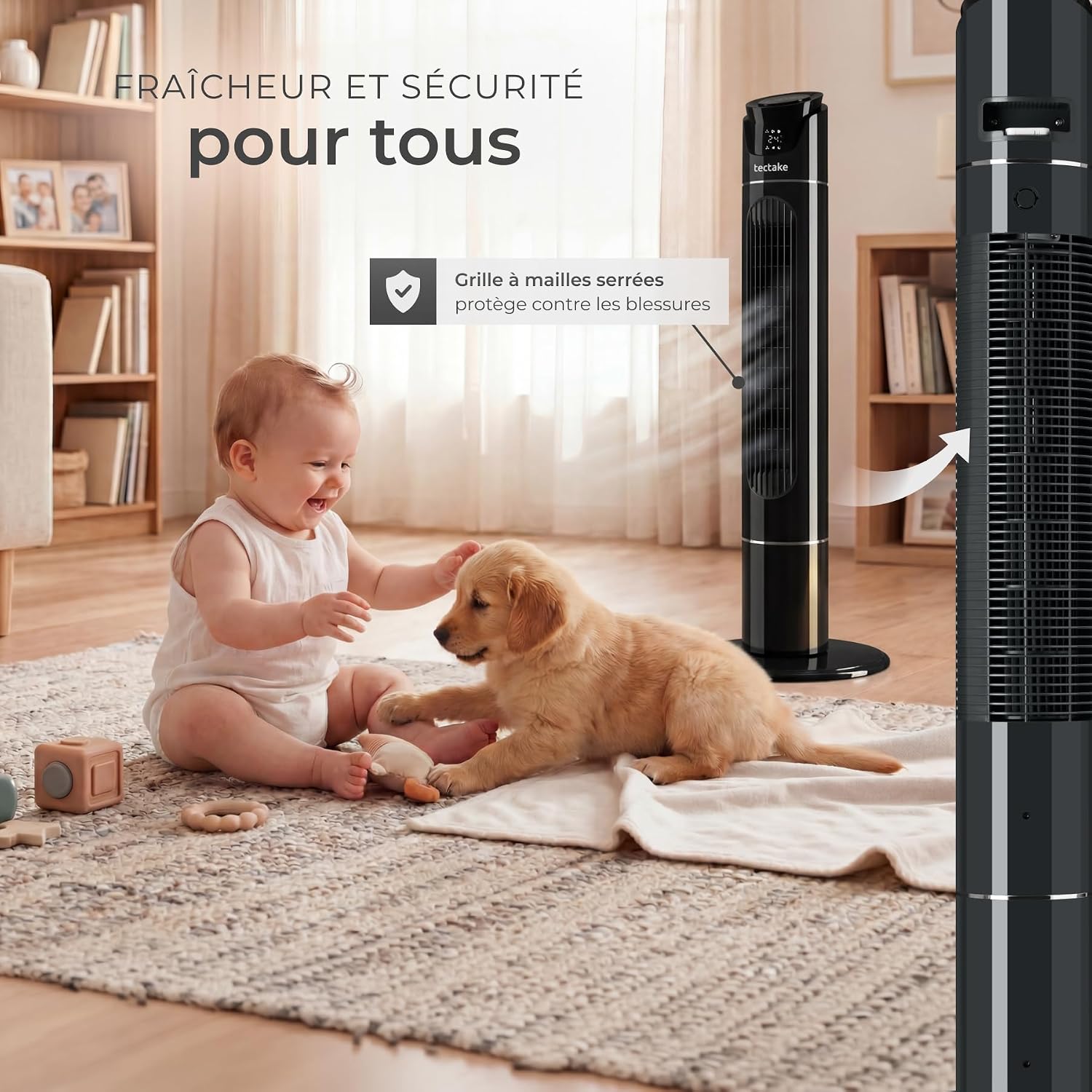
The fan features a tightly meshed safety grid to protect against injuries, making it safer for households with children and pets.
3. Package Contents
Please check the package contents upon receipt to ensure all parts are present and undamaged:
- tectake® Tower Fan (110 cm)
- Remote Control
- Instruction Manual
4. Product Overview
Familiarize yourself with the main components of your tectake® Tower Fan:
- Control Panel: Located on top of the fan, with touch buttons and an LED display.
- Air Outlet: Front grille where air is expelled.
- Air Inlet: Rear grille for air intake.
- Base: Provides stability for the fan.
- Remote Control: For convenient operation from a distance.
- Remote Control Storage: Integrated slot on the fan for the remote.
- Recessed Handle: For easy transport.

The fan's compact design is ideal for various spaces, featuring a secure air outlet, a stable base, and a recessed handle for easy transport.

The intuitive touch control panel and convenient remote control allow for easy operation. The remote can be stored in the integrated compartment when not in use.
5. Setup
Follow these steps to set up your tower fan:
- Unpack: Carefully remove the fan and all accessories from the packaging. Retain the packaging for storage or if return is necessary.
- Base Assembly: If the base is not pre-assembled, attach it to the main body of the fan according to the diagrams in the manual (if provided in the physical manual). Ensure it is securely fastened.
- Placement: Place the fan on a firm, level surface. Ensure there is adequate space around the fan for proper air circulation and oscillation. Keep it away from curtains, drapes, or any objects that could obstruct airflow.
- Power Connection: Plug the power cord into a suitable electrical outlet (220V).
6. Operating Instructions
Your tectake® Tower Fan offers multiple settings for personalized comfort. You can operate the fan using either the touch control panel on top of the unit or the remote control.
6.1 Control Panel and Remote Control Functions
- Power On/Off: Press the power button (ON/OFF) to turn the fan on or off.
- Speed Settings: Press the speed button (Speed) repeatedly to cycle through 3 speed levels: Low, Medium, High.
- Mode Selection: Press the mode button (Mode) to select one of three ventilation modes: Normal, Natural, or Sleep.
- Oscillation: Press the oscillation button (Osc) to activate or deactivate the 70° oscillation function, which distributes air across a wider area.
- Timer: Press the timer button (Timer) to set the fan to automatically turn off after a specified period (1 to 12 hours). Each press increases the timer by one hour.
- LED Display: The LED screen displays the current ambient temperature and selected settings.

The fan offers a 70° oscillation range for wide air distribution. Control settings via the intelligent touch screen or the practical remote control.
6.2 Ventilation Modes Explained
- Normal Mode: Provides a constant airflow at the selected speed.
- Natural Mode: Simulates a natural breeze by varying the fan speed intermittently.
- Sleep Mode: Operates at a lower, quieter speed, often gradually decreasing speed over time, ideal for undisturbed sleep.

The silent operation and sleep mode make this fan ideal for use in bedrooms, ensuring comfortable nights.
7. Maintenance
Regular cleaning and maintenance will ensure the longevity and optimal performance of your fan.
7.1 Cleaning
- Always unplug the fan from the power outlet before cleaning.
- Use a soft, damp cloth to wipe the exterior surfaces of the fan. Do not use abrasive cleaners or solvents.
- For dust accumulation on the air inlet and outlet grilles, use a vacuum cleaner with a brush attachment or a soft brush to gently remove dust.
- Do not immerse the fan in water or allow water to drip into the motor housing.
- Ensure the fan is completely dry before plugging it back in and operating.
7.2 Storage
When not in use for extended periods, store the fan in a cool, dry place. It is recommended to store it in its original packaging to protect it from dust and damage.
8. Troubleshooting
If you encounter any issues with your fan, please refer to the following troubleshooting guide:
| Problem | Possible Cause | Solution |
|---|---|---|
| Fan does not turn on. | No power supply. | Check if the power cord is securely plugged into the outlet. Test the outlet with another device. |
| No airflow or weak airflow. | Air inlets/outlets are blocked. Fan speed is too low. | Ensure grilles are clear of obstructions. Increase the fan speed setting. |
| Oscillation not working. | Oscillation function is off. Obstruction. | Press the oscillation button to activate. Check for any physical obstructions preventing rotation. |
| Remote control not working. | Batteries are dead or incorrectly inserted. Obstruction between remote and fan. | Replace the remote control battery (CR2025, not supplied). Ensure there is a clear line of sight to the fan's receiver. |
| Unusual noise during operation. | Fan is not on a level surface. Internal component issue. | Place the fan on a stable, level surface. If noise persists, discontinue use and contact customer support. |
If the problem persists after trying these solutions, please contact tectake customer support.
9. Specifications
Technical data for the tectake® 110 cm Tower Fan, Model 406564:
| Feature | Detail |
|---|---|
| Brand | tectake |
| Model Number | 406564 |
| Color | Anthracite Grey |
| Size | 110 cm |
| Electric Fan Design | Floor Fan |
| Power Source | Electric Cord |
| Style | Contemporary |
| Product Dimensions (D x W x H) | 31P x 31l x 110H cm |
| Special Feature | Oscillating, with Remote Control |
| Mounting Type | Floor Mount |
| Material | ABS Plastic |
| Number of Speeds | 3 |
| Noise Level | 50 Decibels |
| Power | 40 Watts |
| Voltage | 220 Volts |
| Indoor/Outdoor Use | Indoor |
| Cordless Product | No |
| Smart Home Compatibility | Not Smart Home Compatible |
| Item Weight | 3.5 Kilograms |
| Included Components | Remote Control |

Detailed dimensions and technical specifications of the tectake® 110 cm Tower Fan, including power, noise level, and materials.
10. Warranty and Support
tectake products are manufactured with quality and reliability in mind. For information regarding warranty terms and conditions, please refer to the documentation provided with your purchase or visit the official tectake website.
If you require technical assistance, have questions about your product, or need to report a fault, please contact tectake customer support. You can often find contact details on the manufacturer's website or on your purchase receipt.
For a digital copy of this user manual, you may also refer to the official PDF document: tectake® 110 cm Tower Fan User Manual (PDF)