
1. Product Overview
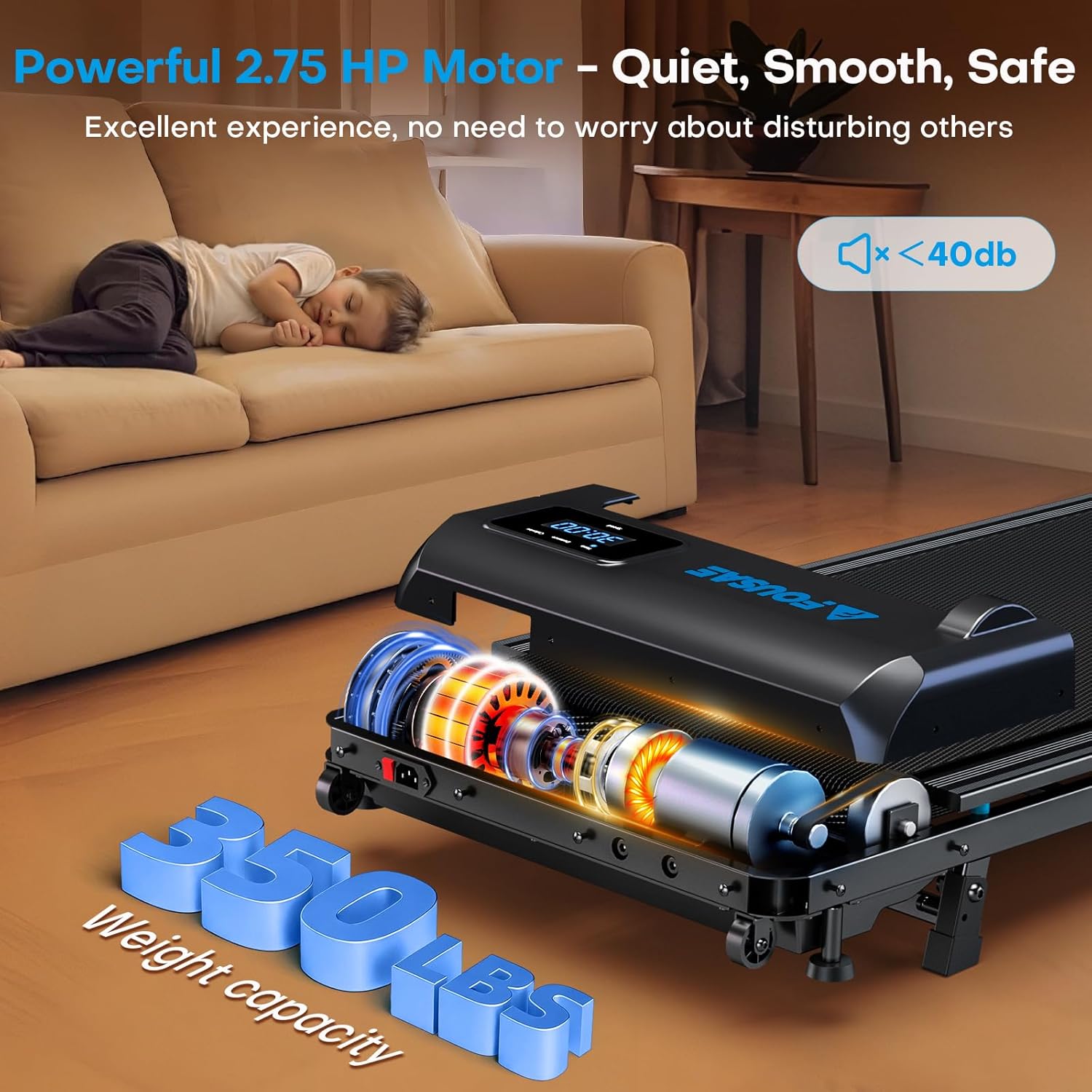
The FOUSAE Walking Pad Treadmill Model ZX390 is designed for home and office use, offering a versatile fitness experience. It features a double frame for enhanced stability, a 2.75 HP brushless motor for quiet operation, and a 10% manually adjustable incline. This walking pad supports various exercise modes and includes a remote control for convenient operation.
Key Features:
- Speed Range: 0.6 to 6.2 MPH
- Incline: 10% Manual Adjustment
- Motor: 2.75 HP Brushless (under 40 dB)
- Weight Capacity: 350 lbs
- Running Belt: 5-layer, 40 x 16 inches
- Programs: 12 HIIT Programs, 3 Countdown Modes (Time, Distance, Calories)
- Display: Multifunctional LED (Time, Speed, Distance, Calories)
- Portability: Built-in transport wheels, compact design

2. Setup Instructions
2.1 Unpacking and Placement
The FOUSAE Walking Pad Treadmill comes pre-assembled. Carefully remove the treadmill from its packaging. Place the treadmill on a flat, stable surface, ensuring adequate space around it for safe operation.

2.2 Adjusting Incline for Stability
The treadmill features a 10% manually adjustable incline. For enhanced stability, especially when using the incline, adjust the central support bolt to ensure firm contact with the floor. This adjustment helps prevent wobbling during use.

2.3 Remote Control Battery Installation
The remote control requires battery installation before first use. Remove the baffle from the battery compartment. The remote control uses a button cell battery. Ensure correct polarity when inserting the battery.

Video 1: This video demonstrates the instructions for using the FOUSAE Walking Pad Remote Control, including battery installation and function overview.
3. Operating Instructions
3.1 Power On/Off
Connect the power cord to a suitable electrical outlet and to the treadmill. The LED display will illuminate. To start or stop the treadmill, use the 'Start/Pause' or 'Stop' button on the remote control.
3.2 Speed Adjustment and Modes
The treadmill offers a speed range from 0.6 to 6.2 MPH. Use the 'Speed +' and 'Speed -' buttons on the remote control to adjust the speed. The treadmill supports various modes:
- Working Mode: 0.6–1.5 MPH (suitable for light activity while working)
- Walking Mode: 1.5–3 MPH (for general walking)
- Jogging Mode: 3–6.2 MPH (for faster paced exercise)

3.3 Incline Adjustment
The treadmill features a 10% manual incline. Adjust the incline mechanism located at the base of the treadmill to increase or decrease the workout intensity. Ensure the central support bolt is securely adjusted after changing the incline.

3.4 Programs and Countdown Modes
The treadmill includes 12 HIIT programs and 3 smart countdown modes (Time, Distance, Calories). Use the 'M' button on the remote control to cycle through the countdown modes and the 'P' button to select from the 12 HIIT programs. The treadmill needs to be stopped when selecting a new mode or program.

3.5 LED Display and Remote Control
The large multifunctional LED display shows real-time data including time, speed, distance, and calories burned. The remote control features a magnetic attachment for secure storage on the treadmill to prevent loss.


4. Maintenance
4.1 General Cleaning
Regularly clean the treadmill to ensure optimal performance and longevity. Use a soft, damp cloth to wipe down the surface of the treadmill, including the running belt and display area. Avoid using abrasive cleaners or solvents.
4.2 Running Belt Lubrication
While specific instructions for lubrication are not provided, most walking pads require periodic lubrication of the running belt to reduce friction and wear. Refer to the detailed user manual included with your product for specific lubrication guidelines and recommended lubricants. Improper lubrication can affect performance and lifespan.
4.3 Belt Tension and Alignment
Periodically check the running belt for proper tension and alignment. If the belt feels loose, slips, or drifts to one side, it may need adjustment. Consult the comprehensive user manual for detailed instructions on how to adjust belt tension and alignment safely.
5. Troubleshooting
If you encounter any issues with your FOUSAE Walking Pad Treadmill, please refer to the following general troubleshooting tips. For specific error codes or complex problems, consult the detailed user manual or contact customer support.
- Treadmill does not power on: Ensure the power cord is securely plugged into both the treadmill and a working electrical outlet. Check if the power switch on the treadmill (if present) is in the 'ON' position.
- Treadmill stops unexpectedly: Check for any loose connections. Ensure the safety key (if applicable) is properly engaged.
- Remote control not responding: Verify that the remote control batteries are correctly installed and have sufficient charge. Ensure there are no obstructions between the remote control and the treadmill's receiver.
- Unusual noises: Stop the treadmill immediately. Inspect the running belt for any foreign objects or damage. Refer to the maintenance section for belt lubrication and tension checks.
6. Specifications
| Feature | Detail |
|---|---|
| Brand | FOUSAE |
| Model Number | ZX390 |
| Product Dimensions (D x W x H) | 45.67" x 19.69" x 4.72" |
| Item Weight | 39.7 Pounds |
| Material | Acrylonitrile Butadiene Styrene (ABS), Alloy Steel |
| Motor Horsepower | 2.75 HP |
| Speed Range | 0.6 - 6.2 MPH |
| Maximum Incline Percentage | 10% (Manual) |
| Maximum Weight Recommendation | 350 Pounds |
| Noise Level | < 40 dB |
| Number of Programs | 12 HIIT Programs, 3 Countdown Modes |
| Metrics Measured | Distance, Speed, Time, Calories Burned |
| Power Source | Corded Electric |
| Assembly Required | No (Pre-assembled) |
| Included Components | Walking Pad, Power Cord, Remote Control, User Manual, Tool Kit |
7. Warranty and Support
7.1 Warranty Information
The FOUSAE Walking Pad Treadmill (Model ZX390) comes with a 1-year warranty from the date of purchase. This warranty covers manufacturing defects and issues arising from normal use. Please retain your proof of purchase for warranty claims.
7.2 Customer Support
For any questions, technical assistance, or warranty claims, please refer to the contact information provided in the comprehensive user manual included with your product. You may also visit the official FOUSAE website for support resources.


