
Airbition AIR401
Airbition 10'' Wall Mount Fan User Manual
Model: AIR401
Brand: Airbition
1. Important Safety Instructions
Please read all instructions carefully before using this appliance and retain for future reference. Failure to follow these instructions may result in electric shock, fire, or serious injury.
- Ensure the power supply voltage matches the rating label on the fan.
- Do not immerse the fan, cord, or plug in water or other liquids.
- Unplug the fan from the outlet when not in use, before cleaning, or before moving.
- Keep the fan out of reach of children and pets.
- Do not operate the fan with a damaged cord or plug. Contact qualified service personnel for repair.
- Avoid placing the fan near curtains, drapes, or other objects that may be drawn into the fan.
- Do not insert fingers or other objects through the grille when the fan is operating.
- This fan is for indoor use only. Do not use outdoors.
- Ensure the fan is securely mounted before operation.
2. Package Contents
Verify that all items are present and in good condition upon opening the package.
- Airbition 10'' Wall Mount Fan
- Remote Control (battery included)
- Power Cord
- Wall Mount Plate
- Mounting Tools (screws, adhesive)

Image: The Airbition wall mount fan with its remote control, power cord, and mounting hardware.
3. Product Overview
The Airbition 10'' Wall Mount Fan is designed to provide efficient air circulation and cooling for various indoor spaces. It features a powerful DC motor, multiple speed settings, oscillation, adjustable tilt, a timer function, and an integrated night light.
Key Features:
- Powerful Airflow: Equipped with a high-efficiency DC motor and 5 aerodynamic blades for strong, fast cooling.
- 4 Speed Settings: Choose from Low, Medium, High, or Turbo modes for customized comfort.
- Compact Design: 10-inch size is ideal for bedrooms, offices, RVs, dorms, garages, and shops.
- Full-Featured Remote: Control power, speeds, oscillation, timer, and nightlight from up to 13 feet away. The remote has a magnetic back for convenient storage.
- Smart Timer: Set an auto-off timer for 2, 4, 6, or 8 hours to conserve energy.
- Wide Air Circulation: Features 90° oscillation and 120° adjustable tilt for broad airflow coverage.
- Built-in Night Light: Offers 2 light tones (Cool White & Warm) and 4 brightness levels for ambient lighting.

Image: The Airbition 10-inch wall mount fan, showcasing its compact design and integrated night light.

Image: Close-up of the fan blades, highlighting the 5 premium blades designed for a softer breeze.
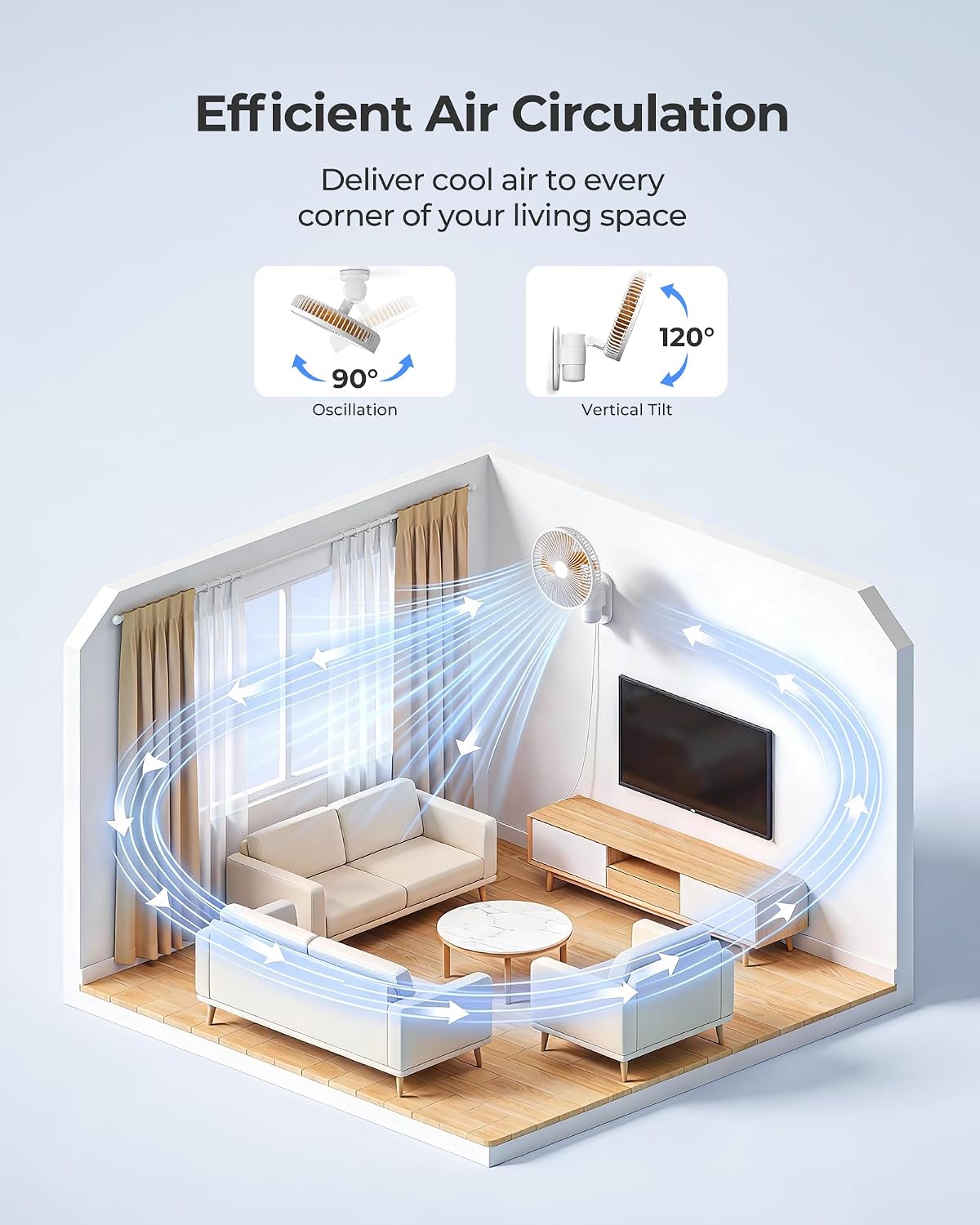
Image: Illustration showing the low noise level of the Airbition fan, rated at 35dB.

Image: Diagram illustrating the 90-degree oscillation and 120-degree vertical tilt for wide air circulation.
4. Setup and Installation
The Airbition wall mount fan offers two installation methods: screw-mounting for a permanent hold or adhesive-mounting for a damage-free setup. All necessary hardware is included.
Installation Steps:
- Prepare the Mounting Plate: Attach the Type-C plug of the power cord to the rear power port of the fan's backplate.
Video: Demonstrates attaching the Type-C plug to the fan's backplate during installation.
- Mount the Plate to the Wall: Choose your preferred method:
- Adhesive Mounting: Apply strong adhesive to the back of the mounting plate and firmly press it against a clean, dry wall surface. Hold for a few seconds to ensure adhesion.
- Screw Mounting: Use the provided screws to secure the mounting plate to the wall. A drill (not included) may be required.
Video: Shows how to fix the mounting plate to the wall using either adhesive or screws.
- Attach the Fan: Once the mounting plate is secure, slide the fan onto the plate until it clicks into place.
Video: Demonstrates attaching the fan unit to the wall-mounted plate.
- Plug In: Connect the power cord to a suitable electrical outlet.

Image: The fan installed on a wall, showing the power cord connected to an outlet. The cord length is approximately 79 inches.
5. Operating Instructions
The Airbition wall mount fan can be operated using the included remote control or the integrated buttons on the fan unit.
Remote Control Functions:
The remote control allows you to manage all fan functions from up to 13 feet away. Ensure the remote has a working battery (included).
- Power Button: Turns the fan On or Off.
- Speed Button: Cycles through 4 speed settings: Low, Medium, High, Turbo.
- Oscillation Button: Activates or deactivates the 90° oscillation feature.
- Timer Button: Sets the auto-off timer to 2, 4, 6, or 8 hours.
- Night Light Button: Controls the night light. Press to cycle through 2 light tones (Cool White, Warm) and 4 brightness levels.

Image: The remote control for the Airbition wall mount fan, showing its various function buttons.
Video: Demonstrates using the remote control to operate the fan's functions, including speed and oscillation.
Manual Controls:
The fan unit has integrated buttons for basic control if the remote is not available.
- Power/Speed Button: Press to turn on and cycle through fan speeds. Hold to turn off.
- Oscillation Button: Toggles oscillation.
- Night Light Button: Toggles night light modes.
Adjusting Tilt:
Manually adjust the fan head up or down to direct airflow. The fan supports up to 120° vertical tilt.
6. Maintenance and Cleaning
Regular cleaning helps maintain the fan's performance and extends its lifespan. Always unplug the fan before cleaning.
Cleaning Steps:
- Unplug the Fan: Ensure the fan is disconnected from the power source.
- Remove Front Grille: Rotate the front grille counterclockwise to loosen and remove it.
Video: Demonstrates how to disassemble the front grille for cleaning.
- Clean Blades and Grille: Wipe the fan blades and both grilles with a clean, dry cloth.
Important: The fan is not waterproof. Do not immerse it in water or use a damp cloth on electrical components.
Video: Shows wiping the fan blades with a dry cloth after removing the front grille.
- Reassemble: Align the front grille and rotate clockwise to secure it.
7. Troubleshooting
If you encounter issues with your Airbition wall mount fan, refer to the following common problems and solutions:
| Problem | Possible Cause | Solution |
|---|---|---|
| Fan does not turn on. | No power supply. Remote control battery is dead. | Check if the power cord is securely plugged into a working outlet. Replace the remote control battery. |
| Weak airflow. | Fan speed is too low. Fan blades are dirty. | Increase the fan speed using the remote or manual controls. Clean the fan blades as described in the Maintenance section. |
| Fan is noisy. | Obstruction in the fan blades. Fan not securely mounted. | Turn off and unplug the fan, then check for any obstructions. Ensure the fan is securely attached to the wall mount plate. |
| Remote control not working. | Battery is dead or incorrectly inserted. Obstruction between remote and fan. | Replace the battery (CR2025 type) and ensure it's inserted correctly. Ensure there is a clear line of sight between the remote and the fan. |
| Night light not functioning. | Light function is off. | Press the Night Light button on the remote or fan unit to activate it and cycle through modes. |
8. Specifications
| Feature | Detail |
|---|---|
| Brand | Airbition |
| Model Name | AIR401 |
| Product Dimensions | 7.08"D x 10.24"W x 14.17"H |
| Item Weight | 3.27 Pounds |
| Power Source | AC/DC |
| Voltage | 15 Volts (AC) |
| Wattage | 264 watts |
| Number of Speeds | 4 |
| Number of Blades | 5 |
| Noise Level | 35 Decibels |
| Oscillation | 90° |
| Adjustable Tilt | 120° |
| Controller Type | Remote Control |
| Special Features | LED Night Light (2 tones, 4 brightness levels), Timer (2/4/6/8 hours) |
| Mounting Type | Wall Mount |
| Indoor/Outdoor Usage | Indoor |
| Cord Length | 79 inches (approx.) |
9. Warranty and Support
This Airbition product comes with a One-year warranty from the date of purchase.
For warranty claims, technical support, or any questions regarding your product, please contact Airbition customer service. Please have your model number (AIR401) and proof of purchase ready.
You can visit the official Airbition store for more information and contact details: Airbition Store on Amazon
Ask a question about this manual
Ask about setup, troubleshooting, compatibility, parts, safety, or missing instructions. Manuals+ will review the question and use this page’s manual context to help answer it.