
Introduction
The Jawploy K18 Wallet Tracker Card is an ultra-thin Bluetooth smart card designed to help you locate your valuable items. It supports both iOS (14.5+) and Android (9.0+) devices, integrating seamlessly with Apple Find My and Google Find Hub networks. This manual provides instructions for setup, operation, and maintenance of your tracker card.

Image: The Jawploy K18 Wallet Tracker Card, demonstrating its compact size and design, held by two hands.
What's in the Box
Your Jawploy K18 package includes the following items:
- 2 x Jawploy K18 Tracking Cards
- 2 x Key Rings
- 1 x User Manual
Setup and Pairing
The Jawploy K18 tracker card supports both iOS and Android systems. To switch between systems, you must reset the tracker and pair it again with the desired system.
iOS Pairing (Apple Find My)
- Power On: Press and hold the power button on the tracker card until it beeps.
- Open Find My: On your iOS device (version 14.5 or later), open the "Find My" app and ensure Bluetooth is enabled.
- Add Item: In the Find My app, tap "Items" then "Add Item" and select "Other Supported Item".
- Connect: Follow the on-screen prompts to connect your Jawploy K18 card and name it.

Image: Visual guide for pairing the Jawploy K18 tracker card with both iOS (Apple Find My) and Android (Google Find Hub) devices.
Android Pairing (Google Find Hub)
- Power On: Power on the device and keep it close to your Android phone (version 9.0 or later).
- Connect: A connection page should automatically pop up on your phone. Click "Connect".
- Agree to Terms: Agree to the terms and conditions for using Google Find Hub.
- Open App: After successfully adding the device, click "Open app" to launch Google Find Hub.
- Complete Connection: Follow any remaining prompts to complete the connection.
Important Note: One card can be paired with one phone at a time. To switch systems or pair with a different device, you must reset and remove the card from its current pairing first.
Operating Instructions
Global Tracking Network
The Jawploy K18 leverages a global tracking network. When your tracker card is out of Bluetooth range, nearby phones detect its signal and anonymously upload its location. This allows you to view the last known location of your item on a map within the Apple Find My or Google Find Hub app.

Image: Illustration of the global tracking network, showing how nearby phones help locate the tracker card on a map.
Ring Alert Function
If your Jawploy K18 tracker card is within Bluetooth range of your phone, you can use the Apple Find My or Google Find Hub app to trigger a loud ringtone from the card. This helps you pinpoint the exact location of your item, even if it's hidden under a sofa cushion or in a messy drawer.
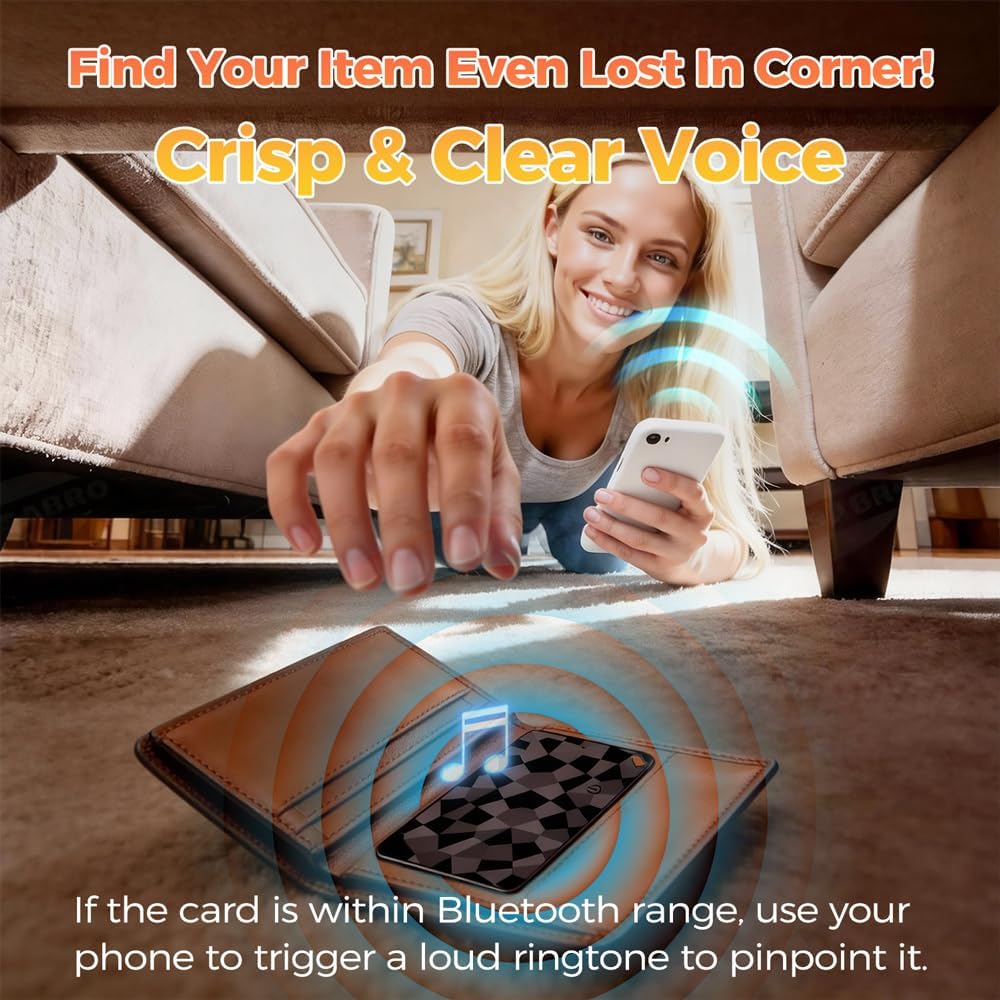
Image: A woman reaching under a sofa, guided by the sound of the Jawploy K18 tracker card, which is emitting a ring alert.
Left-Behind Alerts
Receive notifications on your phone if you accidentally leave your Jawploy K18 tracker card behind. This feature helps prevent loss by alerting you when the card moves out of your phone's Bluetooth range. Note: This "Left Behind" notification feature may not be available on some Android models. Other tracking functions remain unaffected.

Image: A smartphone screen showing a "Wallet left behind" alert, indicating the tracker card has moved out of range.
Maintenance
Wireless Charging
The Jawploy K18 features a rechargeable 100mAh lithium battery. It supports wireless charging, allowing you to charge it conveniently with any standard wireless charger. Place the card on the charging pad, ensuring the proper charging spot aligns. A full charge can provide up to 6 months of usage, depending on alarm frequency. In standby mode without signal or alarms, it can last up to 5 years.

Image: The Jawploy K18 tracker card being wirelessly charged, with text indicating battery life and standby time.
Water Resistance
The Jawploy K18 is IPX4 waterproof, meaning it is resistant to splashes of water from any direction. It can handle coffee spills, rain, and daily bumps, but it is not designed for submersion in water.

Image: The Jawploy K18 tracker card with water splashing on it, demonstrating its IPX4 water resistance.
Troubleshooting
| Problem | Solution |
|---|---|
| Card not pairing: | Ensure the card is fully charged. Reset the card by pressing and holding the power button for several seconds until it indicates a reset (e.g., a specific beep pattern). Make sure Bluetooth is enabled on your phone and the card is within close proximity. If switching systems (iOS to Android or vice-versa), ensure the card is unpaired from the previous system first. |
| Ring alert is too quiet or not audible: | The card's sound may be muffled if it's deep inside a wallet or bag. Try to reduce obstructions. Ensure your phone's volume is up and the card is within Bluetooth range. |
| Card frequently disconnects or shows incorrect location: | Ensure your phone's Bluetooth is stable. The accuracy of location tracking relies on the density of the Find My/Find Hub network. In remote areas, updates might be less frequent. If the card is in a wallet, avoid placing it where it might be accidentally pressed or bent, which could affect its operation. |
| "Left Behind" alerts not working on Android: | As noted, this feature may not be supported on all Android models. Verify your phone's compatibility with this specific function within the Google Find Hub app settings. |
Specifications
| Feature | Detail |
|---|---|
| Model Number | K18 |
| Connectivity Technology | Bluetooth |
| Supported Applications | Apple Find My, Google Find Hub |
| Compatible Devices | iOS (14.5+), Android (9.0+) Smartphones |
| Special Features | Real-Time Tracking, Rechargeable, Left-Behind Alerts |
| Battery | 100mAh Lithium (Wireless Charging Supported) |
| Battery Life | Up to 6 months (usage), up to 5 years (standby) |
| Water Resistance | IPX4 (Splash-proof) |
| Material | Acrylonitrile Butadiene Styrene (ABS) |
| Item Dimensions | 3.15 x 1.97 x 0.08 inches |
| Item Weight | 0.03 kg |
| UPC | 797519072863 |
Warranty and Support
The Jawploy K18 Wallet Tracker Card comes with a 2-year warranty from the date of purchase. This warranty covers manufacturing defects and malfunctions under normal use.
For technical support, warranty claims, or further assistance, please contact Jawploy customer service through the retailer where you purchased the product or visit the official Jawploy website.