
1. Introduction
This manual provides essential information for the safe and effective operation and maintenance of your Renestar Folding Treadmill Model 7210. Please read all instructions carefully before assembly and use. Keep this manual for future reference.
The Renestar Folding Treadmill is designed for home use, featuring an automatic incline system, a powerful 3.5HP motor, and a maximum speed of 10 MPH. It supports users up to 300 lbs and includes a Bluetooth speaker and pulse monitor for an enhanced workout experience.
2. Safety Information
- Always consult with a physician before starting any new exercise program.
- Place the treadmill on a flat, stable surface with adequate clearance around it (at least 6 feet behind and 2 feet on each side).
- Ensure the safety key is properly attached to both the console and your clothing before starting the treadmill. In case of an emergency, the safety key will stop the machine.
- Do not allow children or pets near the treadmill while it is in operation.
- Wear appropriate athletic footwear and clothing. Avoid loose clothing that could get caught in moving parts.
- Hold the handrails when starting or stopping the treadmill, or when adjusting speed/incline.
- Do not step on or off the treadmill while the belt is moving.
- Unplug the treadmill from the power outlet when not in use, before cleaning, or before performing any maintenance.
- Keep the power cord away from heated surfaces.
- Do not operate the treadmill if it has a damaged cord or plug, or if it is not working properly.
3. Package Contents
Verify that all components are present in the package:
- Complete machine x1
- Holder x1
- Protective cover x1
- Upright Column Cover x1
- Accessories Bag x1
- Water bottle x2
- User manual x1
- Safety Lock x1

Image: All components included in the Renestar Treadmill package, laid out for verification.
4. Setup and Assembly
The Renestar Folding Treadmill is designed for minimal assembly. Most of the unit comes pre-assembled. Follow the instructions in the included user manual for detailed assembly steps. Ensure all bolts are tightened securely before first use.
4.1 Unfolding the Treadmill
To unfold the treadmill, gently kick the hydraulic system release mechanism with your foot. The running deck will slowly lower to the floor. Ensure it is fully flat and locked into position before use.

Image: Illustration of the treadmill's automatic folding design, showing the hydraulic system and how to unfold the running deck.
4.2 Moving the Treadmill
The treadmill is equipped with transport wheels for easy relocation. Once folded, tilt the treadmill and roll it to your desired location. Ensure the power cord is unplugged before moving.
5. Operating Instructions
5.1 Control Panel Overview
The smart control panel allows for quick adjustments and displays key workout metrics. Familiarize yourself with the buttons and display before starting your workout.

Image: Close-up view of the treadmill's smart control panel, highlighting buttons for speed, incline, and display metrics like heart rate, calories, and distance.
5.2 Starting a Workout
- Ensure the treadmill is plugged in and the safety key is in place.
- Step onto the treadmill, placing your feet on the side rails.
- Press the 'START' button on the console. The belt will begin to move at a low speed.
- Gradually increase the speed using the '+' button or quick speed buttons on the console or handrails.
- Adjust the incline using the 'INCLINE +/-' buttons or quick incline buttons on the console or handrails.

Image: A person running on the Renestar treadmill, demonstrating the 25% auto incline feature in use.
5.3 Speed and Incline Adjustment
The treadmill offers a speed range of 0.5 to 10 MPH and an auto incline from 0% to 25%. Use the dedicated buttons on the console or the ergonomic handrail controls for quick and precise adjustments during your workout.
- Speed Modes:
- Walking Mode: 0.5–3.5 MPH
- Jogging Mode: 3.5–6.5 MPH
- Running Mode: 6.5–10 MPH

Image: Visual representation of the three speed modes (walking, jogging, running) available on the Renestar treadmill.
5.4 Bluetooth Connectivity
Connect your device to the treadmill's built-in Bluetooth speaker to enjoy music during your workout. The treadmill also supports connection to fitness apps like ZWIFT and Kinomap for interactive training and data synchronization.
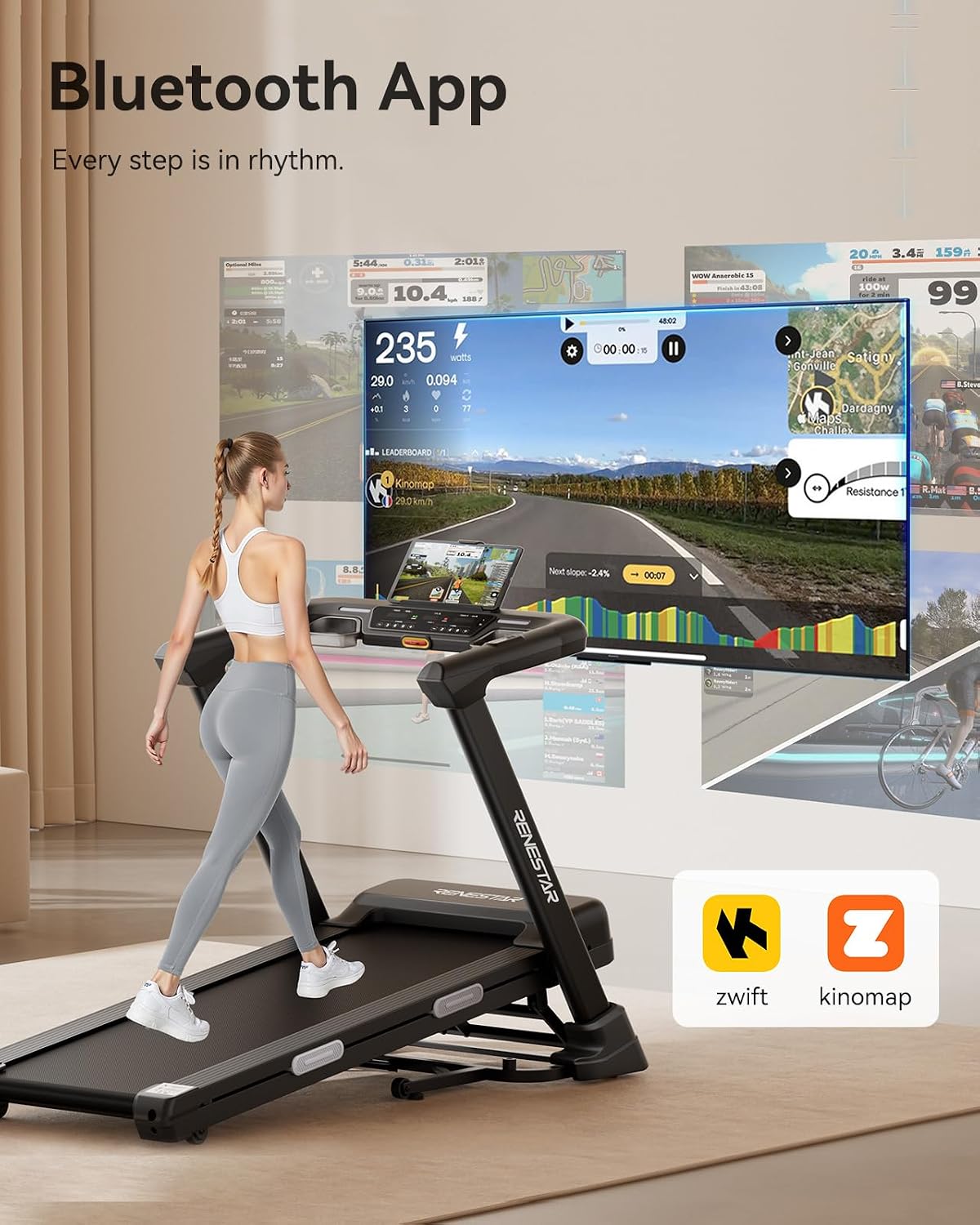
Image: A person using the treadmill with a tablet displaying a fitness app, illustrating Bluetooth connectivity and app integration.
6. Maintenance
Regular maintenance ensures the longevity and optimal performance of your treadmill.
- Cleaning: Wipe down the console and other surfaces with a damp cloth after each use. Avoid using abrasive cleaners.
- Belt Lubrication: The running belt requires periodic lubrication to reduce friction and wear. Refer to the detailed instructions in the full user manual for the correct lubrication procedure and frequency.
- Belt Tension and Alignment: Check the running belt tension and alignment regularly. Adjust as needed according to the full user manual to prevent slipping or uneven wear.
- Motor Cover: Periodically remove the motor cover and vacuum any dust or debris that may have accumulated. Ensure the treadmill is unplugged before doing so.
7. Troubleshooting
| Problem | Possible Cause | Solution |
|---|---|---|
| Treadmill does not start | Power cord not plugged in; Safety key not in place; Circuit breaker tripped | Ensure power cord is securely plugged in; Insert safety key fully; Reset circuit breaker |
| Running belt slips | Belt too loose; Belt needs lubrication | Adjust belt tension (refer to manual); Lubricate belt (refer to manual) |
| Unusual noise during operation | Loose parts; Motor or belt issue | Check and tighten all visible bolts; If noise persists, contact customer support |
| Incline not adjusting | Incline motor issue; Obstruction | Check for obstructions under the treadmill; If issue persists, contact customer support |
8. Specifications
| Feature | Detail |
|---|---|
| Brand | Renestar |
| Model Number | 7210 |
| Product Dimensions (D x W x H) | 58" x 29" x 50" |
| Folded Size | 19.42" x 9.58" x 23.82" |
| Item Weight | 121 pounds |
| Material | Alloy Steel |
| Maximum Weight Recommendation | 300 pounds |
| Maximum Horsepower | 3.5 hp |
| Speed Range | 0.5 - 10 miles per hour |
| Maximum Incline Percentage | 25% (Auto Incline) |
| Running Belt Dimensions | 47.2" x 17.7" |
| Special Features | Auto Incline, Built-In Speaker, Foldable, Heart Rate Monitor, Water Bottle Holder |
| Metrics Measured | Calories Burned, Distance, Heart Rate, Incline, Speed |
| Power Source | Corded Electric |

Image: The treadmill's wide running belt (47.2" x 17.7") and its 300 lbs weight capacity are highlighted.

Image: An exploded view illustrating the triple deck design with shock absorbers, providing cushioning and knee protection.
9. Warranty and Support
The Renestar Folding Treadmill Model 7210 comes with a 1-year manufacturer warranty. For warranty claims, technical support, or any questions regarding your product, please refer to the contact information provided in the original packaging or visit the official Renestar Sport store online.
Manufacturer: ZHEJIANG LIJIUJIA SPORTS EQUIPMENT CO.,LTD