
1. Introduction
The ARGO Milo Evo Silent is a versatile 4-in-1 portable reversible air conditioner designed to provide year-round climate control. It offers powerful cooling (13000 BTU/h), efficient heating (10000 BTU/h) with an integrated heat pump, ventilation, and dehumidification (31.2 L/24h). This manual provides essential information for the safe and effective operation, installation, and maintenance of your unit.
2. Safety Information
Please read all safety warnings and instructions carefully before using this appliance to prevent injury or damage. Keep this manual for future reference.
- Ensure the power supply matches the voltage specified on the unit's rating label.
- Do not operate the unit with a damaged power cord or plug.
- Always place the unit on a flat, stable surface to prevent tipping.
- Maintain adequate clearance around the unit for proper airflow.
- Do not insert objects into the air outlets or inlets.
- Unplug the unit before cleaning or performing any maintenance.
- This appliance is not intended for use by persons (including children) with reduced physical, sensory or mental capabilities, or lack of experience and knowledge, unless they have been given supervision or instruction concerning use of the appliance by a person responsible for their safety.
- The appliance contains R290 refrigerant. Do not puncture or burn.
3. Package Contents
Verify that all items are present upon unpacking:
- ARGO Milo Evo Silent Portable Air Conditioner Unit
- Remote Control with LCD display
- Flexible Exhaust Hose
- Window Kit (adapter and window slide kit)
- Power Cord
- User Manual (this document)
4. Product Overview
4.1 Unit Components

Figure 1: Front View. Shows the main body of the unit with the air outlet louvers at the top and the ARGO logo below the display panel.
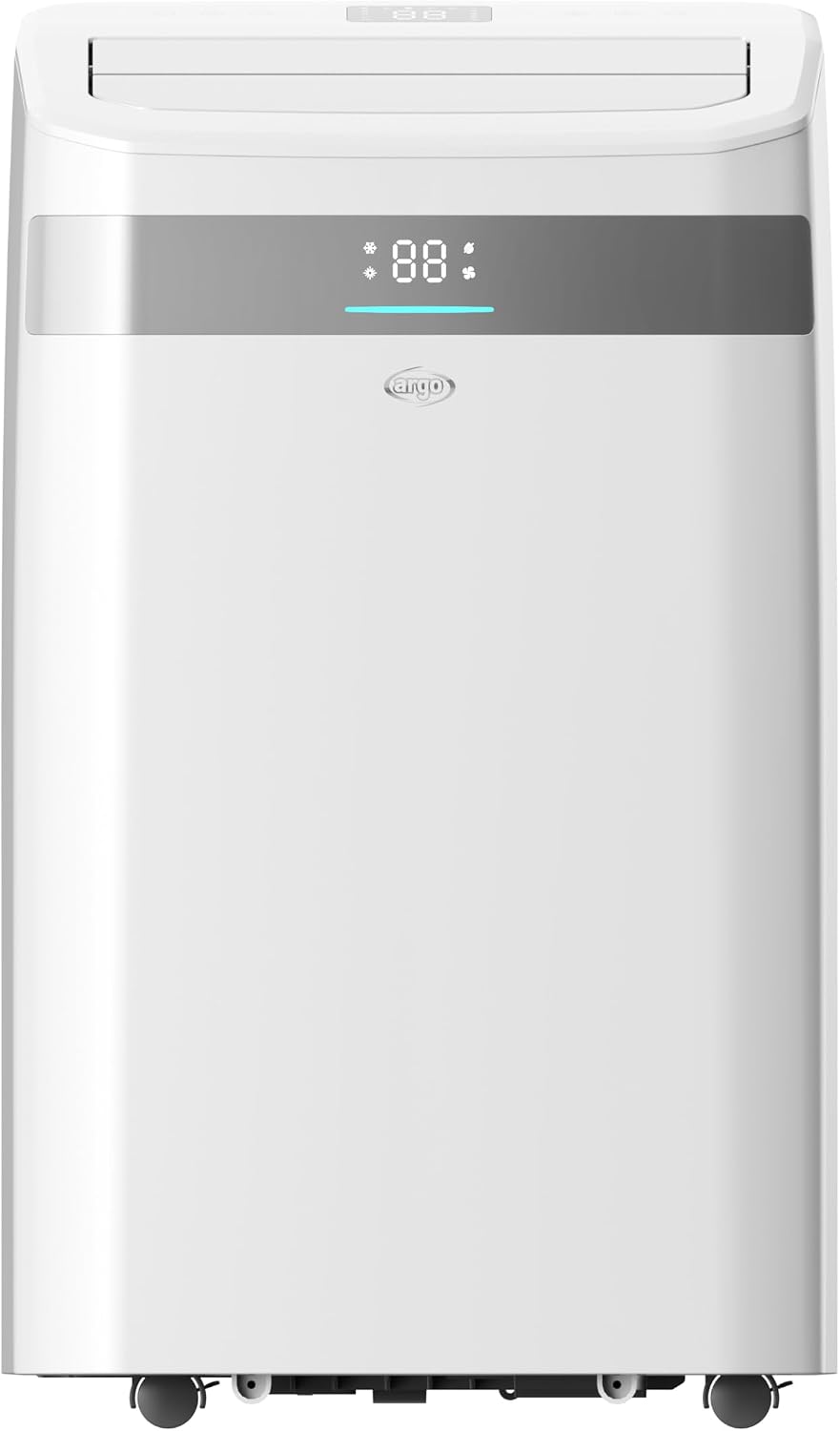
Figure 2: Rear View. Displays the air intake grilles, exhaust port, and drainage points on the back of the unit.

Figure 3: Feature Diagram. Highlights cooling/heating capacity, dehumidification, fan speeds, sound levels, and Wi-Fi connectivity.
4.2 Control Panel

Figure 4: Top Control Panel. Features a digital display and touch-sensitive buttons for various functions including power, mode selection, temperature adjustment, fan speed, timer, and Wi-Fi indicator.
4.3 Remote Control

Figure 5: Remote Control. An LCD-backlit remote control providing full functionality for operating the unit from a distance, including power, mode, temperature, fan speed, timer, sleep, and oscillation.
5. Setup and Installation
Follow these steps for initial setup:
- Placement: Position the air conditioner on a firm, level surface. Ensure there is at least 30 cm (12 inches) of space around the unit for proper air circulation. Do not block air inlets or outlets.
- Exhaust Hose Installation:
- Attach one end of the flexible exhaust hose to the exhaust port on the rear of the unit.
- Attach the window kit adapter to the other end of the exhaust hose.
- Window Kit Installation:
- Open the window and place the window slide kit securely in the window opening. Adjust its length to fit.
- Connect the exhaust hose adapter to the opening in the window slide kit. Ensure a tight seal to prevent hot air from re-entering the room.
- Power Connection: Plug the power cord into a grounded electrical outlet.
6. Operating Instructions
The unit can be controlled via the touch panel, remote control, or Wi-Fi app.
6.1 Basic Operation
- Power On/Off: Press the Power button () on the control panel or remote.
- Mode Selection: Press the Mode button () to cycle through Cooling, Heating, Fan, and Dehumidification modes.
- Temperature Adjustment: Use the Up () and Down () buttons to set your desired temperature.
- Fan Speed: Press the Fan Speed button () to select between low, medium, and high fan speeds.
6.2 Advanced Functions
- Timer: Use the Timer button () to program the unit to turn on or off automatically within a 24-hour period.
- Sleep Function: Activate the Sleep mode () for quieter operation and gradual temperature adjustment during the night.
- Auto-Oscillation: Press the Swing button () to enable automatic oscillation of the air outlet louvers for even air distribution.
- Memory Function: The unit retains your last settings after being turned off, ensuring convenience upon restart.
7. Wi-Fi Connectivity
The ARGO Milo Evo Silent features integrated Wi-Fi for remote control via your smartphone.
- Download App: Download the dedicated ARGO app (or a compatible smart home app like Smart Life) from your smartphone's app store.
- Register/Login: Create an account or log in to the app.
- Add Device: Follow the in-app instructions to add your ARGO Milo Evo Silent. This typically involves putting the unit into pairing mode (refer to the app or unit display for specific instructions) and connecting it to your home Wi-Fi network.
- Remote Control: Once connected, you can control all functions of the air conditioner from your smartphone, including mode, temperature, fan speed, and timer settings.
8. Maintenance
Regular maintenance ensures optimal performance and extends the lifespan of your unit.
8.1 Air Filter Cleaning
The unit is equipped with a washable air filter. Clean it regularly (every two weeks or more often depending on usage) to maintain air quality and efficiency.
- Unplug the air conditioner from the power outlet.
- Locate and remove the air filter from the rear of the unit (refer to Figure 2 for general location).
- Wash the filter under running water (warm, not hot) with a mild detergent.
- Rinse thoroughly and allow the filter to air dry completely before re-installing. Do not expose to direct sunlight.
8.2 Water Drainage
During dehumidification or cooling in high humidity, water will collect inside the unit. The unit has an auto-evaporation system, but manual drainage may be required if the internal tank fills up or for long-term storage.
- Unplug the unit.
- Place a shallow pan or tray under the drainage port at the bottom rear of the unit.
- Remove the drain plug to allow water to flow out.
- Once drained, replace the drain plug securely.
8.3 Storage
Before storing the unit for an extended period:
- Drain all accumulated water.
- Clean the air filter.
- Run the unit in fan-only mode for a few hours to dry the internal components.
- Cover the unit with a plastic bag or cloth to protect it from dust.
- Store the unit in a dry, cool place.
9. Troubleshooting
If you encounter issues, refer to the following table before contacting customer support. The unit's self-diagnostic system may display error codes; consult the app or a more detailed service manual if specific codes appear.
| Problem | Possible Cause | Solution |
|---|---|---|
| Unit does not turn on | No power; Power cord unplugged; Circuit breaker tripped | Check power connection; Reset circuit breaker; Ensure outlet is functional |
| Insufficient cooling/heating | Air filter dirty; Room too large; Doors/windows open; Exhaust hose blocked/leaking | Clean air filter; Ensure room size is within unit capacity; Close all openings; Check exhaust hose for proper installation and blockages |
| Unit is noisy | Unit not on a level surface; Fan speed too high; Internal components vibrating | Place on a level surface; Reduce fan speed; This unit is designed for quiet operation (48 dB(A)), but some noise is normal. |
| Water leakage | Drain plug loose; Internal water tank full | Ensure drain plug is securely closed; Drain the internal water tank manually |
| Remote control not working | Batteries dead; Obstruction between remote and unit | Replace batteries; Remove obstructions; Ensure remote is pointed at the unit's receiver |
10. Specifications
Key technical specifications for the ARGO Milo Evo Silent:
- Brand: Argo
- Model Name/Number: ARG-MILOEVOSILENT
- Cooling Capacity: 13000 BTU/h
- Heating Capacity: 10000 BTU/h
- Dehumidification Capacity: 31.2 L/24h
- Energy Efficiency Class (Cooling): A
- Energy Efficiency Class (Heating): A+
- Refrigerant: R290 (Ecological)
- Sound Pressure Level: Minimum 48 dB(A)
- Product Dimensions (D x W x H): 34.8 x 42.3 x 80.4 cm
- Item Weight: 28.5 kg
- Power Source: Electric Cable
- Control Methods: Application (Wi-Fi), Touch Panel, Remote Control
- Special Features: Wi-Fi Connectivity, 24h Timer, Sleep Function, Memory Function, Auto-Oscillation, Self-Diagnostic System
11. Warranty and Support
This ARGO Milo Evo Silent air conditioner is covered by a manufacturer's limited warranty.
- For detailed warranty terms and conditions, please refer to the warranty card included with your product or visit the official ARGO website.
- For technical assistance, troubleshooting beyond this manual, or to inquire about warranty service, please contact ARGO customer support. Contact information can typically be found on the manufacturer's website or in your product documentation.


