
Introduction
Thank you for choosing kurdene Open Ear Buds Wireless Headphones. These open-ear headphones are designed for comfort and high-quality audio, featuring Bluetooth 5.4 technology for stable connectivity and intuitive touch controls. This manual provides detailed instructions for setup, operation, maintenance, and troubleshooting to ensure optimal performance and longevity of your device.
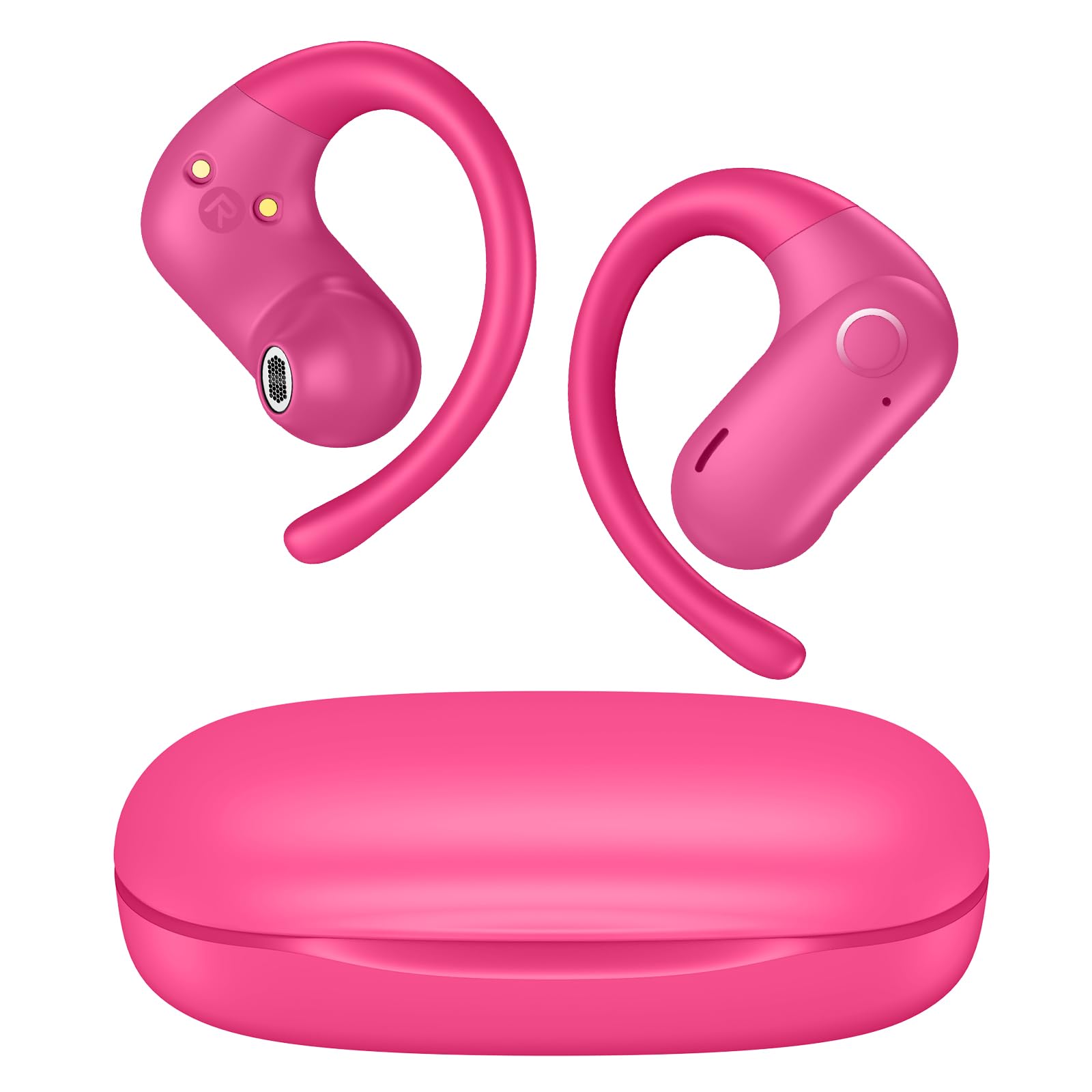
Image: kurdene Open Ear Buds Wireless Headphones, showcasing the hot pink color variant.
Setup
1. What's in the Box
- kurdene Open Ear Buds (Left and Right)
- Charging Case
- Charging Cable
- User Manual
2. Charging the Earbuds and Case
Before first use, fully charge the earbuds and the charging case. Connect the charging cable to the charging case and a power source. The indicator lights on the case will show the charging status. A full charge provides up to 12 hours of continuous playtime for the earbuds, with the charging case offering an additional 48 hours, totaling 60 hours of battery life.

Image: Visual representation of the 60-hour total battery life, detailing 12 hours from a single earbud charge and 48 hours provided by the charging case.
3. Pairing with Your Device
- Ensure the earbuds are charged and placed in the charging case.
- Open the charging case. The earbuds will automatically enter pairing mode, indicated by a flashing LED light.
- On your device (smartphone, tablet, computer), enable Bluetooth.
- Search for available Bluetooth devices and select "OWS9I" from the list.
- Once connected, the LED indicator on the earbuds will stop flashing, and your device will confirm the connection.
The latest Bluetooth 5.4 technology ensures a faster data transfer and an ultra-stable connection up to 33 feet (10 meters).

Image: Diagram illustrating Bluetooth 5.4 technology and the one-step pairing process with various devices.
Operating Instructions
1. Wearing the Earbuds
The kurdene Open Ear Buds feature a unique open-ear design that rests gently and securely on top of your ears, providing a natural, pressure-free listening experience. The soft silicone ear hooks ensure a snug and stable fit for various activities.
- Gently place the earbud over your ear, ensuring the speaker portion is positioned near your ear canal without entering it.
- Adjust the ear hook to fit comfortably and securely around the back of your ear.

Image: A woman wearing the open-ear earbuds, demonstrating the comfortable and lightweight design.

Image: Detailed diagram illustrating the correct method for inserting and adjusting the open-ear earbuds for optimal comfort and stability.
2. Smart Touch Controls
Each earbud features intuitive touch controls for managing music playback, calls, and voice assistants without needing to access your phone.
| Action | Function |
|---|---|
| Single Tap | Play/Pause Music, Answer/End Call |
| Double Tap (Left Earbud) | Previous Track |
| Double Tap (Right Earbud) | Next Track |
| Triple Tap | Activate Voice Assistant |
| Press and Hold (Left Earbud) | Volume Down |
| Press and Hold (Right Earbud) | Volume Up |
| Press and Hold (Incoming Call) | Reject Call |

Image: A man demonstrating the use of smart touch controls on the earbud while engaged in an outdoor activity.
3. Sound Quality
Equipped with 16.1mm vibrating diaphragm drivers, these earbuds deliver powerful bass, crisp mids, and clear treble for a rich, immersive sound experience.

Image: An exploded view diagram highlighting the internal components responsible for Hi-Fi stereo sound, including the 10mm Graphene Diaphragm.
4. Making Calls
The built-in microphones isolate your voice for crystal-clear call quality, ensuring your conversations are always loud and clear, even in noisy environments.

Image: Two scenarios depicting individuals using the earbuds for clear communication, one in a car and another at a cafe.
Maintenance
Proper maintenance ensures the longevity and optimal performance of your kurdene Open Ear Buds.
- Cleaning: Regularly wipe the earbuds and charging case with a soft, dry, lint-free cloth. Avoid using abrasive materials or harsh chemicals.
- Storage: When not in use, store the earbuds in their charging case to protect them from dust and damage. Store in a cool, dry place away from extreme temperatures.
- Charging: Use only the provided charging cable or a certified equivalent. Avoid overcharging the device.
- Water Exposure: While designed for active use, avoid submerging the earbuds in water. Clean any moisture immediately with a dry cloth.
Troubleshooting
If you encounter issues with your earbuds, refer to the following common solutions:
- Earbuds not pairing:
1. Ensure both earbuds are fully charged.
2. Place earbuds back into the charging case, close the lid, then open it again to re-enter pairing mode.
3. Turn off and on your device's Bluetooth, then try searching for "OWS9I" again.
4. If issues persist, try resetting the earbuds (refer to manufacturer's website for specific reset instructions if not detailed here). - One earbud not working/charging:
1. Check if the earbud is properly seated in the charging case and making contact with the charging pins.
2. Clean the charging contacts on both the earbud and the case with a dry cotton swab.
3. Ensure the charging case itself has sufficient power. - Low volume or poor sound quality:
1. Adjust the volume on both your connected device and via the earbud touch controls.
2. Ensure the earbuds are worn correctly and securely on your ears.
3. Check for any obstructions on the earbud speakers and clean if necessary. - Intermittent connection:
1. Ensure your device is within the 33-foot (10-meter) Bluetooth range.
2. Avoid strong electromagnetic interference from other devices.
3. Disconnect and reconnect the earbuds from your device.
Specifications
| Feature | Detail |
|---|---|
| Brand | kurdene |
| Model Number | OWS9I |
| Ear Placement | Open Ear |
| Connectivity Technology | Wireless (Bluetooth) |
| Bluetooth Version | 5.4 |
| Bluetooth Range | 10 meters (33 feet) |
| Audio Driver Type | Dynamic Driver |
| Impedance | 32 ohm |
| Sensitivity | 88 dB |
| Control Type | Touch Control |
| Battery Life (Single Charge) | Up to 12 hours |
| Total Playtime (with Case) | Up to 60 hours |
| Built-In Media | Microphone Earphones |
| Material | Silicone (Enclosure) |
| Compatible Devices | Smartphones, Cellphones, Computers, Laptops, Tablets |
Warranty Information
The kurdene Open Ear Buds Wireless Headphones Model OWS9I come with a 1-year warranty from the date of purchase. This warranty covers manufacturing defects and issues arising from normal use. It does not cover damage caused by misuse, accidents, unauthorized modifications, or normal wear and tear. Please retain your proof of purchase for warranty claims.
Support
For further assistance, technical support, or warranty inquiries, please contact kurdene customer service through the retailer where the product was purchased or visit the official kurdene website for contact information.