
1. Introduction
This manual provides essential information for using your Samsung Galaxy S25 FE 5G smartphone. Please read it carefully to ensure proper and safe operation of your device. Keep this manual for future reference.
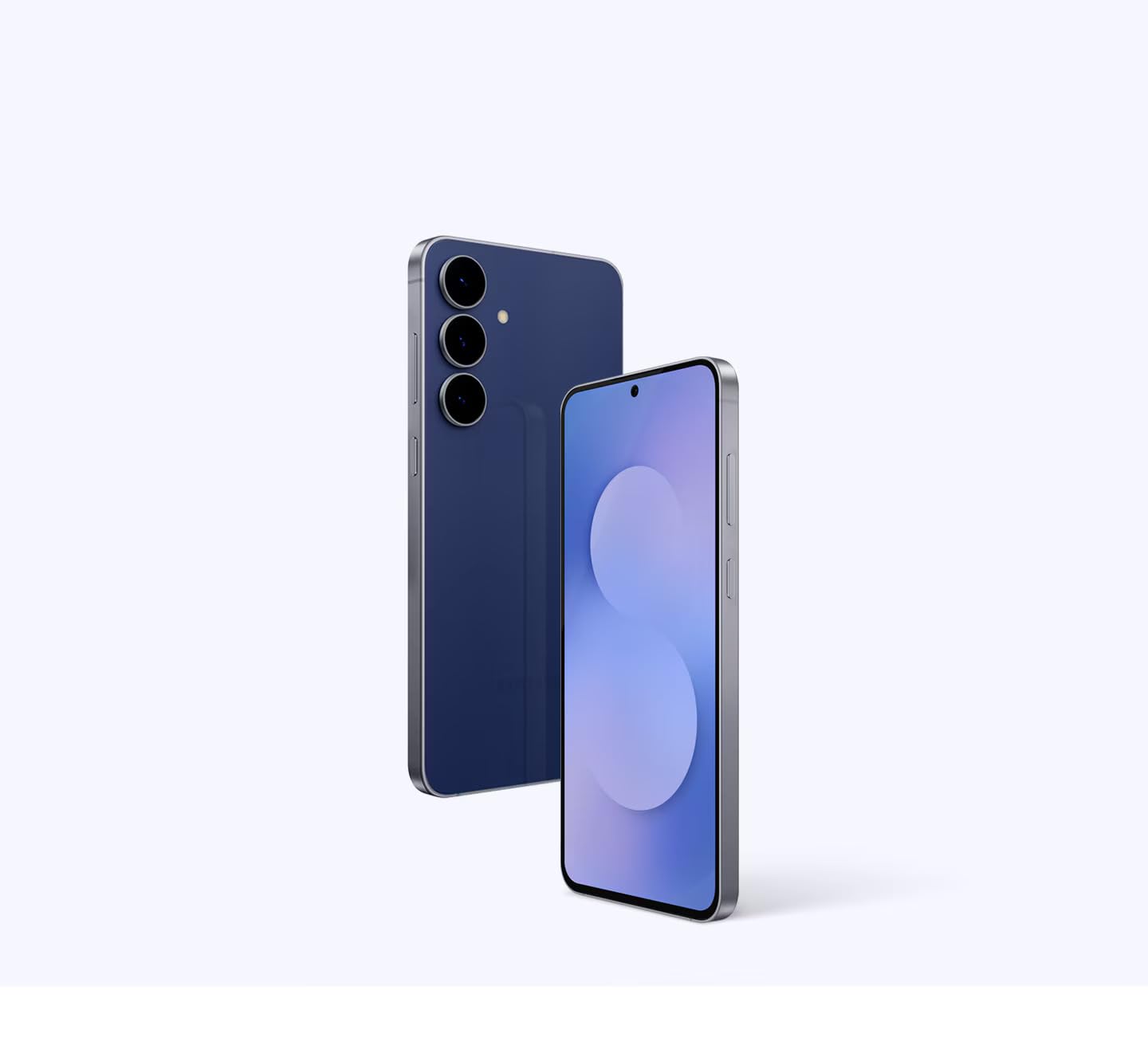
Figure 1: Samsung Galaxy S25 FE 5G Smartphone (Navy)
2. Setup
2.1. What's in the Box
- Samsung Galaxy S25 FE 5G Smartphone
- Data Cable (USB Type-C to USB Type-C)
- SIM Ejection Pin
- Quick Start Guide
2.2. Inserting the SIM Card
- Locate the SIM card tray on the side of your device.
- Insert the SIM ejection pin into the small hole next to the tray to open it.
- Place your Nano-SIM card(s) into the tray with the gold contacts facing down. This device supports Dual SIM.
- Gently push the tray back into the slot until it clicks into place.
2.3. Initial Power On and Setup
- Press and hold the Power button until the Samsung logo appears.
- Follow the on-screen prompts to select your language, connect to Wi-Fi, and set up your Google account.
- Configure security features such as fingerprint recognition or a PIN/pattern/password.
3. Operating Your Device
3.1. Device Overview

Figure 2: Slim and lightweight design of the Galaxy S25 FE 5G.
The Galaxy S25 FE features a slim design (7.4mm thin, 190g light) with minimal bezels for an immersive viewing experience. It includes a floating camera design for a sleek aesthetic.
3.2. Galaxy AI Features
Experience enhanced functionality with integrated Galaxy AI.
- Generative Edit (Photo Assist): Perfect your photos by moving, erasing, or auto-removing objects with AI precision. Requires a network connection and Samsung Account login. Editing may result in a resized photo, and a visible watermark indicates AI generation. The accuracy and reliability of the generated output are not guaranteed.

Figure 3: Using Generative Edit to modify a photo.
- Audio Eraser: Remove background noise from recordings to achieve clear, high-quality sound. Requires Samsung Account login. Effectiveness may vary depending on sound types (voices, music, wind, nature, crowd) and audio source/condition.

Figure 4: Audio Eraser interface showing noise reduction.
- Auto Trim: Automatically detect key moments, cut pauses, and remove repeats to create short, shareable video highlight reels. Maximum length per clip is 90 minutes, maximum combined length is 180 minutes, and maximum 60 clips per video project. Accuracy of results is not guaranteed.

Figure 5: Auto Trim feature for creating video highlights.
- My Filters: Create custom photo filters based on your existing photos to match your personal style. Actual UI/UX may differ, and results may vary depending on light conditions and shooting subjects.

Figure 6: Customizing photo filters with My Filters.
- Gemini Live: Speak naturally with Gemini to get real-time information, share images, and receive assistance with tasks like decoding clothing care tags. Gemini is a trademark of Google LLC. Requires internet connection and a Google Account login. Service availability and features may vary by country, language, device model, subscription, and account type. Users must be 13 or older (or applicable age in your country) to use Gemini with a personal Google Account, or 18 or older to use Gemini with a work account.

Figure 7: Interacting with Gemini Live for information.
3.3. Camera Features
The Galaxy S25 FE 5G is equipped with an advanced camera system featuring the AI ProVisual Engine.

Figure 8: Camera layout and specifications.
- AI ProVisual Engine: Boosts color, sharpness, and contrast in real-time for vibrant, detailed, and true-to-life shots. Results may vary depending on shooting conditions.
- Rear Cameras: 50 MP Wide-angle, 12 MP Ultra Wide, 8 MP 3x Optical Zoom Telephoto.
- Front Camera: 12 MP for stunningly detailed selfies, capturing richer tones, finer textures, and lifelike detail.

Figure 9: High-quality selfies with the 12 MP front camera.
- Nightography Video: Reduces grain and boosts detail to deliver clear, sharp photos and videos even in low-light conditions.

Figure 10: Capturing details in low light with Nightography.
- Shooting Modes: Bixby Vision, Dual Recording, Food, Hyperlapse, Night, Panorama, Photo, Portrait, Portrait Video, Pro, Pro Video, Single Take, Slow Motion, Video.
3.4. Performance and Display
- Processor: Equipped with the Exynos 2400 processor (3.2 GHz CPU speed) for smooth gaming, fast responsiveness, and realistic graphics with hardware-based ray-tracing. Features a 13% larger vapor chamber for cooling. Performance may vary depending on game optimization, app usage, and device settings.

Figure 11: Enhanced gaming experience on Galaxy S25 FE 5G.
- Display: 6.7-inch FHD+ AMOLED display with up to 120 Hz refresh rate, slim bezels, and Vision Booster for a brighter screen. Measured diagonally, the screen size is 6.7" (171.1 mm) in the full rectangle and 6.6" (166.4 mm) accounting for the rounded corners. Actual viewable area is less due to the rounded corners and the camera hole.

Figure 12: Immersive display with vibrant visuals.
3.5. Battery and Charging
The Galaxy S25 FE features a long-lasting 4900mAh battery for all-day performance.
- Battery Capacity: 4900 mAh (typical). Actual battery life may vary depending on network environment, app usage, feature settings, call and message frequency, charging habits, and other factors.
- Fast Charging: Supports wired charging up to 45W and wireless charging up to 15W. Can power up to 65% in just 30 minutes for extended use.

Figure 13: Battery status and power saving options.
3.6. Connectivity
- Cellular Technology: 5G
- Wireless Network Technology: Bluetooth, GSM, Wi-Fi
- Network Connectivity Technology: Bluetooth, NFC, USB, Wi-Fi
- Connector Type: USB Type C
4. Maintenance
4.1. Cleaning Your Device
To clean your device, gently wipe it with a soft, lint-free cloth. Avoid using harsh chemicals or abrasive materials that could damage the screen or finish.
4.2. Software Updates
Regularly check for and install software updates to ensure your device has the latest features, security patches, and performance improvements. Navigate to Settings > Software update > Download and install.
4.3. Battery Care
- Avoid exposing the device to extreme temperatures.
- Do not let the battery completely drain frequently.
- Use only Samsung-approved chargers and cables.
4.4. Durability and Water Resistance

Figure 14: Enhanced durability features.
The Galaxy S25 FE is designed for durability, featuring Corning Gorilla Glass Victus+ and an enhanced Armor Aluminum frame. It is rated IP68 for dust and water resistance, based on lab test conditions for submersion in up to 1.5 meters of freshwater for up to 30 minutes and for protection against a solid object greater than 1 mm such as a wire. It is not advised for beach or pool use. Water resistance of the device is not permanent and may diminish over time due to normal wear and tear. It is not dust or sand resistant.
5. Troubleshooting
5.1. Common Issues and Solutions
- Device not turning on: Ensure the battery is charged. Connect the device to a charger and wait a few minutes before attempting to power it on.
- Screen frozen or unresponsive: Press and hold the Power button and Volume Down button simultaneously for more than 7 seconds to force restart the device.
- Battery draining quickly: Check background app usage in Settings > Battery and device care. Reduce screen brightness, disable unnecessary features like Always On Display, or limit location services.
- Device overheating: Close unused apps, reduce screen brightness, or avoid using the device while charging for extended periods. If overheating persists, contact support.
- Network connectivity issues: Toggle Airplane Mode on and off. Restart the device. Check SIM card insertion.
5.2. Factory Reset (Last Resort)
A factory reset will erase all data from your device. Back up important data before proceeding. Navigate to Settings > General management > Reset > Factory data reset and follow the on-screen instructions.
6. Specifications
| Feature | Specification |
|---|---|
| Brand | Samsung |
| Model Year | 2025 |
| Operating System | Android 16 |
| CPU Model | Exynos 2400 S5E9945 |
| CPU Speed | 3.2 GHz |
| RAM Memory Installed Size | 8 GB |
| Memory Storage Capacity | 128 GB |
| Colour | Navy |
| SIM Card Slot Count | Dual SIM |
| Sim Card Size | Nano |
| Connector Type | USB Type C |
| Form Factor | Bar |
| Biometric Security Feature | Fingerprint Recognition |
| Water Resistance Level | Water Resistant (IP68) |
| Front Photo Sensor Resolution | 12 MP |
| Rear Facing Camera Photo Sensor Resolution | 12 MP (Ultra Wide), 50 MP (Wide), 8 MP (Telephoto) |
| Number of Rear Facing Cameras | 3 |
| Number of Front Cameras | 1 |
| Digital Zoom | 10 x |
| Battery Capacity | 4900 Milliamp Hours |
| Item Weight | 213 Grams |
| Item Dimensions | 7 x 77 x 161 Millimeters |
| Screen Size | 6.7 Inches |
| Resolution | 1080 x 2340 Pixels |
| Refresh Rate | 120 Hz |
| Display Type | AMOLED |
| Cellular Technology | 5G |
| Supported Satellite Navigation System | BeiDou, GLONASS, GPS, Galileo |
| Video Capture Resolution | 8K |
7. Warranty and Support
7.1. Warranty Information
Your Samsung Galaxy S25 FE 5G comes with a 1 Year Manufacturer Warranty for the device and a 6 Months Manufacturer Warranty for in-box accessories from the date of purchase.
7.2. Manufacturer Contact Information
Samsung India Electronics Pvt. Ltd.
Registered Office at: 6th Floor, DLF Centre, Sansad Marg, New Delhi-110001
For further assistance, please visit the official Samsung support website or contact their customer service.


