
1. Introduction
This manual provides essential information for using your Samsung Galaxy S25 5G smartphone. It covers initial setup, basic operations, key features, maintenance, and troubleshooting to help you maximize your device's capabilities.
The Samsung Galaxy S25 5G is a high-performance smartphone featuring a Snapdragon 8 Elite for Galaxy processor, a 50MP triple camera system, a 6.2-inch Dynamic AMOLED 2X display, and a 4000mAh battery, all designed for a premium mobile experience.
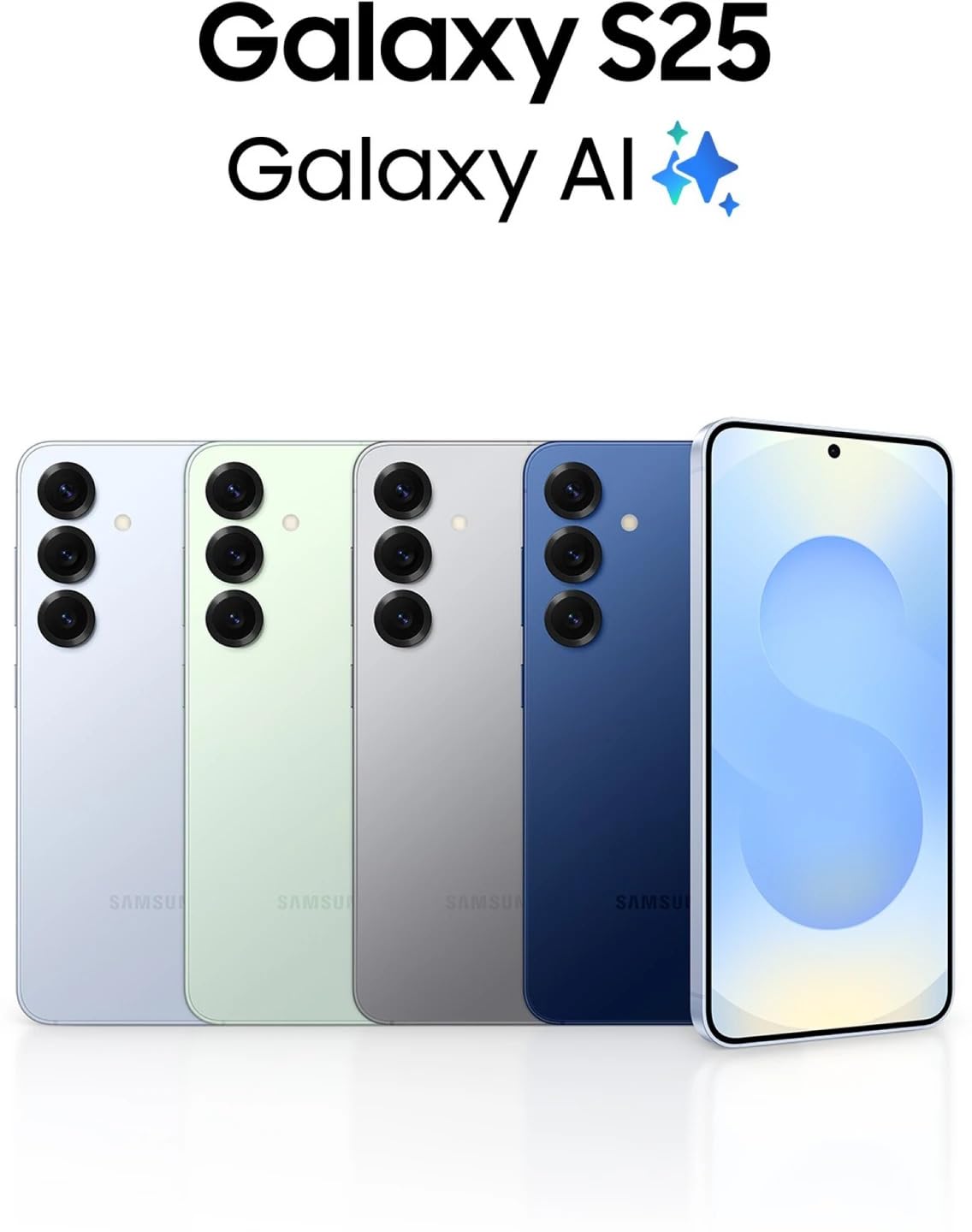
Image: Samsung Galaxy S25 5G in multiple color options, highlighting the Galaxy AI features.
2. Setup
2.1. Unboxing and Package Contents
Carefully unpack your Samsung Galaxy S25 5G. The box should contain the following items:
- Samsung Galaxy S25 5G Smartphone
- USB-C Charge Cable
- Ejection Pin

Image: The items included in the Samsung Galaxy S25 5G retail package.
2.2. Inserting the SIM Card
The Galaxy S25 5G supports Dual SIM functionality. To insert your SIM card(s):
- Locate the SIM card tray on the side of your device.
- Insert the ejection pin into the small hole next to the tray to open it.
- Place your Nano-SIM card(s) into the tray with the gold contacts facing down.
- Carefully push the tray back into the slot until it clicks into place.
2.3. Charging the Battery
Before first use, it is recommended to fully charge the device. Connect the USB-C cable to the phone's charging port and the other end to a compatible power adapter (sold separately) or a computer's USB port.
2.4. Powering On and Initial Setup
Press and hold the Power/Side key until the Samsung logo appears. Follow the on-screen prompts to complete the initial setup, including language selection, Wi-Fi connection, Google account setup, and security settings.
3. Operating Your Device
3.1. Basic Navigation
The Galaxy S25 5G features a responsive touchscreen for navigation. Use gestures such as tapping, swiping, pinching, and spreading to interact with the interface.
- Home Screen: Your central hub for apps and widgets.
- App Drawer: Access all installed applications.
- Notification Panel: Swipe down from the top of the screen to view notifications and quick settings.
3.2. Making Calls and Sending Messages
Use the Phone app to make calls and the Messages app to send and receive text messages. Ensure your SIM card is active and has network coverage.
3.3. Connecting to Networks
Connect to Wi-Fi networks for internet access or utilize the device's 5G cellular technology for high-speed mobile data. Access these settings via the Notification Panel or the Settings app.
3.4. Personalized Briefings with Now Brief
The "Now Brief" feature provides personalized briefings for your day, including weather updates, calendar events, and other relevant information. This helps you stay informed at a glance.

Image: The "Now Brief" interface displaying a morning briefing with weather, energy score, and event schedule.
3.5. Audio Eraser Functionality
Utilize the "Audio Eraser" feature to enhance audio recordings by reducing unwanted background noise. This allows for clearer sound capture and playback.

Image: The "Audio Eraser" interface showing sound analysis and controls for noise reduction.
4. Camera Features
The Samsung Galaxy S25 5G is equipped with a Pro-Grade Triple Camera System, enabling high-quality photography and videography.
- 50MP Wide-angle Camera: For detailed and vibrant main shots with 2x Optical Quality Zoom.
- 12MP Ultra-wide Camera: Capture broader scenes and landscapes.
- 10MP Telephoto Lens: Offers 3x Optical Zoom for clear distant subjects.
- 12MP Selfie Camera: For sharp front-facing photos and video calls.
The camera supports various shooting modes, including High Dynamic Range (HDR), and can record videos up to 4K resolution.

Image: Detailed breakdown of the Galaxy S25 5G camera system and its specifications.
5. Display Features
The Galaxy S25 5G features a 6.2-inch Dynamic AMOLED 2X Display, providing vibrant colors, deep contrasts, and smooth visuals. This display technology ensures an immersive viewing experience for all content.
- Size: 6.2 inches
- Type: Dynamic AMOLED 2X
- Resolution: 2340 x 1080 Pixels (FHD+)
- Peak Brightness: Up to 4500 Nits

Image: Visual comparison illustrating the screen size of the Galaxy S25 (6.2 inches) relative to the Galaxy S25+.
6. Battery Management
Your Galaxy S25 5G is powered by a 4000mAh battery, optimized for all-day usage. To ensure optimal battery life:
- Use the provided USB-C cable for charging.
- Avoid extreme temperatures.
- Manage background app usage and screen brightness.
- The device supports fast charging and wireless charging (accessories sold separately).
Image: Information on the Galaxy S25 5G's 4000mAh battery, indicating up to 29 hours of video playback.
7. Maintenance
Proper maintenance helps prolong the life of your device:
- Cleaning: Use a soft, lint-free cloth to clean the screen and body. Avoid harsh chemicals.
- Water Resistance: The device is water-resistant. However, avoid intentional submersion or exposure to high-pressure water. Refer to the official Samsung website for specific IP rating details and precautions.
- Software Updates: Keep your device's software updated to ensure optimal performance and security.
8. Troubleshooting
If you encounter issues with your device, try the following common troubleshooting steps:
- Restart Device: A simple restart can resolve many minor software glitches. Press and hold the Power/Side key, then tap "Restart."
- Check for Updates: Ensure your device's software is up to date. Go to Settings > Software update.
- Clear Cache: If an app is misbehaving, try clearing its cache (Settings > Apps > [App Name] > Storage > Clear cache).
- Factory Reset: As a last resort, you can perform a factory data reset (Settings > General management > Reset > Factory data reset). Warning: This will erase all data on your device. Back up important information before proceeding.
- Contact Support: If problems persist, refer to the Warranty and Support section for contact information.
9. Specifications
Key technical specifications for the Samsung Galaxy S25 5G:
| Brand | Samsung |
| Model | Galaxy S25 5G |
| Operating System | Android |
| Processor | Snapdragon 8 Elite for Galaxy (Octa-core, up to 4.47 GHz) |
| RAM | 12 GB |
| Internal Storage | 128 GB |
| Display Size | 6.2 Inches |
| Display Type | Dynamic AMOLED 2X |
| Maximum Display Resolution | 2340 x 1080 Pixels |
| Rear Camera | 50 MP (Wide) + 12 MP (Ultra-wide) + 10 MP (Telephoto) |
| Front Camera | 12 MP |
| Battery Capacity | 4000 mAh |
| Connectivity | 5G, Wi-Fi, Bluetooth, USB Type-C |
| SIM Card Slot Count | Dual SIM |
| Water Resistance Level | Water Resistant |
| Item Weight | 162 Grams |
| Item Dimensions | 14.7 x 7 x 0.7 Centimeters |
10. Warranty and Support
10.1. Warranty Information
Your Samsung Galaxy S25 5G comes with a 1 Year Warranty from the manufacturer. Please retain your proof of purchase for warranty claims. For detailed terms and conditions, refer to the warranty card included in your product packaging or visit the official Samsung support website.
10.2. Customer Support
For further assistance, technical support, or service inquiries, please contact Samsung customer support through their official channels:
- Online Support: Visit the official Samsung support website for FAQs, manuals, and software downloads.
- Phone Support: Refer to the contact numbers provided in your region's Samsung support documentation.
- Service Centers: Locate authorized Samsung service centers for in-person assistance.
Manufacturer Contact Information: Samsung India Electronics Pvt. Ltd. 6th Floor, DLF Center, Sansad Marg, New Delhi 110001.


