
1. Introduction
This manual provides essential information for the safe and efficient operation of your Sumry 3.6kW 24V Hybrid Off-Grid Solar Inverter. Please read this manual thoroughly before installation and use, and retain it for future reference. This inverter is designed to provide pure sine wave power for various off-grid applications, integrating solar power, battery power, and utility power management.
1.1 Safety Instructions
- Qualified Personnel: Installation and maintenance must be performed by qualified personnel.
- Ventilation: Ensure adequate ventilation around the inverter to prevent overheating.
- Water Exposure: Do not expose the inverter to rain, snow, or liquids of any type.
- Proper Grounding: The inverter must be properly grounded.
- Disconnect Power: Always disconnect all power sources (solar, battery, utility) before performing any maintenance or wiring.
- Battery Safety: Work with batteries carefully. Wear eye protection and avoid contact with battery acid.
2. Product Overview
The Sumry 3.6kW 24V Hybrid Off-Grid Solar Inverter is a versatile power solution featuring a pure sine wave output, an integrated 120A MPPT charge controller, and the ability to operate without a battery. It supports solar panel input up to 500VDC and offers dual AC outputs.

Figure 2.1: Front, side, and top views of the Sumry 3.6kW Hybrid Off-Grid Solar Inverter. The image displays the blue casing, front display panel, and various connection ports on the bottom and side.
2.1 Key Features
- Hybrid Off-Grid Inverter: Provides 3600W pure sine wave output at 110V/120V.
- Battery-Free Operation: Capable of operating directly from solar panels without a connected battery bank.
- Integrated MPPT Charge Controller: 120A MPPT controller supports solar input up to 500VDC and a maximum input power of 6200W.
- 24V System Compatibility: Designed for 24V battery systems, suitable for medium-sized off-grid installations.
- Dual Output: Features two independent power outputs for connecting multiple circuits.
- Color Display Panel: Allows easy monitoring of system parameters.
3. Package Contents
Upon unpacking, please verify that all items are present and undamaged:
- Sumry 3.6kW 24V Hybrid Off-Grid Solar Inverter
- User Manual (this document)
- Mounting hardware (screws, wall anchors)
- Communication cables (if applicable, for BMS/WiFi/RS485/RS232)
4. Installation and Setup
4.1 Mounting the Inverter
The inverter is designed for wall mounting. Choose a location that is:
- Well-ventilated: To ensure proper heat dissipation.
- Protected: Away from direct sunlight, rain, and excessive dust.
- Accessible: For wiring connections and display monitoring.
- Sturdy: The wall must be able to support the inverter's weight (approximately 3.5 kg).
Use the provided mounting hardware to securely attach the inverter to the wall.
4.2 Wiring Connections
Refer to the diagram below for connection points. Ensure all connections are tight and correct polarity is observed for DC inputs.
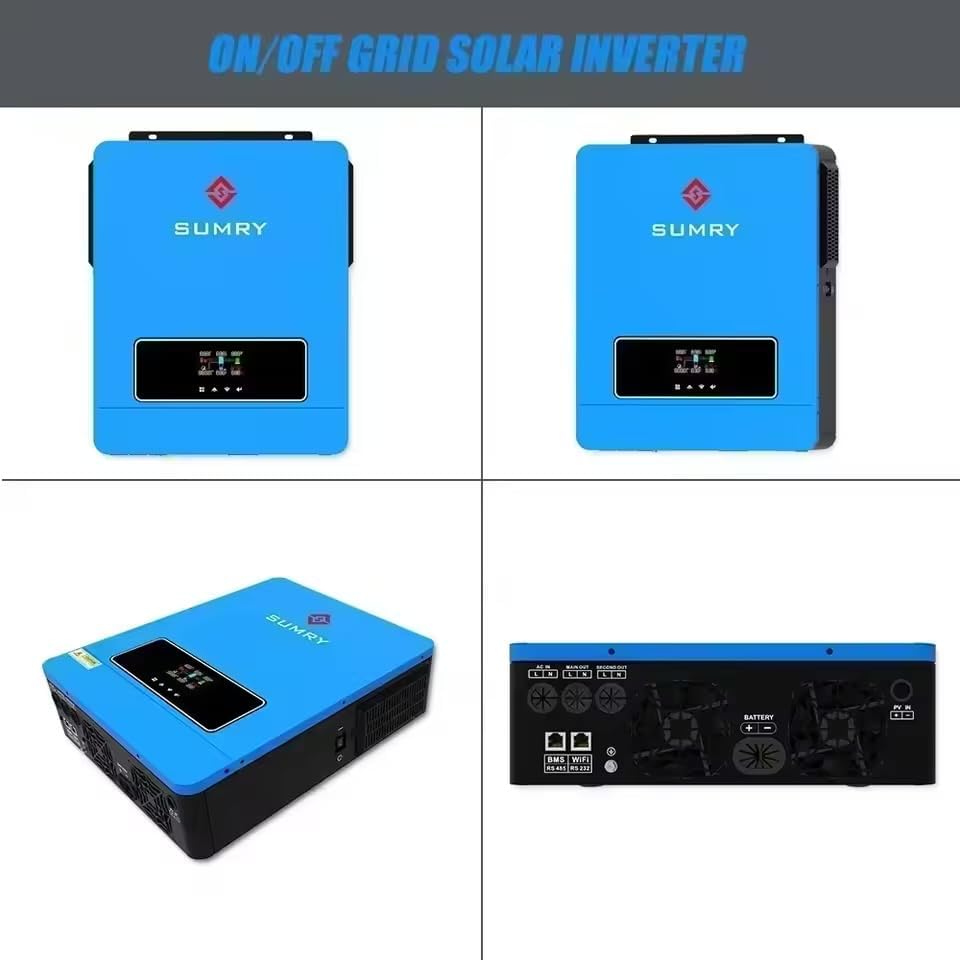
Figure 4.1: Inverter dimensions (420mm D x 310mm W x 110mm H) and communication ports. The image shows AC IN, MAIN OUT, SECOND OUT, Battery connections (+/-), PV IN (+/-), and dual communication ports for BMS, WiFi, RS485, and RS232.
- PV Input (PV IN): Connect solar panel strings to the PV input terminals. Observe maximum voltage (500VDC) and current limits.
- Battery Connection (BATTERY): Connect the 24V battery bank to the battery terminals. Ensure correct polarity.
- AC Input (AC IN): Connect the utility grid power to the AC input terminals.
- AC Output (MAIN OUT, SECOND OUT): Connect your loads to the main and secondary AC output terminals.
- Communication Ports: Use the BMS, WiFi, RS485, or RS232 ports for monitoring and advanced control, as required.
Important: All wiring must comply with local electrical codes and regulations. Consult a qualified electrician if unsure.
5. Operation
5.1 Powering On/Off
- Power On: Ensure all connections are secure. Turn on the battery breaker (if applicable), then the solar array breaker, and finally the AC input breaker. Press the power button on the inverter.
- Power Off: Reverse the power-on sequence: turn off AC input breaker, then solar array breaker, then battery breaker, and finally press the power button on the inverter.
5.2 Display and Indicators
The inverter features a color display panel that shows real-time operating status, input/output voltages, currents, power, and various system parameters. Refer to the on-screen menu for navigation and detailed information.
6. Configuration
The inverter allows configuration of charging source priority and AC output source priority to optimize energy usage based on your specific needs.
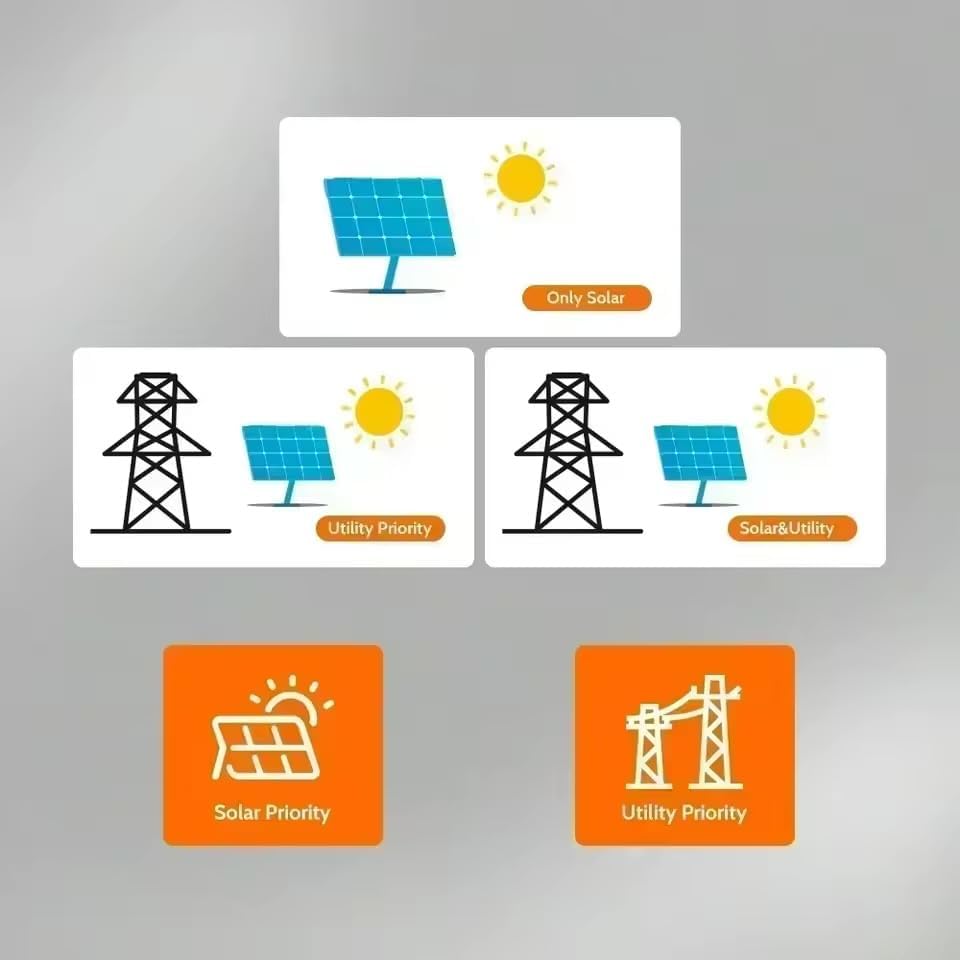
Figure 6.1: Configuration options for DC charging source and AC output source. Displays icons for Solar First, Grid First, Hybrid, and Solar Only for charging, and Solar First, Grid First, Battery First, and Hybrid for AC output.
6.1 Charging Source Priority
This setting determines the preferred energy source for charging the battery (if connected) and powering the loads.
- Solar First: Prioritizes solar power for charging and loads. Utility power is used only when solar is insufficient.
- Grid First: Prioritizes utility power for charging and loads. Solar power is used when utility is unavailable.
- Hybrid: Uses a combination of solar and utility power based on system settings and availability.
- Solar Only: Charges batteries and powers loads exclusively from solar energy.

Figure 6.2: Diagrams illustrating 'Only Solar', 'Utility Priority', and 'Solar & Utility' scenarios, along with 'Solar Priority' and 'Utility Priority' selection buttons.
6.2 AC Output Source Priority
This setting determines the preferred energy source for supplying AC power to your connected loads.
- Solar First: Prioritizes solar power to supply loads. Switches to battery or utility if solar is insufficient.
- Grid First: Prioritizes utility power to supply loads. Switches to solar or battery if utility is unavailable.
- Battery First: Prioritizes battery power to supply loads. Switches to solar or utility when battery is low.
- Hybrid: Automatically selects the most efficient source (solar, battery, or utility) based on availability and load demand.
7. Maintenance
Regular maintenance ensures the longevity and optimal performance of your inverter.
- Cleaning: Periodically clean the inverter's exterior with a dry cloth. Ensure ventilation openings are free from dust and debris.
- Connections: Annually inspect all wiring connections for tightness and signs of corrosion.
- Environment: Ensure the installation environment remains within specified temperature and humidity ranges.
- Battery Inspection: If using batteries, follow the battery manufacturer's maintenance guidelines.
8. Troubleshooting
If the inverter is not operating as expected, refer to the following basic troubleshooting steps:
| Problem | Possible Cause | Solution |
|---|---|---|
| No power output | Inverter off, input power disconnected, overload | Check power button, verify solar/battery/utility connections, reduce load. |
| Low output voltage | Low battery voltage, excessive load | Charge battery, reduce load. |
| Overload alarm | Connected load exceeds inverter capacity | Disconnect some loads. |
| Inverter not charging battery | Solar panels not connected, low solar input, charging settings incorrect | Check solar connections, ensure sufficient sunlight, verify charging priority settings. |
For persistent issues or error codes displayed on the screen, consult the full product manual or contact customer support.
9. Specifications
Key technical specifications for the Sumry 3.6kW 24V Hybrid Off-Grid Solar Inverter:
| Parameter | Value |
|---|---|
| Model Name | Híbrido Off-grid 3.6kw 24v Mppt 120a |
| Rated Power | 3600 Watts (3.6 kW) |
| Output Waveform | Pure Sine Wave |
| System Voltage | 24V |
| AC Output Voltage | 110V/120V |
| Max. PV Input Voltage | 500VDC |
| Max. PV Input Power | 6200 Watts |
| MPPT Charge Controller Current | 120 Amperes |
| Battery Capacity (Recommended) | 100 Ampere Hours (minimum) |
| Dimensions (L x W x H) | 420mm x 310mm x 110mm (approx. 25cm x 15cm x 25cm) |
| Item Weight | 3.5 Kilograms |
| Display Type | 4-Digit LED Display (Color Display Panel) |
| Communication Interfaces | BMS, WiFi, RS485, RS232 |
10. Warranty and Support
10.1 Warranty Information
This Sumry Hybrid Off-Grid Solar Inverter comes with a 90-day warranty from the date of purchase. This warranty covers manufacturing defects and faulty workmanship under normal use conditions. It does not cover damage caused by improper installation, misuse, accidents, unauthorized modifications, or natural disasters.
Please retain your proof of purchase for warranty claims.
10.2 Customer Support
For technical assistance, troubleshooting beyond this manual, or warranty inquiries, please contact your retailer or the manufacturer's customer support channel. Provide your product model number and purchase details when contacting support.


