
1. Introduction
Thank you for choosing the OHAYO S7 Portable Bluetooth Speaker. This speaker delivers 24W stereo sound with deep bass, crisp highs, and clear mids. It features IPX7 waterproofing, Bluetooth 5.3 connectivity, TWS pairing for enhanced audio, and dynamic RGB LED lights. This manual provides detailed instructions for setup, operation, and maintenance to ensure optimal performance and longevity of your device.
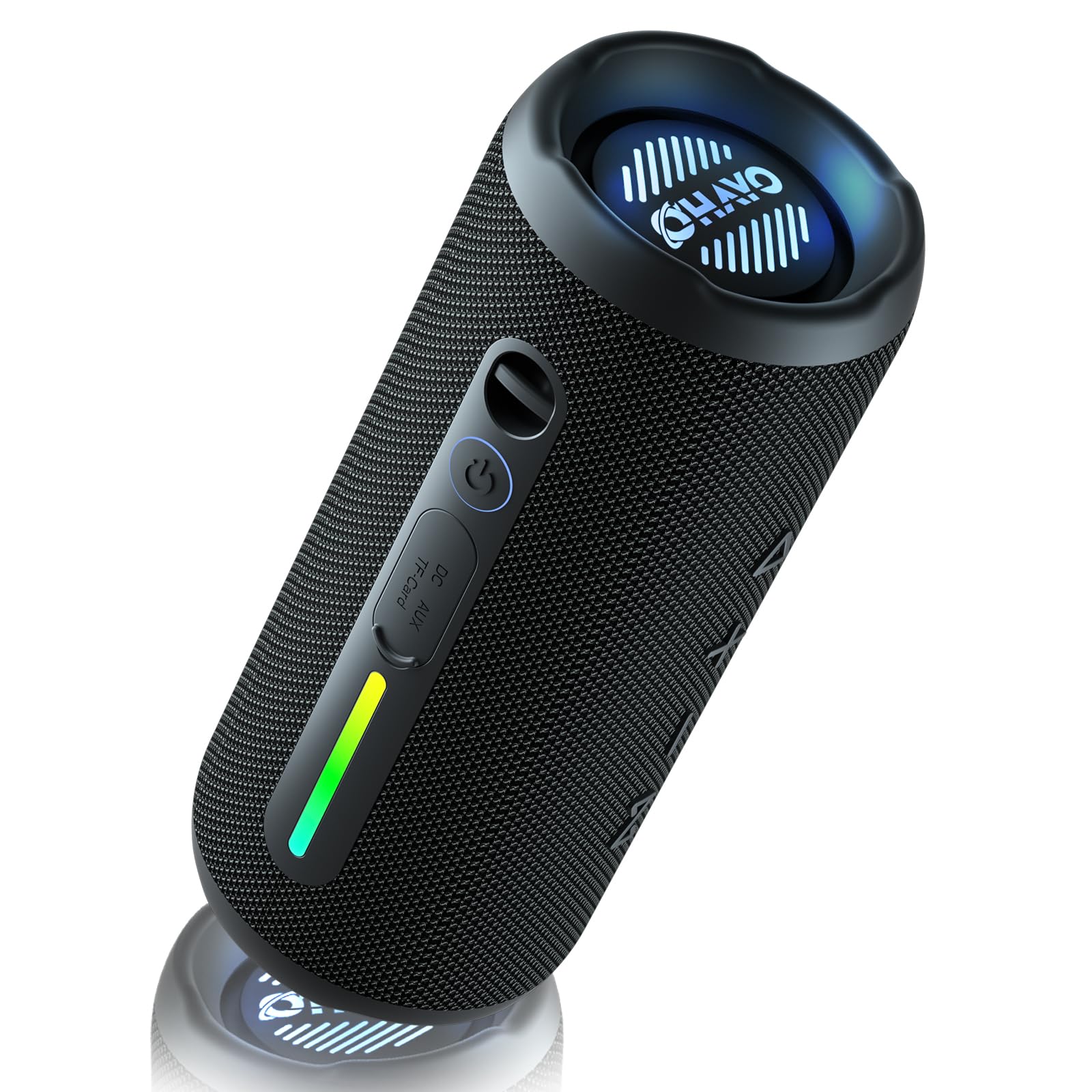
Image: The OHAYO S7 Portable Bluetooth Speaker, showcasing its sleek black design.
2. What's in the Box
Please check the package contents upon unboxing:
- 1 x OHAYO S7 Bluetooth Speaker
- 1 x USB-C Charging Cable
- 1 x 3.5mm AUX Cable
- 1 x Strap
- 1 x Quick Start Guide (this manual)
3. Product Overview
Familiarize yourself with the speaker's components and controls.

Image: Side view of the OHAYO S7 speaker, highlighting the control panel with buttons and ports.
Controls and Ports:
- Power Button: Press and hold to turn on/off.
- Play/Pause Button: Press to play or pause music.
- Volume Up (+): Press to increase volume. Hold to skip to the next track.
- Volume Down (-): Press to decrease volume. Hold to skip to the previous track.
- Mode Button (M): Press to cycle through input modes (Bluetooth, TF Card, AUX).
- LED Light Button: Press to change light modes. Hold to turn lights on/off.
- USB-C Charging Port: For charging the speaker.
- AUX-in Port: For wired audio connection.
- TF Card Slot: For playing music directly from a Micro SD card.
4. Setup
4.1 Charging the Speaker
Before first use, fully charge the speaker. Connect the provided USB-C cable to the speaker's charging port and the other end to a USB power adapter (not included) or a computer's USB port. The LED indicator will show charging status and turn off when fully charged. A full charge takes less than 3 hours.

Image: The OHAYO S7 speaker being charged via its USB-C port.
4.2 Powering On/Off
- To Power On: Press and hold the Power button for 2-3 seconds. You will hear an audible prompt, and the LED lights will activate.
- To Power Off: Press and hold the Power button for 2-3 seconds. You will hear an audible prompt, and the LED lights will turn off.
4.3 Bluetooth Pairing
- Ensure the speaker is powered on and in Bluetooth mode (indicated by a flashing blue LED). If not, press the Mode button until it enters Bluetooth mode.
- On your device (smartphone, tablet, computer), enable Bluetooth and search for available devices.
- Select "OHAYO S7" from the list of devices.
- Once connected, the speaker will emit an audible confirmation, and the blue LED will stop flashing and remain solid.
The speaker will automatically attempt to reconnect to the last paired device when powered on.

Image: Illustration of the OHAYO S7 speaker's advanced Bluetooth 5.3 technology for stable connections.
4.4 True Wireless Stereo (TWS) Pairing
To achieve 360° immersive audio, you can pair two OHAYO S7 speakers together:
- Ensure both OHAYO S7 speakers are powered on and in Bluetooth pairing mode (flashing blue LED) and not connected to any other device.
- On one of the speakers (this will be the primary speaker), double-press the Power button. The speaker will emit a sound indicating it's searching for another speaker.
- The two speakers will automatically connect to each other. Once connected, you will hear a confirmation sound, and the LED on the primary speaker will flash blue, while the secondary speaker's LED will be solid blue.
- Now, connect your device to the primary speaker via Bluetooth as described in section 4.3.
Once TWS paired, both speakers will play audio simultaneously, providing a combined 48W output.

Image: Two OHAYO S7 speakers configured for wireless stereo pairing, enhancing the audio experience.
5. Operating Instructions
5.1 Music Playback
- Play/Pause: Press the Play/Pause button.
- Volume Up: Press the '+' button.
- Volume Down: Press the '-' button.
- Next Track: Hold the '+' button.
- Previous Track: Hold the '-' button.
5.2 EQ Modes
The OHAYO S7 offers two Equalizer (EQ) modes:
- Bass Mode: Provides enhanced bass for genres like EDM and hip-hop.
- Music Mode: Offers crisp vocals and balanced sound for podcasts and acoustic music.
To switch between EQ modes, double-press the Power button.
5.3 LED Light Modes
The speaker features dynamic RGB LED lights that can be customized:
- Change Light Mode: Press the LED Light button to cycle through various dynamic RGB color themes that pulse with the music.
- Night Lamp Mode: A standalone mode for a soothing glow without music.
- Turn Lights On/Off: Hold the LED Light button to activate or deactivate the lights.

Image: The OHAYO S7 speaker showcasing its dynamic 7-color beat-synced light show.
5.4 AUX-in Mode
For non-Bluetooth devices, use the AUX-in port:
- Connect one end of the 3.5mm AUX cable to the speaker's AUX-in port.
- Connect the other end to the audio output jack of your device.
- The speaker will automatically switch to AUX-in mode, or you may need to press the Mode button to select it.
5.5 TF Card Mode
Play music directly from a Micro SD (TF) card:
- Insert a TF card (with supported audio files) into the TF card slot.
- The speaker will automatically switch to TF Card mode, or you may need to press the Mode button to select it.
5.6 Hands-Free Calling
When connected via Bluetooth to a smartphone, the speaker can be used for hands-free calls:
- Answer Call: Press the Play/Pause button once.
- End Call: Press the Play/Pause button once during a call.
- Reject Call: Hold the Play/Pause button for 2 seconds.
6. Waterproofing (IPX7)
The OHAYO S7 speaker is IPX7 rated, meaning it is protected against the effects of temporary immersion in water. It can withstand submersion in up to 1 meter (3.3 feet) of water for up to 30 minutes. This makes it suitable for use by the pool, at the beach, or in the shower.
- Ensure all port covers are securely closed before exposing the speaker to water.
- Do not intentionally submerge the speaker for extended periods or beyond the specified depth.
- Rinse with fresh water after exposure to saltwater or chlorinated water.

Image: The OHAYO S7 speaker in water, illustrating its IPX7 waterproof capability.
7. Battery Life & Charging
The OHAYO S7 is equipped with a 5200mAh battery, providing up to 30 hours of playtime on a single charge (at 60% volume). Actual battery life may vary based on volume level, audio content, and usage of LED lights.
- Charging Time: Approximately 3 hours for a full charge.
- Battery Indicator: The LED light bar indicates the remaining battery level.
- For optimal battery longevity, avoid fully discharging the speaker frequently.

Image: Graphic illustrating the OHAYO S7 speaker's 30-hour battery life, suitable for extended use.
8. Maintenance
- Cleaning: Wipe the speaker with a soft, damp cloth. Do not use abrasive cleaners or solvents.
- Storage: Store the speaker in a cool, dry place away from extreme temperatures and direct sunlight.
- Port Covers: Always ensure the charging and AUX-in port covers are securely closed when not in use, especially near water, to maintain waterproofing.
9. Troubleshooting
| Problem | Possible Solution |
|---|---|
| Speaker does not power on. | Ensure the speaker is charged. Connect to a power source and try again. |
| Cannot pair via Bluetooth. |
|
| No sound or low volume. |
|
| TWS pairing fails. |
|
| LED lights are not working. | Press the LED Light button to cycle modes or hold it to turn them on. Ensure the speaker has sufficient battery. |
10. Specifications
| Feature | Detail |
|---|---|
| Brand | OHAYO |
| Model Name | S7 |
| Speaker Maximum Output Power | 24 watts |
| Connectivity Technology | Bluetooth 5.3, Auxiliary, TF/SD Micro Card |
| Bluetooth Range | Up to 66 feet (20 meters) |
| Water Resistance Level | IPX7 (Waterproof) |
| Battery Capacity | 5200mAh |
| Playtime | Up to 30 hours (at 60% volume) |
| Charging Time | Less than 3 hours |
| Audio Output Mode | Surround |
| Additional Features | Bass Boost, Hi-Res Audio, 2 EQ Modes, Dual Passive Radiators, Hands-free Calling, True Wireless Stereo (TWS), Shockproof, Dynamic RGB LED Lights |
| Item Dimensions (D x W x H) | 2.95"D x 2.95"W x 7.01"H |
| Item Weight | 16 ounces |
11. Warranty & Support
The OHAYO S7 Portable Bluetooth Speaker comes with a Lifetime Warranty. For any product inquiries, technical support, or warranty claims, please contact OHAYO customer service through the retailer where you purchased the product or visit the official OHAYO website for contact information.
Please retain your proof of purchase for warranty purposes.


