
1. Introduction
Thank you for choosing the Bewinner 15.6-inch Portable Monitor. This device is designed to enhance your productivity and entertainment experience by providing a versatile second display for various devices. This manual will guide you through the setup, operation, and maintenance of your new portable monitor.
2. Package Contents
Please check the package for the following items:
- 1 x Bewinner 15.6-inch Portable Monitor
- 1 x HD Multimedia Interface (HDMI) Cable
- 1 x USB-C to USB-C Cable
- 1 x USB Power Cable (USB-A to USB-C)
- 1 x User Manual

Image: The Bewinner portable monitor shown with its included accessories: an HDMI cable, a USB-C to USB-C cable, and a USB-A to USB-C power cable.
3. Product Overview
The Bewinner portable monitor features a 15.6-inch FHD display with a resolution of 1600x900, offering a 178° wide viewing angle and 125% sRGB color gamut for vivid visuals. It supports HDR technology and includes flicker-free and blue light reduction features for eye protection during extended use. The monitor is designed for portability, weighing 1.76 lbs and measuring only 0.52 inches thick.
Key Features:
- Display: 15.6-inch FHD (1600x900) with 125% sRGB and 178° wide viewing angle.
- Connectivity: Full-featured USB Type-C port and HD Multimedia Interface (HDMI) port.
- Audio: Dual 7Ω 1W speakers and a 3.5mm headphone jack.
- Stand: Integrated adjustable stand (0°-80°).
- Mounting: VESA mount compatible (75x75 mm, M4x4 mm).
- Portability: Ultra-slim and lightweight design.

Image: The Bewinner portable monitor showcasing its features: plug-and-play setup, vivid 125% sRGB color, ultra-portable design (1.76 lbs), and VESA mount compatibility.

Image: A close-up side view of the monitor, showing the various ports and control buttons for power and menu navigation.
4. Setup
Follow these steps to set up your Bewinner portable monitor:
- Unpack: Carefully remove the monitor and all accessories from the packaging.
- Position: Place the monitor on a stable surface. Adjust the integrated stand to your desired viewing angle (0°-80°).
- Power Connection: Connect the USB power cable (USB-A to USB-C) from a power adapter (not included) or a powered USB port to the monitor's USB-C power input.
- Device Connection:
- For USB-C Devices (with DisplayPort Alt Mode): Use the provided USB-C to USB-C cable to connect your laptop, smartphone, or gaming console (e.g., Switch, Steam Deck) to the monitor's full-featured USB-C port. This single cable can provide both power and video signal.
- For HDMI Devices: Use the provided HDMI cable to connect your device to the monitor's HDMI port. Ensure the monitor is also connected to a power source via the USB power cable.
- Power On: The monitor should automatically power on and detect the input signal. If not, press the power button on the monitor.

Image: The portable monitor connected to a laptop via a single USB-C cable, demonstrating its simple plug-and-play setup and multi-device compatibility.

Image: A user operating the Bewinner portable monitor alongside a laptop, illustrating a typical setup for extended display use.
5. Operating the Monitor
Display Modes:
The monitor supports various display modes to suit your needs:
- Mirror Mode: Duplicates your primary screen's content.
- Extend Mode: Extends your desktop space, allowing you to drag windows between screens.
- Second Screen Only Mode: Displays content only on the portable monitor.
- Portrait Mode: Allows you to rotate the display for vertical viewing, ideal for coding or document review.
These modes can typically be configured through your connected device's display settings (e.g., Windows Display Settings, macOS System Preferences).
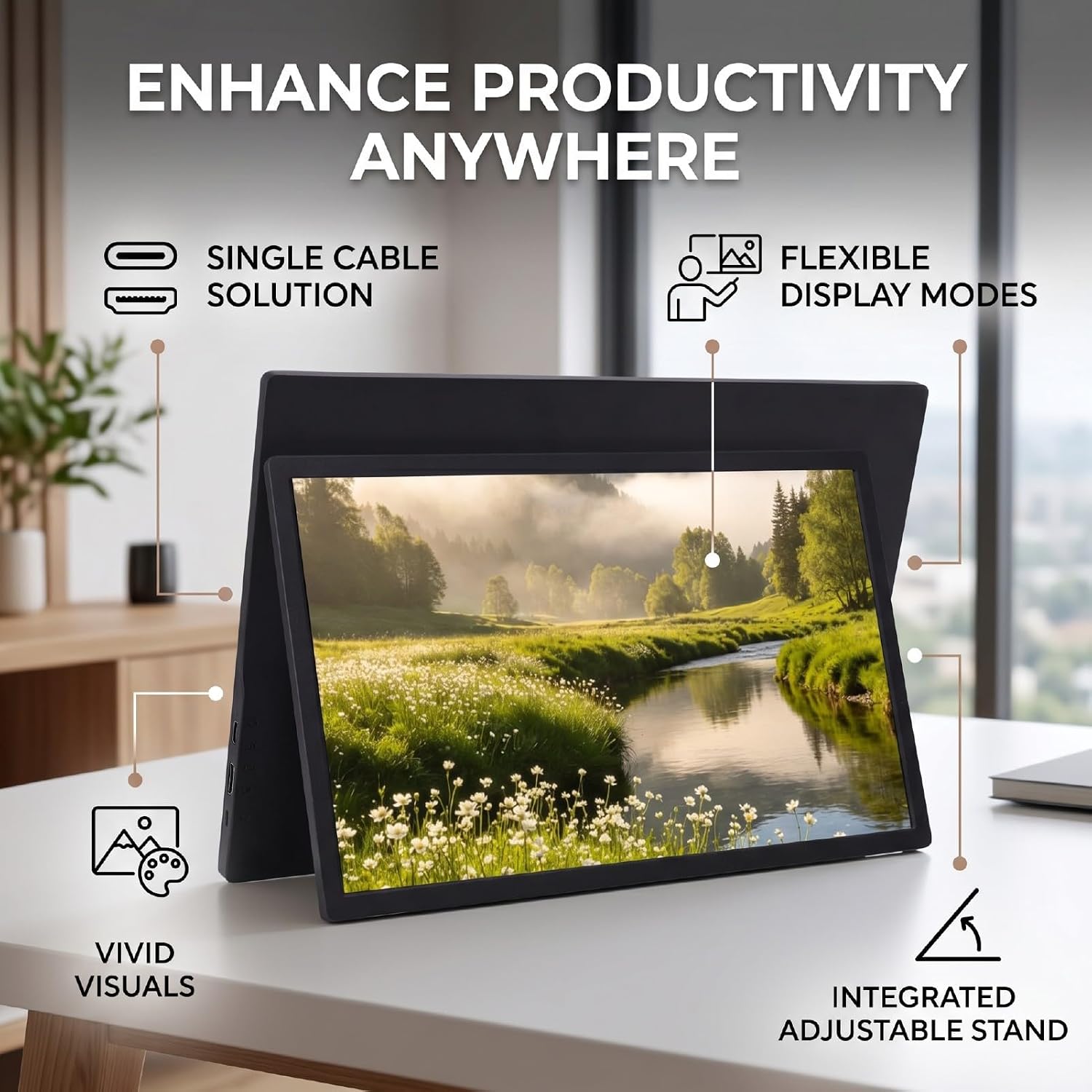
Image: The portable monitor positioned on a desk, illustrating its integrated adjustable stand and highlighting features like single cable solution, flexible display modes, and vivid visuals for enhanced productivity.
On-Screen Display (OSD) Menu:
Use the buttons on the side of the monitor to access and navigate the OSD menu. This menu allows you to adjust settings such as brightness, contrast, color temperature, input source, and HDR settings.
Audio Output:
The monitor features built-in dual speakers for audio output. You can also connect headphones or external speakers to the 3.5mm audio jack for private listening or enhanced sound.
6. Maintenance
To ensure the longevity and optimal performance of your Bewinner portable monitor, follow these maintenance guidelines:
- Cleaning the Screen: Gently wipe the screen with a soft, lint-free cloth. For stubborn marks, slightly dampen the cloth with water or a screen-cleaning solution. Avoid using harsh chemicals or abrasive materials.
- Cleaning the Casing: Use a soft, dry cloth to clean the monitor's casing.
- Storage: When not in use, store the monitor in a cool, dry place, away from direct sunlight and extreme temperatures.
- Handling: Handle the monitor with care. Avoid dropping it or subjecting it to strong impacts.
- Ventilation: Ensure the ventilation openings on the monitor are not blocked to prevent overheating.
7. Troubleshooting
If you encounter issues with your Bewinner portable monitor, refer to the following common problems and solutions:
- No Signal / Black Screen:
- Ensure all cables (power and video) are securely connected.
- Verify that your source device is powered on and outputting a video signal.
- Try a different video cable or port on both the monitor and your source device.
- If using USB-C, ensure your device's USB-C port supports DisplayPort Alt Mode.
- Check your device's display settings to ensure the external monitor is detected and enabled.
- No Power:
- Confirm the USB power cable is connected to a working power source.
- If using a USB-C connection for both power and video, ensure your source device can provide sufficient power. You may need to connect an external power adapter to the monitor.
- Press the power button on the monitor.
- Image Flickering or Distorted:
- Check cable connections for looseness or damage.
- Adjust the resolution and refresh rate settings on your source device.
- Try a different video cable.
- No Sound:
- Ensure the volume on the monitor and your source device is not muted or set too low.
- Check the audio output settings on your source device to ensure audio is directed to the portable monitor.
- If using headphones, ensure they are properly plugged into the 3.5mm audio jack.
If the problem persists, please contact Bewinner customer support for further assistance.
8. Specifications
| Feature | Specification |
|---|---|
| Brand | Bewinner |
| Model | Bewinner2cythrmsxq |
| Screen Size | 15.6 inches |
| Resolution | 1600x900 FHD |
| Refresh Rate | 60 Hz |
| Response Time | 1 Millisecond |
| Display Type | LED |
| Viewing Angle | 178° Wide Angle |
| Color Gamut | 125% sRGB |
| Interfaces | USB Type-C (full-featured), HD Multimedia Interface, 3.5mm Headphone Jack |
| Audio Output | Dual 7Ω 1W Speakers, 3.5mm Headphone Output |
| Adjustable Stand Angle | 0°-80° |
| VESA Mount | 75x75 mm (M4x4 mm) |
| Dimensions (DxWxH) | 41.5 x 26 x 5.5 cm |
| Country of Origin | China |

Image: The rear view of the Bewinner portable monitor, showing the integrated adjustable stand fully extended and the VESA mounting points.

Image: A detailed view of the back of the Bewinner portable monitor, highlighting the adjustable stand and the VESA mounting interface (75x75mm) for wall or desk installation.
9. Warranty and Support
Warranty Information:
This Bewinner portable monitor comes with a 90-day warranty from the date of purchase, covering manufacturing defects. Please retain your proof of purchase for warranty claims.
Extended warranty plans may be available for purchase separately:
- Assurant - 2 Years Monitor Extended Warranty
- Assurant - 3 Years Monitor Extended Warranty
- Assurant - 4 Years Monitor Extended Warranty
For details on extended warranty plans, please refer to the product listing or contact the seller.
Customer Support:
For technical assistance, troubleshooting, or warranty inquiries, please contact Bewinner customer support through the retailer where you purchased the product or visit the official Bewinner brand store online.
Bewinner Brand Store: Visit Bewinner Store