
Introduction
Welcome to the user manual for your new TTfone TT990 4G Flip Phone. This device combines the simplicity of a classic flip phone with the capabilities of Android 14, offering features like WhatsApp, large buttons, and an SOS function. This manual provides essential information for setting up, operating, maintaining, and troubleshooting your phone to ensure a smooth user experience.

The TTfone TT990 flip phone, open and displaying its Android 14 interface with various applications.
Setup
1. Package Contents
Before you begin, ensure all items are present in the box:
- TTfone TT990 Flip Phone
- 1 Non-standard Battery
- USB-C Cable
- Charging Cradle
- Quick Start Guide

The TTfone TT990 phone shown with its charging cable and other accessories.
2. Installing the SIM Card and Battery
- Carefully open the back cover of the phone.
- Insert your Nano SIM card(s) into the designated slot(s) with the gold contacts facing down.
- Insert the included battery, ensuring the contacts align correctly.
- Replace the back cover until it clicks securely into place.
3. Charging the Phone
Before first use, fully charge your TT990. You can use either the USB-C cable or the convenient charging cradle.
- Using the USB-C Cable: Connect the USB-C cable to the phone's charging port and the other end to a compatible USB power adapter (not included) or computer.
- Using the Charging Cradle: Place the phone securely in the charging cradle. Ensure the charging contacts on the phone align with those on the cradle. Connect the USB-C cable to the cradle and a power source.

The TTfone TT990 charging in its cradle on a bedside table.
4. Powering On/Off
- To Power On: Press and hold the Power/End Call button until the screen lights up.
- To Power Off: Press and hold the Power/End Call button, then select 'Power Off' from the options on the screen.
Operating Your Phone
1. Navigation and Display
The TT990 features a dual-screen design for ease of use:
- Internal Display: A 3.5-inch IPS touchscreen for clear navigation and app interaction.
- External Display: A 2.4-inch screen that shows incoming calls, notifications, and time without needing to open the phone.
You can navigate using the touchscreen, the physical keypad, and dedicated buttons.

The TTfone TT990 showcasing its 3.5-inch internal IPS touchscreen and 2.4-inch external screen.
2. Making and Receiving Calls
- To Make a Call: Open the phone, dial the number using the keypad or select a contact from your address book, then press the Green Call button.
- To Receive a Call: When the phone rings, you can answer by opening the flip or by pressing the Green Call button.
- To End a Call: Press the Red End Call button or close the flip.
3. Messaging and WhatsApp
The TT990 supports standard SMS messaging and comes with WhatsApp pre-installed for instant messaging and video calls.
- SMS: Access the 'Messages' app to send and receive text messages.
- WhatsApp: Open the WhatsApp application to communicate with contacts, send media, and make video calls over 4G or Wi-Fi.

Engaging in a video call on the TTfone TT990.
4. SOS Function
For enhanced safety, the TT990 includes a dedicated SOS button.
- Setting Up SOS: In the phone settings, configure up to five emergency contacts.
- Activating SOS: In an emergency, press and hold the SOS button on the back of the phone. The phone will automatically call and send an emergency SMS to your pre-set contacts until one answers.

The dedicated SOS button on the back of the TTfone TT990.
5. Camera
Capture moments with the integrated cameras:
- Rear Camera: 8 Megapixels with LED flash for photos and videos.
- Front Camera: 2 Megapixels for video calls and selfies.

The TTfone TT990 features an 8 MP camera with flash.
6. Connectivity
The TT990 offers robust connectivity options:
- 4G Network: Enjoy fast and reliable mobile data.
- Wi-Fi: Connect to wireless networks for internet access.
- Bluetooth 5.0: Pair with wireless headphones, car kits, and other Bluetooth devices.
- GPS: For location services and navigation.

The TTfone TT990 displaying its 4G connectivity status.
7. Storage
The phone comes with 64 GB of internal storage, expandable up to 256 GB via a microSD card (not included).
8. Accessibility Features
Designed with accessibility in mind, the TT990 features:
- Hearing aid compatibility.
- Loud and clear sound.
- Large, easy-to-use buttons.
- Side volume keys.
- 3.5mm headphone jack.
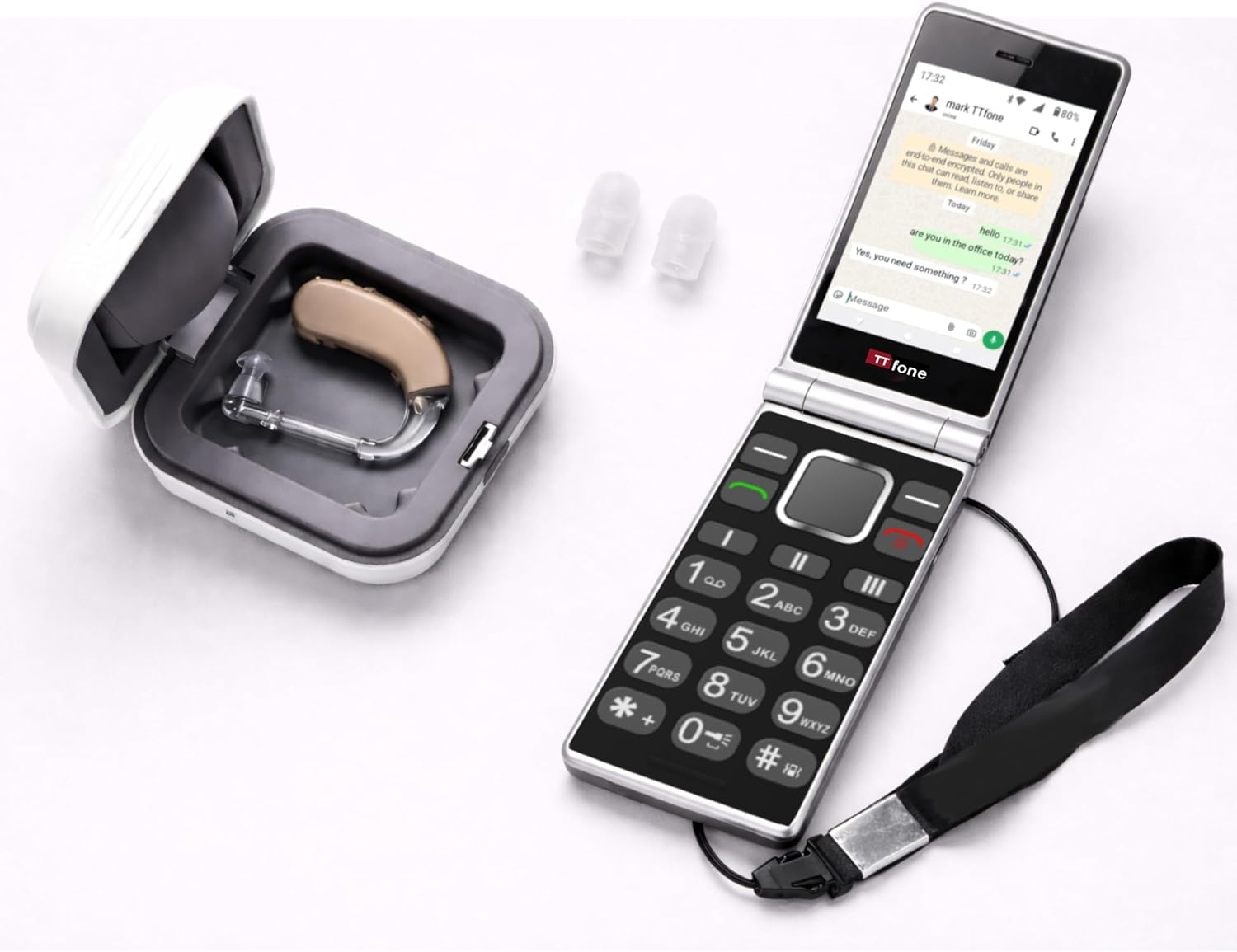
The TTfone TT990 is compatible with hearing aids, shown here with a hearing aid device.
Maintenance
1. Cleaning Your Phone
To keep your phone in optimal condition:
- Use a soft, lint-free cloth to wipe the screen and body.
- Avoid using harsh chemicals or abrasive materials.
- Keep the charging port and headphone jack free of dust and debris.
2. Battery Care
To maximize battery life and performance:
- Avoid extreme temperatures.
- Do not leave the phone fully charged or fully discharged for extended periods.
- Use only approved chargers and cables.
3. Software Updates
Your TT990 runs on Android 14. Ensure your device is connected to Wi-Fi to check for and install any available software updates. Regular updates provide security enhancements and new features.
Troubleshooting
If you encounter issues with your TTfone TT990, try the following solutions:
| Problem | Solution |
|---|---|
| Phone does not turn on | Ensure the battery is correctly installed and fully charged. Try charging the phone for at least 30 minutes before attempting to power on again. |
| Cannot make or receive calls | Check if the SIM card is properly inserted and activated. Ensure you have network coverage. Restart the phone. |
| Charging issues | Verify that the USB-C cable and charging adapter/cradle are working correctly. Check for debris in the charging port. |
| Screen is unresponsive | Restart the phone. If the issue persists, ensure the screen is clean and free of moisture. |
| SOS button not working | Ensure emergency contacts are correctly set up in the phone's settings. Test the function in a non-emergency situation to confirm setup. |
For further assistance, please refer to the support section.
Specifications
| Feature | Detail |
|---|---|
| Brand | TTfone |
| Model Name | TT990 |
| Operating System | Android 14 |
| Cellular Technology | 4G |
| Wireless Technology | Bluetooth, GSM, Wi-Fi |
| Screen Size | 3.5 Inches (Internal), 2.4 Inches (External) |
| Display Resolution | 480 x 320 (Internal), 854x480 (Max Display Resolution) |
| Display Type | LCD |
| Refresh Rate | 60 Hz |
| Installed RAM Size | 4 GB |
| Memory Storage Capacity | 64 GB |
| Maximum Flash Memory Supported Size | 256 GB (via microSD) |
| Rear Camera Photo Sensor Resolution | 8 Megapixels |
| Front Camera Sensor Resolution | 2 MP |
| Device Flash | LED |
| Digital Zoom | 4x |
| Battery Power | 1700 mAh |
| Phone Talk Time | 6 Hours |
| GPS Geopositioning Feature | True |
| SIM Card Size | Nano |
| Number of SIM Card Slots | Single SIM |
| Headphone Jack | 3.5 mm |
| Charging Port Type | USB Type C |
| Form Factor | Flip Phone |
| Human Interface Input | Buttons, Keypad, Touchscreen |
| Product Features | SOS Button, All Carrier Compatible, Dual Screen, Basic Phone |
| Box Contents | USB Cable, Quick Start Guide |
| Special Product Uses | For seniors and individuals seeking a simple phone |
Warranty and Support
1. Manufacturer's Warranty
The TTfone TT990 comes with a 2-year manufacturer's warranty. Please retain your proof of purchase for warranty claims. This warranty covers manufacturing defects and faults under normal use conditions.
2. Customer Support
If you require further assistance, have questions not covered in this manual, or need to make a warranty claim, please contact TTfone customer support. Refer to the contact information provided in your Quick Start Guide or visit the official TTfone website for support details.
Please note that information regarding spare parts availability and guaranteed software updates is currently unavailable.


