
Introduction
The Dpofirs Sound Activated Switch provides a convenient and hands-free method for controlling your plug-in appliances. This device responds to specific sound patterns, such as claps, to toggle power on or off. Its adjustable sensitivity allows for customization to suit various environments and user preferences, minimizing unintended activations. Constructed from durable ABS material, it ensures safe and reliable operation for everyday household use.
Product Overview
The Dpofirs Sound Activated Switch is designed for ease of use and integration into your home. Key features include:
- Sound-Activated Control: Activates connected devices with a simple clap.
- Adjustable Sensitivity: A dedicated knob allows users to fine-tune the device's responsiveness to sound.
- Easy Setup: Plugs directly into a standard wall outlet, requiring no complex wiring or tools.
- Durable Construction: Made from high-quality ABS material for safety and longevity.
- Versatile Compatibility: Works with a wide range of plug-in appliances like lamps and fans.
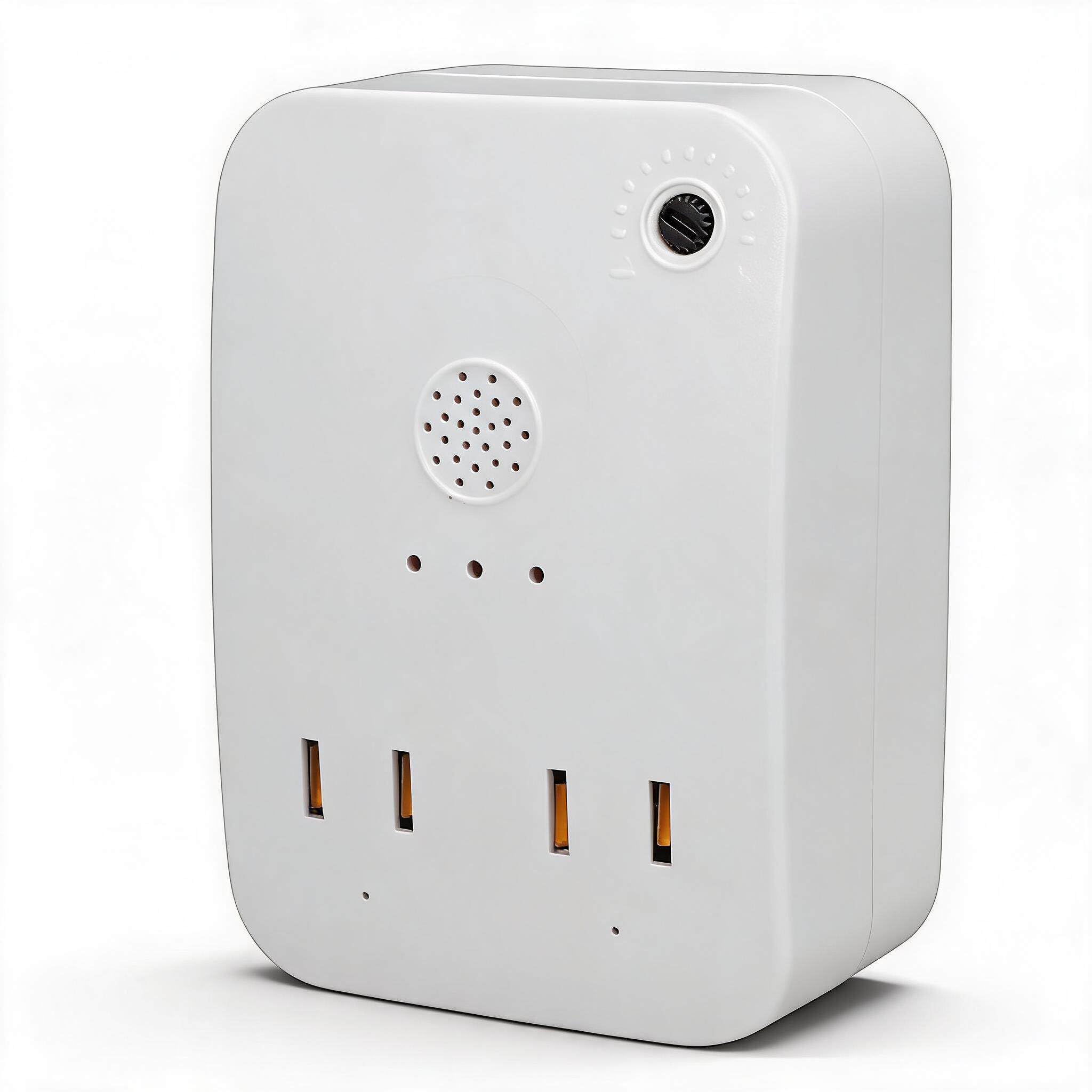
Figure 1: Front view of the Dpofirs Sound Activated Switch, showing the outlets and microphone.
Package Contents
Upon opening the package, ensure all items are present and in good condition:
- 1 x Dpofirs Sound Activated Switch
- 1 x English User Manual
Setup
- Unpack: Carefully remove the Sound Activated Switch and its accessories from the packaging.
- Inspect: Check the device for any visible damage. If damaged, do not use and contact customer support.
- Plug In: Insert the Sound Activated Switch directly into a standard wall outlet. Ensure it is securely plugged in.
- Connect Appliance: Plug the appliance you wish to control into one of the outlets on the Sound Activated Switch. Ensure the appliance's own power switch is in the 'ON' position.

Figure 2: Close-up view of the outlets on the Sound Activated Switch, where appliances are connected.
Operating Instructions
Once set up, the Sound Activated Switch is ready for use. It responds to sound patterns to toggle the connected appliance's power.
- To Turn On/Off: Produce a distinct sound, such as a clap, near the device. The device will toggle the power state of the connected appliance.
- Sound Pattern: A single, clear clap is typically sufficient to activate the switch. Experiment with the sound intensity and pattern to find what works best for your environment and sensitivity setting.
Sensitivity Adjustment
The Sound Activated Switch features an adjustable sensitivity dial to customize its responsiveness to sound. This helps prevent accidental activations from background noise.
- Locate the Dial: The sensitivity adjustment dial is located on the top of the device.
- Increase Sensitivity: Turn the dial inwards (clockwise) to make the switch more sensitive to lighter sounds.
- Decrease Sensitivity: Turn the dial outwards (counter-clockwise) to make the switch less sensitive, requiring louder sounds for activation.
- Test and Adjust: After adjusting, test the switch with your desired sound (e.g., a clap) to ensure it responds as expected. Adjust further if necessary to find the optimal setting for your environment.

Figure 3: Top view of the Sound Activated Switch, highlighting the sensitivity adjustment dial.
Maintenance
To ensure the longevity and optimal performance of your Dpofirs Sound Activated Switch, follow these simple maintenance guidelines:
- Cleaning: Disconnect the device from the power outlet before cleaning. Use a soft, dry cloth to wipe the exterior. Do not use liquid cleaners or abrasive materials.
- Environment: Keep the device in a dry environment, away from excessive moisture, dust, and extreme temperatures.
- Avoid Obstructions: Ensure the microphone sensor on the device is not obstructed by furniture, curtains, or other objects, as this can affect its performance.
Troubleshooting
If you encounter issues with your Sound Activated Switch, refer to the following common problems and solutions:
| Problem | Possible Cause | Solution |
|---|---|---|
| Appliance does not turn on/off with sound. | Low sensitivity setting. Appliance not properly connected. Appliance's own switch is off. Insufficient sound. | Increase sensitivity using the dial. Ensure appliance is securely plugged into the switch. Turn the appliance's power switch to 'ON'. Produce a louder or clearer sound. |
| Appliance turns on/off unexpectedly. | High sensitivity setting. Excessive ambient noise. | Decrease sensitivity using the dial. Relocate the switch to a quieter area or adjust sensitivity further. |
| No power to the switch. | Wall outlet issue. Switch not fully plugged in. | Test the wall outlet with another device. Ensure the switch is fully inserted into the wall outlet. |
Specifications
- Item Type: Sound Activated Switch
- Material: ABS
- Weight: Approximately 142g (5 oz)
- Product Size: Approximately 7.5 x 4.5 x 10.5 cm (3.0 x 1.8 x 4.1 inches)
- Model Number: Dpofi1sr2ypl7nc
- Brand: Dpofirs
- Mounting Type: Universal Fit
- Lower Temperature Rating: 100 Kelvin
- Upper Temperature Rating: 500 Kelvin
- Origin: China
Warranty and Support
For warranty information or technical support, please refer to the contact details provided with your purchase documentation or visit the official Dpofirs website. Keep your purchase receipt as proof of purchase for any warranty claims.