
Introduction
The KZ ZAS Pro is a high-fidelity in-ear monitor designed for musicians and audiophiles. It features a hybrid driver configuration with one 10mm super-linear dynamic driver and seven balanced armature drivers, engineered to deliver detailed, full-range sound with enhanced audio precision. This manual provides essential information for the proper setup, operation, and maintenance of your KZ ZAS Pro IEMs.
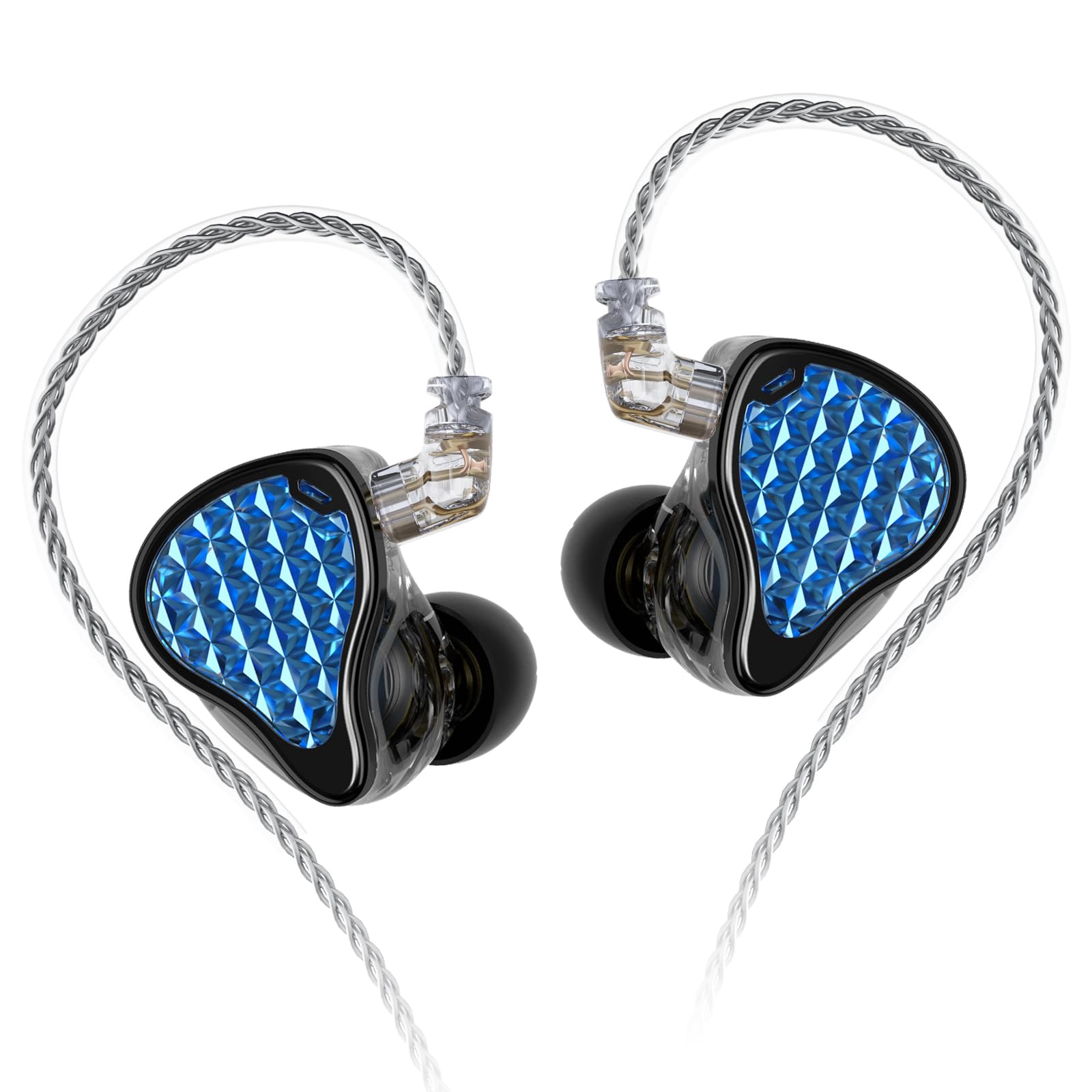
Image: KZ ZAS Pro In-Ear Monitors. This image shows the main product, highlighting its design and the blue patterned faceplate.
Package Contents
Before proceeding with setup, please ensure all items are present in the package:
- KZ ZAS Pro HIFI headphones (1 pair)
- Earphone cable (1)
- Soft silicone ear caps (3 pairs - S, M, L)
- Product card (1)
- Packaging box (1)

Image: Contents of the KZ ZAS Pro package, including the IEMs, detachable cable, various ear tips, and documentation.
Setup Instructions
- Select Ear Tips: Choose the silicone ear tips that provide the most comfortable and secure fit for your ears. A proper seal is crucial for optimal sound quality and noise isolation. The package includes three pairs of soft silicone ear caps (Small, Medium, Large).
- Attach the Cable: The KZ ZAS Pro features a detachable 0.78mm 2-pin cable. Carefully align the pins on the cable with the receptacles on each earphone unit. Gently push the cable connectors into the earphone units until they are securely seated. Ensure the left (L) and right (R) indicators on the cable match the respective earphone units.
- Connect to Audio Source: Plug the 3.5mm jack of the earphone cable into your audio device (e.g., smartphone, digital audio player, audio interface).

Image: Illustration of different sized silicone ear tips (S, M, L) and their importance for comfortable fit and sound.

Image: Diagram illustrating the sound isolating technology of the KZ ZAS Pro, showing how it blocks up to 37dB of external noise.
Operating Instructions
- Wearing the IEMs: The KZ ZAS Pro is designed for an over-ear fit. Guide the cable over the top of your ear and then insert the earphone unit into your ear canal. Adjust the earphone and cable until you achieve a comfortable and secure fit. The wireform cable helps keep the earphones stable during use.
- Volume Adjustment: Control the volume directly from your connected audio source. Start with a low volume and gradually increase it to a comfortable listening level.
- Noise Isolation: These IEMs provide excellent passive noise isolation, blocking up to 37 dB of ambient noise. This feature allows for focused listening in various environments without needing excessive volume.

Image: A person wearing the KZ ZAS Pro In-Ear Monitors, demonstrating the over-ear fit and ergonomic design for comfort.

Image: Detailed diagram showing the internal 1DD+7BA hybrid driver configuration of the KZ ZAS Pro, illustrating the ultra-linear dynamic driver and balanced armature drivers.
Maintenance
- Cleaning Ear Tips: Regularly remove the silicone ear tips and clean them with a soft, damp cloth. Ensure they are completely dry before reattaching them to the earphones.
- Cleaning Earphone Units: Gently wipe the earphone units with a dry, soft cloth. Avoid using liquids or harsh chemicals. Ensure no moisture enters the driver vents.
- Cable Care: The detachable cable is designed for durability. Avoid sharp bends or excessive pulling. When storing, coil the cable loosely to prevent tangling and damage.
- Storage: Store your IEMs in a clean, dry place, preferably in a protective case, to prevent dust accumulation and physical damage.
Troubleshooting
| Problem | Possible Cause | Solution |
|---|---|---|
| No sound or intermittent sound |
|
|
| Poor sound quality (e.g., weak bass, harsh treble) |
|
|
| Discomfort during wear |
|
|
Specifications
| Feature | Detail |
|---|---|
| Brand | KZ |
| Model Name | ZAS Pro |
| Ear Placement | In Ear |
| Form Factor | In Ear |
| Impedance | 41 ohm |
| Connectivity Technology | Wired |
| Headphone Jack | 3.5 mm Jack |
| Noise Control | Sound Isolation (up to 37 dB) |
| Frequency Response | 40 KHz (upper limit, typical range is 20Hz-20kHz) |
| Sensitivity | 118 dB |
| Audio Driver Type | Hybrid Driver (1DD+7BA) |
| Enclosure Material | Polycarbonate (PC) |
| Cable Features | Detachable, 8-strand 200-core silver-plated wire |

Image: Frequency response graph for the KZ ZAS Pro, illustrating its acoustic performance across different frequencies.
Warranty Information
The KZ ZAS Pro In-Ear Monitors come with a 1-year warranty from the date of purchase. This warranty covers manufacturing defects. Please retain your proof of purchase for warranty claims. For detailed warranty terms and conditions, refer to the product card included in your package or contact customer support.
Customer Support
For any questions, technical assistance, or warranty inquiries regarding your KZ ZAS Pro IEMs, please contact KZ customer support through their official channels. You can also visit the KZ Store on Amazon for additional product information and resources.
Official Product Video
Below is an official product video providing additional insights into the KZ ZAS Pro In-Ear Monitors. This video may demonstrate features, usage, or design aspects.
No embeddable video URL was provided in the product data. If available, an official product video would be displayed here.
Description: This space is reserved for an official product video of the KZ ZAS Pro IEMs, which would offer visual demonstrations of its features and usage. Please refer to the manufacturer's official website or product page for available videos.