
Jugeman V20
Jugeman V20 Smart Watch User Manual
Model: V20 | Brand: Jugeman
1. Introduction
Thank you for choosing the Jugeman V20 Smart Watch. This device is designed to enhance your daily life with its advanced features, including health monitoring, communication capabilities, and fitness tracking. The watch features a vibrant display with customizable watch faces, paired with a comfortable stainless steel strap, making it suitable for various occasions from work to workouts.
Please read this manual carefully to ensure proper use and optimal performance of your smartwatch.
2. What's in the Box
Verify that all the following items are included in your package:
- Jugeman V20 Smart Watch
- Magnetic Charging Cable
- User Manual
3. Initial Setup
3.1 Charging the Smart Watch
Before first use, fully charge your smartwatch. Connect the magnetic charging cable to the charging points on the back of the watch and plug the USB end into a power adapter (not included) or a computer's USB port.

Image: The smartwatch connected to its magnetic charger, highlighting its 520mAh battery capacity, offering up to 5 days of battery life and 20 days of standby time. A full charge takes approximately 2.5 hours. The image also illustrates the watch's scratch-proof, impact-resistant, and dust-proof design, suitable for extreme conditions.
- Charging Time: Approximately 2.5 hours for a full charge.
- Battery Life: Up to 5 days of typical use, 20 days standby.
3.2 Power On/Off
- Power On: Press and hold the side button until the screen lights up.
- Power Off: Press and hold the side button, then select 'Power Off' on the screen.
3.3 App Installation and Pairing
To unlock the full potential of your Jugeman V20 Smart Watch, download the companion app on your smartphone.
- Scan the QR code in the manual or on the watch screen, or search for the app name (usually mentioned in the watch's interface or packaging) in your phone's app store.
- Install the app and create an account if prompted.
- Enable Bluetooth on your smartphone.
- Open the app, navigate to 'Device' or 'Add Device', and select your Jugeman V20 Smart Watch from the list of available devices.
- Follow the on-screen prompts to complete the pairing process. Ensure the watch and phone are close to each other during pairing.
4. Operating the Smart Watch
4.1 Display and Watch Faces
The Jugeman V20 features a 1.43-inch AMOLED color display, offering clear visuals and vibrant colors. You can customize your watch face to match your style or mood.

Image: The smartwatch showcasing its 1.43-inch AMOLED color display with high color accuracy and an always-on display feature. It highlights the benefits of AMOLED over LED, such as thinner design, lower power consumption, and faster response time.
- Changing Watch Faces: Long-press the watch screen, then swipe left or right to browse available watch faces. Tap to select. More watch faces can be downloaded via the companion app.
4.2 Health Monitoring
The watch provides comprehensive health monitoring features to help you keep track of your well-being.

Image: The smartwatch displaying real-time data for blood pressure, heart rate, blood oxygen levels, and sleep patterns. These metrics are continuously monitored throughout the day, providing insights into your health.
- Heart Rate: Monitors your heart rate throughout the day.
- Blood Oxygen (SpO2): Measures your blood oxygen saturation levels.
- Blood Pressure: Provides estimates of your blood pressure.
- Sleep Tracking: Analyzes your sleep patterns, including deep sleep, light sleep, and REM stages.
Note: This device is not a medical device. Health data is for reference only and should not be used for medical diagnosis or treatment.
4.3 Bluetooth Calling & Message Notifications
Stay connected directly from your wrist with Bluetooth calling and message notifications.

Image: The smartwatch demonstrating its Bluetooth calling capabilities, allowing users to receive and dial calls directly from the watch. It also shows message notifications from various apps and the integrated voice assistant feature.
- Bluetooth Calls: Make and receive calls directly from the watch using its built-in microphone and speaker (Bluetooth 5.3).
- Message Notifications: Receive vibration alerts and view notifications from your smartphone apps (e.g., SMS, social media, email).
- Voice Assistant: Interact with your phone's voice assistant through the watch.
4.4 GPS Activity Tracking
Track your outdoor activities with the built-in GPS, compass, and environmental sensors.

Image: The smartwatch showing its built-in GPS functionality, tracking exercise routes on a map. It also displays a compass for direction, barometric pressure readings, and altitude measurements, making it ideal for outdoor sports enthusiasts.
- Route Tracking: Records your exercise routes using GPS.
- Compass: Provides directional guidance.
- Barometric Pressure & Altitude: Offers environmental data for outdoor activities.
4.5 Sports Modes
The Jugeman V20 Smart Watch supports over 160 sports modes to accurately track your workouts.
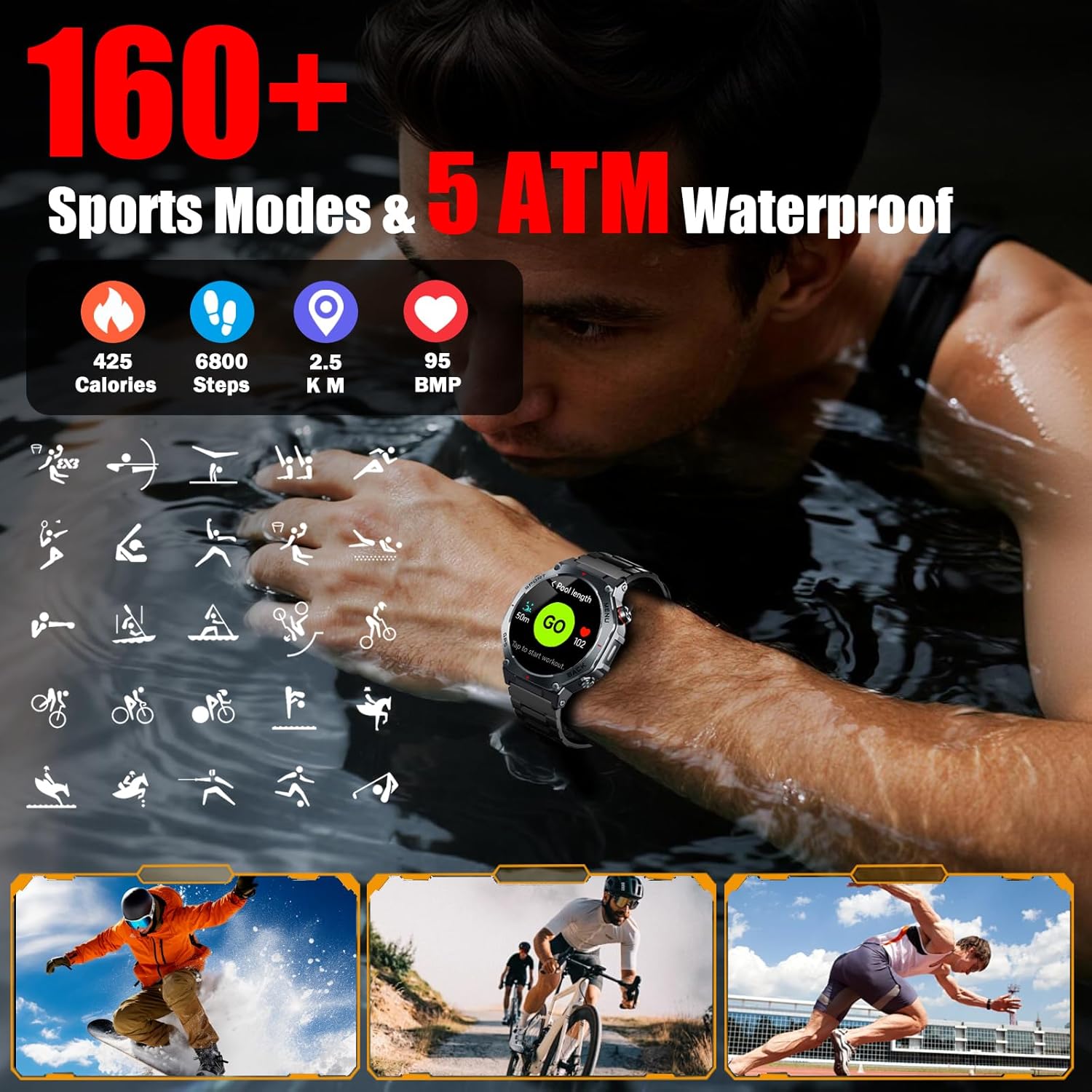
Image: The smartwatch displaying its extensive range of over 160 sports modes, tracking metrics such as calories burned, steps taken, distance covered, and heart rate (BPM). The image also emphasizes its 5 ATM waterproof rating, suitable for swimming and other water-based activities.
- Select your desired sport mode from the watch menu to track specific metrics like calories, steps, distance, and heart rate during your activity.
4.6 Other Features
Explore additional functionalities integrated into your smartwatch:

Image: The smartwatch interface showcasing a selection of over 200 customizable dials. Below, various utility features are displayed, including remote camera control, a stopwatch, calculator, flashlight, weather updates, and music playback control.
- Camera Control: Remotely control your smartphone's camera.
- Stopwatch & Timer: For timing activities.
- Calculator: Basic calculations on your wrist.
- Flashlight: Uses the screen as a light source.
- Weather: Get real-time weather updates.
- Music Control: Control music playback on your smartphone.
5. Maintenance
5.1 Water Resistance
The Jugeman V20 Smart Watch has a 5 ATM water resistance rating, meaning it can withstand pressures equivalent to a depth of 50 meters. This makes it suitable for swimming and showering, but not for diving or high-pressure water activities.
- Do not expose the watch to hot water, steam, or chemical solvents.
- Wipe the watch dry after exposure to water.
5.2 Care and Cleaning
To maintain the appearance and functionality of your watch:
- Clean the watch and strap regularly with a soft, dry cloth.
- Avoid using abrasive cleaners or harsh chemicals.
- Protect the watch from extreme temperatures, direct sunlight, and sharp objects.
- The watch is designed to be scratch-proof, impact-resistant, and dust-proof, ensuring durability in various environments.
6. Troubleshooting
If you encounter issues with your smartwatch, try the following solutions:
- Watch not turning on: Ensure the watch is fully charged. Connect it to the charger for at least 30 minutes.
- Cannot pair with smartphone:
- Ensure Bluetooth is enabled on your phone and the watch.
- Make sure the watch is within the Bluetooth range of your phone.
- Restart both your watch and smartphone.
- Clear the app's cache or reinstall the app.
- Inaccurate health data: Ensure the watch is worn snugly on your wrist, not too tight or too loose. Clean the sensors regularly.
- Notifications not received:
- Check app notification permissions on your phone.
- Ensure the watch is connected to the app.
- Disable 'Do Not Disturb' mode on both the watch and phone.
7. Specifications
| Feature | Detail |
|---|---|
| Model Name | V20 |
| Brand | Jugeman |
| Display Size | 1.43 Inches |
| Display Type | AMOLED Colour Display |
| Connectivity Technology | Bluetooth (Bluetooth 5.3) |
| Wireless Communication Standard | Bluetooth |
| Memory Capacity | 1 GB |
| Battery Composition | Lithium Polymer |
| Water Resistance Level | 5 ATM (Waterproof) |
| User Interface Interaction | Microphone, Touchscreen |
| Band Width | 22 Millimeters |
| Age Range Description | Adult |
8. Warranty and Support
For warranty information, technical support, or customer service inquiries, please refer to the contact details provided on the product packaging or the official Jugeman website. Keep your purchase receipt as proof of purchase for warranty claims.
Related documentsV20


Ask a question about this manual
Ask about setup, troubleshooting, compatibility, parts, safety, or missing instructions. Manuals+ will review the question and use this page’s manual context to help answer it.