
1. Introduction
This manual provides essential information for the installation, operation, and maintenance of your Aquaguard Sure Delight UV+UF 2X Water Purifier. Please read this manual thoroughly before using the appliance to ensure proper function and safety. This water purifier is designed for municipal water sources with a Total Dissolved Solids (TDS) level below 200 ppm.

Image: Aquaguard Sure Delight UV+UF 2X Water Purifier. This unit is specifically designed for municipal water with TDS levels below 200 ppm and is not suitable for borewell or tanker water.
2. Important Safety Instructions
- Ensure the purifier is installed by a qualified service technician.
- Do not operate the appliance if the power cord is damaged.
- Keep the appliance away from direct sunlight and heat sources.
- Do not immerse the appliance in water or other liquids.
- Use only genuine Aquaguard replacement filters.
- This appliance is intended for indoor use only.
3. Product Features
3.1. 6-Stage Purification Process
The Aquaguard Sure Delight UV+UF 2X employs a comprehensive 6-stage purification system to ensure clean and safe drinking water.

Image: Visual representation of the 6 stages of purification, including Mega Sediment Filter, Sedi Shield 2X, Particulate Filter, Chemi Block 2X, UV e-Boiling, and Ultra Filtration 2X.
3.2. UV e-Boiling Technology
This technology ensures that every drop of water is as safe and pure as water boiled for over 20 minutes, effectively eliminating harmful microorganisms.

Image: A UV e-Boiling filter component, illustrating the purification process that makes water safe.
3.3. Ultra Filtration (UF)
The Ultra Filtration membrane removes harmful microplastics, bacteria, and cysts from the water, providing an additional layer of purification.

Image: An Ultra Filtration filter shown with water passing through, indicating removal of microplastics, bacteria, and cysts.
3.4. Nanopore Long Life Filters
Equipped with Nanopore filters, this system effectively removes bacteria, viruses, cysts, excess chlorine, and organic chemicals, contributing to a 2-year filter life.
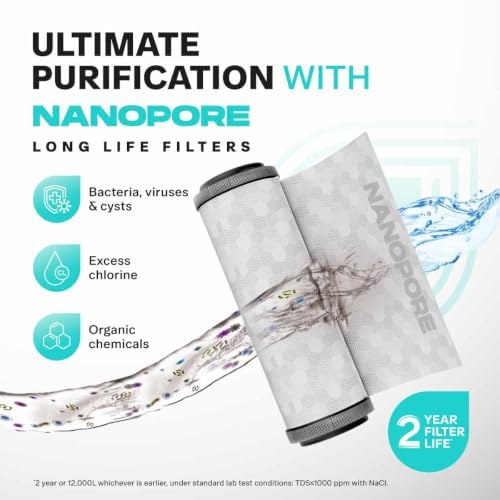
Image: Nanopore long life filters, highlighting their capability to remove various contaminants including bacteria, viruses, cysts, excess chlorine, and organic chemicals.
3.5. Stainless Steel Tank with 6L Storage
The purifier features a durable stainless steel tank with a 6-liter storage capacity, designed to keep water fresh for longer. The tank is anti-corrosive, made from superior SS Grade 304, and is tough and durable.

Image: A stainless steel water storage tank, emphasizing its 6-liter capacity and durable construction.
3.6. Airtight Lid for Extra Protection
The storage tank is equipped with an airtight lid that restricts dust and germs from entering, preventing contamination from external impurities like cockroaches, germs, ants, and insects.

Image: A close-up of the airtight lid being placed on the water tank, illustrating its protective function against external contaminants.
3.7. Mega Sediment Filter
A mega sediment filter is included to remove fine dust, dirt, and mud, preventing choking and extending the life of the internal filters.
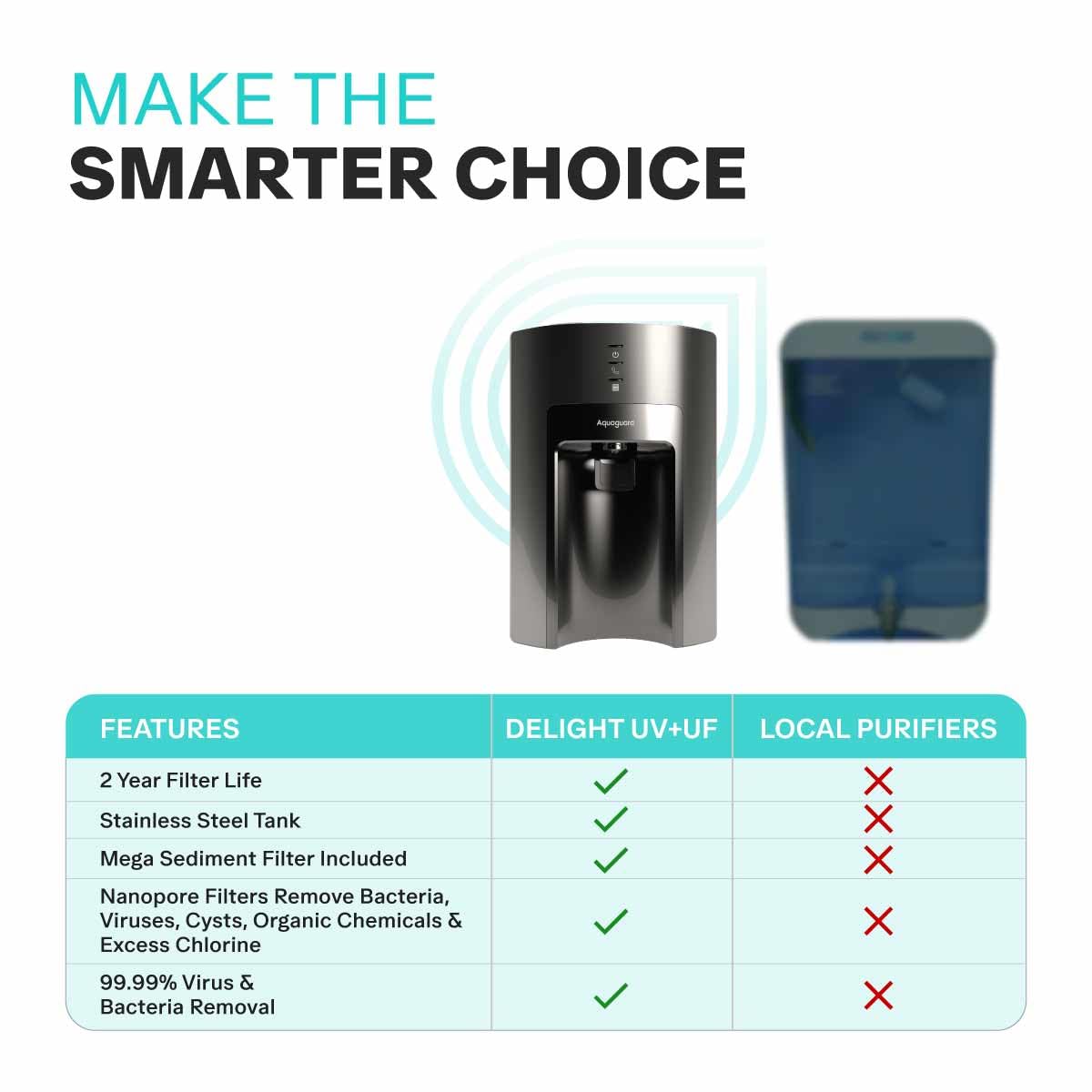
Image: A diagram showing the Mega Sediment Filter in action, filtering out fine dust, dirt, and mud from the incoming water supply.
4. Setup
The Aquaguard Sure Delight UV+UF 2X Water Purifier comes with an installation kit. Professional installation by an authorized Aquaguard service technician is highly recommended to ensure correct setup and optimal performance. The technician will:
- Unpack the unit and check for any damage.
- Select a suitable location for installation (countertop).
- Connect the water inlet to the municipal water supply.
- Install the mega sediment filter and other internal filters.
- Connect the power supply.
- Flush the system to remove any manufacturing residues.
- Test the water flow and purification process.
5. Operating Instructions
5.1. Initial Use
- After professional installation, ensure the power cord is securely plugged into a grounded electrical outlet.
- Turn on the water supply to the purifier.
- The purifier will automatically begin filling the storage tank.
- Allow the tank to fill completely and then dispense the first few liters of water to flush the system. Discard this water.
5.2. Dispensing Water
- Place a clean container under the water dispensing tap.
- Press the dispensing lever or button (refer to specific model design) to release purified water.
- Release the lever/button to stop the water flow.
5.3. Indicator Lights
The purifier is equipped with indicator lights to show its operational status. Refer to the specific markings on your unit for detailed interpretation (e.g., Power On, Purification in Progress, Tank Full, Filter Change Indicator).
6. Maintenance
6.1. Filter Replacement
The Aquaguard Sure Delight UV+UF 2X features a 2-year filter life. However, actual filter life may vary depending on water quality and usage. It is crucial to replace filters as recommended or when the filter change indicator illuminates to maintain purification efficiency. Contact an authorized service technician for filter replacement.
6.2. Cleaning the Storage Tank
Regular cleaning of the stainless steel storage tank is recommended to prevent accumulation of sediment or biofilm. This should be performed by an authorized service technician during scheduled maintenance visits.
6.3. External Cleaning
Wipe the exterior of the purifier with a soft, damp cloth. Do not use harsh chemicals or abrasive cleaners.
7. Troubleshooting
If you encounter any issues with your water purifier, refer to the following common problems and solutions:
| Problem | Possible Cause | Solution |
|---|---|---|
| No water dispensing | No power, water supply off, tank empty, clogged filter | Check power connection, turn on water supply, wait for tank to fill, contact service for filter check. |
| Slow water flow | Partially clogged filter, low water pressure | Contact service for filter inspection/replacement, check household water pressure. |
| Unusual noise | Air in system, loose components | Contact service technician. |
| Indicator light flashing/red | Filter change due, system error | Refer to specific indicator guide in full manual or contact service. |
For issues not listed here or if solutions do not resolve the problem, please contact Aquaguard customer support.
8. Specifications
| Feature | Detail |
|---|---|
| Brand | Aquaguard |
| Model Number | GWPDADUUS0002X |
| Product Dimensions (L x W x H) | 32L x 27W x 48H Centimeters |
| Material | Acrylonitrile Butadiene Styrene (ABS) |
| Capacity | 6 Liters |
| Installation Type | Countertop |
| Purification Method | Ultra Filtration, Ultraviolet (UV e-Boiling) |
| Power Source Type | Corded Electric |
| Minimum Temperature | 5 Degrees Celsius |
| Maximum Temperature | 45 Degrees Celsius |
| Maximum Flow Rate | 50 Liters Per Hour |
| Operating Pressure Range | Up to 2 Kilograms Per Square Centimeter |
| Supported Water TDS Level (Maximum) | 200 ppm |
| Water Saving Percentage | 40.0% |
| Filter Life Cycle | 2 Years |
| Item Weight | 6 Kilograms |
| What's in the box? | Installation Kit |
9. Warranty and Support
9.1. Manufacturer
Manufactured and Marketed by: Eureka Forbes Limited (Formerly Forbes Enviro Solutions Limited)
Registered Office Address: B1/B2, 701, 7th Floor, Marathon Innova, Off. Ganpatrao Kadam Marg, Lower Parel (West), Mumbai, Maharashtra – 400013
CIN#L27310MH2008PLC188478
Factory Address: Lal Tapper Industrial Area, Majri Grant, Dehradun, Uttrakhand-248140
9.2. Customer Support
For any service requests, technical assistance, or warranty claims, please contact Aquaguard customer support. Refer to the contact information provided with your product packaging or visit the official Aquaguard website for the latest support details.


