
Introduction
The UGREEN 240W USB C Cable is designed for high-speed charging and data transfer across a wide range of USB-C compatible devices. Featuring Power Delivery (PD) 3.1 technology, this cable supports up to 240W of power, enabling rapid charging for demanding devices like laptops, while also being backward compatible with lower wattage devices.
Equipped with an E-Marker smart chip, the cable intelligently manages power delivery to ensure optimal current and protection against overcurrent, overvoltage, and short circuits. Its durable nylon braided construction and aluminum housing are engineered for longevity and reliable performance.
This cable facilitates data transfer speeds of up to 480Mbps, allowing for quick synchronization of files. Note: This cable does not support video output or screen extension.
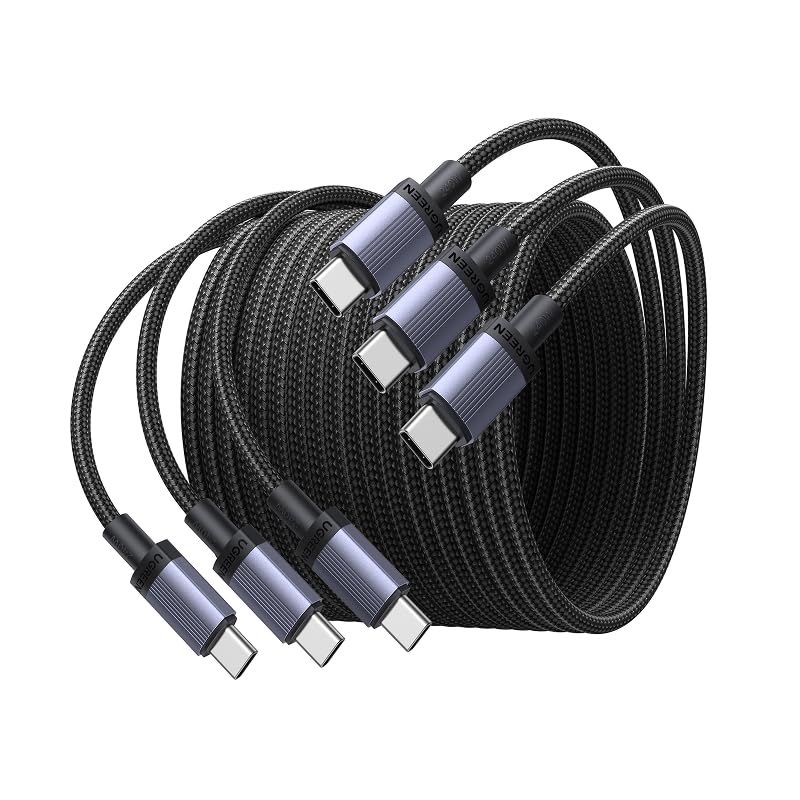
Image: The UGREEN 240W USB C Cable connected to various devices, highlighting its versatility.
Setup
-
Unpack the Cables: Carefully remove the UGREEN 240W USB C cables from their packaging. Each pack contains three 6.6ft cables.
-
Identify Connectors: Both ends of the cable feature USB-C connectors. These are reversible, meaning they can be inserted in either orientation.
-
Connect to Power Source: Insert one end of the USB-C cable into a compatible USB-C power adapter (charger). For optimal charging speeds, ensure your power adapter supports Power Delivery (PD) 3.1 and the desired wattage (e.g., 240W, 140W, 100W).
-
Connect to Device: Insert the other end of the USB-C cable into the USB-C charging port of your device (e.g., laptop, smartphone, tablet, gaming console).
-
Verify Connection: Ensure both connectors are fully seated in their respective ports. A secure connection is essential for stable charging and data transfer.

Image: A detailed view of the USB-C connector, illustrating the integrated E-Marker chip for safe and efficient power delivery.
Operating Instructions
Charging Your Device
To charge your device, connect one end of the UGREEN 240W USB C cable to a compatible USB-C power adapter and the other end to your device's USB-C charging port. The cable's E-Marker chip will automatically communicate with both the charger and your device to negotiate the optimal and safest charging parameters, up to 240W, depending on the capabilities of your charger and device.
- For fastest charging, use a power adapter that supports USB Power Delivery (PD) 3.1.
- The cable is backward compatible with 140W, 100W, 65W, and other lower wattage USB-C charging standards.

Image: A MacBook Pro charging rapidly with the UGREEN 240W USB C Cable, demonstrating its high-speed capability.
Data Transfer
To transfer data between two USB-C compatible devices, connect the UGREEN 240W USB C cable between their respective USB-C ports. The cable supports data transfer speeds of up to 480Mbps (USB 2.0 standard). This is suitable for transferring documents, music, and photos.
- Ensure both connected devices support data transfer over their USB-C ports.
- Important: This cable does not support video output or screen extension functionalities.

Image: The UGREEN USB C cable facilitating data transfer between a laptop and a smartphone, with an overlay indicating 480Mbps speed and limitations on video output.
Compatibility
The UGREEN 240W USB C Cable is widely compatible with various USB-C devices, including but not limited to:
- Laptops: MacBook Pro/Air, Dell XPS, ThinkBook, Surface Go, iPad Pro/Air
- Smartphones: iPhone 17/16/15 series, Samsung Galaxy S26/S25 series, Google Pixel 10/9 series
- Other Devices: Steam Deck, Nintendo Switch, AirPods, and other USB-C enabled headphones, power banks, and speakers.

Image: A visual representation of the cable's broad compatibility with different types of electronic devices.
Maintenance
-
Handle with Care: While the cable is designed for durability with its nylon braided material and aluminum housing, avoid excessive bending, twisting, or pulling on the cable, especially near the connectors. This helps prevent internal wire damage.
-
Keep Clean: Periodically inspect the USB-C connectors for dust, lint, or debris. Use a soft, dry cloth or a small, non-metallic brush to gently clean the ports if necessary. Ensure connectors are dry before use.
-
Proper Storage: Utilize the included strapping tape or a cable tie to neatly coil and store the cable when not in use. This prevents tangling and reduces stress on the cable, extending its lifespan.
-
Avoid Extreme Conditions: Do not expose the cable to extreme temperatures, direct sunlight for prolonged periods, or corrosive liquids. Store in a cool, dry place.

Image: An illustration of the cable's robust construction, including its braided exterior and aluminum connectors, designed for over 30,000 bending tests.
Troubleshooting
-
Device Not Charging or Charging Slowly:
- Ensure the cable is securely connected to both the power adapter and your device.
- Verify that your power adapter is functioning correctly and provides sufficient wattage for your device. For 240W charging, both the charger and device must support PD 3.1.
- Try using a different USB-C port on your device or a different power adapter to rule out issues with other components.
- Check for any debris in the USB-C ports of your device or charger that might obstruct the connection.
-
Data Transfer Not Working:
- Confirm that both devices connected via the cable support data transfer over their USB-C ports.
- Ensure the cable is firmly connected at both ends.
- Restart both devices and attempt the data transfer again.
-
Cable Appears Damaged:
- If the cable's outer braiding is frayed, the connectors are bent, or you notice any other physical damage, discontinue use immediately to prevent potential hazards.
Specifications
| Attribute | Detail |
|---|---|
| Brand | UGREEN |
| Model Number | 65908P3 |
| Connector Type | USB Type C (Male-to-Male) |
| Cable Type | USB |
| Special Feature | Fast Charging (Power Delivery 3.1) |
| Max Wattage | 240 Watts |
| Data Transfer Rate | 480 Mbps (USB 2.0) |
| Cable Length | 6.6 feet (2 meters) |
| Included Components | 3 x UGREEN 240W USB-C to USB-C Fast Charging cables |
| Compatibility | MacBook Pro/Air, XPS, ThinkBook, iPhone 17/16/15, Galaxy S26/S25, Pixel 10/9, iPad Pro, Steam Deck, Switch, and other USB-C devices. |
| Video Output | Not supported |
Warranty and Support
UGREEN products are designed for reliability and performance. For detailed warranty information, product registration, and technical support, please visit the official UGREEN website or contact their customer service department. Contact details can typically be found on the product packaging or the UGREEN official website.
For further assistance, please refer to the contact information provided with your purchase or visit www.ugreen.com.


