
1. Overview
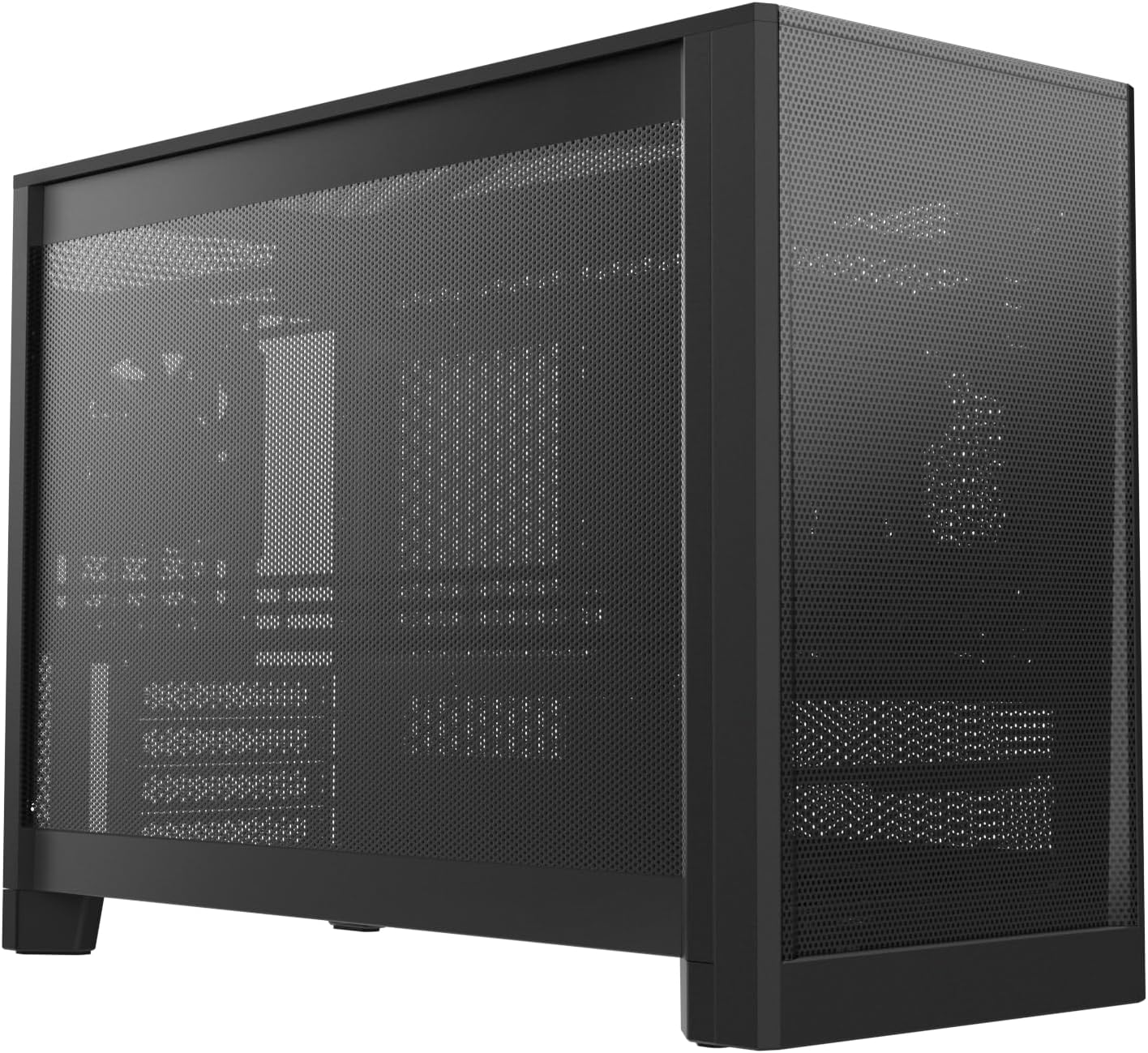
The MONTECH Ten is a versatile Micro-ATX PC case designed for modularity and high performance. It supports various build configurations including airflow-optimized, liquid-cooled, and small form factor (SFF) setups. This manual provides detailed instructions for assembly, operation, and maintenance of your MONTECH Ten PC case.
The case features an adaptive internal architecture, allowing users to switch between three performance-focused modes: M1 (Airflow Specialist), M2 (Liquid Elite), and I3 (SFF Master). Its precision mesh exterior ensures optimal airflow while maintaining a clean aesthetic. Engineered around vertical thermal principles, the MONTECH Ten leverages the natural chimney effect for efficient heat dissipation.

2. Package Contents
Verify that all components are present in the package before proceeding with assembly. If any items are missing or damaged, please contact customer support.
- MONTECH Ten Micro ATX PC Case (Black)
- Rear 90mm Fan (pre-installed)
- Accessory Kit (screws, standoffs, cable ties, brackets)
- User Manual (this document)

3. Setup & Assembly
The MONTECH Ten case offers a highly modular design. Before beginning assembly, familiarize yourself with the different configuration modes and component placements.
3.1. Modular Configuration Modes
The case supports three primary modes to accommodate various cooling and space requirements:
- M1 Airflow Specialist: Optimized for high-performance air cooling with traditional air coolers up to 155mm in height.
- M2 Liquid Elite: Designed for advanced water-cooling enthusiasts, supporting up to 360mm radiators on the top and side.
- I3 SFF Master: Focuses on the most compact footprint while maintaining compatibility for essential high-performance gear.

3.2. Motherboard and PSU Installation
The MONTECH Ten offers flexible mounting options for your motherboard and power supply unit (PSU).
- Motherboard Support: Micro-ATX and Mini-ITX motherboards are supported with three distinct placement positions for total system flexibility.
- PSU Support: Nine configurable PSU locations are available, accommodating ATX, SFX-L, and SFX power supplies.


3.3. GPU Installation
The case features a 7-slot expansion architecture, supporting full-size GPUs and high-performance configurations. Offset brackets provide 10mm of adjustable clearance for various component sizes.


3.4. Drive Installation
The MONTECH Ten supports multiple storage drives depending on the configuration mode. Refer to the specific mode compatibility diagrams for detailed drive support.
3.5. Front I/O Panel Connection
Connect the front I/O cables to your motherboard according to your motherboard's manual. The front panel includes:
- Audio Jack
- Power Button
- USB 3.0 Ports
- Type-C Port

3.6. Detailed Mode Compatibility
Below are detailed compatibility charts for each modular configuration mode.
3.6.1. M1 Airflow Specialist


3.6.2. M2 Liquid Elite


3.6.3. I3 SFF Master


4. Operation
Once assembled, the MONTECH Ten case is designed to provide optimal thermal performance for your components.
4.1. Airflow and Cooling
The case utilizes a precision mesh construction to maximize airflow. This design, combined with vertical thermal principles, creates a chimney effect that efficiently moves cool air from the bottom and exhausts hot air upward, ensuring consistent cooling performance.


4.2. Product Video
Watch the official product video for a visual guide on the MONTECH Ten Black PC Case features and modularity.
Official product video demonstrating the features and modularity of the MONTECH Ten Black PC Case.
5. Maintenance
Regular maintenance helps ensure optimal performance and longevity of your PC case.
- Dust Cleaning: Periodically clean dust filters and interior components using compressed air or a soft brush. Ensure the system is powered off and unplugged before cleaning.
- Exterior Cleaning: Wipe the exterior surfaces with a soft, damp cloth. Avoid abrasive cleaners or solvents that may damage the finish.
- Fan Inspection: Check fans for dust buildup and ensure they are spinning freely. Clean as necessary.
6. Troubleshooting
This section addresses common issues you might encounter during assembly or operation.
6.1. Components Not Fitting
- Check Mode Configuration: Ensure the case is configured to the correct mode (M1, M2, or I3) for your components. Each mode has specific compatibility limits for CPU coolers, GPUs, and radiators.
- Verify Dimensions: Compare your component dimensions with the case specifications and mode-specific compatibility charts.
- Utilize Offset Brackets: For GPUs, ensure you are using the provided offset brackets if additional clearance is needed.
6.2. Poor Airflow or High Temperatures
- Dust Buildup: Clean dust filters and internal components as described in the Maintenance section.
- Fan Orientation: Ensure fans are installed with the correct orientation for optimal airflow (intake/exhaust).
- Cable Management: Poor cable management can obstruct airflow. Reroute cables to minimize interference.
- Component Placement: Verify that components are not blocking critical airflow paths.
6.3. Front Panel I/O Not Functioning
- Cable Connections: Double-check that all front I/O cables are securely connected to the correct headers on your motherboard. Refer to your motherboard manual for proper pin assignments.
- Driver Installation: Ensure all necessary motherboard drivers, especially for USB and audio, are installed.
7. Specifications
| Feature | Detail |
|---|---|
| Brand | Montech |
| Model Name | TEN BLACK |
| Model Number | TENB |
| Case Type | Mini-Tower |
| Motherboard Compatibility | Micro-ATX, Mini-ITX |
| Material | SPCC |
| Cooling Method | Air |
| Item Weight | 12 Pounds |
| Product Dimensions (D x W x H) | 17.87" x 7.73" x 12.9" |
| Power Supply Maximum Output | 1000 Watts |
| Special Features | Advanced Airflow Design, Modular Configurations |
8. Warranty & Support
The MONTECH Ten PC Case comes with a 1 Year Manufacturer Warranty. For warranty claims, technical support, or further inquiries, please contact MONTECH customer service.
You can also visit the official Montech Store for additional product information and resources.