
LongPlus CDK1-W1X5-new
LongPlus 3K 5MP Window Security Camera Instruction Manual
Model: CDK1-W1X5-new
Introduction
This manual provides detailed instructions for the setup, installation, operation, and maintenance of your LongPlus 3K 5MP Window Security Camera. Please read this guide thoroughly before using the product to ensure proper functionality and safety.
What's in the Box
- Window Security Camera x 1
- Charging Cable
- 4.8 ft (1.45 m) Power Cable x 1
- Adhesive Tape
- Instruction Manual (this document)
Setup Guide
1. Download the SV360 App
Download the SV360 application from the Google Play Store for Android devices or the Apple App Store for iOS devices. Search for "SV360".

Image: SV360 App download instructions.
2. Register and Log In
Register for an account using your phone number or email address. The app supports third-party logins such as Google or Apple accounts. Log in automatically after registration.
3. Power On the Camera
Connect the camera to a power source using the provided charging cable. The camera will announce, "Please use the mobile app to configure the Wi-Fi network." If no announcement is heard, press and hold the reset button for 3 seconds until the announcement plays.
Video: LongPlus Window Camera Connection Guide. This video demonstrates the initial power-on and connection process for the camera.
4. Add Device in App
Enable Wi-Fi and Bluetooth on your smartphone. In the SV360 app, tap the "+" button to discover and add your device. Select the LongPlus camera from the list of nearby devices.

Image: Easy setup steps in the SV360 app.
5. Connect to Wi-Fi
Enter your Wi-Fi network name and password in the app. The camera supports both 2.4GHz and 5GHz dual-band Wi-Fi. Ensure your phone is connected to the same Wi-Fi network during setup.
Video: LongPlus window camera Wi-Fi connection guide. This video illustrates the steps to connect the camera to your home Wi-Fi network.
Installation
The LongPlus Window Security Camera features a no-drill, peel-and-stick magnetic mount for easy installation on smooth surfaces like glass.
- Clean the Window: Ensure the window surface is clean and dry for optimal adhesion.
- Apply Magnetic Sticker: Peel off the protective film from the magnetic sticker and firmly press it onto the desired location on the window.
- Attach Camera: Attach the camera to the magnetic sticker. The magnetic connection will hold the camera securely.
Image: 60-second tool-free installation guide.
This indoor installation method helps prevent damage to the camera from outdoor elements and makes it less visible to potential intruders.
Video: LongPlus window security camera quick installation in 60 seconds. This video demonstrates the simple magnetic mounting process.
Operating Instructions
Live View and Recording
Once connected, open the SV360 app to access the live feed from your camera. You can view real-time video, initiate manual recordings, and capture screenshots.
Video: Demonstrates how to view the live feed and interact with the camera through the app.
Motion Detection and Alerts
The camera features an AI detection system for identifying people and vehicles. When motion is detected, the app will send instant alerts to your smartphone. You can customize alert settings within the SV360 app.

Image: Smart AI detection and timely alerts.
Two-Way Audio
Utilize the two-way audio feature through the app to communicate with individuals near the camera.
Sharing Access
You can easily share camera access with up to 5 family members or trusted users through the SV360 app.
Features Overview
- 3K 5MP HD Resolution: Provides crystal-clear video, capturing details day and night.
- Blacklight Color Night Vision: Advanced anti-glare and anti-reflection technology ensures clear, glare-free views through windows, producing full-color images even in low light.

Image: AI Full-Color Night Vision comparison.
- Person/Vehicle Detection: AI-powered detection system identifies people and vehicles, sending real-time alerts.
- 118° Wide-Angle Lens: Captures a broad area, clearly showing faces and license plates.
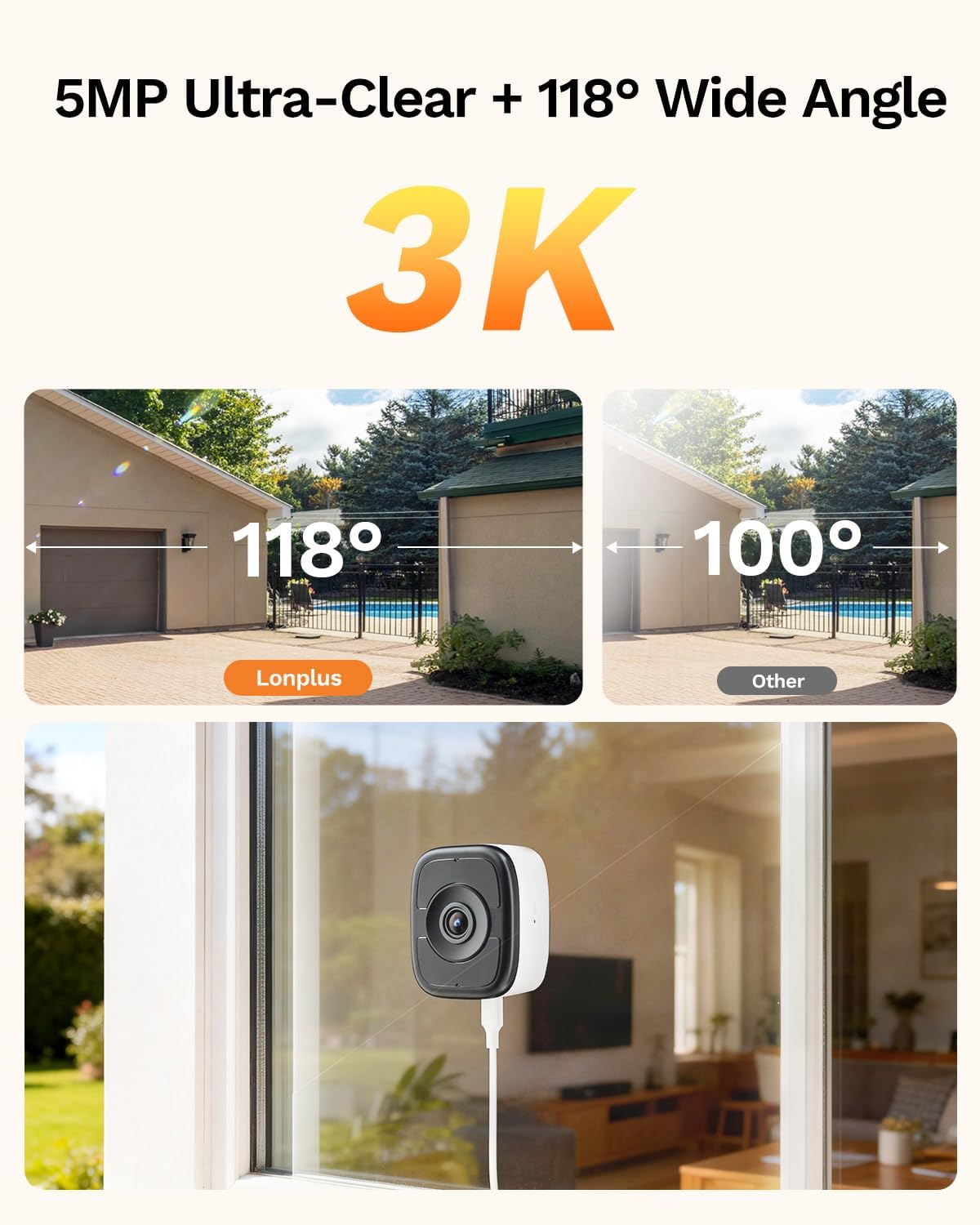
Image: 5MP Ultra-Clear + 118° Wide Angle view.
- Dual-Band Wi-Fi (2.4GHz & 5GHz): Offers seamless connectivity and stronger signal performance.
Video: LongPlus magnetic window camera features, including dual-band Wi-Fi.
- Anti-Glare & Anti-Reflection: Specifically designed for clear imaging through glass.

Image: Anti-glare and anti-reflection technology.
Storage Options
The LongPlus camera offers flexible storage solutions for your recordings:
- Local Storage (Micro SD Card): Supports continuous 24/7 recording with a Micro SD card (sold separately) up to 512GB.
- Cloud Storage: Optional U.S. cloud storage service (sold separately) is available. New users receive a 7-day free trial.

Image: Dual-band 2.4GHz & 5GHz Wi-Fi with 24/7 continuous recording via SD card or cloud storage.
Troubleshooting
- Camera Not Connecting to Wi-Fi:
- Ensure your Wi-Fi network is 2.4GHz or 5GHz and that your phone is connected to the same network during setup.
- Verify the Wi-Fi password is entered correctly.
- Move the camera closer to your Wi-Fi router to improve signal strength.
- Reset the camera by pressing and holding the reset button for 3 seconds, then attempt setup again.
- "Not Find Device" or "Invalid QR code" Error:
- Ensure Bluetooth is enabled on your phone.
- Make sure the camera is powered on and has announced "Please use the mobile app to configure the Wi-Fi network."
- Try restarting the SV360 app and your phone.
- Ensure the app is updated to the latest version.
- SD Card Abnormality Error:
- Ensure the Micro SD card is inserted correctly with the label facing the back of the camera. Push firmly until it clicks into place.
- Format the SD card through the camera settings in the SV360 app.
- Try a different Micro SD card, ensuring it is compatible and not corrupted.
- Poor Picture Quality:
- Clean the camera lens and the window surface.
- Ensure there are no obstructions between the camera and the viewing area.
- Check your Wi-Fi signal strength; a weak signal can affect video quality.
Specifications
| Feature | Detail |
|---|---|
| Brand | LongPlus |
| Model Name | CDK1-W1X5-new |
| Recommended Uses | Indoor Security |
| Connectivity Technology | Wired (Power), Wireless (Wi-Fi, Bluetooth) |
| Special Features | 3K 5MP Full Color Night Vision, Local Recording, No-Drill Installation, Person & Vehicle Detection, SD/Cloud Storage |
| Indoor/Outdoor Usage | Indoor |
| Compatible Devices | Smartphone |
| Controller Type | SV360 APP |
| Mount Type | Window Mount |
| Color | White |
| Enclosure Material | Acrylonitrile Butadiene Styrene (ABS) |
| Effective Still Resolution | 5 MP |
| Photo Sensor Resolution | 5 MP |
| Control Method | App |
| Power Source | Corded Electric (5 volts) |
| Video Capture Resolution | 3K |
| Frame Rate | Maximum 15fps |
| Night Vision Range | 66 feet |
| Night Vision Type | Night Color |
| Flash Memory Type | Micro SD |
| Max Flash Memory Supported | 512 GB |
| Frequency Band Class | Dual-Band (2.4GHz & 5GHz) |
| Viewing Angle | 118 degrees |
| Item Dimensions | 2.1 x 2.5 x 1.2 inches |
Maintenance
- Cleaning: Gently wipe the camera lens and body with a soft, dry cloth. Avoid using harsh chemicals or abrasive materials.
- Firmware Updates: Regularly check the SV360 app for available firmware updates to ensure optimal performance and security.
- SD Card Management: If using an SD card, periodically review and delete old footage or format the card to maintain storage capacity and prevent errors.
- Power Connection: Ensure the power cable is securely connected and free from damage.
Warranty and Support
For warranty information and technical support, please refer to the official LongPlus website or contact their customer service directly. Keep your purchase receipt for warranty claims.
Ask a question about this manual
Ask about setup, troubleshooting, compatibility, parts, safety, or missing instructions. Manuals+ will review the question and use this page’s manual context to help answer it.