
1. Introduction
Thank you for choosing the EUQQ R210 Wireless Earbuds. These earbuds are designed to provide a high-quality audio experience with advanced features such as Bluetooth 5.4 connectivity, Active Noise Cancellation (ANC), and Transparency Mode. This manual provides instructions for setup, operation, and maintenance to ensure optimal performance and longevity of your device.
2. What's in the Box
Carefully unpack the contents and ensure all items are present:
- 2 x EUQQ R210 Bluetooth 5.4 Earbuds
- 1 x Charging Case
- 1 x USB Type-C Charging Cable
- 3 x Pairs of Ear Tips (Sizes S/M/L)
- 1 x User Manual
Note: A power adapter/charger is not included.
3. Setup
3.1 Charging the Earbuds and Case
Before first use, fully charge the earbuds and the charging case.
- Place the earbuds into the charging case. Ensure they are correctly seated in their respective slots.
- Connect the USB Type-C charging cable to the charging port on the case and plug the other end into a USB power source (e.g., computer, wall adapter).
- The LED display on the charging case will indicate the battery level during charging.
- A full charge for the earbuds takes approximately 1 hour. The charging case provides an additional 36-46 hours of playtime.
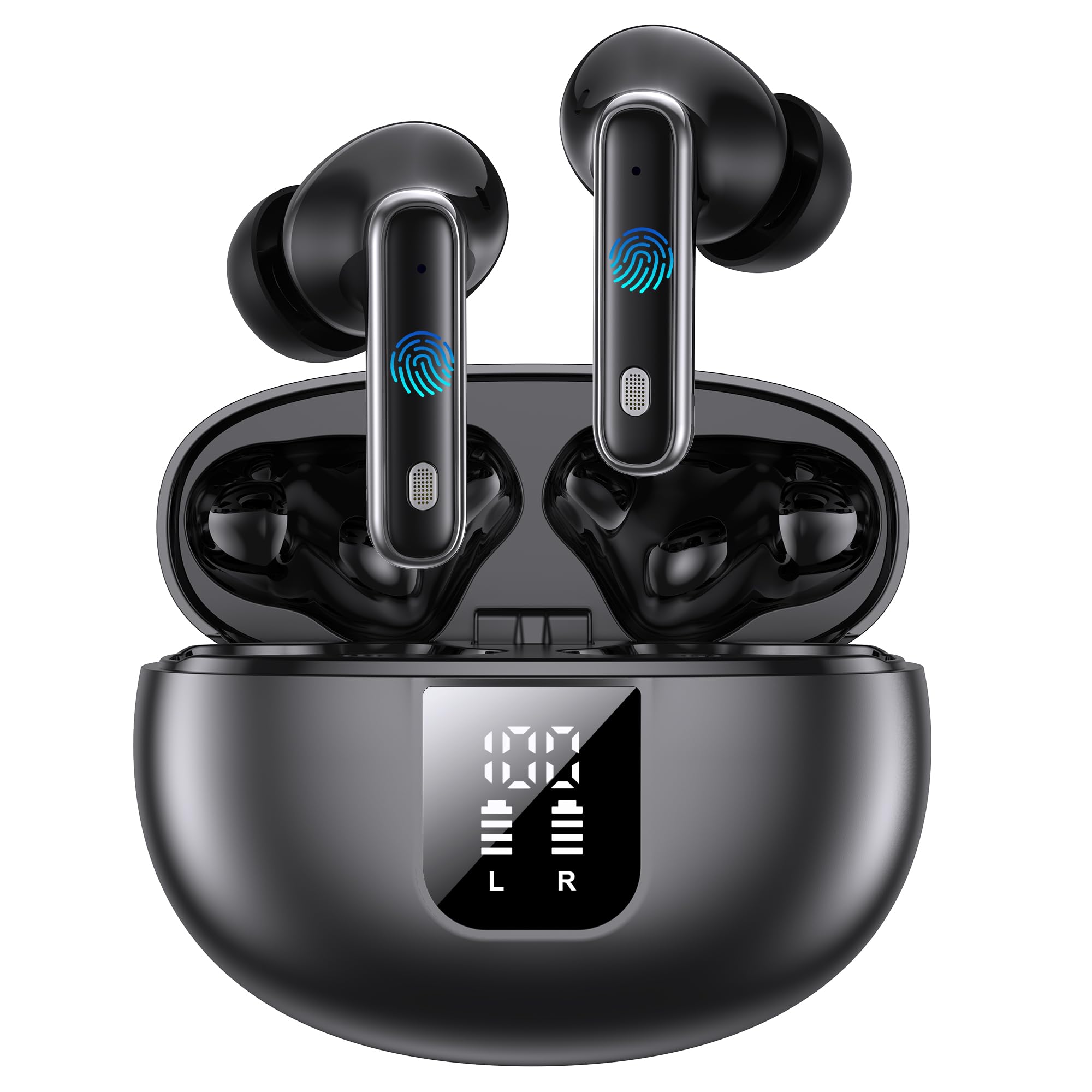
Image: EUQQ R210 Earbuds placed in their charging case, showing the LED display indicating battery status.
3.2 Pairing with a Bluetooth Device
The earbuds utilize revolutionary Bluetooth 5.4 technology for stable and fast connections.
- Open the charging case. The earbuds will automatically enter pairing mode.
- On your device (smartphone, tablet, laptop), enable Bluetooth.
- Search for available Bluetooth devices and select "EUQQ R210" from the list.
- Once connected, you will hear an audible confirmation, and the earbuds will be ready for use.
The connection remains stable even in environments with multiple Bluetooth devices, with an extended range of up to 15 meters.
3.3 Fitting the Earbuds
For optimal sound quality and comfort, choose the correct ear tip size.
- The earbuds come with three sizes of ear tips (S, M, L).
- Try each size to find the one that provides a secure and comfortable fit, creating a good seal in your ear canal.
- Insert the earbuds into your ears and gently twist them until they feel snug and stable.
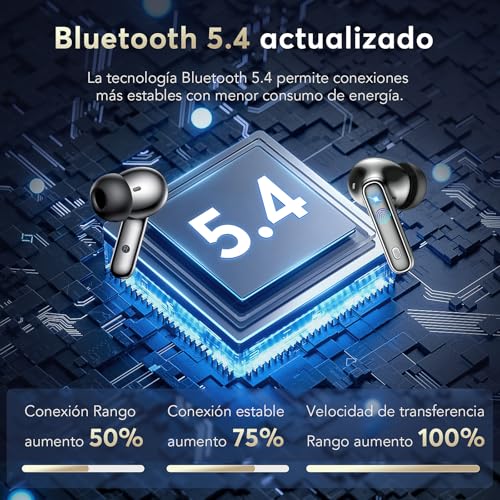
Image: Diagram illustrating the ergonomic design and proper fit of the earbuds with various ear tip sizes (S, M, L).
4. Operating Instructions
4.1 Power On/Off
- Power On: The earbuds automatically power on when removed from the charging case.
- Power Off: Place the earbuds back into the charging case to automatically power them off and begin charging.
4.2 Active Noise Cancellation (ANC) and Transparency Mode
The EUQQ R210 earbuds feature both Active Noise Cancellation and Transparency Mode.
- Active Noise Cancellation (ANC): This mode reduces ambient noise, allowing you to focus on your audio. It is ideal for noisy environments like trains, offices, or gyms.
- Transparency Mode: This mode allows ambient sounds to pass through, enabling you to hear your surroundings and engage in conversations without removing the earbuds. The built-in microphones pick up external sounds and transmit them to your ears.
Refer to the touch control section (if available on the product) for specific instructions on switching between these modes.
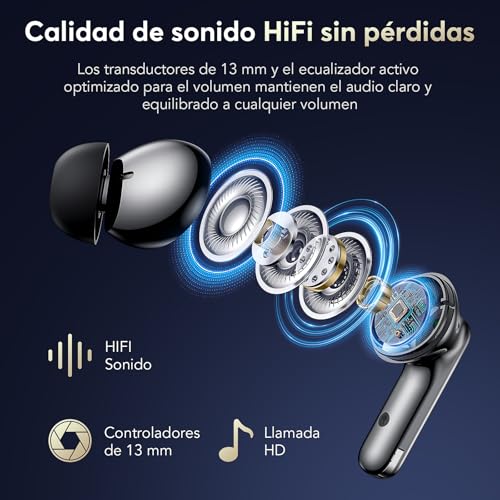
Image: Visual representation of how Active Noise Cancellation blocks external sounds and Transparency Mode allows them through.
4.3 Audio Playback and Calls
- Audio Quality: Enjoy stereo surround sound with deep bass and clear highs, delivered by 13mm dynamic drivers.
- Calls: The integrated CVC 8.0 algorithm ensures clear call quality, even in noisy environments.
Specific touch controls for playback (play/pause, skip tracks) and call management (answer/end calls) are typically detailed in a quick start guide or on the product packaging. Please refer to those resources for precise control gestures.
5. Maintenance
5.1 Cleaning
- Regularly clean the earbuds and charging case with a soft, dry, lint-free cloth.
- Remove ear tips and clean them with mild soap and water, then dry thoroughly before reattaching.
- Do not use abrasive cleaners, alcohol, or chemical solvents.
5.2 Water Resistance
The earbuds have an IPX7 waterproof rating, meaning they are resistant to sweat and rain. They are suitable for workouts and outdoor activities. However, they are not designed for swimming or prolonged submersion in water.
5.3 Storage
When not in use, store the earbuds in their charging case to protect them from dust and damage.
6. Troubleshooting
6.1 Earbuds Not Pairing
- Ensure the earbuds are charged.
- Make sure Bluetooth is enabled on your device.
- Place the earbuds back in the case, close it, then open it again to re-enter pairing mode.
- Try forgetting the device in your phone's Bluetooth settings and re-pairing.
6.2 No Sound or Low Volume
- Check the volume levels on both your device and the earbuds.
- Ensure the earbuds are properly connected to your device.
- Clean any debris from the earbud speakers and ear tips.
6.3 Charging Issues
- Verify the charging cable is securely connected to both the case and the power source.
- Try a different USB Type-C cable or power adapter.
- Ensure the charging contacts on the earbuds and inside the case are clean and free of obstruction.
7. Specifications
| Model Name | R210 |
| Brand | EUQQ |
| Connectivity Technology | Wireless (Bluetooth 5.4) |
| Wireless Communication Technology | Bluetooth |
| Bluetooth Range | Up to 15 meters |
| Noise Control | Active Noise Cancellation (ANC) |
| Ear Placement | In-Ear |
| Form Factor | In-Ear |
| Audio Driver Type | Dynamic (13mm) |
| Battery Life (Earbuds) | 6-7 hours (single charge) |
| Total Playtime (with Charging Case) | Up to 46 hours |
| Charging Time (Earbuds) | Approximately 1 hour |
| Water Resistance Level | IPX7 (Waterproof) |
| Compatible Devices | Almost all Bluetooth-enabled devices (iOS, Android, etc.) |
| UPC | 791162260905 |
8. Safety Information
- Do not disassemble or modify the product.
- Keep the earbuds and charging case away from extreme temperatures, direct sunlight, and open flames.
- Avoid listening at high volumes for extended periods to prevent hearing damage.
- Keep out of reach of children and pets.
- Dispose of the product responsibly according to local regulations.
9. Warranty and Support
For warranty information or technical support, please refer to the documentation provided at the time of purchase or contact EUQQ customer service through their official website or the retailer where the product was purchased.


