
Introduction
Thank you for choosing the VNMN Bluetooth 6.1 Wireless Earbuds, Model YYK-Q63. These earbuds are designed to provide a superior audio experience with advanced features such as Bluetooth 6.1 connectivity, extended battery life, IPX7 waterproofing, and ENC noise cancellation for clear calls. This manual will guide you through the setup, operation, and maintenance of your new earbuds.
What's in the Box
- Wireless Bluetooth Earbuds (Left & Right)
- Charging Case
- USB-C Charging Cable
- User Manual
- Ear Tips (Sizes S, M, L)
Product Overview
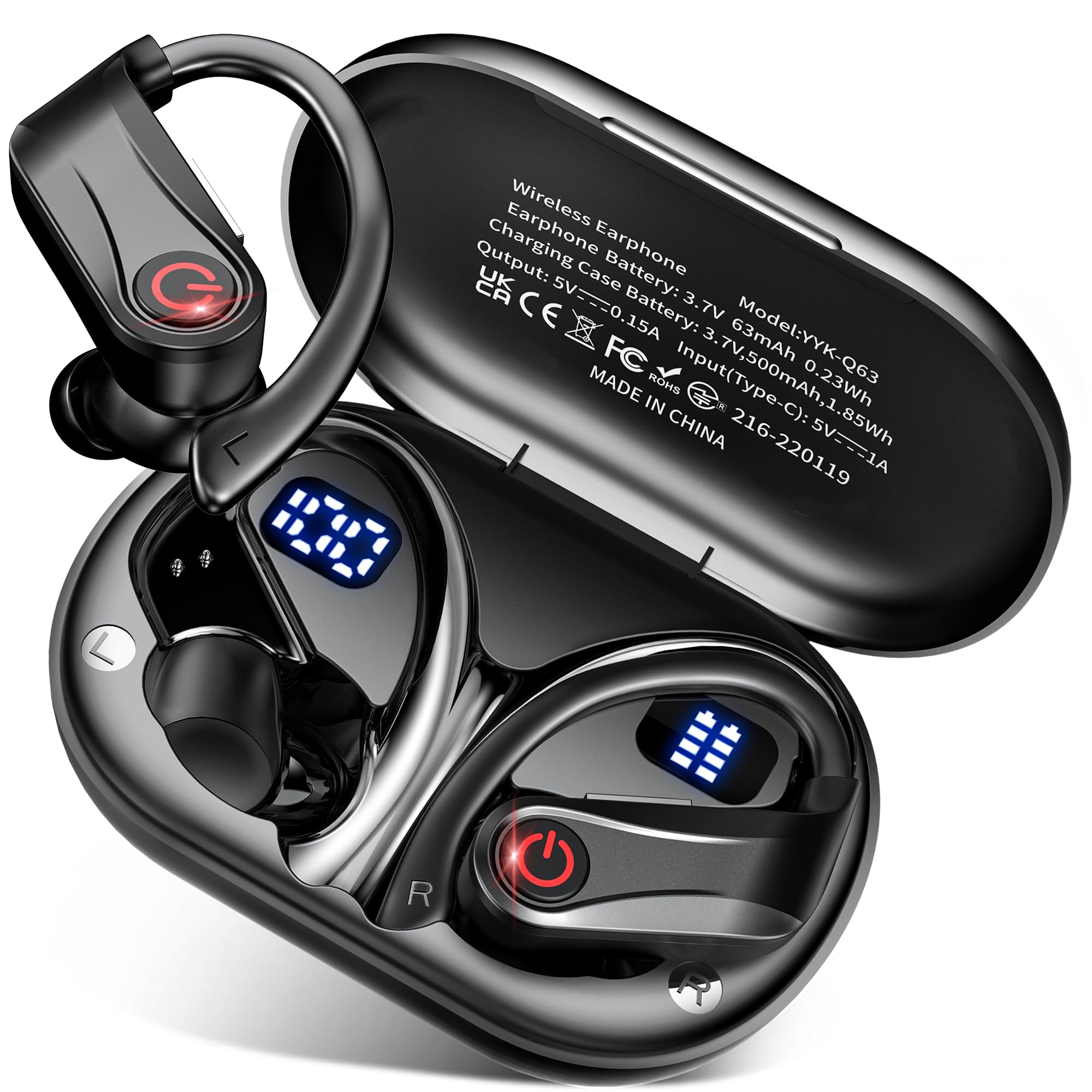
Familiarize yourself with the components of your VNMN YYK-Q63 earbuds and charging case.

This image illustrates the advanced internal structure of the earbud, featuring the Bluetooth 6.1 chip for superior connectivity, a main microphone, and a dedicated noise-cancelling microphone for clear audio during calls.

The earbuds feature an ergonomic design with soft ear contours and ear hooks for all-day comfort and secure fit, along with different sized TPU earphone caps (S, M, L) for personalized comfort.
Setup
1. Charging the Earbuds and Case
Before first use, fully charge the earbuds and the charging case.
- Connect the provided USB-C charging cable to the charging port on the case and to a power source.
- The LED display on the charging case will show the battery percentage.
- Place the earbuds into the charging case. The individual earbud charging status will be indicated on the case's LED display.
- A full charge takes approximately 1 hour, providing up to 14 hours of continuous use for the earbuds. The charging case extends the total battery life to up to 120 hours.
This image illustrates the charging capabilities, showing 1 hour for 14 hours of use and a total of 120 hours with the charging case. The LED display indicates the charging status of both the case and individual earbuds.
2. Pairing with Your Device
The earbuds use Bluetooth 6.1 technology for fast and stable connections.
- Ensure the earbuds are charged and placed inside the charging case.
- Open the charging case. The earbuds will automatically enter pairing mode.
- On your device (smartphone, tablet, laptop), go to Bluetooth settings and turn Bluetooth on.
- Search for available devices and select "YYK-Q63" from the list.
- Once connected, you will hear a confirmation tone, and the earbuds will be ready for use.
- The earbuds will automatically reconnect to the last paired device when the case is opened.
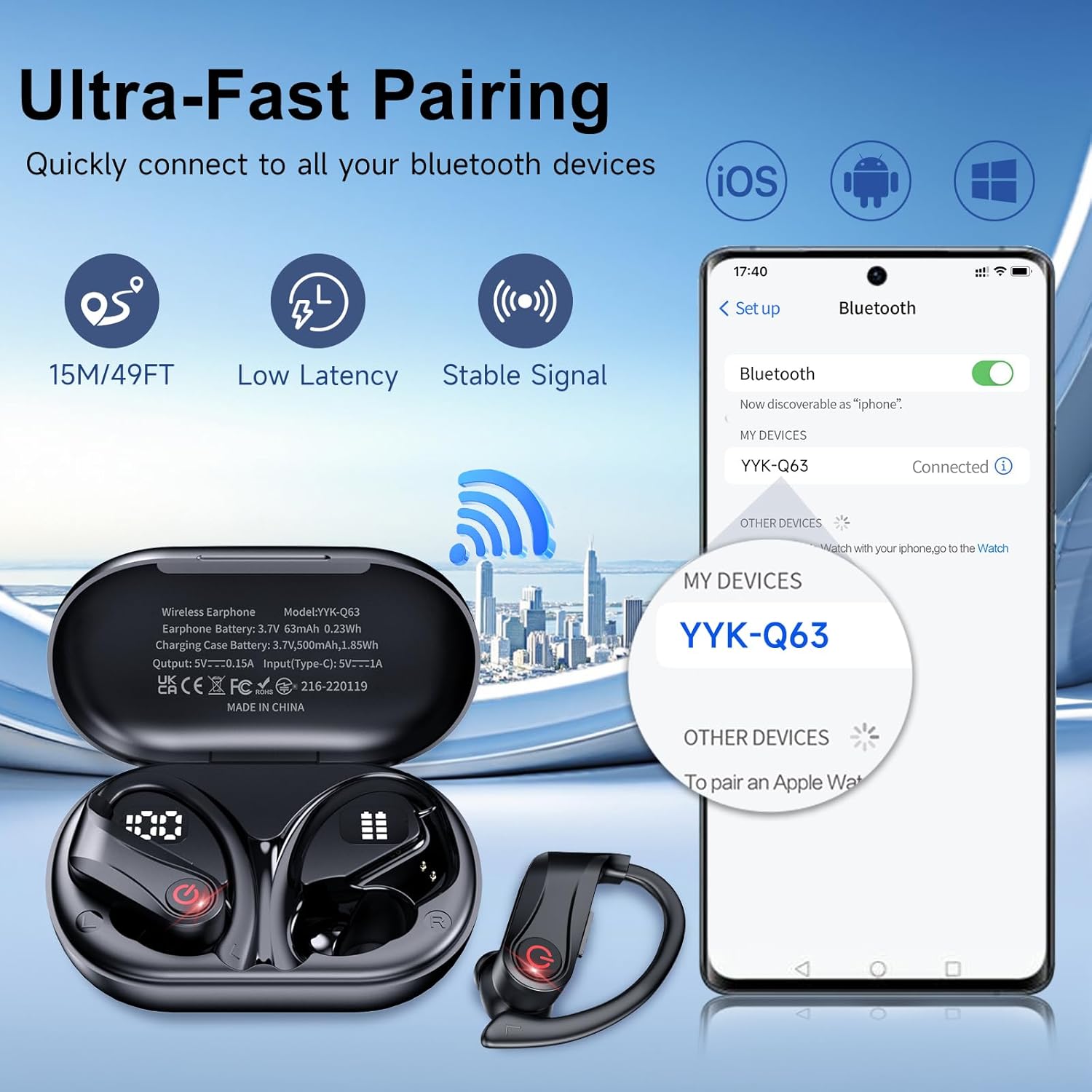
This image illustrates the quick pairing process, showing the earbuds connecting to a device via Bluetooth. The earbuds offer a stable connection within a 15m/49ft range with low latency.
Operating Instructions
The YYK-Q63 earbuds feature intuitive one-button controls for easy management of your audio and calls.
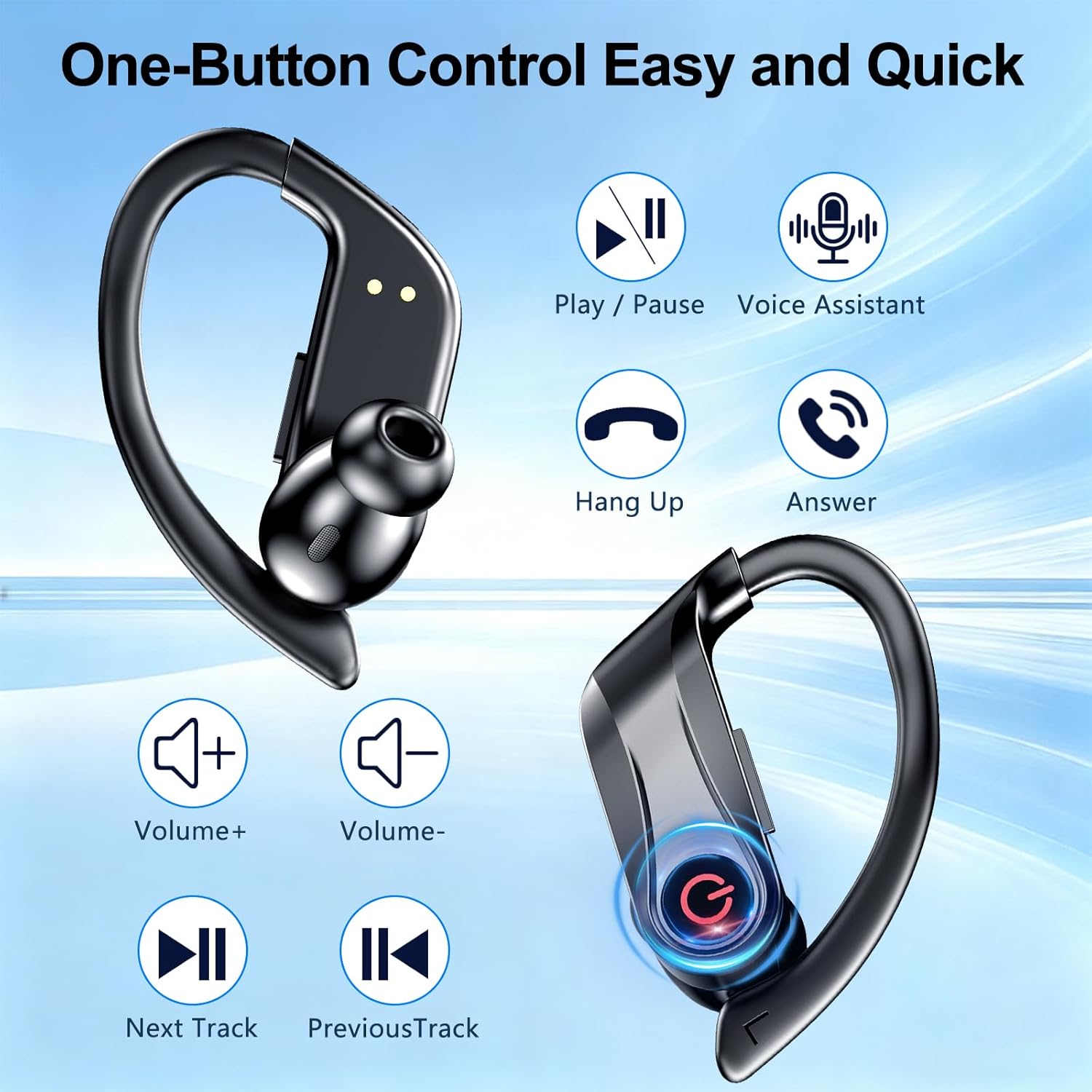
This diagram details the various functions accessible via the single button on each earbud, including media playback, call management, volume adjustment, and voice assistant activation.
Music Control
- Play/Pause: Single press the button on either earbud.
- Next Track: Double press the button on the right earbud.
- Previous Track: Double press the button on the left earbud.
- Volume Up: Press and hold the button on the right earbud.
- Volume Down: Press and hold the button on the left earbud.
Call Control
- Answer Call: Single press the button on either earbud.
- End Call: Single press the button on either earbud during a call.
- Reject Call: Press and hold the button on either earbud for 2 seconds.
Voice Assistant
- Activate Voice Assistant: Triple press the button on either earbud.
Audio Quality
Equipped with 16.2mm dynamic drivers and an AI chip algorithm, these earbuds deliver crisp highs, deep bass, and balanced mids. The dual ENC and CVC 8.0 noise reduction technology ensures crystal-clear calls by reducing ambient noise by up to 80%.

This image demonstrates the effectiveness of ENC technology in reducing ambient noise for clearer calls and an improved listening experience, even in noisy surroundings.
Maintenance
Proper maintenance ensures the longevity and optimal performance of your earbuds.
Cleaning
- Regularly clean the earbuds, ear tips, and charging contacts with a soft, dry, lint-free cloth.
- Remove ear tips and clean them with mild soap and water if necessary, ensuring they are completely dry before reattaching.
- Avoid using abrasive materials or harsh chemicals.
Water Resistance (IPX7)
The earbuds are IPX7 waterproof, meaning they can resist sweat, rain, and even immersion in 1 meter of water for up to 30 minutes. This makes them suitable for sports and outdoor activities.
- Do not intentionally submerge the charging case, as it is not waterproof.
- After exposure to water or sweat, ensure the earbuds are completely dry before placing them back into the charging case to prevent damage to the charging contacts.

This image visually confirms the IPX7 waterproof rating, demonstrating the earbuds' resistance to water splashes, rain, and sweat, making them ideal for active use.
Storage
Store the earbuds in their charging case when not in use to protect them and keep them charged.
Troubleshooting
If you encounter any issues, please refer to the following common solutions:
Earbuds Not Charging
- Ensure the charging cable is securely connected to both the case and the power source.
- Check if the charging contacts on both the earbuds and the case are clean and free of debris.
- Verify that the charging case itself has sufficient battery charge.
Cannot Pair Earbuds with Device
- Make sure Bluetooth is enabled on your device.
- Ensure the earbuds are out of the charging case and in pairing mode (usually indicated by a flashing LED on the earbuds).
- If previously paired, try "forgetting" or "unpairing" "YYK-Q63" from your device's Bluetooth list and then re-pair.
- Move the earbuds closer to your device and away from other strong wireless signals.
No Sound or Low Volume
- Check the volume levels on both your device and the earbuds.
- Ensure the earbuds are properly seated in your ears.
- Try disconnecting and reconnecting the Bluetooth connection.
Earbuds Disconnect Frequently
- Ensure there are no obstructions between the earbuds and your device.
- Keep the earbuds within the 15-meter (49 feet) Bluetooth range.
- Avoid environments with strong electromagnetic interference.
Specifications
| Feature | Detail |
|---|---|
| Model Name | YYK-Q63 |
| Brand | VNMN |
| Bluetooth Version | 6.1 |
| Bluetooth Range | Up to 15 meters (49 feet) |
| Battery Life (Earbuds) | Up to 14 hours (single charge) |
| Total Battery Life (with Case) | Up to 120 hours |
| Charging Time | Approx. 1 hour |
| Water Resistance Rating | IPX7 (Waterproof) |
| Noise Control | ENC (Environmental Noise Cancellation), CVC 8.0 |
| Driver Size | 16.2 mm Dynamic Driver |
| Control Type | Button Control |
| Connectivity Technology | Wireless (Bluetooth) |
| Ear Placement | In-ear with Ear Hook |
| Compatible Devices | Mobile Phones, Laptops, Tablets (Android, iOS, PC) |
| Material | Acrylonitrile Butadiene Styrene (ABS) Plastic |
Warranty and Support
For warranty information or technical support, please refer to the warranty card included in your product packaging or contact the retailer/manufacturer directly. Keep your purchase receipt as proof of purchase.
For further assistance, please visit the official VNMN website or contact their customer service.
