
Introduction
This manual provides essential information for the installation, operation, maintenance, and troubleshooting of your Generic Air Conditioner Outdoor Unit Control Board. This replacement PCB is designed for durability and reliability, ensuring optimal performance of your air conditioning system. Please read this manual thoroughly before proceeding with any installation or maintenance.
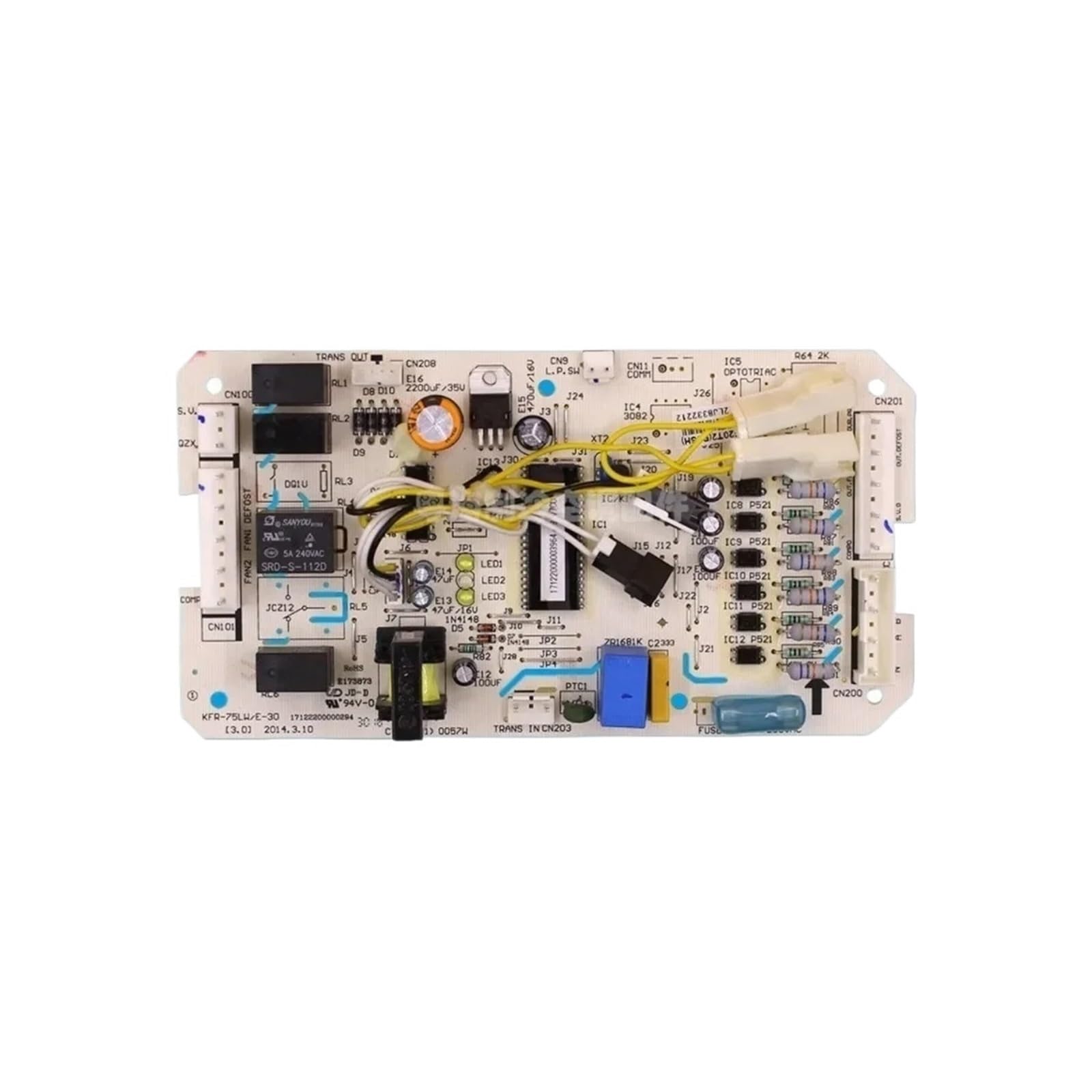
Image 1: Generic Air Conditioner Outdoor Unit Control Board. This image displays the main circuit board with various connectors and electronic components, typical of an outdoor unit control board.
Setup and Installation
The installation of this control board requires careful attention to electrical connections and safety. It is recommended that installation be performed by a qualified technician.
- Safety First: Before beginning any work, ensure the main power supply to the air conditioner outdoor unit is completely disconnected. Verify with a voltage tester.
- Access the Unit: Open the outdoor unit's casing to access the existing control board. Refer to your air conditioner's specific service manual for proper access procedures.
- Document Connections: Before disconnecting any wires, take clear photographs or make detailed diagrams of all existing wire connections to the old control board. Note the position and color of each wire.
- Remove Old Board: Carefully disconnect all wires and mounting screws securing the old control board. Remove the old board from the unit.
- Install New Board: Position the new Generic control board (Model WBCKABPKW) in the same location as the old board. Secure it with the appropriate mounting screws.
- Reconnect Wiring: Using your documented connections, carefully reconnect all wires to the new control board. Ensure each connection is secure and correctly placed. Double-check all connections before proceeding.
- Close Unit: Once all connections are verified, close and secure the outdoor unit's casing.
- Power On and Test: Restore power to the air conditioner unit. Perform a functional test to ensure the unit operates correctly. Monitor for any unusual sounds or behaviors.
This motherboard is designed for rapid installation, facilitating a swift return to system operation.
Operating Principles
The Air Conditioner Outdoor Unit Control Board (PCB) serves as the central processing unit for the outdoor section of your air conditioning system. It manages and coordinates the operation of various components, including:
- Compressor: Controls the compressor's start, stop, and operational speed (if applicable for inverter models).
- Outdoor Fan Motor: Regulates the speed and operation of the outdoor fan, which dissipates heat.
- Reversing Valve: In heat pump systems, it controls the reversing valve for switching between heating and cooling modes.
- Sensors: Processes data from various sensors (e.g., temperature, pressure) to maintain optimal system performance and protect components.
While there is no direct user interaction with the control board itself, its proper function is critical for the overall performance and efficiency of your air conditioning unit. This board is equipped with diverse connectivity solutions, supporting a wide range of devices and peripherals within the AC system.
Maintenance
Proper maintenance can extend the lifespan of your control board and ensure consistent performance of your air conditioner.
- Keep Dry: Ensure the outdoor unit's casing is properly sealed to prevent moisture ingress, which can damage electronic components.
- Cleanliness: Periodically inspect the control board area for dust, debris, or insect nests. If necessary, gently clean with a soft brush or compressed air (ensure power is disconnected).
- Visual Inspection: During routine AC maintenance, visually inspect the control board for any signs of damage, such as burnt components, swollen capacitors, or loose connections.
- Professional Service: For any internal cleaning or inspection beyond simple dusting, it is recommended to consult a qualified HVAC technician.
Troubleshooting
If your air conditioner unit is experiencing issues, the control board may be a factor. Here are some general troubleshooting steps:
- No Power: If the outdoor unit receives no power, check the circuit breaker and all power connections to the control board.
- Unit Not Starting: If the unit receives power but the compressor or fan does not start, verify all wiring connections to the control board are secure.
- Incorrect Operation: If the unit operates erratically or in the wrong mode, it could indicate a sensor issue or a fault with the control board's logic.
- Error Codes: Many modern AC units display error codes. Consult your air conditioner's specific manual to interpret these codes, as they often point to specific component failures, including the control board.
- Professional Diagnosis: Due to the complexity of HVAC systems and electrical components, it is highly recommended to seek diagnosis and repair from a certified HVAC technician for any persistent issues.
Specifications
| Feature | Detail |
|---|---|
| Brand | Generic |
| Model Number | WBCKABPKW |
| Part Number | WBCKABPKW |
| Compatibility | KFR-75LW/E-30, KFR-120W/S-520T2 (and other compatible models) |
| Color | One Color |
| Number of Items | 1 |
| ASIN | B0GZZHT3L3 |
Warranty Information
This Generic control board is designed for durability and reliability. For specific warranty terms and conditions, please refer to the documentation provided at the time of purchase or contact the seller directly. Keep your proof of purchase for any warranty claims.
Support and Contact
For technical assistance, installation guidance, or troubleshooting beyond the scope of this manual, please contact the retailer or the manufacturer's customer support. When contacting support, please have your product model number (WBCKABPKW) and purchase information readily available.
Online Resources: You may find additional support and resources on the product's purchase page or the manufacturer's website (if available).