
1. Introduction
Thank you for choosing the NOTABRICK Ki Portable Bluetooth Speaker. This manual provides essential information for setting up, operating, and maintaining your speaker. Please read it carefully before use to ensure optimal performance and longevity of your device.
The NOTABRICK Ki speaker is designed for portability and robust sound, featuring Bluetooth V5.0 connectivity, 15W audio output, IPX6 waterproof rating, and True Wireless Stereo (TWS) pairing capabilities.
2. What's in the Box
- NOTABRICK Ki Portable Bluetooth Speaker
- Power Cable (Type-C)
- User Manual
- Lanyard
3. Product Overview
The NOTABRICK Ki speaker combines compact design with powerful audio features, making it suitable for various environments, from home to outdoor adventures.
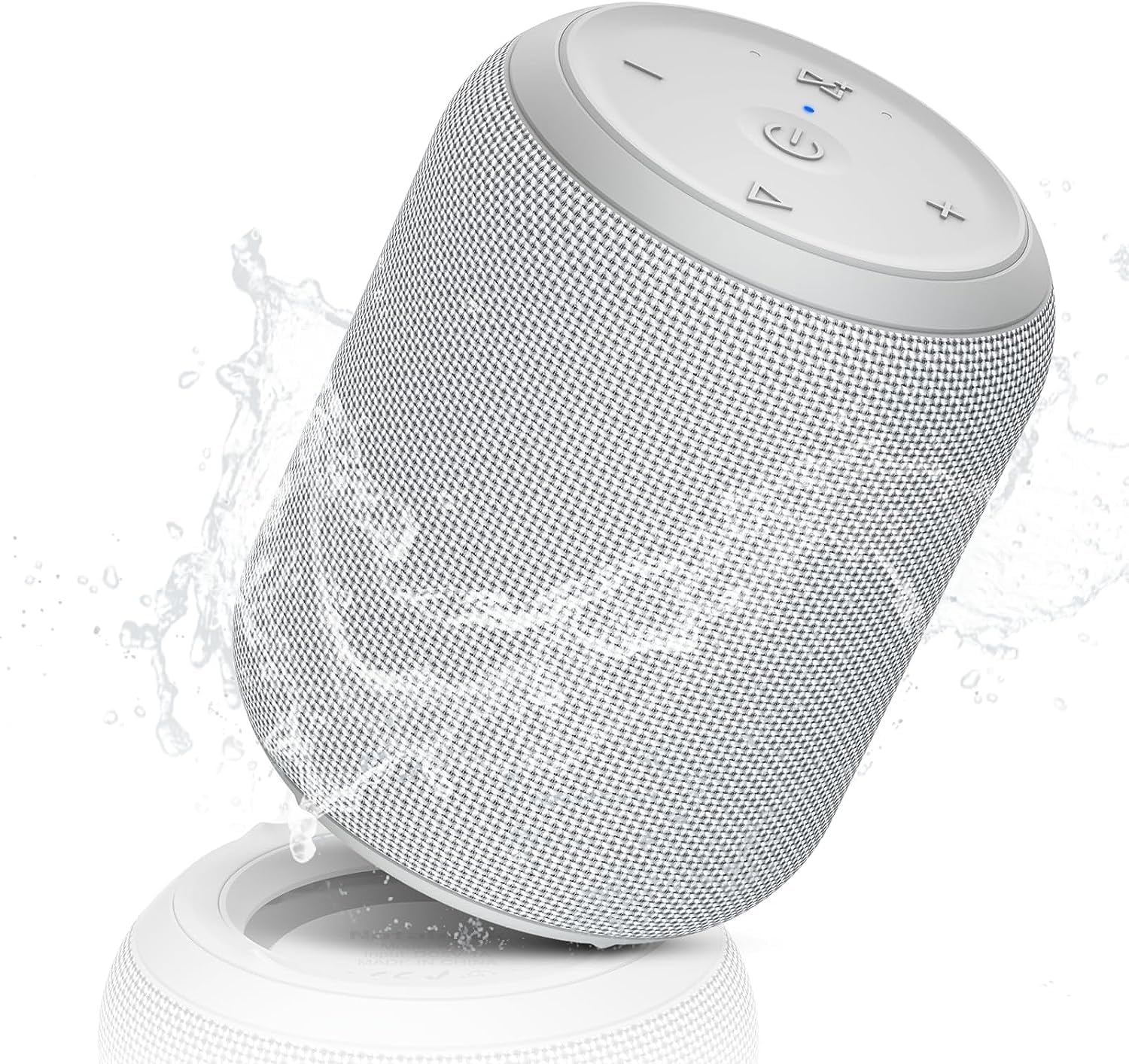
Figure 3.1: NOTABRICK Ki Portable Bluetooth Speaker (Silvery White)
Key Features:
- 15W Powerful Audio: Delivers clear, distortion-free sound with loud highs, crisp midrange, and full bass.
- Bluetooth V5.0: Ensures fast pairing and a stable connection up to 100 feet.
- IPX6 Waterproof: Resistant to mild water spray and splashing, ideal for outdoor use. Note: Not designed for partial or full submersion.
- True Wireless Stereo (TWS): Connect two Ki speakers for a 360° stereo sound experience.
- Multiple Playback Options: Supports Bluetooth, 3.5mm AUX input, and TF card (WAV/FLAC/APE/MP3 formats).
- Built-in Microphone: For high-quality, convenient hands-free calls.
- Portable Design: Compact size (4.5 inches high, 3.5 inches diameter) with a lanyard for easy carrying.
- Long Battery Life & Fast Charging: Provides extended playtime and quick recharging via Type-C port.

Figure 3.2: Internal components illustrating 15W audio output.

Figure 3.3: Speaker demonstrating IPX67 waterproof and dustproof capabilities.
4. Setup
4.1 Charging the Speaker
Before first use, fully charge the speaker. Connect the provided Type-C USB cable to the speaker's charging port and the other end to a USB power adapter (not included) or a computer's USB port. The LED indicator will show charging status and turn off when fully charged. A full charge typically takes less than 4 hours.
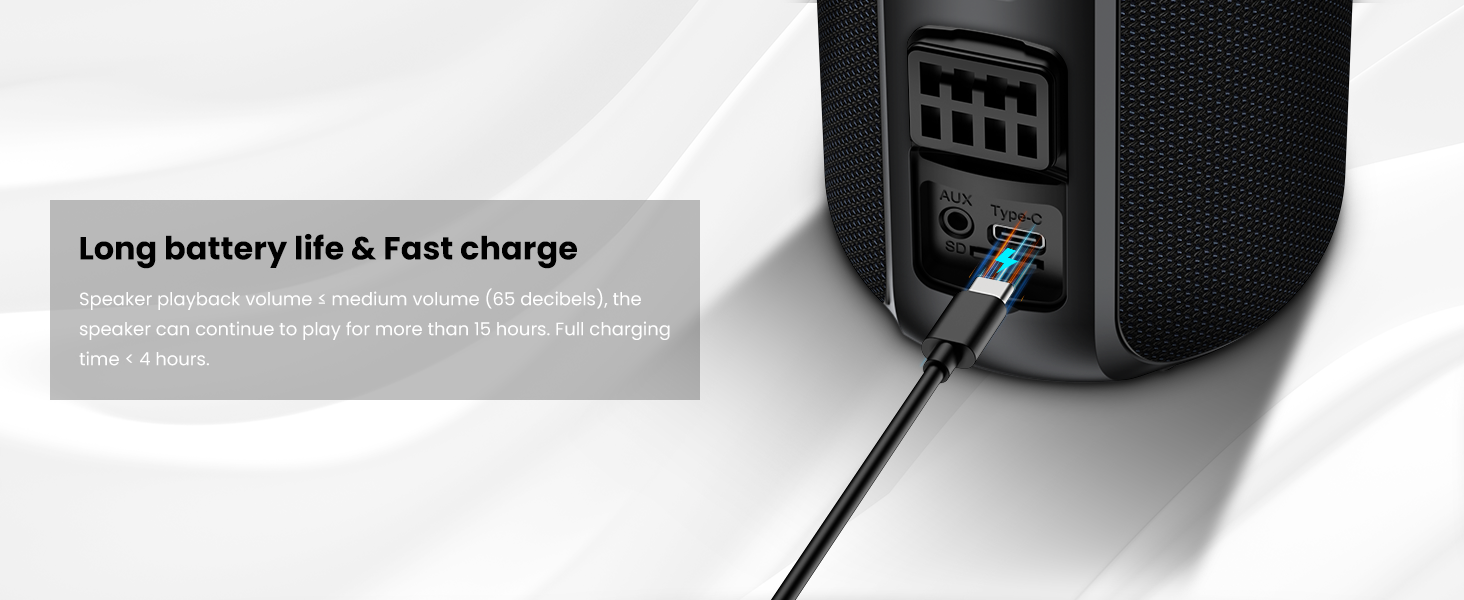
Figure 4.1: Speaker charging via Type-C port.
4.2 Bluetooth Pairing
- Power On: Press and hold the Power button (U) for 2-3 seconds to turn on the speaker. The LED indicator will flash blue, indicating it's in pairing mode.
- Enable Bluetooth: On your mobile device, go to Bluetooth settings and enable Bluetooth.
- Select Device: Look for "NOTABRICK Ki" in the list of available devices and select it to connect.
- Confirmation: Once connected, the speaker will emit a confirmation tone, and the LED indicator will turn solid blue.
The speaker will automatically reconnect to the last paired device when powered on, if the device's Bluetooth is active and within range.
4.3 True Wireless Stereo (TWS) Pairing
To achieve 360° stereo sound, you can pair two NOTABRICK Ki speakers together:
- Ensure both NOTABRICK Ki speakers are powered on and not connected to any other Bluetooth device.
- On one of the speakers (this will be the primary speaker), press and hold the TWS button (often indicated by a double-speaker icon or similar) for 2-3 seconds. The speaker will enter TWS pairing mode.
- The primary speaker will search for the secondary speaker. Once connected, both speakers will emit a confirmation tone, and their LED indicators will synchronize.
- Now, connect your mobile device to the primary speaker via Bluetooth as described in Section 4.2. Audio will play through both speakers in stereo.

Figure 4.2: Two speakers connected for TWS stereo sound.
5. Operating Instructions
5.1 Button Functions
The speaker features intuitive controls on its top panel:

Figure 5.1: Top control panel of the speaker.
| Button | Short Press | Long Press |
|---|---|---|
| Power (U) | Play/Pause | Power On/Off (2-3 seconds) |
| Volume Down (-) | Decrease Volume | Previous Track |
| Volume Up (+) | Increase Volume | Next Track |
| Mode (M) | Switch Playback Mode (Bluetooth/AUX/TF Card) | N/A |
| TWS (Double Speaker Icon) | N/A | Enter TWS Pairing Mode (2-3 seconds) |
5.2 Hands-Free Calling
When connected to your phone via Bluetooth, the built-in microphone allows you to answer calls directly through the speaker:
- Answer Call: Short press the Power button (U) to answer an incoming call.
- End Call: Short press the Power button (U) again to end the call.
- Reject Call: Long press the Power button (U) to reject an incoming call.
5.3 TF Card Playback
Insert a TF (Micro SD) card loaded with WAV, FLAC, APE, or MP3 audio files into the TF card slot. The speaker will automatically switch to TF card mode and begin playback. Use the Mode button (M) to cycle through playback modes if needed.
5.4 AUX Input
Connect an external audio device (e.g., MP3 player, computer) to the speaker's 3.5mm AUX input port using a 3.5mm audio cable (not included). The speaker will automatically switch to AUX mode. Use the Mode button (M) to cycle through playback modes if needed.

Figure 5.2: Ports for charging, AUX input, and TF card.
6. Maintenance
6.1 Cleaning
Wipe the speaker with a soft, damp cloth. Do not use harsh chemicals or abrasive cleaners. Ensure all ports are dry before charging or using in wet environments.
6.2 Water Resistance
The speaker has an IPX6 waterproof rating, meaning it is protected against high-pressure water jets from any direction. This makes it suitable for use near pools, in the shower, or during light rain. However, it is not designed to be partially or fully submerged in water. Prolonged exposure to water or submersion may cause damage not covered by warranty.

Figure 6.1: Speaker in a wet environment, showcasing its IPX6 rating.
6.3 Storage
Store the speaker in a cool, dry place away from extreme temperatures and direct sunlight. If storing for an extended period, charge the battery periodically to maintain its health.
7. Troubleshooting
| Problem | Possible Cause | Solution |
|---|---|---|
| Speaker does not turn on. | Low battery. | Charge the speaker fully. |
| Cannot pair via Bluetooth. | Bluetooth not enabled on device; speaker not in pairing mode; too far from device. | Ensure Bluetooth is on and speaker is in pairing mode (flashing blue LED). Move device closer to speaker. Forget device on your phone and re-pair. |
| No sound. | Volume too low; incorrect input mode; device not playing. | Increase volume on both speaker and connected device. Press the Mode button to select correct input (Bluetooth/AUX/TF Card). Ensure audio is playing on your device. |
| TWS pairing fails. | Speakers already connected to other devices; speakers too far apart. | Ensure both speakers are disconnected from other devices. Place speakers close to each other during TWS pairing. |
| Poor sound quality. | Low battery; interference; device too far. | Charge the speaker. Move speaker closer to the connected device. Avoid obstacles between speaker and device. |
8. Specifications
| Feature | Specification |
|---|---|
| Brand | NOTABRICK |
| Model Number | Ki |
| Speaker Maximum Output Power | 15 watts |
| Connectivity Technology | Bluetooth V5.0 |
| Audio Output Mode | Stereo (with TWS pairing) |
| Waterproof Rating | IPX6 |
| Additional Features | Built-in Microphone, Portable, TF Card Slot, AUX Input |
| Control Method | Push Button |
| Item Dimensions (D x W x H) | 3.8"D x 3.8"W x 8"H |
| Battery | 1 C battery required (internal) |
9. Official Product Video
Video 9.1: Official NOTABRICK Bluetooth Speakers with 15W overview. This video highlights the speaker's features and usage scenarios.
10. Warranty and Support
NOTABRICK products are designed and manufactured to the highest quality standards. This product is covered by a standard manufacturer's warranty against defects in materials and workmanship from the date of purchase. Please retain your proof of purchase for warranty claims.
For technical support, warranty inquiries, or further assistance, please contact NOTABRICK customer service through the retailer where you purchased the product or visit the official NOTABRICK website.


