
Bellemave FST00181-DT-AH1
Contents
Bellemave Twin Loft Bed with Slide, Stairs, Wardrobe, USB Ports, and LED Lights
Model: FST00181-DT-AH1
1. Product Overview
The Bellemave Twin Loft Bed is a versatile and space-saving furniture solution designed for children's rooms. This metal loft bed features a playful roof design, integrated stairs with storage, a slide, a built-in wardrobe, open shelves, USB charging ports, and multi-color LED lighting. It can be configured as a loft bed with a play space underneath or as a bunk bed by adding a mattress to the lower area.
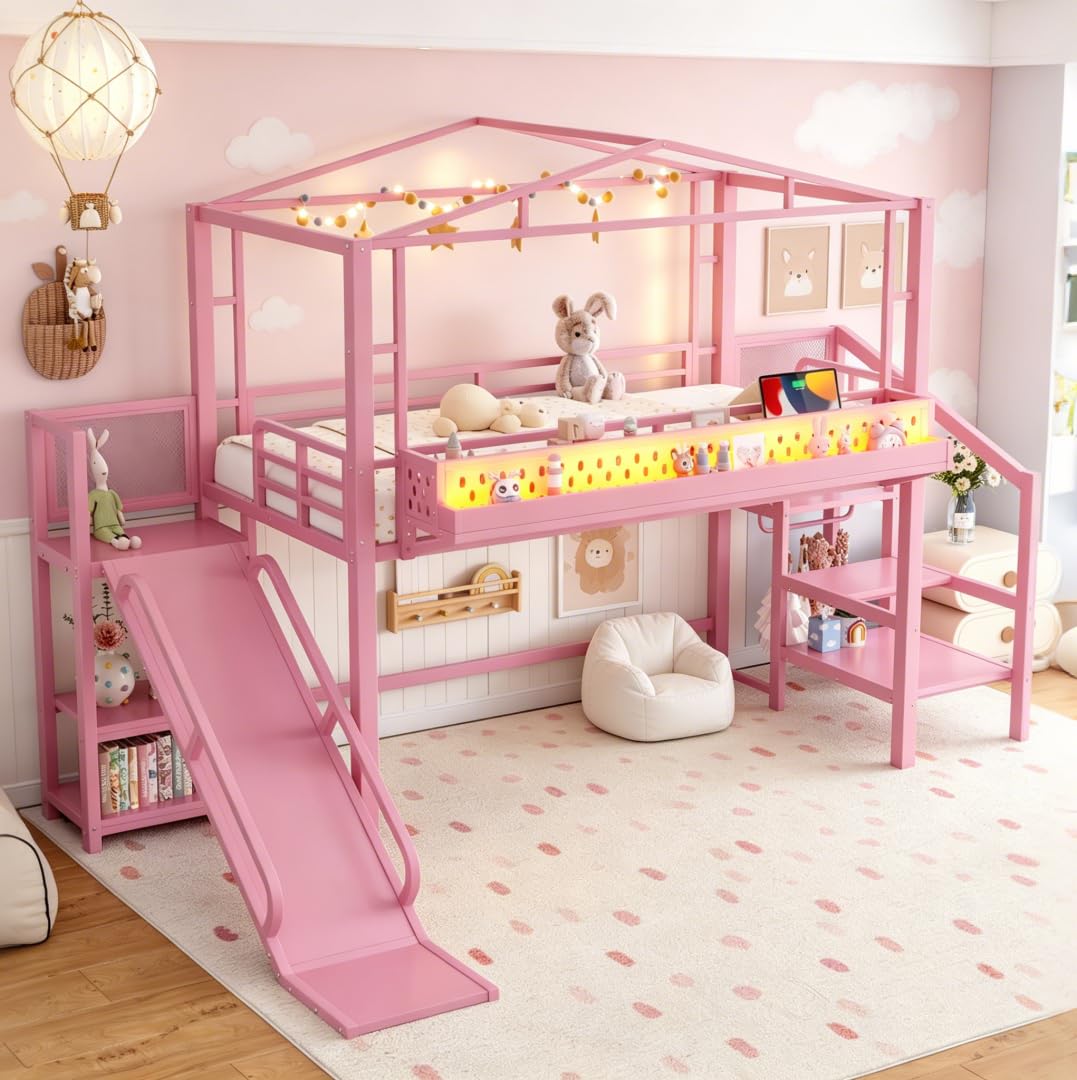
Image 1.1: Overall view of the Bellemave Twin Loft Bed in pink, featuring the slide, stairs, and roof design.
Key Features:
- Flexible Configuration: Can be used as a loft bed with a play area or a bunk bed with an additional mattress.
- Integrated Storage: Features a built-in wardrobe and open shelves within the stairs for clothes, books, and toys.
- Connectivity: Equipped with built-in USB ports for convenient device charging.
- Ambiance Lighting: Multi-color LED light strip for reading or creating a desired atmosphere.
- Safety Features: Full-length guardrails on the top bunk and sturdy storage stairs ensure secure access.
- Playful Design: Includes a slide and a house-shaped roof structure.
2. Safety Information
Please read and follow all safety instructions carefully to prevent injury. Adult supervision is recommended, especially for younger children using the slide and stairs.
- Weight Capacity: Do not exceed the maximum weight recommendation of 350 pounds for the bed.
- Guardrails: Ensure all guardrails are securely installed and maintained. The top bunk is equipped with full-length guardrails for safety.
- Mattress Size: Use only mattresses of the specified size to ensure proper fit and guardrail effectiveness.
- No Jumping: Prohibit jumping on the bed.
- Assembly: This product requires adult assembly. Ensure all fasteners are tightened securely before use and periodically check for tightness.
- Slide Safety: Use the slide only when dry and under adult supervision. Ensure the landing area is clear.
- Stairs Safety: Always use the stairs for climbing to and from the top bunk. Do not use other parts of the bed as a ladder.
- Ventilation: Ensure adequate ventilation around the bed, especially if using the lower area as a sleeping space.
- Electrical Components: Exercise caution when using USB ports and LED lights. Do not overload electrical outlets.
3. Setup and Assembly
Assembly of the Bellemave Twin Loft Bed requires two adults. Please follow the detailed instructions provided in the separate assembly manual included with your purchase. Ensure all parts are present and undamaged before beginning assembly.
General Assembly Steps:
- Unpack and Identify Parts: Carefully unpack all components and compare them against the parts list in your assembly manual.
- Assemble Main Frame: Begin by assembling the main metal frame of the loft bed according to the step-by-step diagrams.
- Attach Stairs and Wardrobe: Securely attach the storage stairs and integrated wardrobe unit to the main frame.
- Install Slide: Mount the slide to the designated position on the bed frame.
- Place Slats: Install the bed slats onto the top bunk frame. No box spring is needed.
- Connect Electrical Components: Install and connect the USB ports and LED light strip as per the instructions.
- Final Inspection: Double-check all bolts, screws, and connections to ensure they are tight and secure.

Image 3.1: Detailed diagram showing the dimensions of the Bellemave Twin Loft Bed, including height, length, width, and specific measurements for the slide, stairs, and bed frame components.
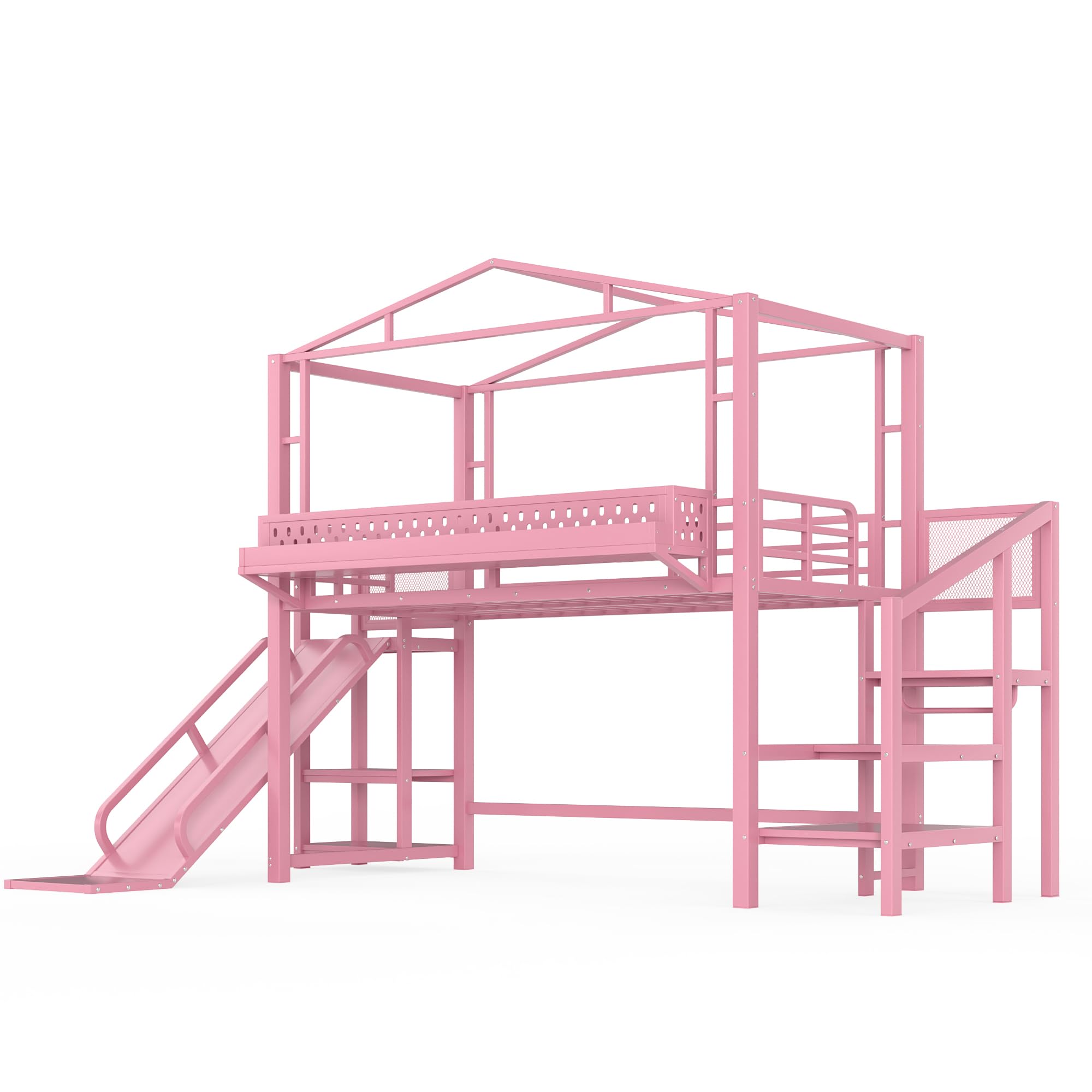
Image 3.2: Front view of the assembled Bellemave Twin Loft Bed, showcasing the overall structure, slide, and stairs.
4. Operating Instructions
Using the USB Ports:
The bed includes built-in USB ports for charging electronic devices. Locate the USB panel, typically integrated into the bed frame near the sleeping area. Plug your device's USB cable into an available port. Ensure the bed is connected to a power source for the USB ports to function.

Image 4.1: Detail of the USB charging ports and power outlet, conveniently located on the bed frame.
Controlling the LED Lights:
The multi-color LED light strip can be controlled via a remote control or a switch, depending on the specific model. Refer to the separate LED light manual for detailed instructions on changing colors, brightness, and modes. Ensure the LED lights are properly connected to a power source.
Using the Stairs and Slide:
- Stairs: Always use the integrated stairs for safe access to and from the top bunk. The stairs also provide convenient storage shelves.
- Slide: The slide is intended for recreational use. Ensure the area at the bottom of the slide is clear before use. Adult supervision is recommended.

Image 4.2: Detail of the sturdy storage stairs, which include open shelves for organization.

Image 4.3: Detail of the slide, designed for safe and fun descent from the loft bed.
5. Maintenance
- Cleaning: Wipe the metal frame and surfaces with a soft, damp cloth. Avoid abrasive cleaners or harsh chemicals that could damage the finish.
- Fastener Check: Periodically inspect all bolts, screws, and connections to ensure they remain tight. Re-tighten as necessary to maintain stability and safety.
- LED Lights: If the LED strip becomes dirty, gently wipe it with a dry, soft cloth. Do not immerse in water.
- USB Ports: Keep USB ports free of dust and debris. Do not force plugs into the ports.
- General Inspection: Regularly check for any signs of wear, damage, or loose parts. Address any issues promptly.
6. Troubleshooting
- Issue: Bed feels unstable or wobbly.
Solution: Check all assembly bolts and screws. Re-tighten any loose fasteners. Ensure the bed is placed on a flat, level surface. - Issue: USB ports are not charging devices.
Solution: Verify that the bed's power cord (if applicable) is securely plugged into a working electrical outlet. Check the device's USB cable for damage. - Issue: LED lights are not turning on or changing colors.
Solution: Ensure the LED light strip is properly connected to its power source. Check the remote control battery (if applicable). Refer to the LED light manual for specific troubleshooting steps. - Issue: Missing or damaged parts during assembly.
Solution: Do not proceed with assembly. Contact Bellemave customer support immediately for assistance and replacement parts.
7. Specifications
| Feature | Detail |
|---|---|
| Model Number | FST00181-DT-AH1 |
| Size | Twin with LED |
| Material | Metal |
| Product Dimensions (L x W x H) | 111"L x 70.47"W x 83.07"H |
| Item Weight | 40 pounds |
| Maximum Weight Recommendation | 350 pounds |
| Color | Pink With Stairs |
| Included Components | Slat |
| Special Feature | No Box Spring Needed, Built-in wardrobe, open shelves, USB Ports, LED Lights |
8. Warranty and Support
For any questions, concerns, or assistance with your Bellemave Twin Loft Bed, please contact Bellemave customer support. Information regarding specific warranty coverage may be available through your purchase documentation or by contacting the seller directly.
This product is eligible for a 30-day free return, refund, or replacement policy through Amazon.com. For detailed terms and conditions, please refer to your purchase receipt or Amazon's return policy.
You can visit the official Bellemave store for more information and support: Bellemave Store on Amazon
Documents and downloads
Ask a question about this manual
Ask about setup, troubleshooting, compatibility, parts, safety, or missing instructions. Manuals+ will review the question and use this page’s manual context to help answer it.