
1. Product Overview
The JALL 22-inch Extra Large Digital Wall Clock features a giant LED display designed for clear visibility across large spaces. It includes a remote control for easy adjustments, a countdown timer, and various display options such as time, date, day of the week, and temperature. The clock is equipped with smart features like auto-Daylight Saving Time (DST) adjustment and adaptive brightness.

Image 1.1: The JALL 22-inch Digital Wall Clock displaying its large, clear numbers and overall dimensions of 21.2 inches in width and 8 inches in height.
2. Package Contents
- JALL 22-inch Digital Wall Clock
- Remote Control
- Power Adapter with 10.5ft Cord
- User Manual (this document)
3. Setup
3.1 Power Connection
The clock requires continuous AC power. Connect the provided power adapter to the clock's DC 5V input port and then plug it into a standard wall outlet. The 10.5ft power cord allows for flexible placement. This clock does not operate on batteries for primary power; batteries are for memory backup only.

Image 3.1: Illustration of the clock's power connection using the included 10.5ft power cord and adapter.
3.2 Mounting and Placement
The clock can be either wall-mounted or placed freestanding on a desk, shelf, or TV console. Ensure the chosen location provides clear visibility and access to a power outlet.
- Wall Mounting: Use appropriate hardware (not included) to securely mount the clock on a wall. Refer to the clock's back panel for mounting points.
- Freestanding: Place the clock on a stable, flat surface.

Image 3.2: Examples of the clock's versatile placement in different environments such as a hotel lobby, gym, classroom, and church.
3.3 Initial Time and Date Setting
Upon first power-up, the clock may require initial time and date settings. It is recommended to use the included remote control for this process. Consult the remote control section for detailed instructions on setting time, date, and other parameters.
4. Operating Instructions
4.1 Remote Control Functions
The remote control provides full functionality for setting and adjusting the clock. Point the remote directly at the clock for optimal response.
- Time Setting: Adjust hours, minutes, and 12/24-hour format.
- Date Setting: Set year, month, and day.
- Alarm Setting: Configure and activate alarms.
- Timer/Stopwatch: Access and control countdown and stopwatch functions.
- Brightness Adjustment: Manually adjust display brightness.
- Display Mode: Toggle between different display combinations (e.g., time only, time with seconds, time with day/temperature).
4.2 Customizable Display
The clock allows you to customize the on-screen information. You can choose to display precise seconds, the day of the week, and the indoor temperature alongside the main time. Use the remote control to toggle these features according to your preference.
4.3 Adaptive Brightness (Auto-Dimming)
The clock features a built-in light sensor that automatically adjusts the LED brightness from 100% to 0% based on ambient lighting conditions. This ensures comfortable viewing day and night without harsh glare.
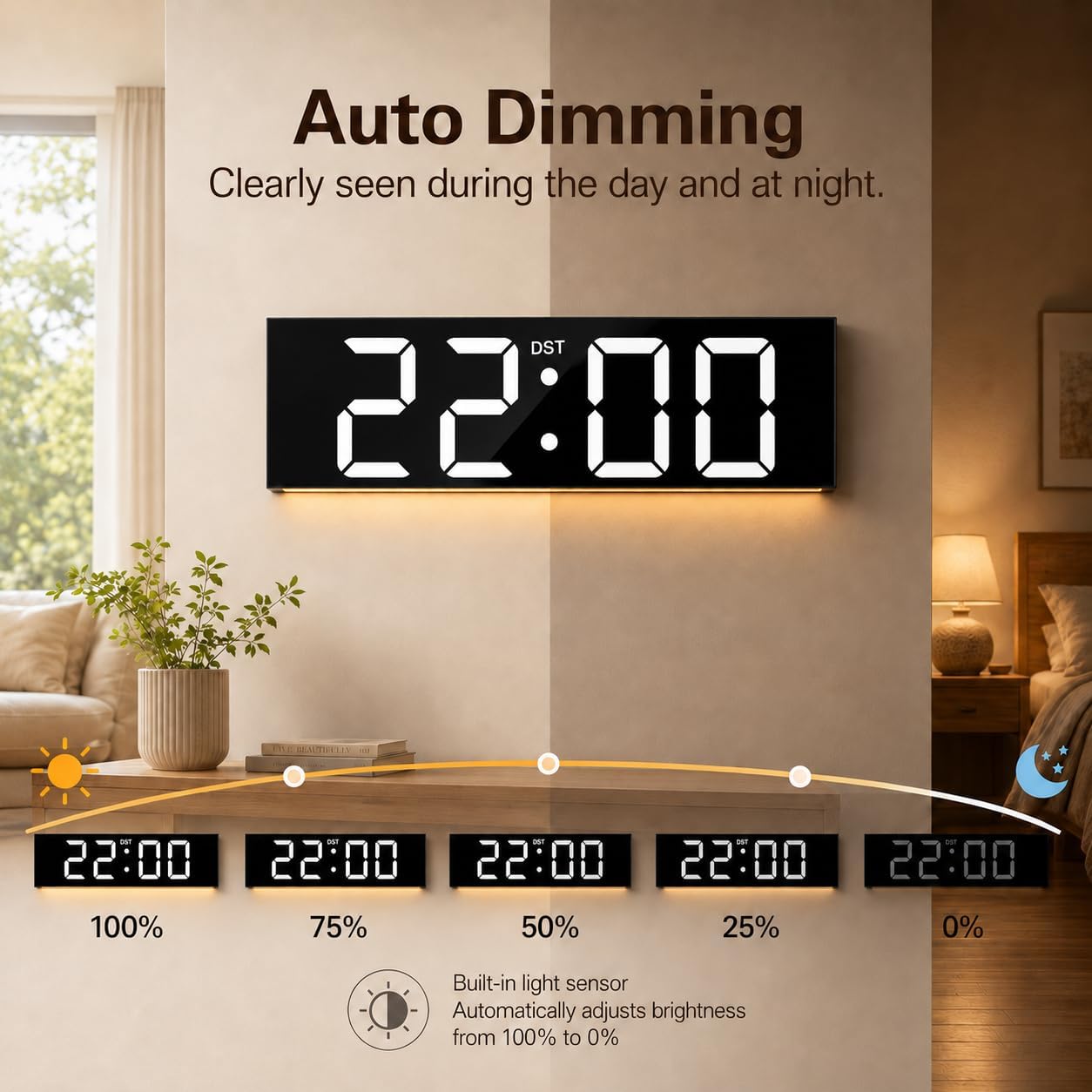
Image 4.1: The clock's auto-dimming function, illustrating how brightness adapts from 100% in bright conditions to 0% in darkness.
4.4 Auto-Daylight Saving Time (DST)
The clock is designed to automatically update for Daylight Saving Time in both Spring (forward +1 hour) and Fall (back -1 hour). This feature ensures the time is always accurate without manual intervention.

Image 4.2: Visual representation of the clock automatically adjusting for Daylight Saving Time in Spring and Fall.
4.5 Countdown Timer and Stopwatch
The clock includes a countdown timer and stopwatch function, both operating from 0 to 99 minutes. These features are useful for various activities, such as gym workouts, study sessions, or cooking.

Image 4.3: The clock's countdown timer and stopwatch functions in use, showing a 45-second countdown and a 99-minute stopwatch.
4.6 Ambient Night Light
A built-in bottom night light provides a warm, gentle illumination, enhancing the ambiance of your space and offering subtle guidance in dark rooms without the need for bright overhead lights.
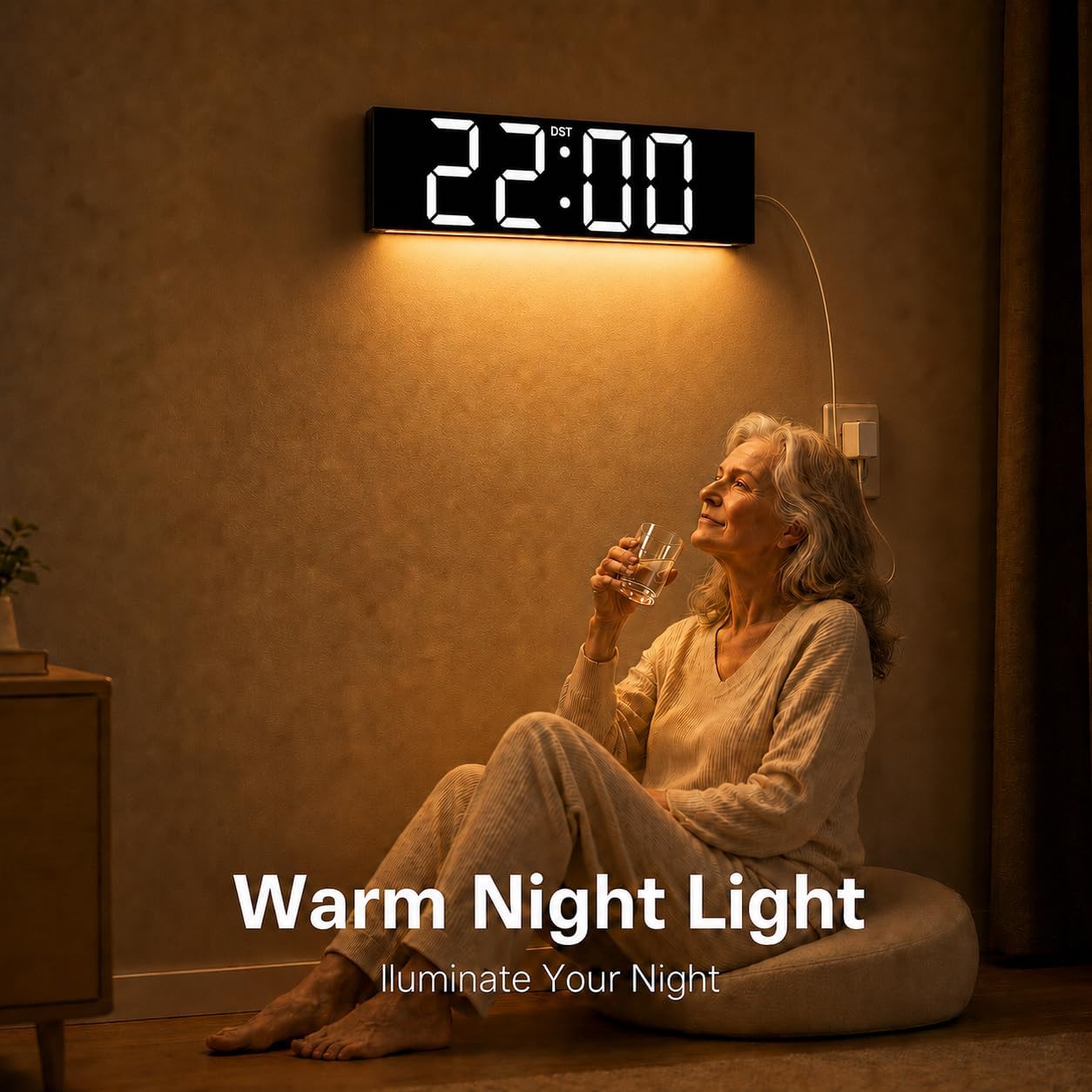
Image 4.4: The clock's warm night light feature providing gentle illumination in a room.
5. Maintenance
5.1 Cleaning
To clean the clock, gently wipe the display and casing with a soft, dry cloth. Avoid using abrasive cleaners, solvents, or excessive moisture, as these can damage the display or internal components.
5.2 Power Outage Memory Backup
The clock includes a built-in memory backup system. In the event of a power outage, your time settings will be securely saved, eliminating the need to reset the clock once power is restored.
5.3 Remote Control Battery Replacement
If the remote control becomes unresponsive, replace its battery. Refer to the remote control's battery compartment for the correct battery type and replacement procedure.
6. Troubleshooting
- Clock Not Displaying:
- Ensure the power adapter is securely plugged into both the clock and a working wall outlet.
- Check if the power outlet is functional.
- Remote Control Not Responding:
- Ensure there are no obstructions between the remote and the clock.
- Replace the remote control battery.
- Point the remote directly at the clock.
- Incorrect Time/Date:
- Manually set the time and date using the remote control.
- Verify that the auto-DST feature is correctly configured for your region.
- Power Adapter Heating:
- It is normal for power adapters to generate some heat during operation. However, if the adapter becomes excessively hot to the touch, disconnect it immediately and contact customer support.
- Consider connecting the clock via a USB port if available and compatible, as an alternative power source, ensuring the cable does not heat up.
7. Specifications
| Feature | Detail |
|---|---|
| Brand | JALL |
| Model | 22 inches |
| Color | Black With White Font |
| Display Type | Digital LED |
| Product Dimensions | 24"W x 24"H (Note: Display size is 22 inches) |
| Power Source | Corded Electric |
| Special Features | Adjustable Brightness, Alarm, Daylight Saving, Temperature Display, Timer |
| Mounting Type | Wall Mount |
| Indoor/Outdoor Usage | Indoor |
8. Warranty & Support
JALL is committed to product quality and customer satisfaction. This product is backed by a lifetime warranty, ensuring support for any manufacturing defects or operational issues.
For technical assistance, troubleshooting, or warranty claims, please contact JALL customer support. Refer to the contact information provided on the product packaging or the official JALL website.
You can also visit the JALL Store on Amazon for more product information and support resources.