
1. Introduction
Thank you for choosing the Heybly Aquarium Stand HAS011SR. This stand is designed to provide a stable and functional display solution for your aquarium, terrarium, or turtle tank, featuring integrated power outlets and convenient storage. This manual provides essential information for safe assembly, operation, and maintenance of your product. Please read it thoroughly before use and retain it for future reference.
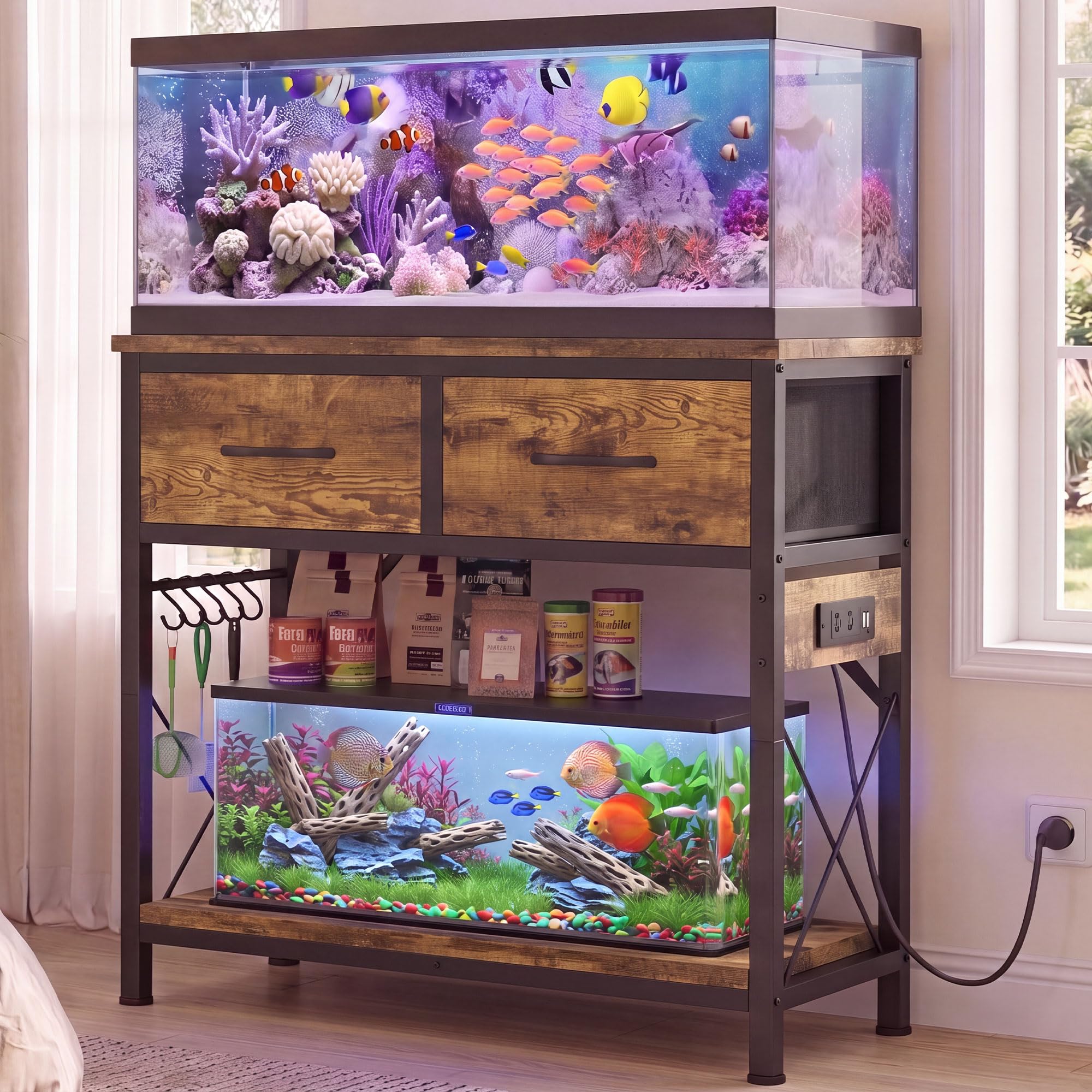
Image 1.1: Heybly Aquarium Stand HAS011SR in a home setting.
2. Important Safety Information
To prevent injury or damage to your product, please adhere to the following safety guidelines:
- Weight Capacity: Do not exceed the maximum load capacity. The top shelf supports up to 400 lbs, and the lower shelf supports up to 330 lbs. Overloading can cause structural failure and serious injury.
- Anti-Tip Kit: Always install the included anti-tip kit to secure the stand to a wall. This prevents tipping, especially with heavy aquariums or in households with children or pets.
- Level Surface: Ensure the stand is placed on a flat, level, and stable surface. Use the adjustable feet to compensate for uneven floors.
- Electrical Safety: The integrated power outlets are rated for 125V/12A (AC) and 5V/2A (USB). Do not exceed these ratings. Ensure all connected devices are suitable for aquarium use and follow their respective safety instructions. Keep the power cord and outlets dry.
- Assembly: Assemble the stand according to the instructions. Do not modify the product. Ensure all fasteners are securely tightened before placing any weight on the stand.
- Water Exposure: While the surface is water-resistant, prolonged exposure to standing water should be avoided. Wipe up spills immediately to prevent damage.
3. Package Contents
Verify that all components are present before beginning assembly:
- 1 x Aquarium Stand (disassembled components)
- 1 x Accessory Kit (screws, tools, etc.)
- 1 x Anti-Tip Kit
- 1 x Instructions Manual
4. Setup and Assembly
4.1. Before You Begin
- Clear a spacious area for assembly.
- Lay out all parts and hardware, comparing them with the parts list in the included instruction manual.
- Keep children and pets away from the assembly area.
4.2. Assembly Steps
Follow the detailed, step-by-step instructions provided in the separate assembly guide included in your package. General steps involve:
- Frame Assembly: Connect the metal frame components using the provided screws. Note the X-shaped side bracing for enhanced stability.
- Shelf Installation: Attach the rustic brown engineered wood panels to form the top and bottom shelves.
- Power Outlet Integration: Secure the power outlet strip into its designated slot on the side of the stand.
- Drawer Assembly: Assemble the foldable fabric drawers and insert them into the designated compartments.
- Adjustable Feet: Screw in the 5 adjustable feet at the bottom of the stand. Adjust them to ensure the stand is level and stable on your floor.
- Anti-Tip Kit Installation: Securely attach the anti-tip kit to the back of the stand and to a wall stud using appropriate hardware. This is a critical safety step.

Image 4.1: Dimensions and Weight Capacity.

Image 4.2: Reinforced Metal Frame with X-shaped bracing.

Image 4.3: Adjustable Feet for leveling.
5. Operating Instructions
5.1. Power Outlets
The stand includes a built-in power strip with 2 AC outlets and 2 USB ports. Plug the stand's power cord into a grounded wall outlet. You can then connect aquarium lights, filters, heaters, air pumps, and other accessories directly to the integrated outlets. Ensure the total power draw does not exceed 12A for AC outlets and 2A for USB ports.

Image 5.1: Built-in Power Outlet Design.
5.2. Storage Drawers
Utilize the two foldable fabric drawers for organized storage of fish food, water conditioners, nets, cleaning tools, and other aquarium supplies. The drawers are designed to be breathable and can be folded flat when not in use.

Image 5.2: Roomy Foldable Storage Drawers.
5.3. Side Hooks
The stand features 5 side hooks, ideal for hanging frequently used aquarium tools such as fish nets, cleaning brushes, or other accessories, keeping them easily accessible.

Image 5.3: 5 Handy Side Hooks.
6. Maintenance
Regular maintenance ensures the longevity and safety of your aquarium stand.
- Cleaning: Wipe the surfaces with a soft, damp cloth. Avoid abrasive cleaners or harsh chemicals that could damage the finish. For spills, especially water, wipe immediately to prevent moisture damage.
- Stability Check: Periodically check all screws and fasteners to ensure they remain tight. Re-tighten if necessary. Verify that the adjustable feet are still properly leveled.
- Electrical Inspection: Regularly inspect the power cord and outlets for any signs of wear, fraying, or damage. Discontinue use and contact support if any damage is found.
- Anti-Tip Kit: Ensure the anti-tip kit remains securely attached to both the stand and the wall.

Image 6.1: Water-Resistant Surface for easy cleaning.
7. Troubleshooting
Refer to the table below for common issues and their solutions.
| Problem | Possible Cause | Solution |
|---|---|---|
| Stand is wobbly or unstable. | Uneven floor; loose fasteners. | Adjust the leveling feet until stable. Check and tighten all assembly screws. Ensure the anti-tip kit is installed. |
| Power outlets are not working. | Stand's power cord unplugged; tripped circuit breaker; faulty device. | Ensure the stand's power cord is securely plugged into a working wall outlet. Check your home's circuit breaker. Test the connected device in another outlet. |
| Drawers do not slide smoothly. | Improper assembly; obstruction. | Ensure drawers are assembled correctly and inserted properly. Check for any items obstructing the drawer path. |
8. Specifications
Detailed specifications for the Heybly Aquarium Stand HAS011SR:
| Feature | Detail |
|---|---|
| Model Number | HAS011SR |
| Color | Rustic Brown |
| Material | Engineered Wood, Metal |
| Overall Dimensions (L x W x H) | 31.5 x 15.7 x 32.5 inches |
| Item Weight | 28.7 pounds |
| Top Load Capacity | 400 pounds |
| Bottom Load Capacity | 330 pounds |
| Power Outlets | 2 AC Outlets (125V/12A), 2 USB Ports (5V/2A) |
| Power Cord Length | 59 inches (4.9 feet) |
| Special Features | Durable, Easy Assembly, Easy to Clean, Easy to Store, Multi-Purpose, Anti-Tip Kit, Adjustable Feet, Foldable Fabric Drawers, Side Hooks |

Image 8.1: Product Specifications Overview.
9. Warranty and Support
9.1. Warranty Information
Heybly products are manufactured with quality and care. This product comes with a standard manufacturer's warranty against defects in materials and workmanship. The specific terms and duration of the warranty may vary. Please refer to the warranty card included with your purchase or contact Heybly customer support for detailed information.
9.2. Customer Support
If you have any questions, require assistance with assembly, or encounter any issues with your Heybly Aquarium Stand, please do not hesitate to contact our customer support team. For the most up-to-date contact information, please visit the official Heybly website or refer to the contact details provided in your purchase documentation.
We are committed to providing excellent service and support for your product.