
1. Introduction
This instruction manual provides comprehensive guidance for the installation, operation, and maintenance of your FABULETTA 5-Band Stereo Equalizer Board. Please read this manual thoroughly before using the product to ensure correct setup and optimal performance. Keep this manual for future reference.
2. Safety Information
- Power Supply: Ensure the power supply voltage matches the specifications (+/-5V to +/-15V DC or AC 220V for the powerboard variant). Incorrect voltage can damage the device.
- Installation: Install the board in a stable, well-ventilated area, away from direct sunlight, heat sources, and moisture.
- Handling: Handle the circuit board with care to avoid damage to components. Avoid touching exposed circuitry while powered.
- Modifications: Do not attempt to modify or disassemble the unit. This may void the warranty and pose safety risks.
- Children: Keep the device out of reach of children.
3. Package Contents
- 1 x FABULETTA 5-Band Stereo Equalizer Board
4. Product Overview and Features
The FABULETTA 5-Band Stereo Equalizer Board is designed to provide precise audio frequency adjustment and volume control for your HiFi audio system. It features a dual power supply input and RCA input/output for easy integration.
4.1 Interface Description
- LIN: Left channel audio input.
- RIN: Right channel audio input.
- LOUT: Left channel audio output.
- ROUT: Right channel audio output.
- +V: Positive power supply input (+5V to +15V).
- G: Ground connection for power supply, input, and output.
- -V: Negative power supply input (-5V to -15V).
- AC IN: AC 220V input for the powerboard variant (if applicable).

Figure 1: Top-down view of the equalizer board, highlighting the various input and output connections, including LIN, RIN, LOUT, ROUT, and power terminals.
5. Setup and Installation
5.1 Power Supply Connection
- For the standard equalizer board, connect a dual power supply providing +/-5V to +/-15V DC to the +V, G, and -V terminals. Ensure correct polarity.
- If using the powerboard equalizer variant, connect AC 220V to the designated AC IN terminals (S1). The powerboard provides dual regulated +/-5V DC output.
5.2 Audio Connections
- Connect your audio source (e.g., CD player, pre-amplifier) to the RCA input ports labeled LIN (Left Input) and RIN (Right Input).
- Connect your amplifier or next audio component to the RCA output ports labeled LOUT (Left Output) and ROUT (Right Output).
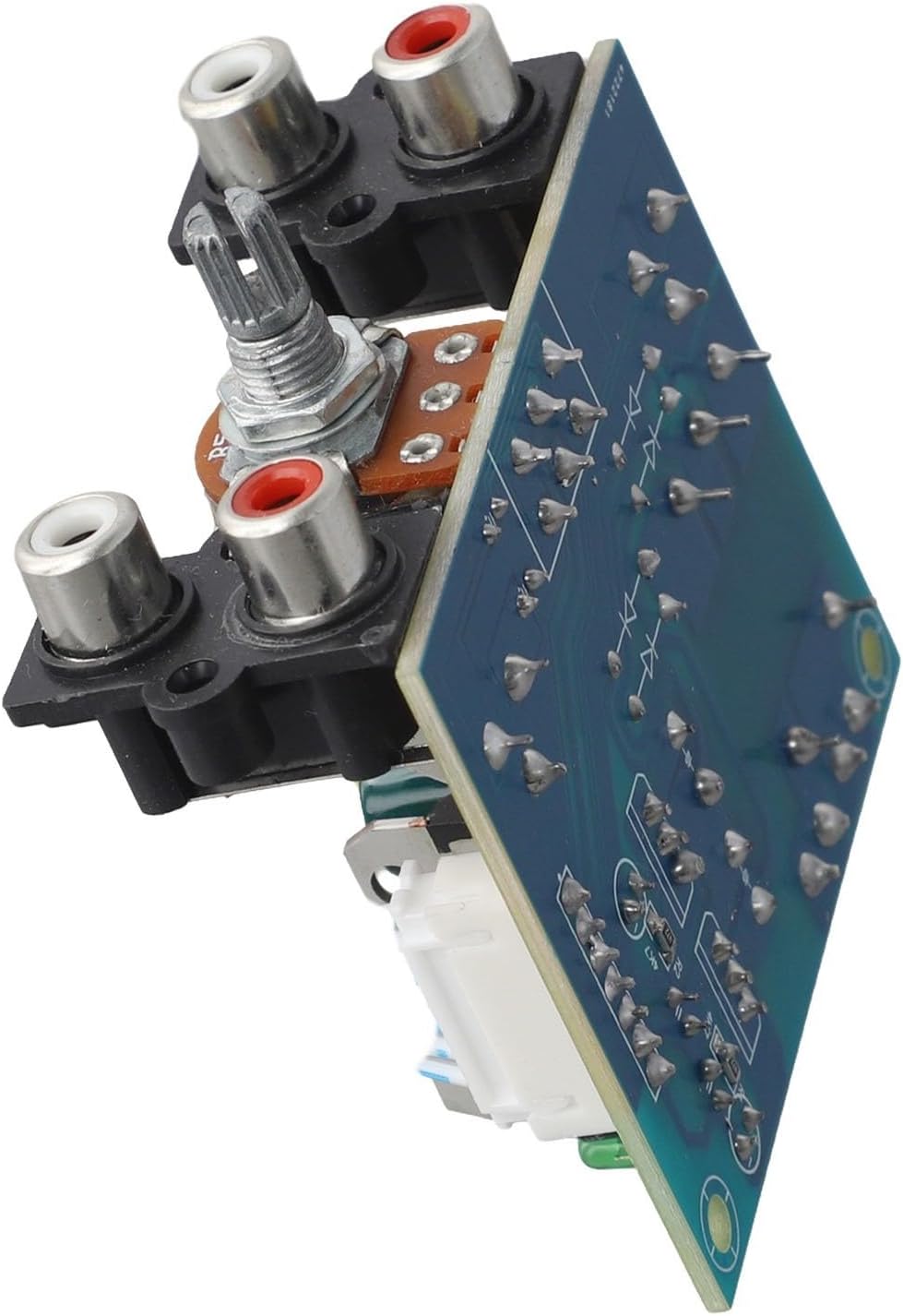
Figure 2: This image illustrates the AC input terminals for power connection and the RCA input/output ports for audio signals on the equalizer board.

Figure 3: The underside of the equalizer board, useful for understanding mounting options and overall circuit layout.
6. Operating Instructions
6.1 Volume Control
The board features a stereo volume control knob. Rotate the knob clockwise to increase the output volume and counter-clockwise to decrease it. Adjust to a comfortable listening level.
6.2 Equalizer Adjustment
The 5-band equalizer allows you to adjust specific frequency ranges to tailor the audio output to your preference or room acoustics. The adjustable frequencies are: 100 Hz, 400 Hz, 1 kHz, 4 kHz, and 10 kHz. Use the corresponding potentiometers to boost or cut these frequencies.
- 100 Hz: Controls bass frequencies, adding warmth or reducing muddiness.
- 400 Hz: Affects the lower midrange, influencing the body of instruments.
- 1 kHz: Controls the central midrange, impacting vocal clarity and presence.
- 4 kHz: Adjusts upper midrange, affecting brightness and attack of sounds.
- 10 kHz: Controls treble frequencies, adding sparkle or reducing harshness.

Figure 4: This close-up shows the main volume control knob and the RCA input/output jacks, which are key for adjusting audio levels and connecting audio sources.
7. Specifications
| Feature | Specification |
|---|---|
| Brand | FABULETTA |
| Model Number | UNOQ97M9824F238PX1HEI24C22V6N |
| Equalizer Bands | 5-Band Stereo |
| Adjustable Frequencies | 100 Hz, 400 Hz, 1 kHz, 4 kHz, 10 kHz |
| Power Supply (Standard Board) | Dual +/-5V to +/-15V DC |
| Power Supply (Powerboard Variant) | AC 220V input, Dual Regulated +/-5V DC output |
| Input/Output | RCA Stereo (Left/Right) |
| Dimensions | 64 x 55 mm (approx. 10 x 8 x 3 cm) |
| Weight | 122 g |
| Material | ABS |
8. Maintenance
- Cleaning: Use a soft, dry cloth to clean the surface of the board. Do not use liquid cleaners or solvents.
- Storage: When not in use for extended periods, store the board in a cool, dry place, away from dust and extreme temperatures.
- Inspection: Periodically check connections for tightness and ensure no visible damage to components or wiring.
9. Troubleshooting
- No Power:
- Verify that the power supply is correctly connected and providing the specified voltage.
- Check all power connections for secure contact.
- No Sound Output:
- Ensure all RCA audio cables are securely connected to the correct input and output ports.
- Check the volume control knob and ensure it is not set to minimum.
- Verify that the audio source is playing and the connected amplifier is powered on and set to the correct input.
- Distorted Sound:
- Reduce the input signal level from your audio source if it is too high.
- Adjust the equalizer bands to ensure no single frequency is excessively boosted, which can cause clipping.
- Check for loose or damaged audio cables.
10. Warranty and Support
For warranty information or technical support, please contact your retailer or the manufacturer directly. Keep your purchase receipt as proof of purchase.