
Introduction
This manual provides essential information for the safe and efficient operation, maintenance, and troubleshooting of your Faber FAF CrispX 4.0 Digital Air Fryer. Please read all instructions carefully before first use and retain this manual for future reference.
Important Safeguards
When using electrical appliances, basic safety precautions should always be followed to reduce the risk of fire, electric shock, and injury to persons:
- Do not immerse the appliance, cord, or plug in water or other liquids.
- Ensure the voltage indicated on the appliance corresponds to your local mains voltage before connecting.
- Always unplug the appliance from the power outlet when not in use and before cleaning. Allow it to cool before handling.
- Do not operate any appliance with a damaged cord or plug, or after the appliance malfunctions or has been damaged in any manner.
- Keep the appliance and its cord out of reach of children.
- Do not let the cord hang over the edge of a table or counter, or touch hot surfaces.
- Do not place the appliance against a wall or against other appliances. Leave at least 10 cm free space on the back and sides and 10 cm free space above the appliance.
- The appliance operates at high temperatures. Use oven mitts when handling hot surfaces or components.
- This appliance is for household use only. Do not use outdoors.
- The appliance features a Cool Touch Handle and Overheat Protection for safe operation.
Product Overview
The Faber FAF CrispX 4.0 Digital Air Fryer is designed for healthier cooking with up to 85% less oil. It utilizes 360 Rapid Air Technology and Swirl Heating Technology to ensure even cooking and crispy results. The appliance features a digital touch control panel and 10 preset menus for various cooking tasks.

Image: Faber FAF CrispX 4.0 Digital Air Fryer showing its dimensions: 26 cm depth, 26.1 cm width, and 34.6 cm height.
Setup
- Unpacking: Carefully remove the air fryer and all packaging materials. Ensure all components, including the air fryer unit and basket, are present.
- Initial Cleaning: Before first use, clean the air fryer basket and pan with warm soapy water. Wipe the exterior of the appliance with a damp cloth. Ensure all parts are completely dry before use.
- Placement: Place the air fryer on a stable, heat-resistant surface, away from walls and other appliances to allow for proper air circulation. Ensure there is at least 10 cm of free space around the unit.
- Power Connection: Plug the power cord into a grounded electrical outlet.
Operating Instructions
The Faber FAF CrispX 4.0 Air Fryer features a digital touch control panel for easy operation.
Basic Operation
- Power On: Plug in the air fryer. The power indicator will light up. Press the power icon to turn on the display.
- Preheating (Optional): For best results, preheat the air fryer for 3-5 minutes at the desired temperature.
- Loading Food: Pull out the basket using the cool-touch handle. Place food into the basket. Do not overfill.
- Setting Time and Temperature: Use the temperature and time control buttons to adjust settings. The maximum temperature setting is 200°C.
- Start Cooking: Press the start/pause icon to begin the cooking cycle.
- Shaking/Flipping Food: For even cooking, especially for smaller items, pull out the basket halfway through the cooking time and shake or flip the food.
- Auto Shut-Off: The air fryer will automatically shut off when the timer reaches zero.
Using Preset Menus
The air fryer includes 10 preset menus for common dishes, simplifying your cooking process.

Image: The digital touch control panel of the Faber FAF CrispX 4.0 Air Fryer, highlighting the 10 preset menu icons for various food types.
- Select Preset: After powering on, press the menu icon to cycle through the 10 preset options. Each icon represents a different food type (e.g., fries, chicken, fish, cake).
- Automatic Settings: Once a preset is selected, the air fryer will automatically set the optimal time and temperature for that dish.
- Adjust (Optional): You can manually adjust the time and temperature even after selecting a preset if desired.
- Start Cooking: Press the start/pause icon to begin.
Cooking Technology
The Faber FAF CrispX 4.0 utilizes advanced technologies for efficient cooking:
- 360 Rapid Air Technology: Ensures hot air circulates rapidly and evenly around the food, providing a crispy exterior and tender interior.
- Swirl Heating Technology: Distributes heat up to 200°C uniformly for faster and healthier cooking results.
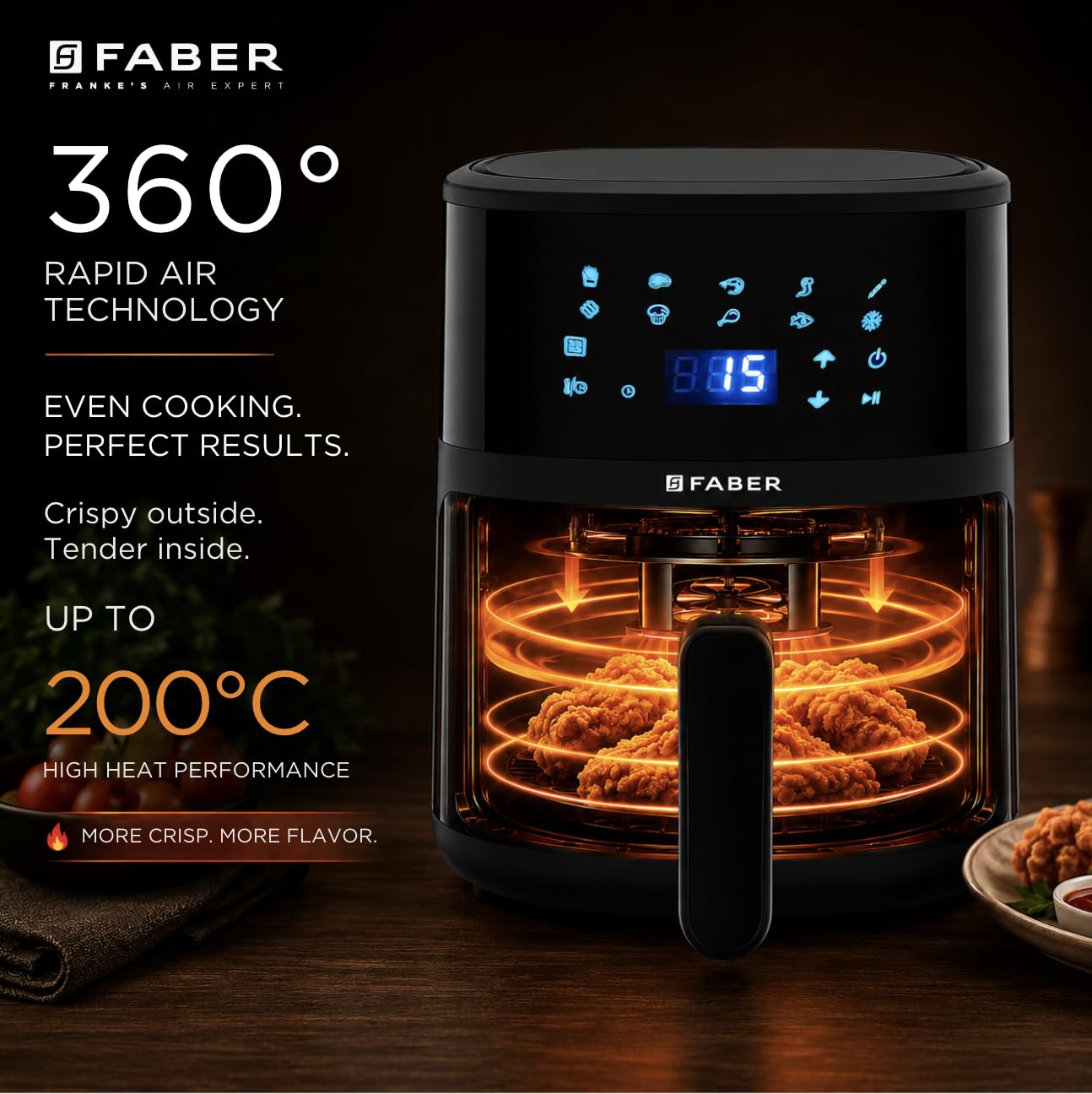
Image: A cutaway view of the Faber FAF CrispX 4.0 Air Fryer, illustrating the internal heating elements and the circulation of hot air around food for even cooking.
Cleaning and Maintenance
Regular cleaning ensures optimal performance and extends the lifespan of your air fryer.
- Unplug and Cool: Always unplug the air fryer and allow it to cool completely before cleaning.
- Clean Basket and Pan: The air fryer basket and pan are dishwasher safe. Alternatively, wash them with hot water, dish soap, and a non-abrasive sponge. For stubborn food residue, soak the basket and pan in hot water for about 10 minutes.
- Clean Interior: Wipe the interior of the appliance with a damp cloth and mild detergent. Avoid abrasive cleaners or metal scouring pads. The inner material is Stainless Steel.
- Clean Exterior: Wipe the exterior with a damp cloth. Do not use harsh chemicals or abrasive materials.
- Storage: Ensure all parts are clean and dry before storing the air fryer in a cool, dry place.

Image: A person cleaning the removable basket of the Faber FAF CrispX 4.0 Digital Air Fryer with a soft cloth, demonstrating ease of cleaning.
Troubleshooting
If you encounter issues with your air fryer, refer to the following common problems and solutions:
| Problem | Possible Cause | Solution |
|---|---|---|
| Air fryer does not turn on. | Not plugged in; power outlet malfunction; appliance fault. | Ensure the power cord is securely plugged in. Test the outlet with another appliance. If the issue persists, contact customer support. |
| Food is not cooked evenly. | Basket overloaded; food not shaken/flipped; incorrect temperature/time. | Do not overload the basket. Shake or flip food halfway through cooking. Adjust temperature and time as needed. |
| White smoke coming from the appliance. | Grease residue from previous use; cooking fatty foods. | Clean the basket and pan thoroughly after each use. For fatty foods, add a small amount of water to the pan to prevent smoke. |
| Food is not crispy. | Basket overloaded; insufficient oil (for certain recipes); temperature too low. | Cook in smaller batches. Lightly brush or spray food with oil. Increase cooking temperature slightly. |
If the problem persists after attempting these solutions, please contact Faber customer support.
Technical Specifications
| Feature | Specification |
|---|---|
| Model Name | FAF CrispX 4.0 |
| Model Number | 131.0759.383 |
| Capacity | 4 Litres |
| Output Wattage | 1300 Watts |
| Voltage | 230 Volts |
| Max Temperature | 200°C |
| Control Method | Touch |
| Product Dimensions (D x W x H) | 26D x 26W x 34.6H Centimeters |
| Item Weight | 4 Kilograms |
| Inner Material | Stainless Steel |
| Dishwasher Safe Parts | Yes (Basket and Pan) |
| Included Components | 1 Airfryer |
| Manufacturer | Franke Faber India Pvt Ltd |
| Country of Origin | India |
Warranty Information
Your Faber FAF CrispX 4.0 Digital Air Fryer comes with a 2-year warranty from Faber, covering manufacturing defects and malfunctions under normal household use. Please retain your purchase receipt as proof of purchase for warranty claims.
For detailed terms and conditions, please refer to the warranty card included with your product or contact Faber customer support.
Customer Support
For any queries, assistance, or service requests regarding your Faber FAF CrispX 4.0 Digital Air Fryer, please contact:
Manufacturer: Franke Faber India Pvt Ltd
Address: 1086/1/2, SANASWADI, TAL - SHIRUR, PUNE - 412208, MAHARASHTRA, INDIA
Contact Number: 1800-209-3484